Aus öffentlichen Paketdaten erstellte Orientierung.
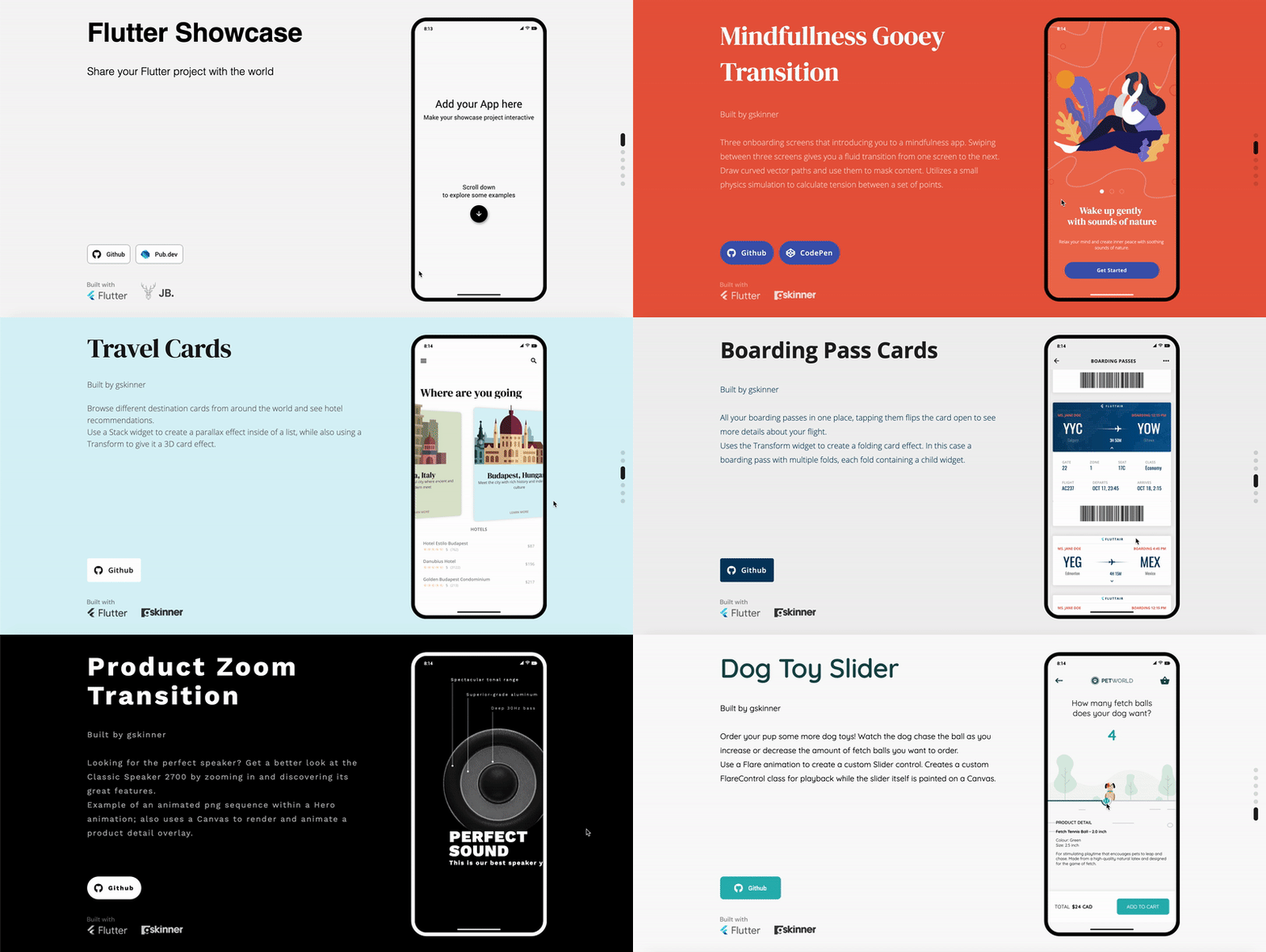
Flutter Showcase ist ein leichtgewichtiges Paket, das entwickelt wurde, um Flutter-Projekte schnell und mühelos mit anderen zu teilen. Es ermöglicht Entwicklern, interaktive, einbettbare Vorschauen ihrer Apps zu erstellen, sodass die Funktionalität einfach demonstriert werden kann, ohne dass Benutzer das Projekt klonen oder kompilieren müssen. Ideal für die Präsentation auf Websites, Portfolios oder Dokumentationen, unterstützt es Echtzeit-Interaktion und visuelle Rückmeldung. Das Paket integriert sich nahtlos in bestehende Flutter-Arbeitsabläufe und legt Wert auf Geschwindigkeit und Einfachheit.
Anwendungsfälle
App-Demos online teilen
Projekte in Portfolios vorstellen
UI/UX in der Dokumentation demonstrieren
Apps während Präsentationen vorstellen
Interaktive Vorschaubilder schnell erstellen
Hauptmerkmale
Einfache Integration mit Flutter
Interaktive App-Vorschauen
Schnelle Einrichtung und Bereitstellung
Einbettbare Webansichten
Minimale Konfiguration erforderlich
Geeignet für
Entwickler teilen Projekte
UI/UX-Designer
Open-Source-Beiträger
Lehrkräfte demonstrieren Apps
Portfolio-Baukästen
Hinweise
Beschränkt auf Web-Vorschauen
Kein Offline-Modus
Benötigt Internetzugang für Live-Demos
Nicht für Produktions-Apps vorgesehen
Kann zusätzliche Stilisierung für benutzerdefinierte Darstellung erforderlich sein
Original-README
Originaler README-Schnappschuss aus dem verknüpften Quell-Repository. Aktuelle Inhalte finden Sie im Repository.
Flutter Showcase
A simple, fast and easy way to share you flutter project or mockups with the world. Demo
Intro
Flutter Showcase is a project that helps you share flutter your project online.
While building your project as a website is enough, this package aims to empower your demo.
You can can have different appareances, actionable links and social metadata.
Flutter Showcase is only displayed when building the web project. When compiling to other platforms your project will still look as before.
Right now there is only SimpleTemplate
but the goal is to provide multiple options to share your project so you can choose the one that
fits for you.
Choose the template you perfer from the class Templates.
Add actianable links
Showcase(
  // Add LinkData.github, LinkData.pub or create your custom LinkData()
  links: [
    LinkData.github(
      'https://github.com/jamesblasco/flutter_showcase'),
    LinkData.pub(
    'https://github.com/jamesblasco/flutter_showcase')
  ],
  //Add your brand logo next to the Flutter logo
  logoLink: LinkData(
      icon: Image.asset('assets/jaime_logo.png',
          fit: BoxFit.fitHeight),
      url: 'https://github.com/jamesblasco')
)
Flutter web is still limited, some features are not available and performance can be a bit low sometimes
While most of the ui packages work on web, there are some packages that won't work or will not allow to compile the app
Creating a mobile frame inside a Flutter web app makes the global positions from gestures to be a reference for the whole screen and not the framed app, this might cause problems if you are using globalPosition in any GestureDetector or more advanced Widgets
Autogenerate social media tags - Experimental
CAUTION! This feature is still experimental; It generates a new index.html, if you add your own js scrips (as Firebase) it won't work for now.
This projects aims to generate social media tags title, description, url and image for your Flutter project so
you don't have to do it.
A WebDriver is needed for making a screenshot of the project
For the experimental version I am using ChromeDriver.
Github Actions have ChromeDriver installed by default 🎉
Local instalation:
Mac users with Homebrew installed: brew tap homebrew/cask && brew cask install chromedriver
Debian based Linux distros: sudo apt-get install chromium-chromedriver
Windows users with Chocolatey installed: choco install chromedriver