Pakete, Repositories und App-Kategorien suchen

Cover von flutter_summernote
Paketdetailsv1.1.1

flutter_summernote

Texteditor in Flutter für Android und iOS, um frei WYSIWYG-HTML-Code basierend auf der Summernote 0.8.18-JavaScript-Bibliothek zu schreiben.

AndroidiOSmacOS
30-Tage-Downloads
219
Likes
107
Pub-Punkte
140

Paket installieren

flutter pub add flutter_summernote

Paketübersicht

Aus öffentlichen Paketdaten erstellte Orientierung.

flutter_summernote ist ein Flutter-Paket, das für Android, iOS und macOS einen WYSIWYG-HTML-Texteditor bereitstellt, der von der JavaScript-Bibliothek Summernote 0.8.18 angetrieben wird. Es ermöglicht Benutzern, Inhalte frei zu schreiben und mit reichhaltigen Textfunktionen direkt innerhalb von Flutter-Apps zu formatieren. Der Editor unterstützt HTML-Ausgabe und ist daher ideal für Anwendungen, die formatierten Texteingabe erfordern, wie Blogs, Content-Management-Systeme oder Messaging-Plattformen. Er lässt sich problemlos über einen einfachen pub add-Befehl in Flutter-Projekte integrieren.

Anwendungsfälle

  • Inhaltschaffung in mobilen Apps
  • Blog-Post-Editoren
  • Schnittstellen für reichhaltige Textnachrichten
  • Formulareingaben mit Formatierung
  • HTML-basiertes Content Management

Hauptmerkmale

  • WYSIWYG-HTML-Editierung
  • Unterstützt Summernote 0.8.18
  • Plattformübergreifend (Android, iOS, macOS)
  • HTML-Ausgabegenerierung
  • Einfache Integration über pub
  • anpassbare Werkzeugleiste

Geeignet für

  • Entwickler, die reichhaltige Texteingabefelder erstellen
  • Apps, die Eingabe von HTML-reichem Inhalt erfordern
  • Mobile Content-Editor
  • Projekte, die Summernote-Funktionalität in Flutter verwenden

Hinweise

  • Benötigt WebView für die Darstellung
  • Eingeschränkte native Flutter-Widget-Steuerelemente
  • Abhängig von externer JavaScript-Bibliothek
  • Kann Leistungseinbußen auf Geräten mit geringer Leistung verursachen
  • Nicht geeignet für reine Native-Text-Editierung ohne HTML-Ausgabe

Original-README

Originaler README-Schnappschuss aus dem verknüpften Quell-Repository. Aktuelle Inhalte finden Sie im Repository.

Flutter Summernote

All Contributors

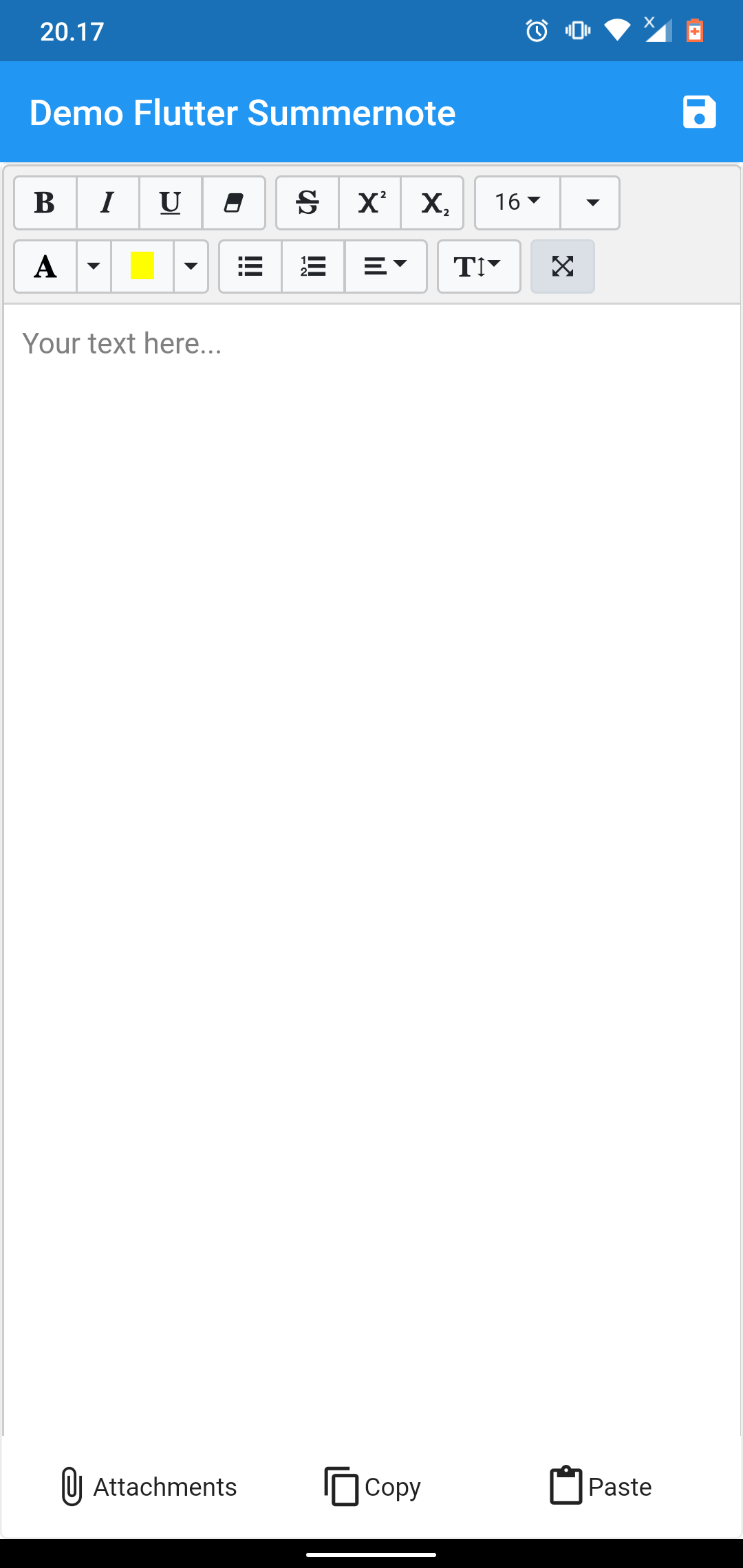
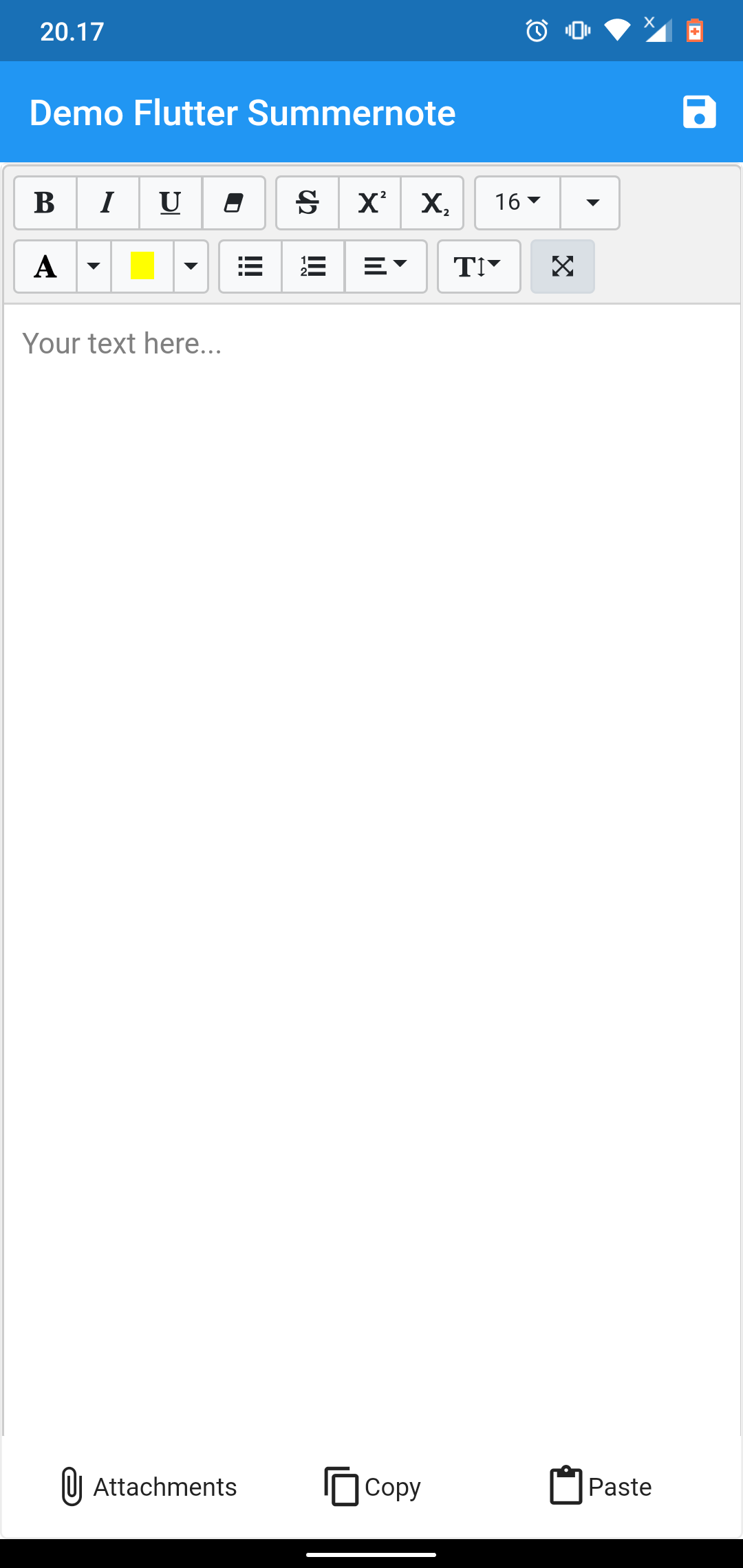
Text Editor in Flutter for Android and iOS to help free write WYSIWYG HTML code based on Summernote 0.8.18 javascript wrapper.

demo example demo example

NOTICE

This package dependent to the Official WebView Plugin. In this package can't add image, video, or another file using editor toolbar. To handle attach image this package give you another solution using image Image Picker at bottom of editor. This package can't use enableinteractiveSelection from TextField, to handle that this package give you another solution using copy paste at bottom of editor. Thank you for all your support.

Setup

add flutter_summernote: ^latest as deppendecy to pubspec.yaml

iOS

Add the following keys to your Info.plist file, located in /ios/Runner/Info.plist:

    <key>io.flutter.embedded_views_preview</key>
    <true/>

    <key>NSCameraUsageDescription</key>
    <string>Used to demonstrate image picker plugin</string>
    <key>NSMicrophoneUsageDescription</key>
    <string>Used to capture audio for image picker plugin</string>
    <key>NSPhotoLibraryUsageDescription</key>
    <string>Used to demonstrate image picker plugin</string>

    <key>NSAppTransportSecurity</key>
    <dict>
        <key>NSAllowsArbitraryLoads</key>
         <true/>
    </dict>
Usage
  1. import flutter html editor
    import 'package:flutter_summernote/flutter_summernote.dart';
  1. Create Global key from HTML Editor State
    GlobalKey<FlutterSummernoteState> _keyEditor = GlobalKey();
  1. Add HTML Editor to widget
    FlutterSummernote(
        hint: "Your text here...",
        key: _keyEditor
    ),
    FlutterSummernote(
        hint: "Your text here...",
        key: _keyEditor,
        customToolbar: """
            [
                ['style', ['bold', 'italic', 'underline', 'clear']],
                ['font', ['strikethrough', 'superscript', 'subscript']]
            ]"""
    )
  1. Get text from Html Editor
    final _etEditor = await keyEditor.currentState.getText();
Avalaible option parameters
Parameter Type Default Description
key GlobalKey required for get method & reset
value String empty initiate text content for text editor
height double 380 height of text editor
decoration BoxDecoration empty Decoration editor
widthImage String 100% width of image picker
hint String empty Placeholder hint text
customToolbar String empty Add all available Toolbar. Don't use insert (video & picture), please use hasAttachment option.
customPopover String empty Add all available Popover (the same paragraph as for toolbar, but below)
hasAttachment Boolean false Use this option if you want to show or hide attachment button
showBottomToolbar Boolean false Use this option if you want to show or hide bottom toolbar
returnContent Function null Use this callback to return text content on await keyEditor.currentState.getText() function call.

License

This project is licensed under the MIT License - see the LICENSE file for details.

Contributors ✨

Thanks goes to these wonderful people (emoji key):

Chandra Abdul Fattah

🚇 💻
yusuf afandi
yusuf afandi

💻
Ivan Terekhin
Ivan Terekhin

💻

This project follows the all-contributors specification. Contributions of any kind welcome!

Kategorien

Abhängigkeiten

Abhängigkeiten 5 Einträge

Quell-Repository

Projekte, die dieses Paket verwenden

Noch keine Daten verfügbar.