Aus öffentlichen Paketdaten erstellte Orientierung.
flutter_tags ist ein Flutter-Paket, das die Erstellung auswählbarer und eingabebasierter Tags vereinfacht und Funktionen sowohl für vordefinierte als auch vom Benutzer eingegebene Tags kombiniert. Es bietet eine intuitive Oberfläche mit integrierter Unterstützung zum Hinzufügen, Entfernen und Auswählen von Tags und ist daher ideal für Formulare, Filter oder Tagging-Systeme geeignet. Das Paket integriert sich nahtlos mit TextField für dynamische Eingaben und unterstützt Anpassung durch Stilierung und Callbacks. Es ist leichtgewichtig und einfach zu verwenden, ohne komplexe Einrichtung erforderlich zu haben.
Anwendungsfälle
Formularingaben mit Tag-Auswahl
Benutzererzeugter Inhalt Kennzeichnung
Schnittstellen mit dynamischen Tags filtern
Tag-basierte Suchfunktion
Interaktive Formularelemente mit Echtzeit-Rückmeldung
Hauptmerkmale
Auswählbare und bearbeitbare Tags
Eingebaute TextField-Integration
Anpassbare Erscheinung und Verhalten
Einfache Hinzufügen/Entfernen von Tags
Unterstützt sowohl vordefinierte als auch dynamische Tags
Geeignet für
Entwickler, die interaktive Formulare erstellen
Apps, die tagbasierte Filterung erfordern
UI-Komponenten, die eine dynamische Tag-Verwaltung erfordern
Projekte, die sich auf saubere, minimale Tag-Schnittstellen konzentrieren
Schnellprototyping von tag-intensiven Funktionen
Hinweise
Eingeschränkte plattformspezifische Anpassung
Keine integrierte Validierung für Eingabetags
Kann zusätzliche Stilisierung für komplexe Layouts erfordern
Nicht für sehr große Tag-Listen optimiert
Benötigt externe Abhängigkeiten für erweiterte Funktionen
Original-README
Originaler README-Schnappschuss aus dem verknüpften Quell-Repository. Aktuelle Inhalte finden Sie im Repository.
flutter_tags
Create beautiful tags quickly and easily.
Installing
Add this to your package's pubspec.yaml file:
dependencies:
  flutter_tags: "^0.4.9+1"
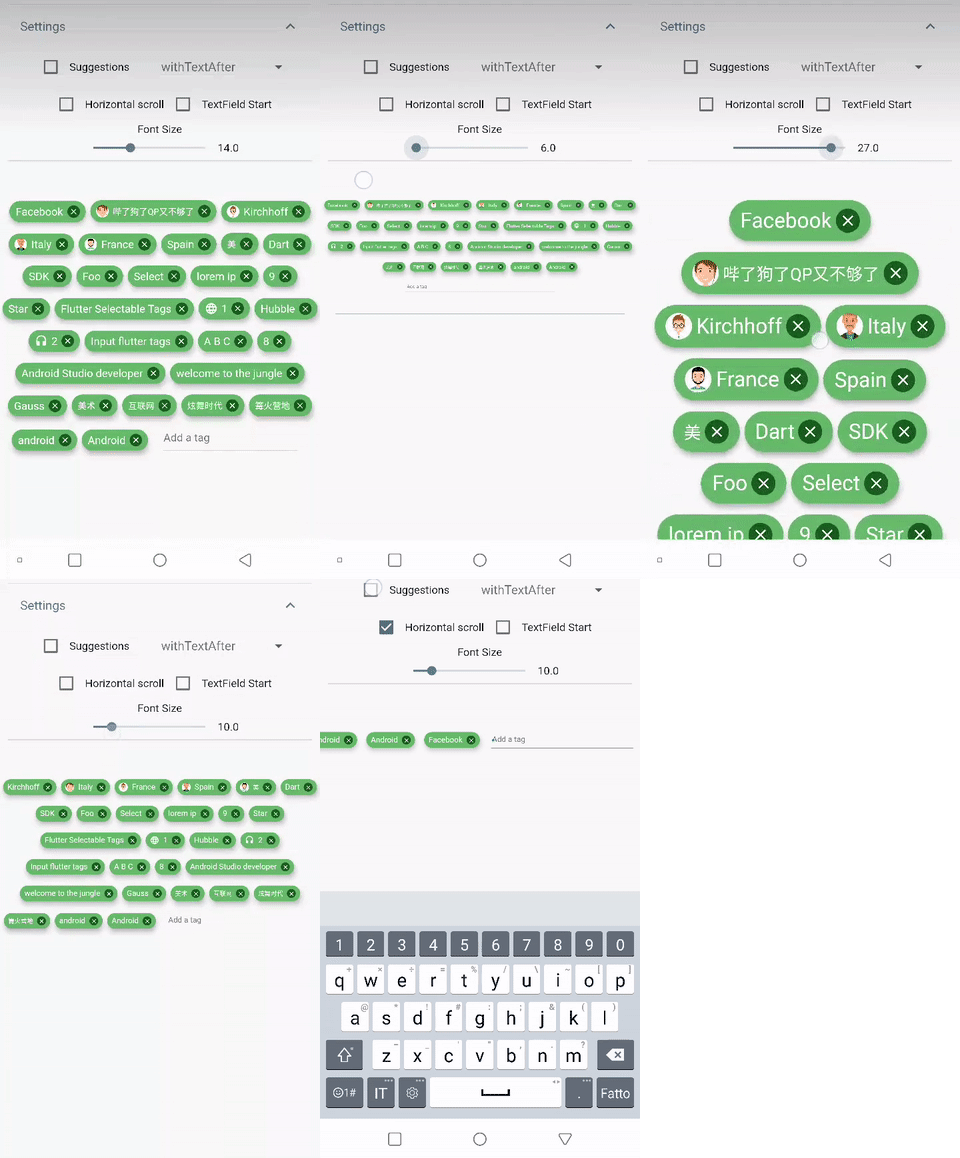
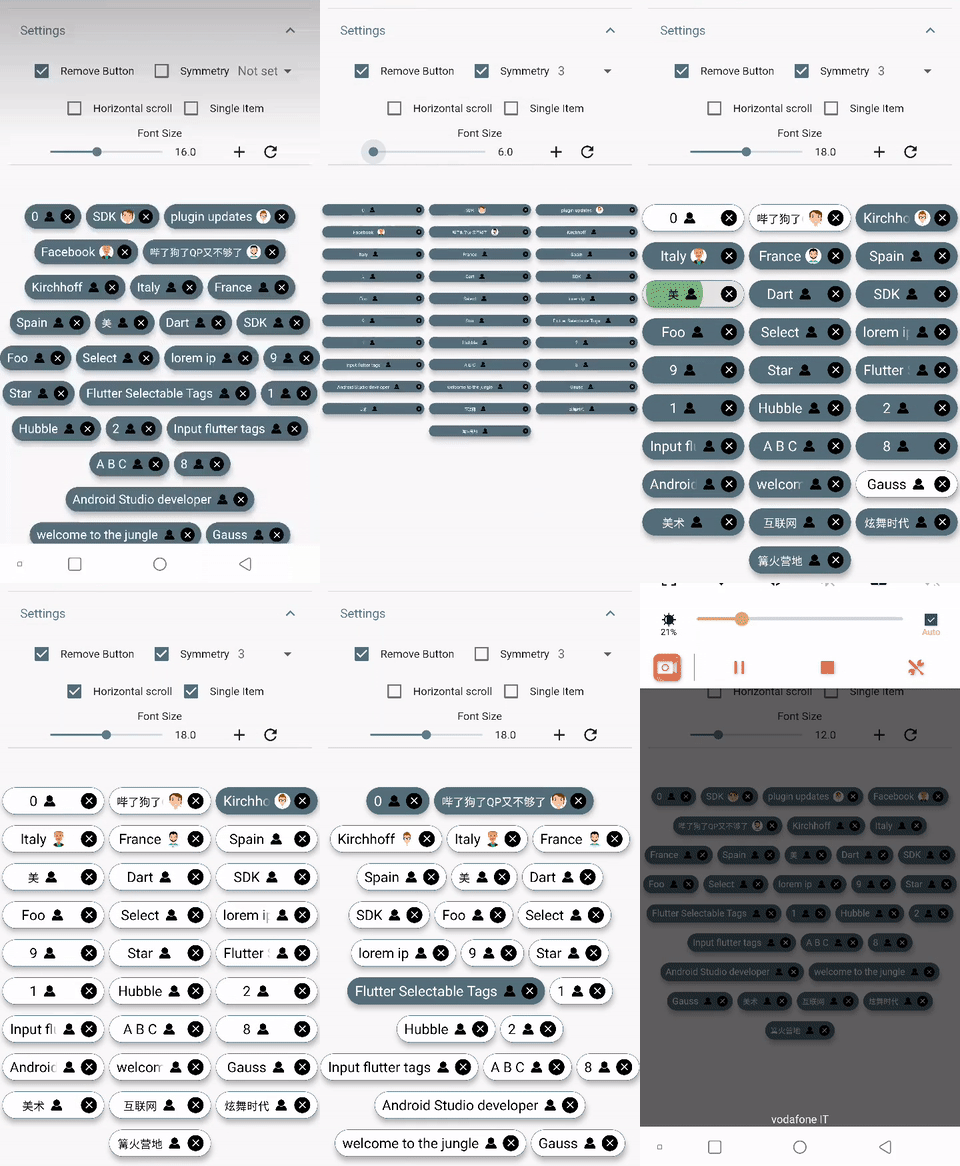
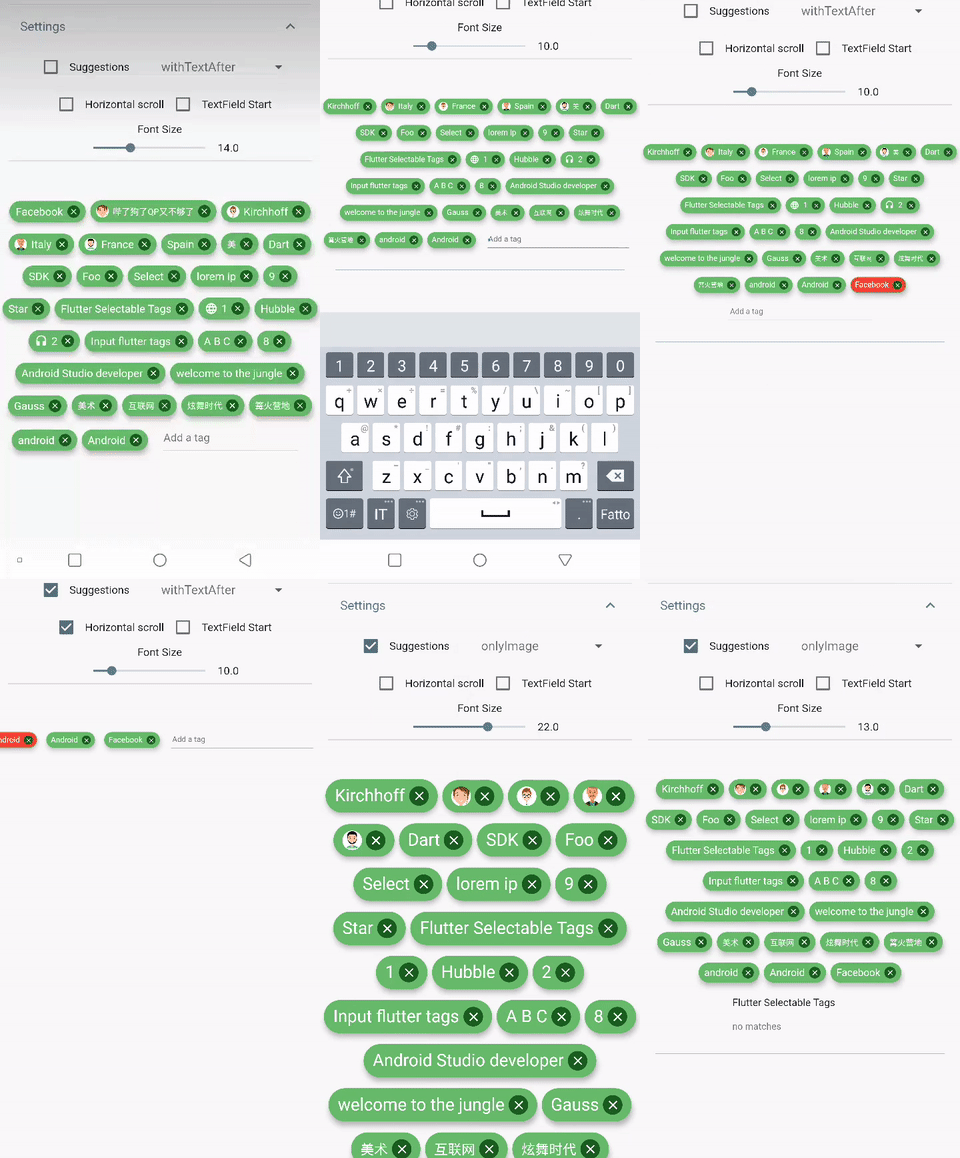
DEMO
Simple usage
import'package:flutter_tags/flutter_tags.dart';
.
.
.
List _items;
double _fontSize = 14;
@overridevoidinitState(){
super.initState();
// if you store data on a local database (sqflite), then you could do something like thisModel().getItems().then((items){
_items = items;
});
}
@overrideWidgetbuild(BuildContext context) {
returnTags(
key:_tagStateKey,
textField: TagsTextField(
textStyle: TextStyle(fontSize: _fontSize),
constraintSuggestion: true, suggestions: [],
//width: double.infinity, padding: EdgeInsets.symmetric(horizontal: 10),
onSubmitted: (String str) {
// Add item to the data source.setState(() {
// required
_items.add(str);
});
},
),
itemCount: _items.length, // required
itemBuilder: (int index){
final item = _items[index];
returnItemTags(
// Each ItemTags must contain a Key. Keys allow Flutter to// uniquely identify widgets.
key: Key(index.toString()),
index: index, // required
title: item.title,
active: item.active,
customData: item.customData,
textStyle: TextStyle( fontSize: _fontSize, ),
combine: ItemTagsCombine.withTextBefore,
image: ItemTagsImage(
image: AssetImage("img.jpg") // OR NetworkImage("https://...image.png")
), // OR null,
icon: ItemTagsIcon(
icon: Icons.add,
), // OR null,
removeButton: ItemTagsRemoveButton(
onRemoved: (){
// Remove the item from the data source.setState(() {
// required
_items.removeAt(index);
});
//requiredreturntrue;
},
), // OR null,
onPressed: (item) => print(item),
onLongPressed: (item) => print(item),
);
},
);
}
finalGlobalKey<TagsState> _tagStateKey = GlobalKey<TagsState>();
// Allows you to get a list of all the ItemTags_getAllItem(){
List<Item> lst = _tagStateKey.currentState?.getAllItem;
if(lst!=null)
lst.where((a) => a.active==true).forEach( ( a) => print(a.title));
}
Wrapped widget example
You are free to wrap ItemTags () inside another widget
Possibility to set number of columns when necessary
null
itemCount
Tag number to display
required
symmetry
Ability to view and scroll tags horizontally
false
horizontalScroll
Offset drawer width
0.4
heightHorizontalScroll
height for HorizontalScroll to set to display tags correctly
60
spacing
Horizontal space between the tags
6
runSpacing
Vertical space between the tags
14
alignment
Horizontal WrapAlignment
WrapAlignment.center
runAlignment
Vertical WrapAlignment
WrapAlignment.center
direction
Direction of the ItemTags
Axis.horizontal
verticalDirection
Iterate Item from the lower to the upper direction or vice versa
VerticalDirection.down
textDirection
Text direction of the ItemTags
TextDirection.ltr
itemBuilder
tag generator
textField
add textField
TagsTextFiled()
ItemTags() parameters
index - required
title - required
textScaleFactor - custom textScaleFactor
active - bool value (default true)
pressEnabled - active onPress tag ( default true)
customData - Possibility to add any custom value in customData field, you can retrieve this later. A good example: store an id from Firestore document.
It takes time to carry on this project. If you found it useful or learned something from the source code please consider the idea of donating 5, 20, 50 € or whatever you can to support the project.
Issues
If you encounter problems, open an issue. Pull request are also welcome.