Aus öffentlichen Paketdaten erstellte Orientierung.
Ein Flutter-Plugin, das die Integration von UPI-Zahlungen (Unified Payments Interface) in mobile Anwendungen für Android und iOS ermöglicht. Es erlaubt Benutzern, UPI-Zahlungen zu initiieren, indem sie die standardmäßig auf ihrem Gerät installierte UPI-App wie Google Pay oder PhonePe starten. Das Plugin vereinfacht die Zahlungsabwicklung, indem es Tiefverknüpfungen zu UPI-Apps mit minimalem Setup verwaltet. Es unterstützt sowohl Android als auch iOS und ist daher ideal für Anwendungen auf dem indischen Markt, die nahtlose digitale Transaktionen erfordern.
Anwendungsfälle
UPI-Zahlungen in E-Commerce-Apps aktivieren
Integration digitaler Zahlungen in lokale Dienstleistungsplattformen
Unterstützung von Rechnungszahlungen über UPI
Peer-to-Peer-Geldüberweisungen erleichtern
Hinzufügen von Sofortzahlungsoptionen in mobilen Apps
Hauptmerkmale
Startet die Standard-UPI-App auf dem Gerät
Cross-Platform-Unterstützung für Android und iOS
Einfache API zum Initieren von UPI-Zahlungen
Keine Verarbeitung empfindlicher Zahlungsdaten erforderlich
Funktioniert mit allen wichtigen UPI-Apps wie Google Pay und PhonePe
Geeignet für
indische Fintech-Startups
Mobile Apps für indische Nutzer
E-Commerce- und Nutzungs-Apps
Zahlungsgateways, die eine UPI-Integration erfordern
Entwickler, die Low-Code-Zahlungslösungen erstellen
Hinweise
Erfordert eine auf dem Gerät des Benutzers installierte UPI-fähige App
Eingeschränkte Steuerung des Zahlungsflusses nach der Freigabe
Abhängig von der UPI-App-Konfiguration des Benutzers
Nicht geeignet für serverseitige Transaktionsverarbeitung
Funktioniert möglicherweise nicht, wenn die UPI-App nicht als Standard festgelegt ist
Original-README
Originaler README-Schnappschuss aus dem verknüpften Quell-Repository. Aktuelle Inhalte finden Sie im Repository.
flutter_upi_india
Curruntly Working in android only with some specific banks. Open for Query and Discussion.
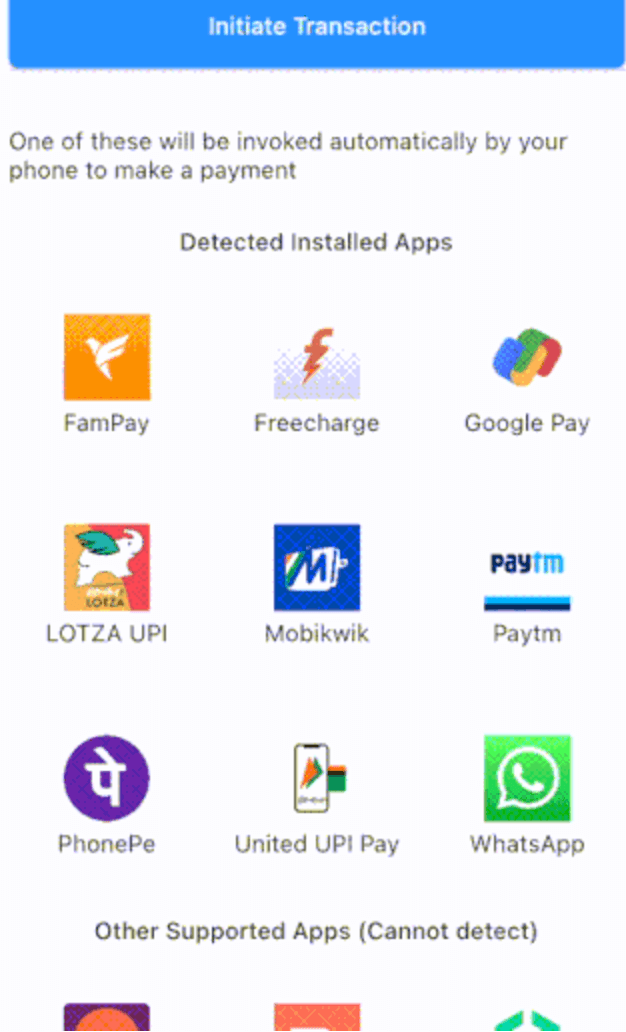
Find installed UPI payment apps on your phone and make payments using any one of them.
Mandate-capable apps can be filtered via
UpiPay.getInstalledUpiApplications(isForMandateApps: true). Availability
varies by app and platform, so verify with the target UPI app before production
use.
An Intent call with transaction request parameters includes the specific UPI app to be invoked.
Post the UPI transaction being processed by the chosen Android UPI app, it returns a response as per the format defined in the specification to the package's Android plugin layer.
The plugin layer parses this response to create a UpiTransactionResponse object that is returned to your calling code. This object clearly indicates the status of the UPI payment, i.e. was it successful, failed or being processed.
Measures
It is advised that you implement a server-side payment verification on top of this status reporting, to avoid being affected by any hacks in the UPI transaction workflow on client's phone.
Each UPI payment app can listen to a payment request of the form upi://pay?... or upi://mandate?... sent by a caller app to iOS.
The specification does not let you specify the target app's identifier in this request. On iOS, there is no other disambiguation measure available such as any ordering of the UPI payment apps that can be retrieved using any iOS APIs. Hence, it's impossible to know which UPI payment app will be invoked.
One of the applicable apps gets invoked and it processes the payment. The custom schemes mechanism has no way to return a transaction status to your calling code. The calling code can only know if a UPI payment app was launched successfully or not.
How does the package then implement getInstalledUpiApps?
The apps that implement any other unique custom scheme other than upi are discovered using such custom schemes. In the list of returned apps, both the reliably discovered apps and the supported but undetectable apps are returned.
Your code can distinguish if an app in the list of discovered apps was detected or not by checking as follows:
You will have to implement a payment verification on top of functionality available through this package.
You should distinguish discovered and supported-only apps using the mechanism in the above section. The example app can be used for reference.
UPI Apps' Functional Status Dynamics
UPI standards and systems are evolving, and accordingly behaviour and functionality of the UPI payment apps are changing. See Apps for details of current functional status of various applications that were verified by us.
Support for merchant and non-merchant payments
The UPI Deep Linking And Proximity Integration Specification is designed for merchant payments. It includes parameters in payment request that can be provided only if the payment was made to a merchant e.g. the merchant code (mc parameter), and a signature (crypto-hash) of the request created using merchant's private key.
However; various applications have been accepting requests without merchant details and signature and successfully processing payments. Possibly, the dilution could be due to the reason that such a package can only automate filling a payment form, and unless the user verifies the details in the form and enters the UPI pin, no damaging payments can be really made.
Over last few months, few applications have started changing their behaviour around non-merchant payments and one or more of the following are seen in few apps:
An implicit "unverified source" warning or a direct warning indicating that merchant data in the request is not correct
This behaviour sometimes is not consistent even for the same app. For example, WhatsApp successfully completes transactions on iOS; but rejects non-merchant transactions on Android.
If you believe that your app's users' money is secure via their UPI pin, and you can let them use apps that successfully complete non-merchant transactions, then go ahead and pick the working apps in Apps and integrate this package.
Regressions
It's seen that post the Bank mergers of 2020-21 some of the bank apps have stopped working, even though they are still in Play Store and/or App Store.
iOS minimum versions
Several BHIM apps have stopped working on <iOS 13.5. This package's iOS support is verified on iPhone with iOS 14+.
Love to experiment yourself?
Default behaviour of the getInstalledUpiApps API is to give you only the completely successfully working UPI apps. You can make the package return other apps by passing relevant values for parameters of this API. Please see API documentation. To support this experimentation, we would add further tweaking to allow you to access UPI apps not seen and supported by this package shortly on Android.
Contributors ✨
This project follows the all-contributors specification. Contributions of any kind welcome and will be recognised!
Other related solutions
upi_india(repo) - Another solid flutter package for payment gateway free UPI integration. We often share issues faced / solution approaches and more. Go check them out as well!