Aus öffentlichen Paketdaten erstellte Orientierung.
ftoast ist ein Flutter-Paket, das Entwicklern hilft, flexible, prägnante und visuell ansprechende Toast-Benachrichtigungen zu erstellen. Es bietet eine einfache API zum Anzeigen temporärer Nachrichten auf verschiedenen Plattformen wie Android, iOS, Web, macOS, Windows und Linux. Mit anpassbaren Animationen, Positionierung und Stiloptionen verbessert ftoast die Benutzererfahrung durch zeitnahe Rückmeldungen, ohne die Oberfläche zu stören. Das Paket ist leichtgewichtig und lässt sich nahtlos in bestehende Flutter-Projekte integrieren.
Anwendungsfälle
Anzeige einer kurzen Benutzerfeedback
Erfolg- oder Fehlermeldungen anzeigen
Verbesserung der Benutzererfahrung durch subtile Benachrichtigungen
Bereitstellung schneller Status-Updates
Anpassen des Toast-Aussehens
Unterstützung von Multiplattform-Apps
Hauptmerkmale
Plattformübergreifende Kompatibilität
anpassbare Animationen
Flexible Positionierung
Stiloptionen
Einfache API
Leichtgewichtiges Design
Geeignet für
Flutter-Entwickler, die eine saubere Toast-Oberfläche suchen
Projekte mit konsistenter Benachrichtigungsform
Anwendungen für mehrere Plattformen
Entwickler, die eine minimale Einrichtung wünschen
Teams, die UX-Konsistenz priorisieren
Schnelle Feedback-Mechanismen für Prototypen
Hinweise
Benötigt manuelle Konfiguration für fortgeschrittene Stiloptionen
Eingeschränkte integrierte Themen
Keine native Dunkelmodus-Integration
Möglicherweise sind zusätzliche Abhängigkeiten für komplexe Layouts erforderlich
Nicht ideal für dauerhafte Benachrichtigungen
Nur für vorübergehende Nachrichten geeignet
Original-README
Originaler README-Schnappschuss aus dem verknüpften Quell-Repository. Aktuelle Inhalte finden Sie im Repository.
ftoast
Simple, beautiful Toast
Help developers create flexible, concise and beautiful Toast
FToast.toast(
context,
msg: "This is Msg",
/// 配置 subMsg////// set subMsg
subMsg: "Welcome to use FToast. This is subMsg!",
/// 配置 SubMsg 样式////// set SubMsg style
subMsgStyle: TextStyle(color: Colors.white, fontSize: 13),
)
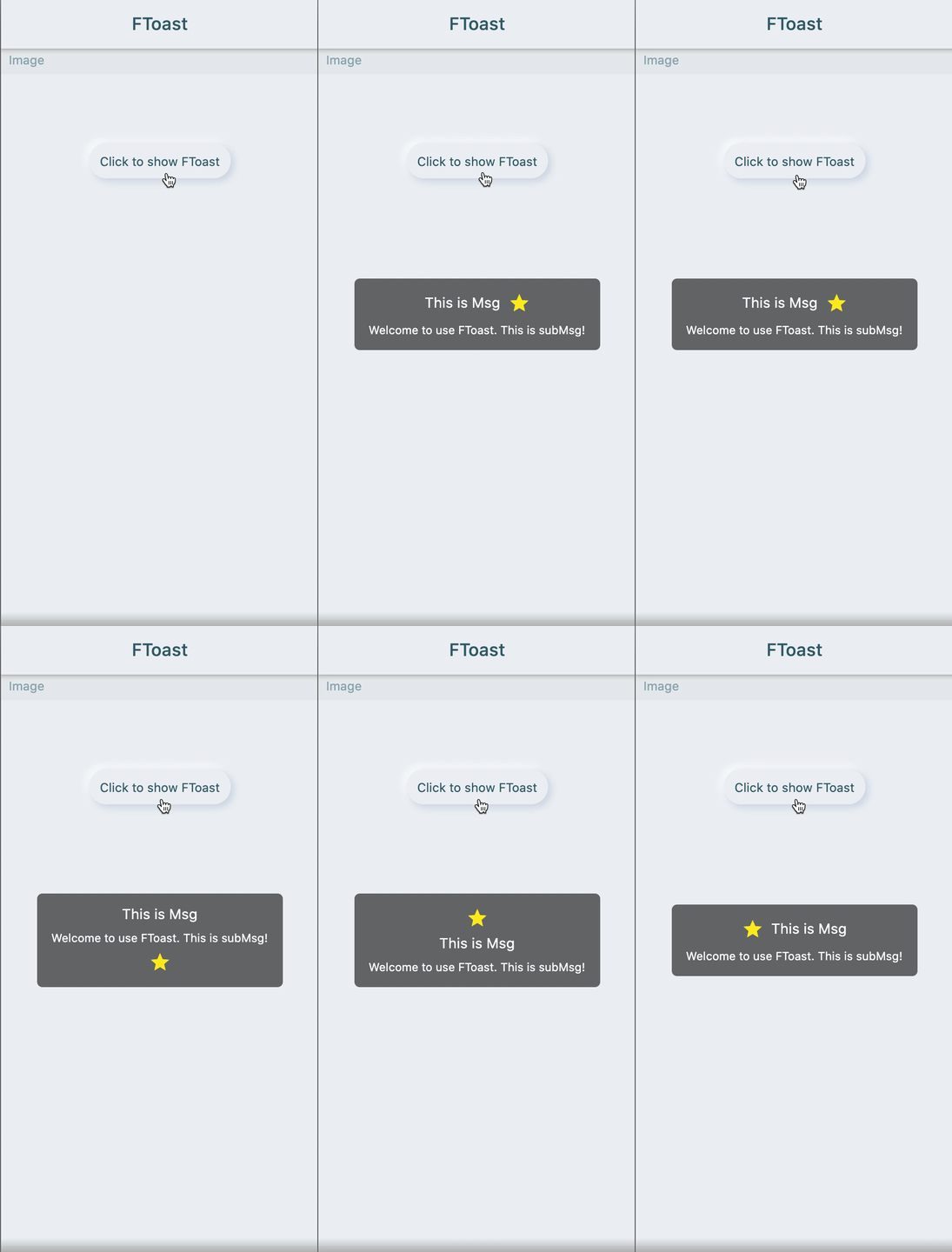
🔳 Image
FToast.toast(
context,
msg: "This is Msg",
subMsg: "Welcome to use FToast. This is subMsg!",
/// 配置图标////// set image
image: Icon(
Icons.star,
color: Colors.yellow,
),
/// 配置图标相对文本的位置////// set position of icon relative to text
imageDirection: up,
)
Add dependencies in the project pubspec.yaml file:
🌐 pub dependency
dependencies:ftoast:^<versionnumber>
⚠️ Attention,please go to [pub] (https://pub.dev/packages/ftoast) to get the latest version number of FToast
🖥 Git dependency
dependencies:ftoast:git:url:'git@github.com:Fliggy-Mobile/ftoast.git'ref:'<Branch number or tag number>'
⚠️ Attention,please refer to [FToast] (https://github.com/Fliggy-Mobile/ftoast) official project for branch number or tag.
💡 License
Copyright2020-present FliggyAndroidTeam <alitrip_android@list.alibaba-inc.com>.
Licensed under the ApacheLicense, Version2.0 (the "License");
you may not use this file except in compliance with the License.
You may obtain a copy of the License at following link.
http://www.apache.org/licenses/LICENSE-2.0Unlessrequired by applicable law or agreed to in writing, software
distributed under the Licenseis distributed on an "AS IS" BASIS,
WITHOUT WARRANTIES OR CONDITIONS OF ANY KIND, either express or implied.
See the Licensefor the specific language governing permissions and
limitations under the License.