Pakete, Repositories und App-Kategorien suchen

Cover von glassmorphism
Paketdetailsv4.0.0

glassmorphism

Ein Flutter-Paket zur einfachen Implementierung von Glassmorphic-UI.

AndroidiOSWebmacOSWindowsLinux
30-Tage-Downloads
15.200
Likes
536
Pub-Punkte
160

Paket installieren

flutter pub add glassmorphism

Paketübersicht

Aus öffentlichen Paketdaten erstellte Orientierung.

Ein Flutter-Paket, das die Erstellung von Glas-UI-Elementen vereinfacht und eine saubere, moderne Ästhetik mit verschwommenen Hintergründen und durchscheinenden Effekten bietet. Es ermöglicht Entwicklern, visuell ansprechende Komponenten wie Karten, Modals und Overlay mit minimalem Code einfach zu implementieren. Das Paket unterstützt mehrere Plattformen wie Android, iOS, Web, macOS, Windows und Linux und gewährleistet eine konsistente Gestaltung über Geräte hinweg. Ideal für Apps, die ein futuristisches, schlankes Aussehen mit subtiler Tiefe und Transparenz anstreben.

Anwendungsfälle

  • Transluzente UI-Karten erstellen
  • Modernes App-Modal gestalten
  • Gebäude schwimmende Benutzeroberflächenelemente
  • Verbesserung von Dashboardschnittstellen
  • Implementierung von Hintergrund-Blur-Effekten
  • Tiefe zu Anmeldebildschirmen hinzufügen

Hauptmerkmale

  • Einfach zu verwendendes GlassmorphicContainer-Widget
  • Unterstützung für Hintergrundunschärfe und Transparenz
  • Plattformübergreifende Kompatibilität
  • Anpassbare Unschärfeintensität und Randradius
  • Leichtgewichtig und abhängigkeitsfrei
  • Integration von responsive Design

Geeignet für

  • Moderne App-Designer
  • Frontend-Entwickler, die visuelle Perfektion suchen
  • Projekte mit minimalistischem oder futuristischem Thema
  • UI/UX-fokussierte Flutter-Anwendungen
  • Entwickler, die eine schnelle Glasform-Stilisierung wollen

Hinweise

  • Leistungseinfluss auf Geräte mit geringer Leistungsfähigkeit
  • Beschränkte Anpassungsmöglichkeiten außer Fokus und Opazität
  • Kann zusätzliche Stilisierung für komplexe Layouts erfordern
  • Nicht ideal für Bedürfnisse der hohen Kontrastbarkeit
  • Am besten geeignet für Licht-Themen-Designs

Original-README

Originaler README-Schnappschuss aus dem verknüpften Quell-Repository. Aktuelle Inhalte finden Sie im Repository.

Glassmorphic Container ⭐️

A Flutter package for creating Glassmorphic UI designs in an easy and simple manner! Supports iOS, Android, web, Windows, macOS, and Linux.

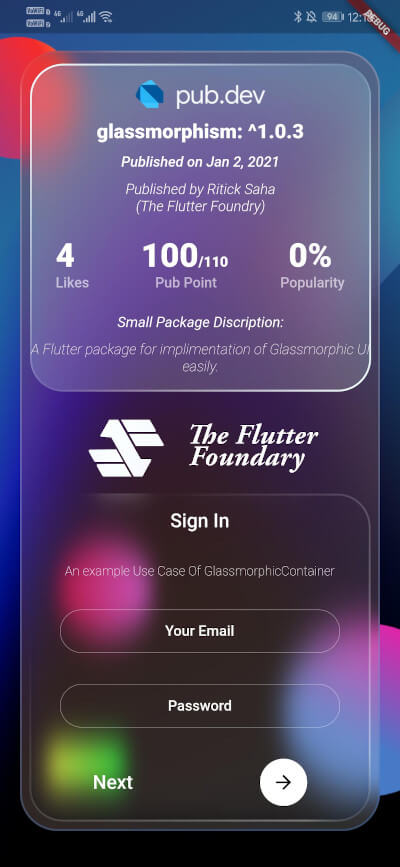
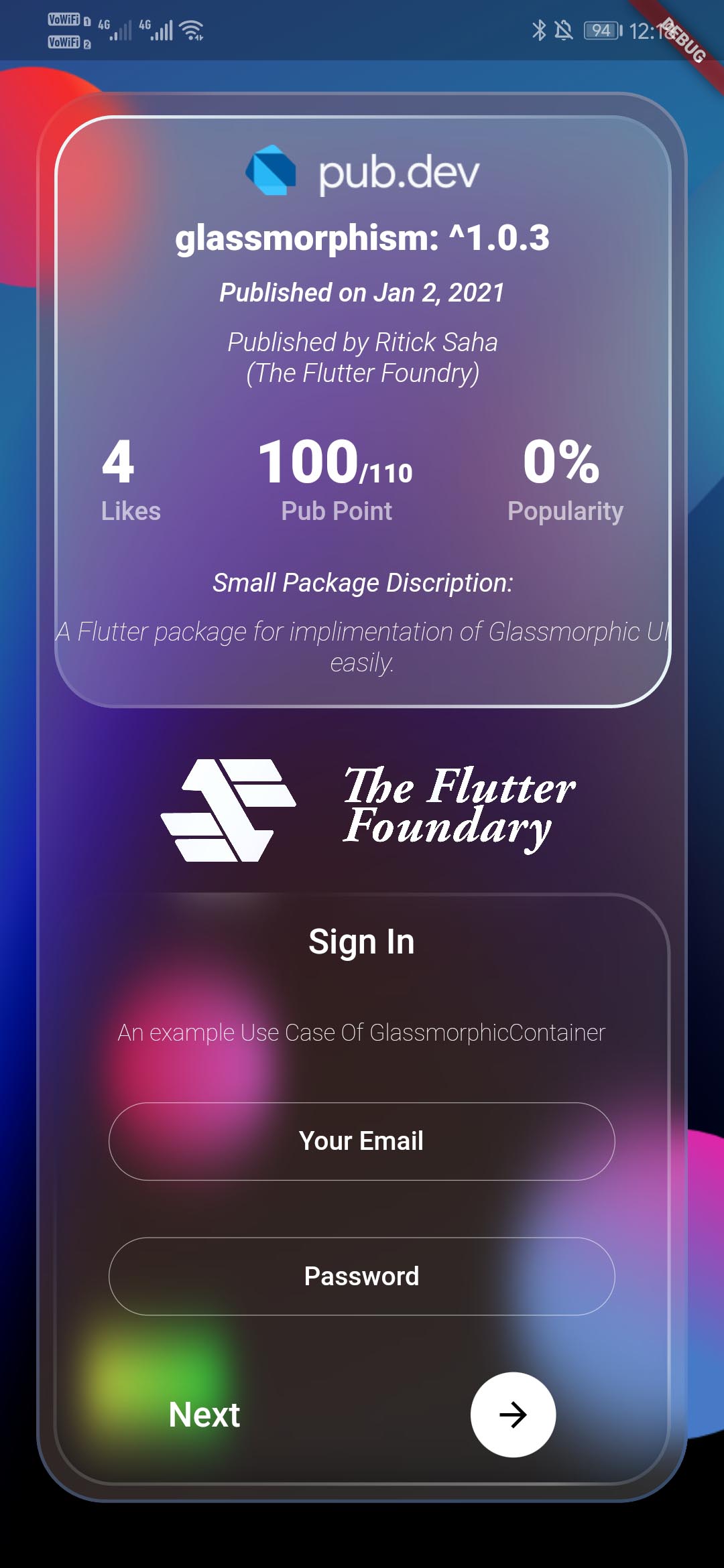
Glassmorphic Example App. With realtime pub.dev stats📱

A package that simplefies your urge to create a interactive Glassmorphic Container.

Inspired by Glassmorphism CSS Generator. Highly customizable and helps developing beautiful Glassmorphic UI.

Usage 💻

likes
> pub points
> popularity

To use this plugin, add glassmorphism as a dependency in your pubspec.yaml file. Use the below example to get started with the sample example.

You can follow this tutorial and work around with the package.

Glassmorphism UI Package For @Flutter || UI || A Glassy and easy to use Package #flutter

Everything Is AWESOME

Features 🔮

  • Fully customizable components
  • Easy To use
  • Null Safe version
  • Multiple Childs widgets supported
  • Gesture Listener GestureDetector
  • Circular Border / Traditional Borders
  • Gradient Borders
  • Gradient Fill on container [Full Control to User]
To use GlassmorphicContainer with fixed Height and width:
GlassmorphicContainer(
  width: 350,
  height: 350,
  borderRadius: 20,
  blur: 20,
  alignment: Alignment.bottomCenter,
  border: 2,
  linearGradient: LinearGradient(
      begin: Alignment.topLeft,
      end: Alignment.bottomRight,
      colors: [
        Color(0xFFffffff).withOpacity(0.1),
        Color(0xFFFFFFFF).withOpacity(0.05),
      ],
      stops: [
        0.1,
        1,
      ]),
  borderGradient: LinearGradient(
    begin: Alignment.topLeft,
    end: Alignment.bottomRight,
    colors: [
      Color(0xFFffffff).withOpacity(0.5),
      Color((0xFFFFFFFF)).withOpacity(0.5),
    ],
  ),
  child: null,
),
Use GlassmorphicFlexContainer with responsiveness or take child widgets size. :
GlassmorphicFlexContainer(
  borderRadius: 20,
  blur: 20,
  padding: EdgeInsets.all(40),
  alignment: Alignment.bottomCenter,
  border: 2,
  linearGradient: LinearGradient(
      begin: Alignment.topLeft,
      end: Alignment.bottomRight,
      colors: [
        Color(0xFFffffff).withOpacity(0.1),
        Color(0xFFFFFFFF).withOpacity(0.05),
      ],
      stops: [
        0.1,
        1,
      ]),
  borderGradient: LinearGradient(
    begin: Alignment.topLeft,
    end: Alignment.bottomRight,
    colors: [
      Color(0xFFffffff).withOpacity(0.5),
      Color((0xFFFFFFFF)).withOpacity(0.5),
    ],
  ),
  child: null,
),

example, Simple Glassmorphic Container with Blur.

Example
import 'package:flutter/material.dart';
import 'package:glassmorphism/glassmorphism.dart';
import 'dart:ui';

void main() => runApp(MyApp());

class MyApp extends StatelessWidget {
  @override
  Widget build(BuildContext context) {
    return MaterialApp(
      title: 'GlassmorphicContainer Example',
      home: GlassmorphicSample(),
    );
  }
}

class GlassmorphicSample extends StatefulWidget {
  @override
  State<GlassmorphicSample> createState() => GlassmorphicSampleState();
}

class GlassmorphicSampleState extends State<GlassmorphicSample> {
  @override
  Widget build(BuildContext context) {
    return new Scaffold(
      body: Container(
        height: double.infinity,
        width: double.infinity,
        child: Stack(
          children: [
            Image.network(
              "https://github.com/RitickSaha/glassmophism/blob/master/example/assets/bg.png?raw=true",
              fit: BoxFit.cover,
              height: double.infinity,
              width: double.infinity,
              scale: 1,
            ),
            SafeArea(
              child: Center(
                child: GlassmorphicContainer(
                    width: 350,
                    height: 750,
                    borderRadius: 20,
                    blur: 20,
                    alignment: Alignment.bottomCenter,
                    border: 2,
                    linearGradient: LinearGradient(
                        begin: Alignment.topLeft,
                        end: Alignment.bottomRight,
                        colors: [
                          Color(0xFFffffff).withOpacity(0.1),
                          Color(0xFFFFFFFF).withOpacity(0.05),
                        ],
                        stops: [
                          0.1,
                          1,
                        ]),
                    borderGradient: LinearGradient(
                      begin: Alignment.topLeft,
                      end: Alignment.bottomRight,
                      colors: [
                        Color(0xFFffffff).withOpacity(0.5),
                        Color((0xFFFFFFFF)).withOpacity(0.5),
                      ],
                    ),
                    child: null),
              ),
            ),
          ],
        ),
      ),
    );
  }
}

Parameters ⚙️

  • height (double) [required] - Height for the Widget [required].
  • width (double) [required]- Width for the Widget [@required].
  • borderRadius (double) [required]- Border Radius for the widget 0 - any [@required].
  • linearGradient (LinearGradient) [required]- Fills the container with the gradient passed.
  • border (double) [required]- Gives Width to the ContainerBorder.
  • blur (double) [required]- Gives BlurFilter to the Container.
  • borderGradient (LinearGradient) [required]- Fills the container's border with the gradient passed.
  • child (widget) - [optional parameter] If there is a child widget then the widget will be rendered inside the container.
  • alignment (optional) - Handles the alignment [Default_value] - [Alignemt.topleft].
  • padding (EdgeInset) - Used to provide pading to the child widget [Default_value] - [None].
  • BoxShape (Fixed) - This value is fixed to [BoxFit.rectangle].
  • constraints (ChatUser) - The constructor width and height arguments are combined with the constraints argument to set this property.
  • margin (double) - Empty space to surround the [decoration] and [child].
  GlassmorphicContainer(
    width: width,
    height: height,
    borderRadius:borderRadius,
    blur: blur,
    alignment: alignment,
    border:border,
    linearGradient: linearGradient,
    borderGradient:borderGradient,
    child: null),
  );

My Socials 👩‍👦‍👦

Credits 👨🏻‍💻


The Flutter Foundry 💙 - Instagram Link

Found this project useful? ❤️

If you found this project useful, then please consider giving it a ⭐️ on Github and sharing it with your friends via social media.

License ⚖️

API details 📝

See the glassmorphic.dart for more API details

Issues and feedback 💭

If you have any suggestion for including a feature or if something doesn't work. Feel free to open a Github issue for us to have a discussion on it.

Kategorien

Quell-Repository

Projekte, die dieses Paket verwenden