Google Gemini SDK für Flutter. Dieses Paket bietet eine leistungsstarke Brücke zwischen Ihrer Flutter-Anwendung und der revolutionären Gemini-KI von Google.
Aus öffentlichen Paketdaten erstellte Orientierung.
Das Google Gemini SDK für Flutter ermöglicht eine nahtlose Integration der fortschrittlichen Gemini-KI von Google in Flutter-Anwendungen. Es bietet eine zuverlässige Brücke, um generative KI-Funktionen wie natürliche Sprachverständnis, Textgenerierung und multimodales Denken direkt in mobilen und Desktop-Anwendungen zu nutzen. Für Entwickler, die moderne KI-Funktionen suchen, wurde das Paket entwickelt und unterstützt Android, iOS, macOS, Windows und Linux. Mit einer einfachen Einrichtung über pub add können Apps intelligente, kontextbasierte Interaktionen bieten.
Anwendungsfälle
KI-gestützte Chat-Oberflächen
Inhaltserstellung in Apps
Multimodale Bild- und Textanalyse
Funktionen des intelligenten Assistenten
Sprachübersetzung in Echtzeit
Hauptmerkmale
Native Integration mit Google Gemini
Unterstützung für mehrere Plattformen
Einfache Pub-Add-Installation
Echtzeit-AI-Antworten
Plattformübergreifende Kompatibilität
Geeignet für
Entwickler, die KI-erweiterte Apps erstellen
Teams, die generative KI integrieren
Mobile- und Desktop-App-Ersteller
Produktivitäts- und Inhalts-Tools
Hinweise
Internetverbindung für API-Aufrufe erforderlich
Abhängig von Google Cloud-Anmeldeinformationen
Kann nutzungsabhängige Kosten verursachen
Eingeschränkte Offline-Funktionalität
Gültige API-Ratenbegrenzungen
Original-README
Originaler README-Schnappschuss aus dem verknüpften Quell-Repository. Aktuelle Inhalte finden Sie im Repository.
Google DeepMind Gemini
Google Gemini is a set of cutting-edge large language models (LLMs) designed to be the driving force behind Google's future AI initiatives.
This package provides a powerful bridge between your Flutter application and Google's revolutionary Gemini AI. It empowers you to seamlessly integrate Gemini's capabilities into your app, unlocking a world of possibilities for building innovative, intelligent, and engaging experiences that redefine user interaction.
To get the API key you have to create a Gemini account on the ai.google.dev. Once you have to Gemini API key, you are ready to start building.
Create Gemini Instance
final gemini = GoogleGemini(
  apiKey: "--- Your Gemini Api Key --- ",
);
Generate content
With Gemini you use both text and image data for prompting, depending on what model variation you use.
For example, you can generate text using text prompt with the gemini-pro model and use both text and image data to prompt the gemini-pro-vision model
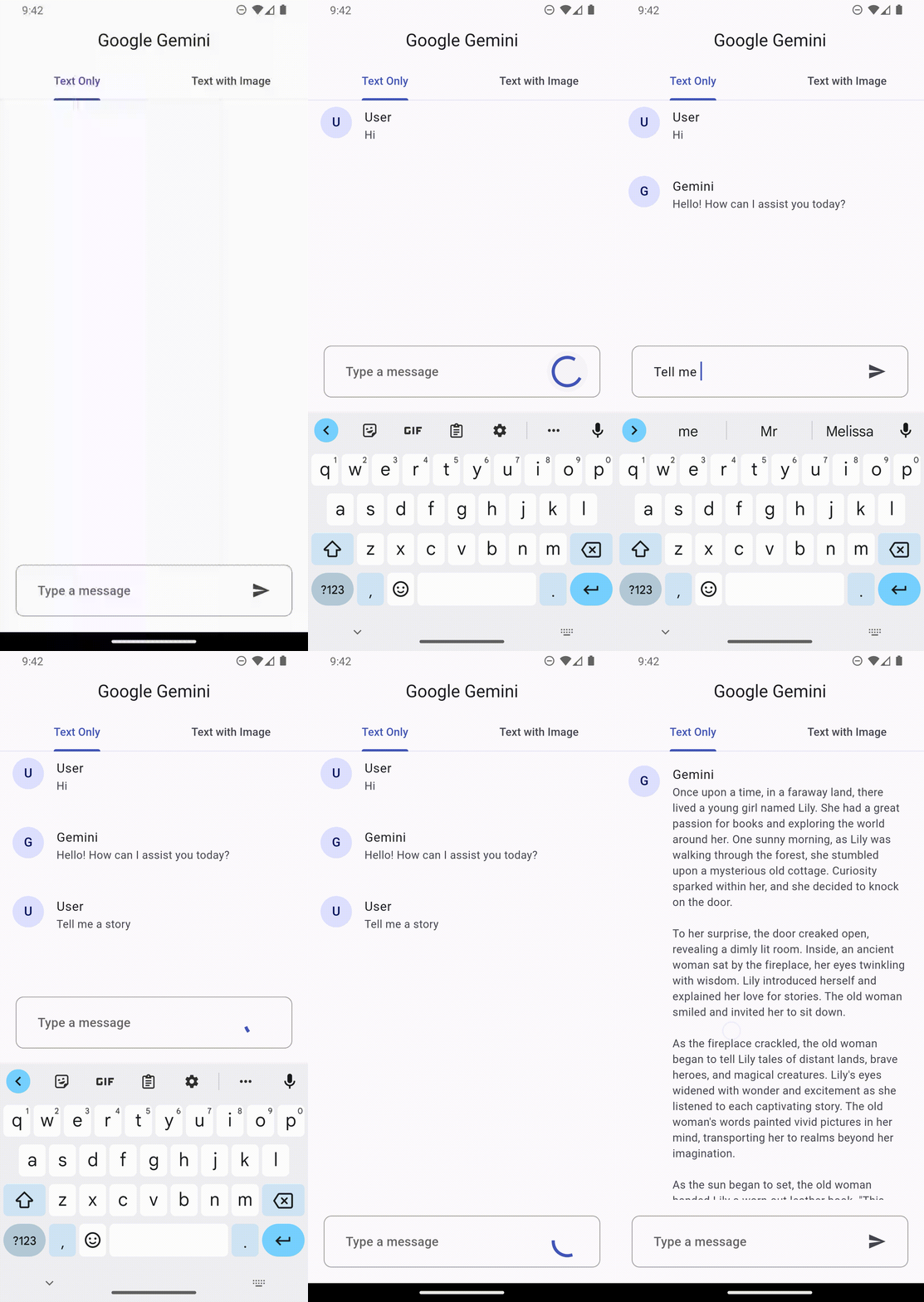
Text only input
This feature lets you perform natural language processing (NLP) tasks such as text completion and summarization.
gemini.generateFromText("Tell me a story")
.then((value) => print(value.text))
.catchError((e) => print(e));
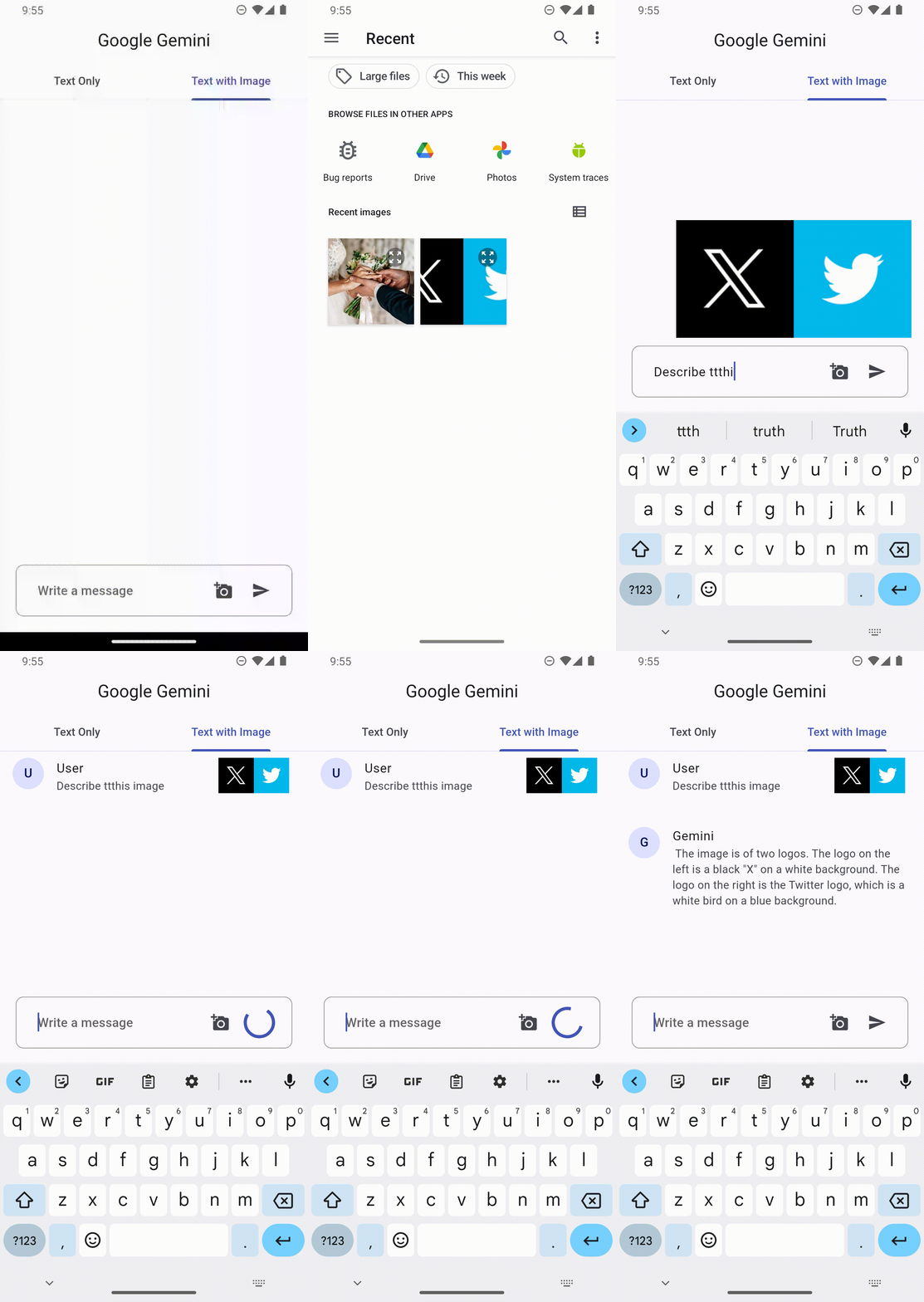
Text and image input
You can send a text prompt with an image to the gemini-pro-vision model to perform a vision related task. For example, captioning an image or identifying what's in an image.
File image = File("assets/images.png")

gemini.generateFromTextAndImages(
  query: "What is this picture?",
  image: image
)
.then((value) => print(value.text))
.catchError((e) => print(e));
Configuration
Every prompt you send to the model includes parameter values that control how the model generates a response. The model can generate different results for different parameter values.
Model parameters
The most common model parameters are:
Max output tokens: Specifies the maximum number of tokens that can be generated in the response. A token is approximately four characters. 100 tokens correspond to roughly 60-80 words.
Temperature: The temperature controls the degree of randomness in token selection. Lower temperatures are good for prompts that require a more deterministic or less open-ended response, while higher temperatures can lead to more diverse or creative results.
topK: The topK parameter changes how the model selects tokens for output.
topP: The topP parameter changes how the model selects tokens for output.
stop_sequences: Set a stop sequence to tell the model to stop generating content. A stop sequence can be any sequence of characters. Try to avoid using a sequence of characters that may appear in the generated content.
Example
// Generation Configurationfinal config = GenerationConfig(
temperature: 0.5,
maxOutputTokens: 100,
topP: 1.0,
topK: 40,
stopSequences: []
);
// Gemini Instancefinal gemini = GoogleGemini(
apiKey: "--- Your Gemini Api Key ---",
config: config // pass the config here
);
Safety settings
Safety settings are part of the request you send to the text service. It can be adjusted for each request you make to the API.
Categories
These categories cover various kinds of harms that developers may wish to adjust.