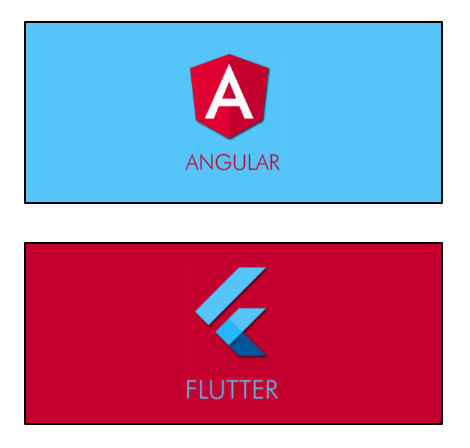
Ermöglicht das Erweitern der Hintergrundfarbe eines Bildes oder das Erstellen jedes Widgets, das von der Breite/Höhe eines Bildes oder der Farbe seiner Pixel abhängt.
Aus öffentlichen Paketdaten erstellte Orientierung.
Das image_pixels-Paket ermöglicht Entwicklern, die Hintergrundfarbe eines Bildes zu erweitern oder Widgets zu erstellen, die von den Bildabmessungen und Pixelfarben abhängen. Es bietet Werkzeuge zur Analyse und Manipulation von Bildern auf Pixel-Ebene und ist daher ideal für benutzerdefinierte visuelle Effekte, dynamische Hintergründe und reaktive Benutzeroberflächen basierend auf Bilddaten. Das Paket unterstützt mehrere Plattformen wie Android, iOS, Web, macOS, Windows und Linux und gewährleistet eine breite Kompatibilität. Mit Fokus auf Leistung und Einfachheit integriert es sich nahtlos in Flutter-Projekte über pub.dev.
Anwendungsfälle
Dynamische Hintergrundfarbe Erweiterung
Widgets basierend auf Bildabmessungen erstellen
Pixelbasierte Bildanalyse
Reaktive Benutzeroberflächen mit Bilddaten
benutzerdefinierte visuelle Effekte
bildbasierte Layout-Anpassungen
Hauptmerkmale
Erweitert die Hintergrundfarbe von Bildern
Analysiert Pixelfarben
Unterstützt Bildbreiten-/Höhenabhängigkeiten
Plattformübergreifende Kompatibilität
Leicht und effizient
Einfache Integration mit Flutter
Geeignet für
Entwickler, die bildgetriebene Benutzeroberflächen erstellen
Designer, die pixelgenaue Layouts benötigen
Apps, die dynamische Hintergrundbilder erfordern
Projekte mit responsive Bildkomponenten
Flutter-Apps für mehrere Plattformen
Hinweise
Bildladung vor der Pixelanalyse erforderlich
Leistungsbeeinflussung bei großen Bildern
Beschränkt auf statische Bildverarbeitung
Nicht geeignet für Echtzeit-Video
Am besten mit vorgeladenen Bildern verwenden
Kann zusätzlicher Caching für wiederholte Nutzung erforderlich sein
Original-README
Originaler README-Schnappschuss aus dem verknüpften Quell-Repository. Aktuelle Inhalte finden Sie im Repository.
Sponsor
image_pixels
This package allows you to build a widget that depends on, or uses the values of:
The ImagePixels constructor lets you define an image through an imageProvider, and
then use a builder to build a child widget that depends on the image dimensions and the
color of its pixels.
The default constructor lets you provide the imageProvider, the builder, as well as
a defaultColor to be used when reading pixels outside the image bounds or while the
image is still downloading.
For example, this will display the size of the image as a Text widget:
The builder function gives you access to an img parameter of type ImgDetails, with
the following information:
If the image is already available, img.hasImage is true, and img.width
and img.height indicate the image dimensions.
While the image is not yet available,
img.hasImage is false, and img.width and img.height are null.
The functions img.pixelColorAt() and img.pixelColorAtAlignment()
can be used in the builder body to read the color of the image pixels.
If the coordinates point to outside the image, or if the image is not yet available (is
still being downloaded or failed to download), then these functions will return
the defaultColor provided in the ImagePixels constructor.
The img.uiImage parameter contains the image as a ui.Image type. It will be null
while the image is still downloading.
The img.byteData parameter contains the image as a ByteData type. It will be null
while the image is still downloading.
Other use cases
Getting the tapped pixel color: By wrapping the child of the ImagePixel with
a GestureDetector you can obtain the x/y position where the user tapped the image.
From this information, you can then determine the color of the tapped pixel.
Try running
the
Example.
Modifying the image: The child of the ImagePixel can be a CustomPainter. Then,
you can use a canvas to paint whatever you want on top of the image, or else create
an entirely new image from the pixels of the original image.