Pakete, Repositories und App-Kategorien suchen

Cover von json_table
Paketdetailsv2.0.1

json_table

Ein Flutter-Paket, das ein Json-Tabellen-Widget bereitstellt, um Tabellen direkt aus einem json(Map) anzuzeigen.

AndroidiOSWebmacOSWindowsLinux
30-Tage-Downloads
5200
Likes
237
Pub-Punkte
130

Paket installieren

flutter pub add json_table

Paketübersicht

Aus öffentlichen Paketdaten erstellte Orientierung.

Das json_table-Paket ist ein Flutter-Widget, das die direkte Darstellung von tabellarischen Daten aus JSON-(Map-)Strukturen ermöglicht. Es vereinfacht den Prozess der Anzeige strukturierter Daten in einer sauberen, lesbaren Tabellenform, ohne dass manuelle Widget-Komposition erforderlich ist. Ideal für Debugging, Datenvisualisierung oder die Darstellung von API-Antworten unterstützt es dynamischen Inhalt und integriert sich nahtlos auf allen wichtigen Plattformen. Das Paket ist leichtgewichtig und einfach zu bedienen, wodurch es für Entwickler geeignet ist, die eine schnelle Tabellenrenderung aus JSON-Quellen suchen.

Anwendungsfälle

  • API-Antwortdaten anzeigen
  • Debugging von JSON-Strukturen
  • Einfache Daten-Dashboards erstellen
  • Rendering-Konfigurationsdateien
  • Verschachtelte JSON-Objekte präsentieren
  • Administrationspanels erstellen

Hauptmerkmale

  • Direkte JSON-zu-Tabelle-Konvertierung
  • Unterstützt verschachtelte Maps und Listen
  • Reaktives Layout über Plattformen hinweg
  • Anpassbare Stiloptionen
  • Minimale Boilerplate-Code
  • Eingebaute Spaltenautomatikerkennung

Geeignet für

  • Entwickler, die eine schnelle Tabellenwiedergabe benötigen
  • Frontend-Teams, die mit JSON-APIs arbeiten
  • Bildschirmpräsentationen von Datenformaten in Bildungs-Apps
  • UIs mit dynamischen Daten prototypisch erstellen
  • Apps, die debugfreundliche Datenansichten erfordern

Hinweise

  • Eingeschränkte erweiterte Tabellenfunktionen wie Sortierung oder Filterung
  • Nicht für sehr große Datensätze optimiert
  • Für die Stilanpassung ist ein Verständnis von Flutter-Widgets erforderlich
  • Am besten geeignet für statische oder halb-statische Datenanzeige
  • Könnte zusätzliche Logik für komplexe Datentransformationen benötigen

Original-README

Originaler README-Schnappschuss aus dem verknüpften Quell-Repository. Aktuelle Inhalte finden Sie im Repository.

Json Table Widget GitHub stars Twitter Follow GitHub last commit Website shields.ioOpen Source Love

Join us on Discord: https://discord.gg/7byeCn7MGF

💙 Proudly Sponsored by FieldAssist


Request a Demo

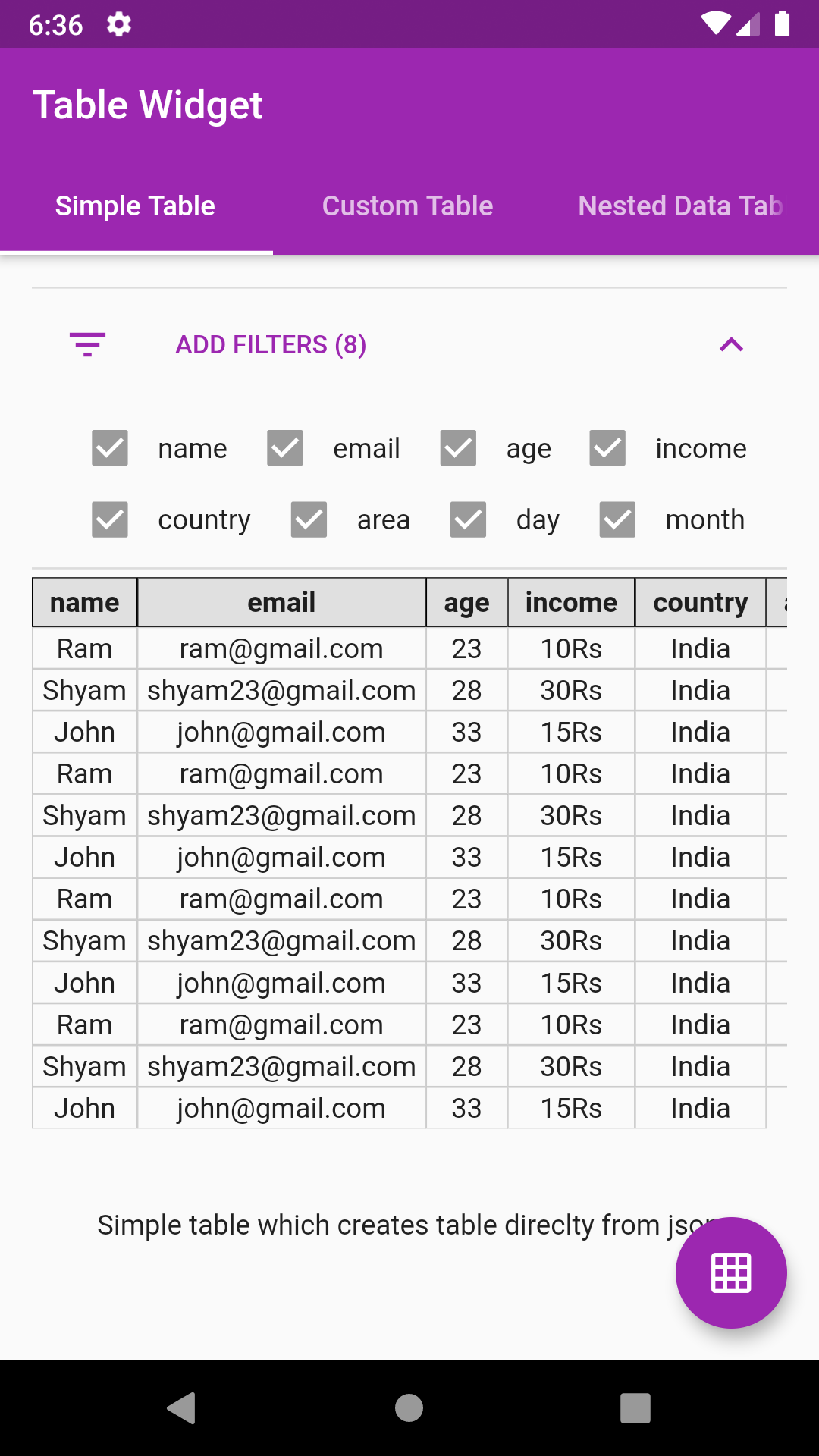
This Flutter package provides a Json Table Widget for directly showing table from a json(Map). Supports Column toggle also.

Live Demo: https://apgapg.github.io/json_table/

Live Data Testing: https://apgapg.github.io/json_table/#/customData

Features
  • The table constructed isn't the flutter's native DataTable.
  • The table is manually coded hence serves a great learning purpose on how to create simple tables manually in flutter
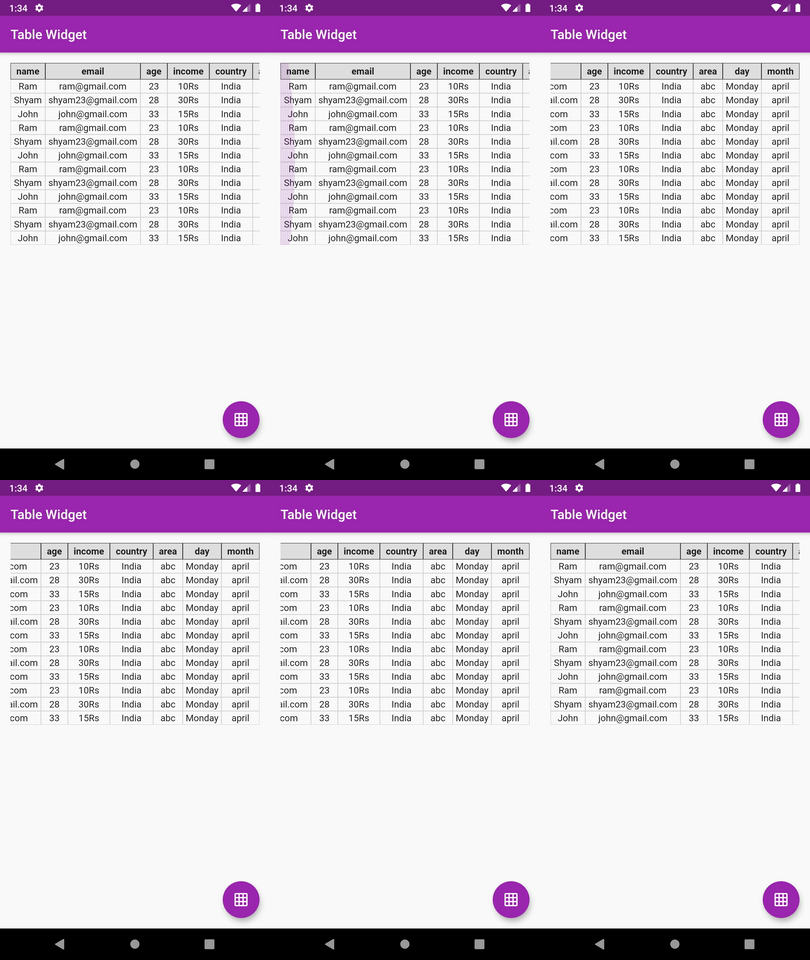
  • Supports vertical & horizontal scroll
  • Supports custom columns includes default value, column name, value builder
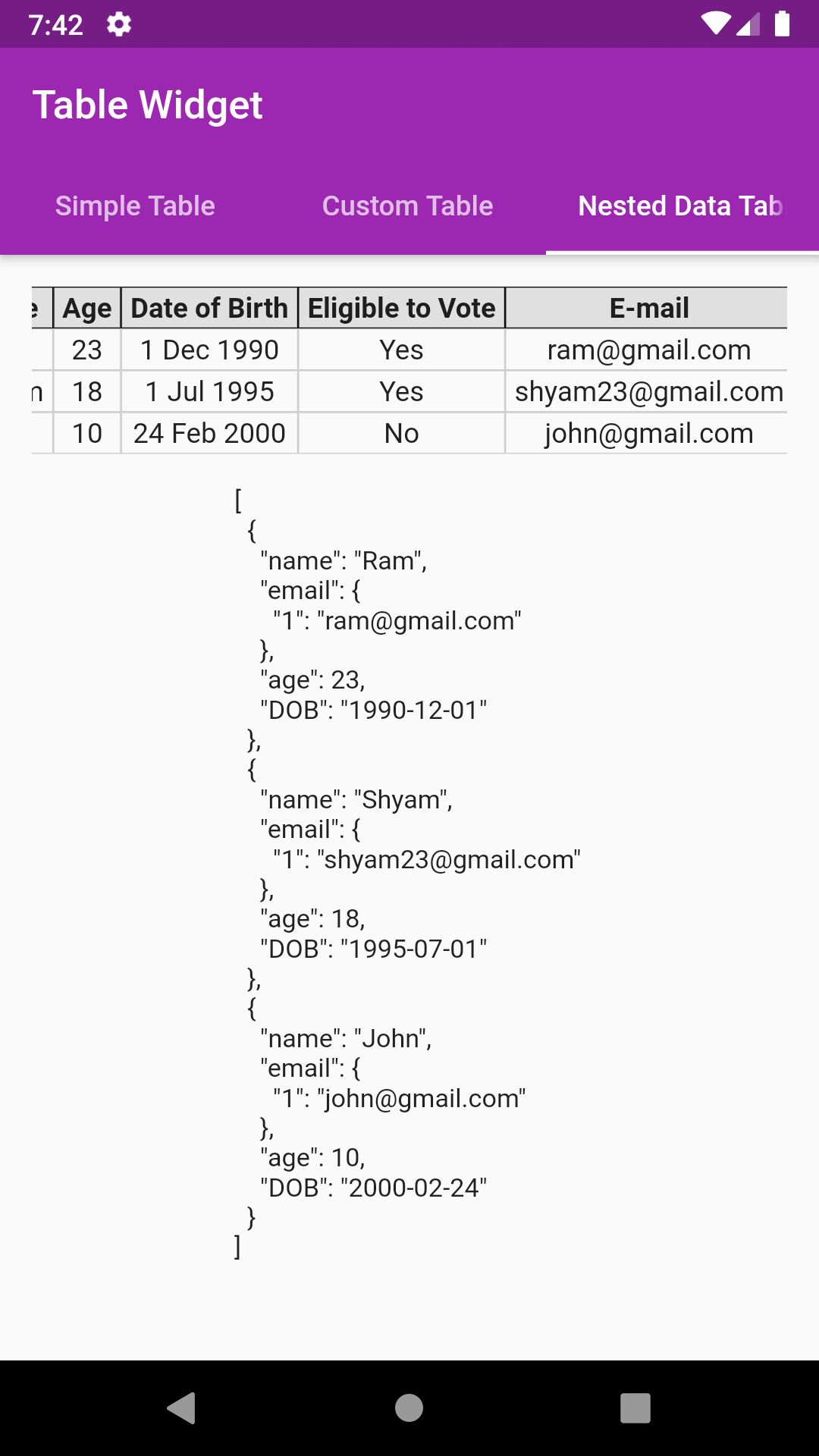
  • Supports nested data showing
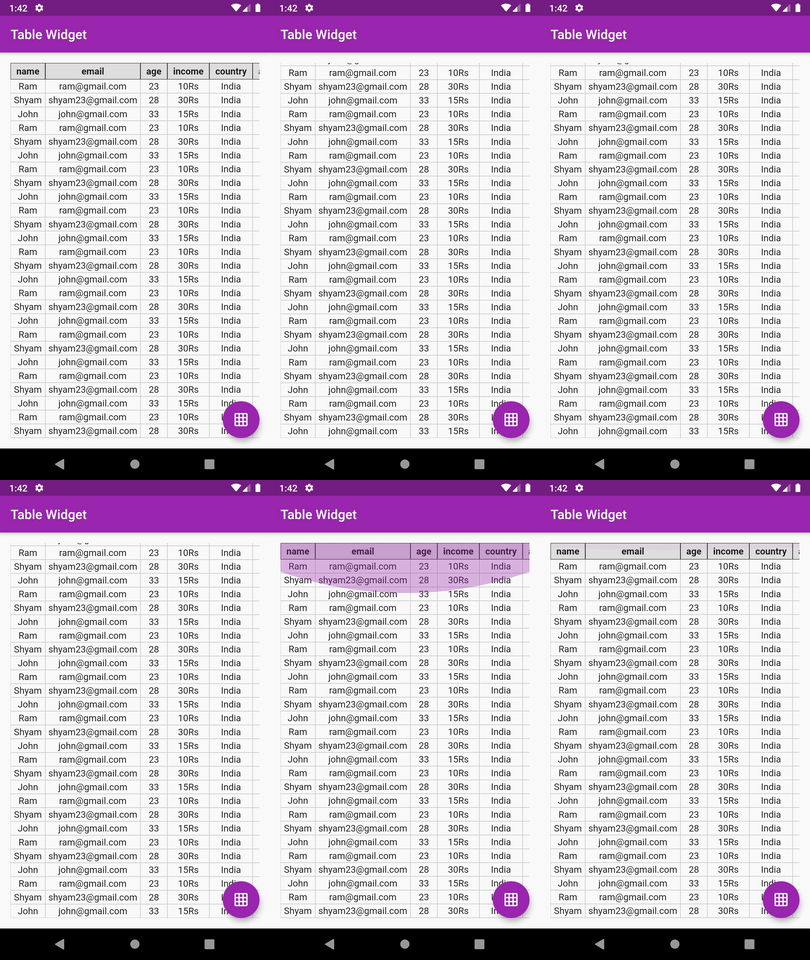
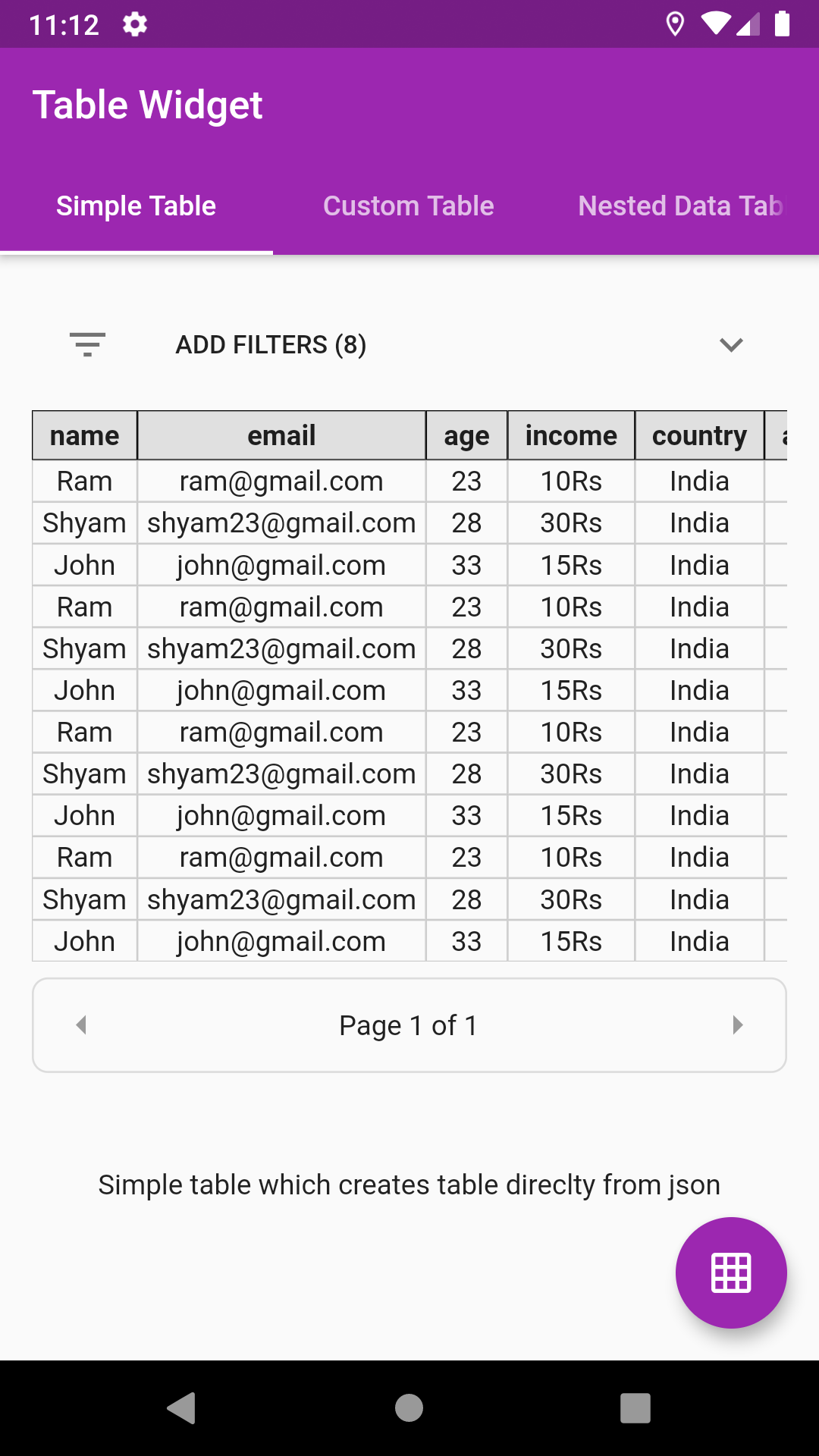
  • Supports pagination
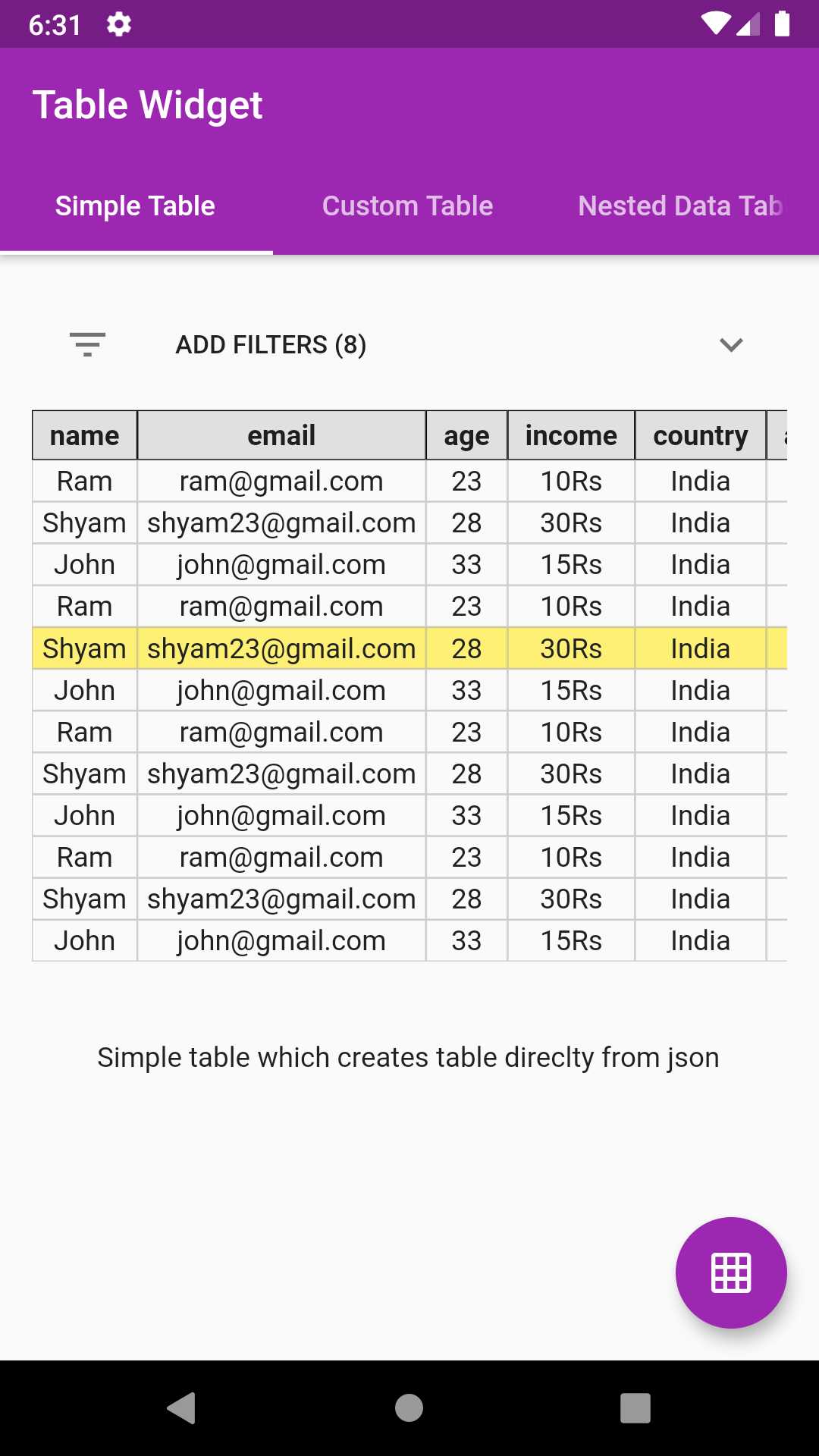
  • Supports row select color, callback

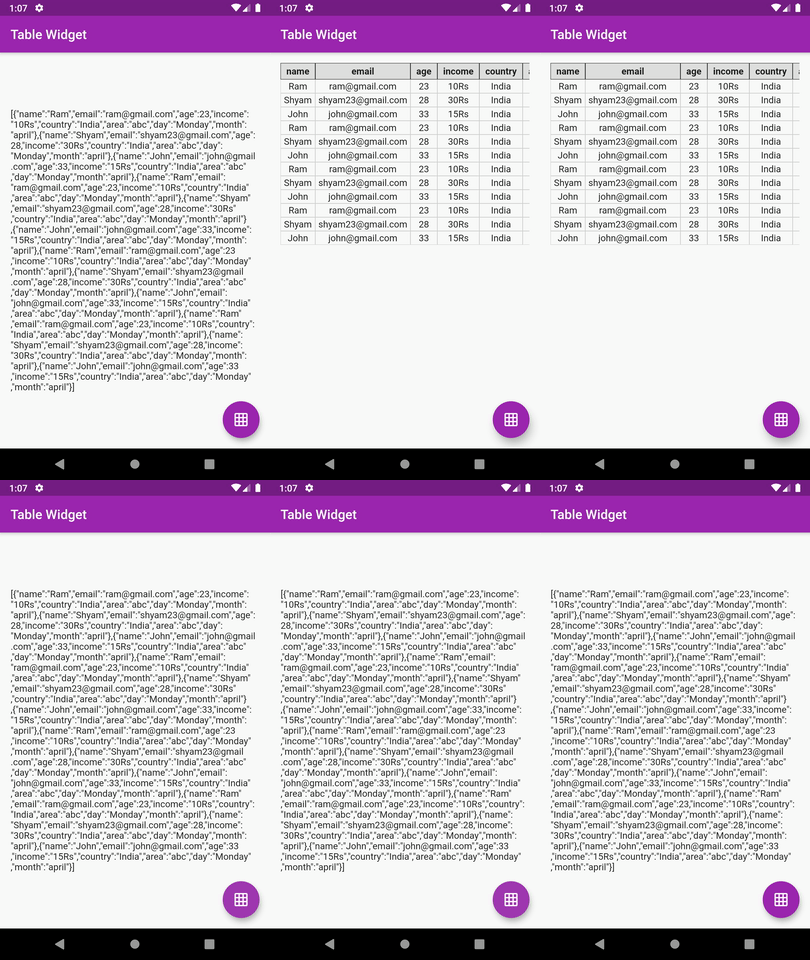
JsonTable JsonTable JsonTable JsonTable JsonTable JsonTable

💻 Installation

In the dependencies: section of your pubspec.yaml, add the following line:

Version

dependencies:
  json_table: <latest version>

❔ Usage

Import this class
import 'package:json_table/json_table.dart';
- Vanilla Implementation
//Decode your json string
final String jsonSample='[{"id":1},{"id":2}]';
var json = jsonDecode(jsonSample);

//Simply pass this json to JsonTable
child: JsonTable(json)
- Implementation with HEADER and CELL widget builders
JsonTable(
   json,
   tableHeaderBuilder: (String header) {
     return Container(
       padding: EdgeInsets.symmetric(horizontal: 8.0, vertical: 4.0),
       decoration: BoxDecoration(border: Border.all(width: 0.5),color: Colors.grey[300]),
       child: Text(
         header,
         textAlign: TextAlign.center,
         style: Theme.of(context).textTheme.display1.copyWith(fontWeight: FontWeight.w700, fontSize: 14.0,color: Colors.black87),
       ),
     );
   },
   tableCellBuilder: (value) {
     return Container(
       padding: EdgeInsets.symmetric(horizontal: 4.0, vertical: 2.0),
       decoration: BoxDecoration(border: Border.all(width: 0.5, color: Colors.grey.withOpacity(0.5))),
       child: Text(
         value,
         textAlign: TextAlign.center,
         style: Theme.of(context).textTheme.display1.copyWith(fontSize: 14.0, color: Colors.grey[900]),
       ),
     );
   },
 )

Head over to example code: simple_table.dart

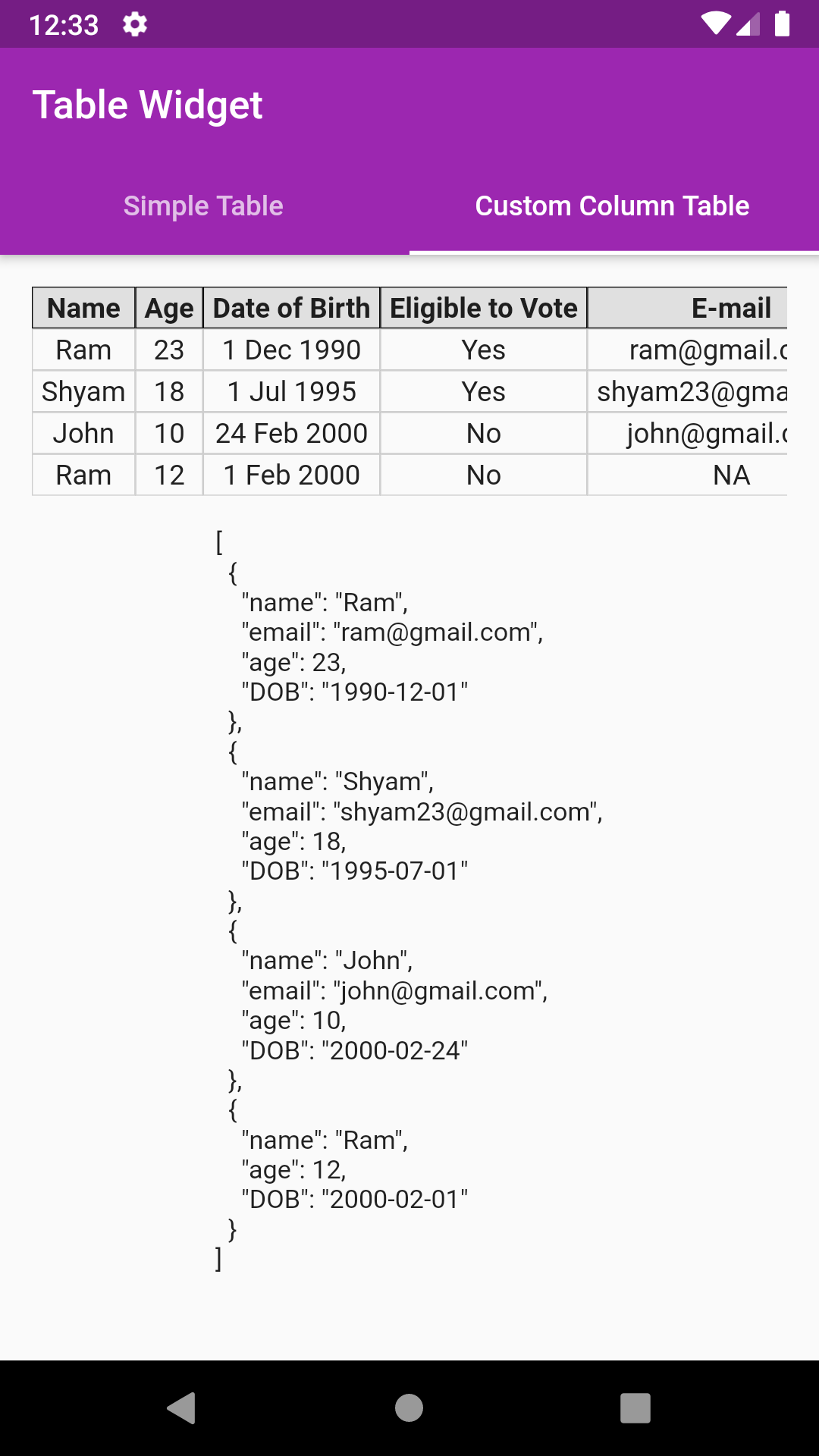
- Implementation with custom COLUMNS list
  • Pass custom column list to control what columns are displayed in table
  • The list item must be constructed using JsonTableColumn class
  • JsonTableColumn provides 4 parameters, namely,
JsonTableColumn("age", label: "Eligible to Vote", valueBuilder: eligibleToVote, defaultValue:"NA")
  • First parameter is the field/key to pick from the data
  • label: The column header label to be displayed
  • defaultValue: To be used when data or key is null
  • valueBuilder: To get the formatted value like date etc
JsonTable
//Decode your json string
final String jsonSample='[{"name":"Ram","email":"ram@gmail.com","age":23,"DOB":"1990-12-01"},'
                              '{"name":"Shyam","email":"shyam23@gmail.com","age":18,"DOB":"1995-07-01"},'
                              '{"name":"John","email":"john@gmail.com","age":10,"DOB":"2000-02-24"},'
                              '{"name":"Ram","age":12,"DOB":"2000-02-01"}]';
var json = jsonDecode(jsonSample);
//Create your column list
var columns = [
      JsonTableColumn("name", label: "Name"),
      JsonTableColumn("age", label: "Age"),
      JsonTableColumn("DOB", label: "Date of Birth", valueBuilder: formatDOB),
      JsonTableColumn("age", label: "Eligible to Vote", valueBuilder: eligibleToVote),
      JsonTableColumn("email", label: "E-mail", defaultValue: "NA"),
    ];
//Simply pass this column list to JsonTable
child: JsonTable(json,columns: columns)

//Example of valueBuilder
String eligibleToVote(value) {
    if (value >= 18) {
      return "Yes";
    } else
      return "No";
}

Head over to example code: custom_column_table.dart

- Implementation with nested data list

Suppose your json object has nested data like email as shown below:

{"name":"Ram","email":{"1":"ram@gmail.com"},"age":23,"DOB":"1990-12-01"}
  • Just use email.1 instead of email as key
JsonTableColumn("email.1", label: "Email", defaultValue:"NA")
JsonTable
//Decode your json string
final String jsonSample='[{"name":"Ram","email":{"1":"ram@gmail.com"},"age":23,"DOB":"1990-12-01"},'
                               '{"name":"Shyam","email":{"1":"shyam23@gmail.com"},"age":18,"DOB":"1995-07-01"},'
                               '{"name":"John","email":{"1":"john@gmail.com"},"age":10,"DOB":"2000-02-24"}]';
var json = jsonDecode(jsonSample);
//Create your column list
var columns = [
      JsonTableColumn("name", label: "Name"),
      JsonTableColumn("age", label: "Age"),
      JsonTableColumn("DOB", label: "Date of Birth", valueBuilder: formatDOB),
      JsonTableColumn("age", label: "Eligible to Vote", valueBuilder: eligibleToVote),
      JsonTableColumn("email.1", label: "E-mail", defaultValue: "NA"),
    ];
//Simply pass this column list to JsonTable
child: JsonTable(json,columns: columns)

Head over to example code: custom_column_nested_table.dart

Column toggle

Option for toggling column(s) also. User can customise which columns are to be shown

 showColumnToggle: true
JsonTable
Row Highlighting

Add row highlighting with custom color support

JsonTable
allowRowHighlight: true,
rowHighlightColor: Colors.yellow[500].withOpacity(0.7),
Row Select Callback

Get the index and data map of a particular selected row. Note index might return incorrect value in case of pagination

onRowSelect: (index, map) {
    print(index);
    print(map);
  },
Pagination

Just provide an int value to paginationRowCount parameter

JsonTable
paginationRowCount: 4,

TODO

  • [X] Custom header list parameter. This will help to show only those keys as mentioned in header list
  • [X] Add support for keys missing in json object
  • [X] Add support for auto formatting of date
  • [X] Extracting column headers logic must be change. Not to depend on first object
  • [X] Nested data showing support
  • [X] Row highlight support
  • [X] Row select callback
  • [X] Wrap filters in expansion tile
  • [X] Pagination support
  • [ ] Add option to change header row to vertical row on left

⭐ My Flutter Packages

  • pie_chart GitHub stars Flutter Pie Chart with cool animation.
  • avatar_glow GitHub stars Flutter Avatar Glow Widget with glowing animation.
  • search_widget GitHub stars Flutter Search Widget for selecting an option from list.
  • animating_location_pin GitHub stars Flutter Animating Location Pin Widget providing Animating Location Pin Widget which can be used while fetching device location.

⭐ My Flutter Apps

👍 Contribution

  1. Fork it
  2. Create your feature branch (git checkout -b my-new-feature)
  3. Commit your changes (git commit -m 'Add some feature')
  4. Push to the branch (git push origin my-new-feature)
  5. Create new Pull Request

Kategorien

Quell-Repository

Projekte, die dieses Paket verwenden