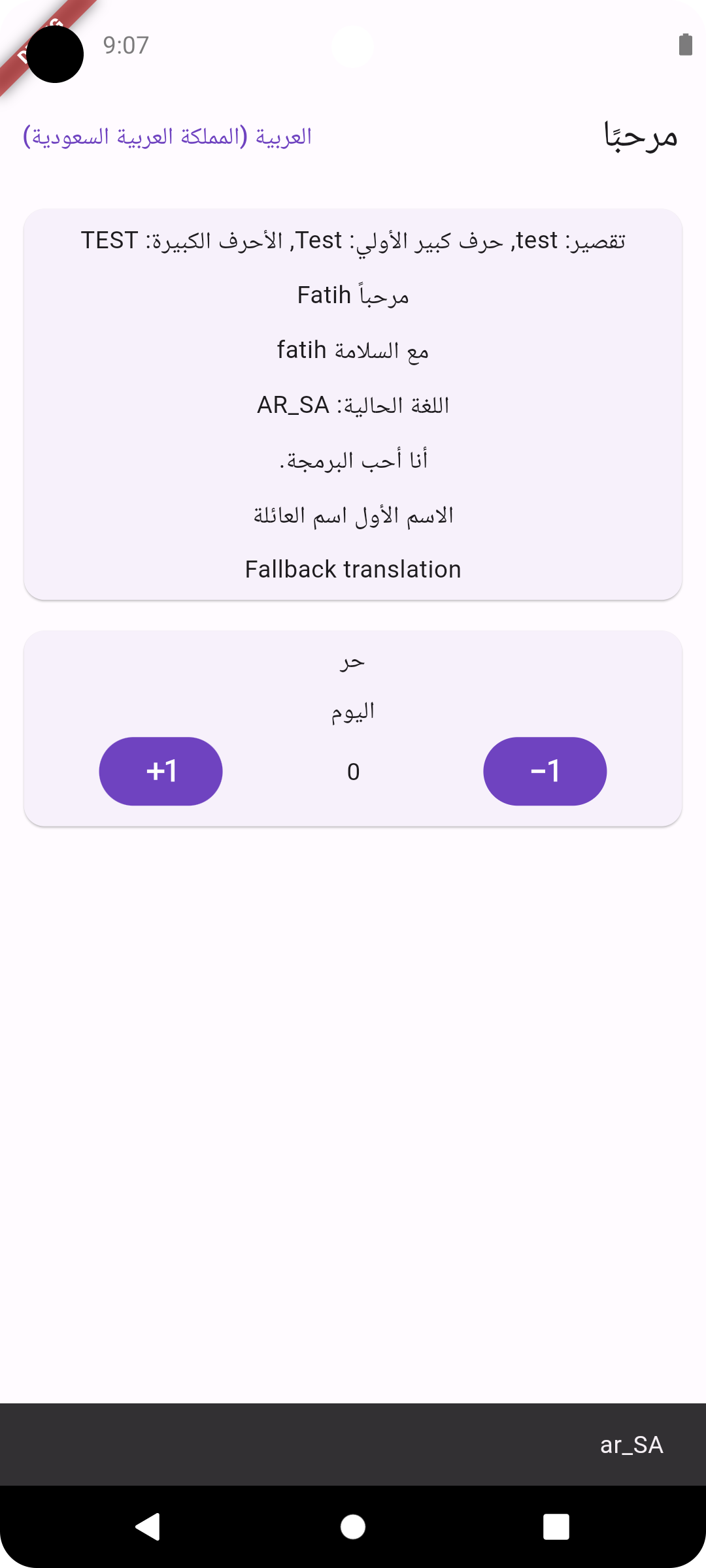
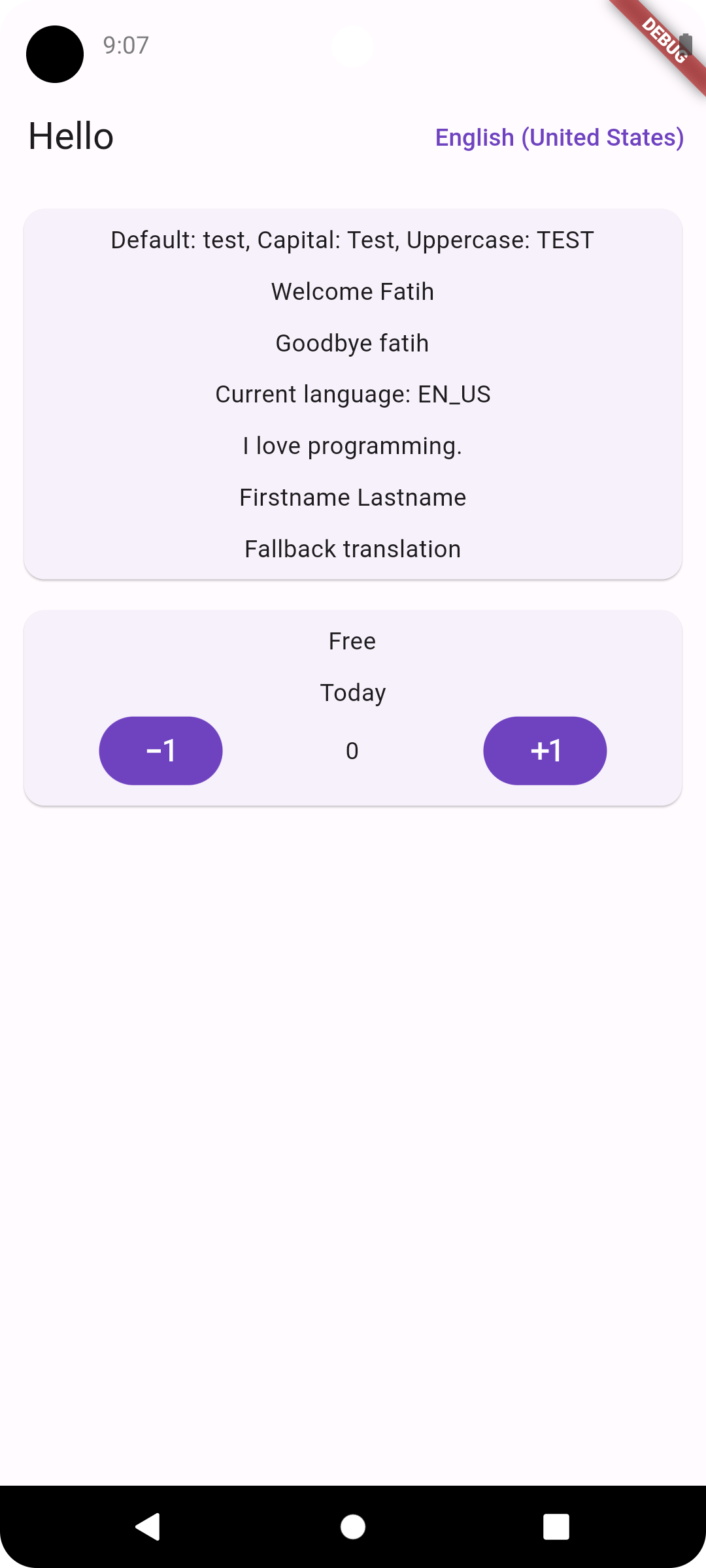
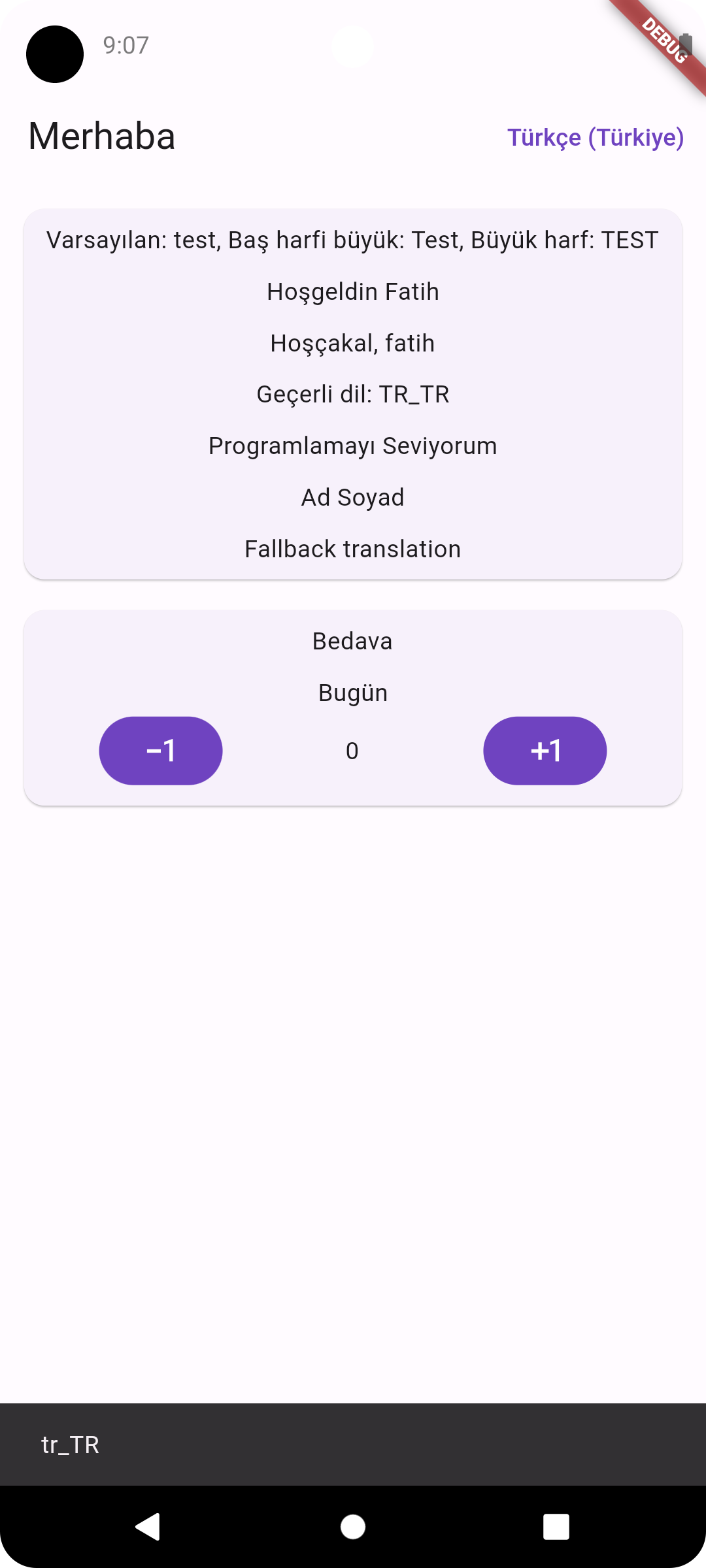
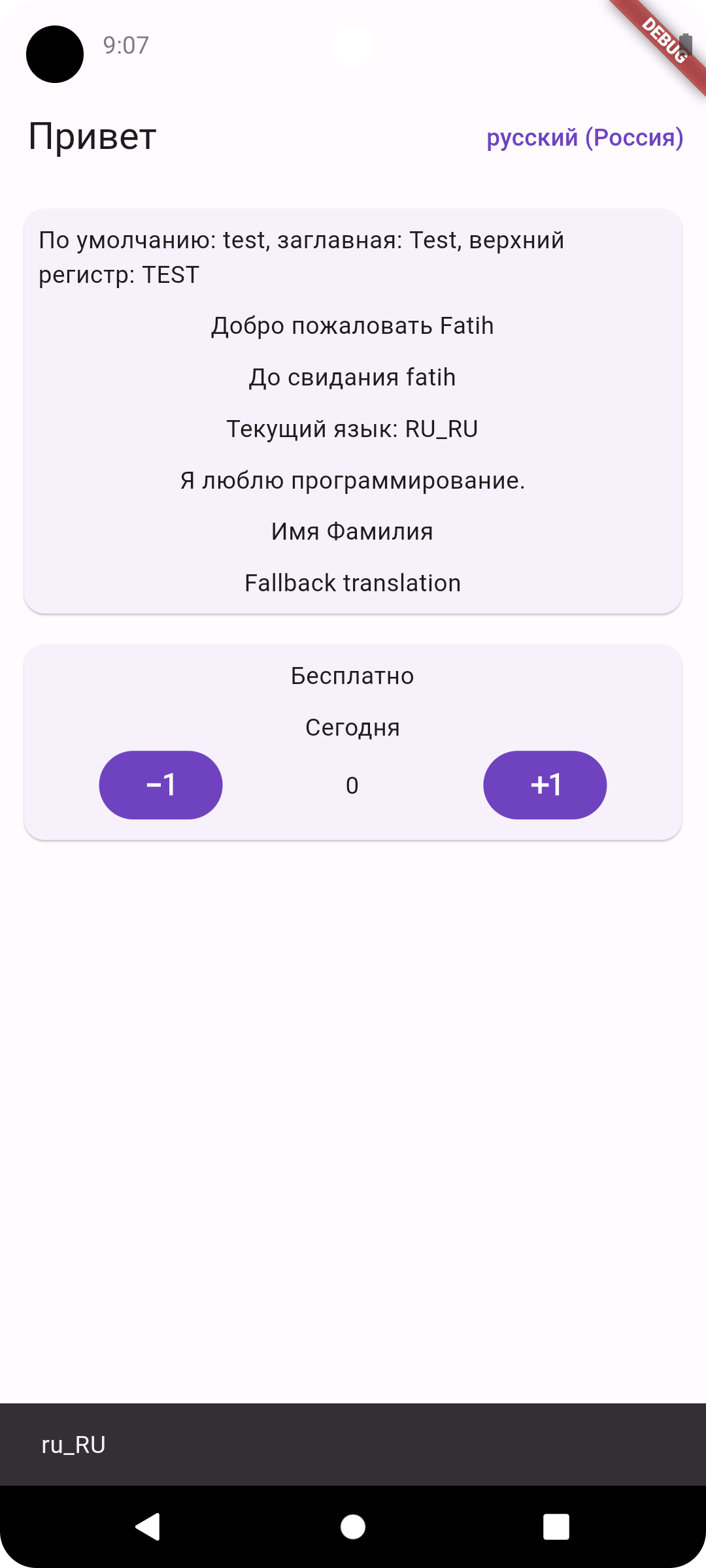
Aus öffentlichen Paketdaten erstellte Orientierung.
Localization_plus ist ein leichtgewichtiges, leistungsstarkes Paket zur Hinzufügung von Internationalisierung (i18n) zu Dart- und Flutter-Anwendungen. Es ermöglicht die einfache Verwaltung mehrerer Sprachen mit Unterstützung für Pluralisierung, Geschlecht und komplexe Nachrichtenformatierung. Entwickelt für Einfachheit und anspruchsvolle Anwendungsfälle bietet es schnelle Laufzeitleistung und nahtlose Integration auf Android, iOS, macOS, Windows und Linux. Das Paket unterstützt JSON-basierte Übersetzungsdateien und stellt eine saubere API für dynamische Sprachwechsel und Fallback-Mechanismen bereit.
Anwendungsfälle
Mehrsprachige App-Unterstützung
Dynamisches Sprachwechseln
Pluralisierte Übersetzungen
Fallback-Sprachverwaltung
plattformübergreifende Lokalisierung
Hauptmerkmale
Schnelle Laufzeitleistung
Unterstützung für Plural- und Geschlechtsregeln
JSON-basierte Übersetzungsdateien
Einfache Integration mit Flutter
Automatische Lokalisierungserkennung
Geeignet für
Flutter-Apps, die i18n erfordern
Entwickler, die eine einfache aber leistungsstarke Lokalisierung benötigen
Projekte, die mehrere Regionen ansprechen
Apps mit häufigen Sprachupdates
Teams, die JSON für die Übersetzungsverwaltung verwenden
Hinweise
Manuelle Einrichtung von Übersetzungsdateien erforderlich
Eingeschränkte integrierte Tools für Übersetzungsarbeitsabläufe
Keine integrierte Benutzeroberfläche für die Übersetzungsbearbeitung
Am besten geeignet für Projekte mit strukturierten Übersetzungsprozessen
Kann zusätzliche Konfiguration für komplexe Formatierung erfordern
Original-README
Originaler README-Schnappschuss aus dem verknüpften Quell-Repository. Aktuelle Inhalte finden Sie im Repository.
Easy, Advanced and Fast Internationalization for your Flutter Apps
About this library
✅ Fully tested code (100% code coverage)
🌐 Easy translations for many languages
🛡️ Null safety
📂 Load translations from JSON file
🧩 Extension methods on BuildContext, String and Text, Enum
🚀 Supports plural, nesting, choice, RTL locales and more
↩️ Fallback locale keys redirection (Optional)
💾 Persistent locale storage (Optional)
❗ Error widget for missing translations
🎧 Listening to localization changes via controller
🔁 Context independent locale change via controller
If a localization key is not found in the locale file, try to use the fallbackLocale file. sets the first supported language as fallback if fallback locale is not set
fallbackLocale
false
Set the locale to be used as an alternative if a localization key is not found in the locale file
startLocale
false
If there is no saved language, set the language in which the system will start
📄 LocalizationPlus widget properties
Properties
Required
Default
Description
key
false
Widget key.
child
true
Place for your main page widget.
controller
true
LocalizationPlusController instance .
Replacing Parameters In Translation Strings
If you wish, you may define placeholders in your translation strings. All placeholders must be between curly brackets. For example, you may define a welcome message with a placeholder name:
{"welcome":"Welcome, {name}"}
If your placeholder contains all capital letters, or only has its first letter capitalized, the translated value will be capitalized accordingly:
"welcome":"Welcome, {NAME}"// Welcome, USER"welcome":"Welcome, {Name}"// Welcome, User
Usage/Examples
import'package:flutter/material.dart';
import'package:localization_plus/localization_plus.dart';
voidmain() async {
WidgetsFlutterBinding.ensureInitialized();
// If you wish, you can define it so that it can be accessed // from anywhere in the system with a package such as the getIt libraryLocalizationPlusController controller = awaitLocalizationPlusController.init(
path: 'i18n',
);
runApp(
LocalizationPlus(
controller: controller,
supportedLocales: [
'en_US'.toLocale(),
'ar_DZ'.toLocale(),
'tr_TR'.toLocale(),
'ru_RU'.toLocale(),
],
child: constMyApp()
),
);
}
classMyAppextendsStatelessWidget{
@overrideWidgetbuild(BuildContext context) {
returnMaterialApp(
// Localizations
localizationsDelegates: context.localizationDelegates,
supportedLocales: context.supportedLocales,
locale: context.locale,
home: MyHomePage()
);
}
}
You can replace parameters sequentially from a list without specifying a name key inside {}.
Example:
{"welcome":"Welcome {} to {}"}
'welcome'.trans(args: ["John", "Flutter"]) // Welcome John to Flutter
Arguments:
Name
Type
Description
arguments
Map<String, String>
Map of localized strings. Replaces the name keys {key_name} according to its name
namedArgs
Map<String, String>
Alias for arguments. Map of localized strings.
args
List<String>
List of localized strings. Replaces {} sequentially from left to right.
gender
String
Gender switcher. Changes the localized string based on gender string mapping.
🔥 Gender Selection
Changes the translated string based on a requested gender output.
Example:
{"profile":{"male":"He is {}, reading {}","female":"She is {}, reading {}","other":"They are {}, reading {}"}}
'profile'.trans(gender: "female", args: ['Jane', 'a book'])
// She is Jane, reading a book
🔥 Plurals plural()
Pluralization is a complex problem, as different languages have a variety of complex rules for pluralization; however, Localization Plus can help you translate strings differently based on pluralization rules that you define.
You can use extension methods of [String] or [Text] widget, you can also use plural() as a helper function.
🚨 Key "other" required!
Example:
{"clicked":{"zero":"Today","one":"Tomorrow","two":"2 days later","few":"A few days later","many":"Weeks later","other":"After a long time"}}
// String'clicked'.plural(0) // Today'clicked'.plural(1) // Tomorrow'clicked'.plural(2) // 2 days late'clicked'.plural(3) // A few days later (Depends on the language)'clicked'.plural(11) // Weeks later (Depends on the language)'clicked'.plural(1250) // After a long time (Depends on the language)// TextText('clicked').plural(0) // TodayText('clicked').plural(1) // TomorrowText('clicked').plural(2) // 2 days lateText('clicked').plural(3) // A few days later (Depends on the language)Text('clicked').plural(11) // Weeks later (Depends on the language)Text('clicked').plural(1250) // After a long time (Depends on the language)plural('clicked', 0) // Todayplural('clicked', 1) // Tomorrowplural('clicked', 2) // 2 days lateplural('clicked', 3) // A few days later (Depends on the language)plural('clicked', 11) // Weeks later (Depends on the language)plural('clicked', 1250) // After a long time (Depends on the language)// With Number format'clicked'.plural(1000000, format: NumberFormat.compact(locale: 'en')) // 1M days later
Arguments:
Name
Type
Description
arguments
Map<String, String>
Map of localized strings. Replaces the name keys {key_name} according to its name
namedArgs
Map<String, String>
Alias for arguments. Map of localized strings.
args
List<String>
List of localized strings. Replaces {} sequentially from left to right.
name
String
Name of the number formatted into the output string ({$name}).
format
NumberFormat
Use NumberFormat to parse and format injected numbers automatically.
🔥 Trans Choice transChoice()
You may create more complex pluralization rules which specify translation strings for multiple ranges of values.
You can use extension methods of [String] or [Text] widget, you can also use transChoice() as a helper function.
Map of localized strings. Replaces the name keys {key_name} according to its name
🔥 Listening for locale change
You can listen to locale changes with the help of the controller.
controller.addListener(() {
// Locale changed// Refetch language dependent remote data etc.
});
🔥 Linked translations:
If there's a translation key that will always have the same concrete text as another one you can just link to it. To link to another translation key, all you have to do is to prefix its contents with an @: sign followed by the full name of the translation key including the namespace you want to link to.
You can also do nested anonymous and named arguments inside the linked messages.
Formatting linked translations:
If the language distinguishes cases of character, you may need to control the case of the linked locale messages. Linked messages can be formatted with modifier @.modifier:key
The below modifiers are available currently.
upper: Uppercase all characters in the linked message.
lower: Lowercase all characters in the linked message.
capitalize: Capitalize the first character in the linked message.
xample:
{
...
"hello":"Hello","world":"World","hello_world":"@.upper:hello @.lower:world"// HELLO world
...
}
context.currentLocale // get current locale

context.deviceLocale // get device locale

context.fallbackLocale // get fallback locale

context.supportedLocales // get supported locales

context.localizationDelegates // get localization delegates