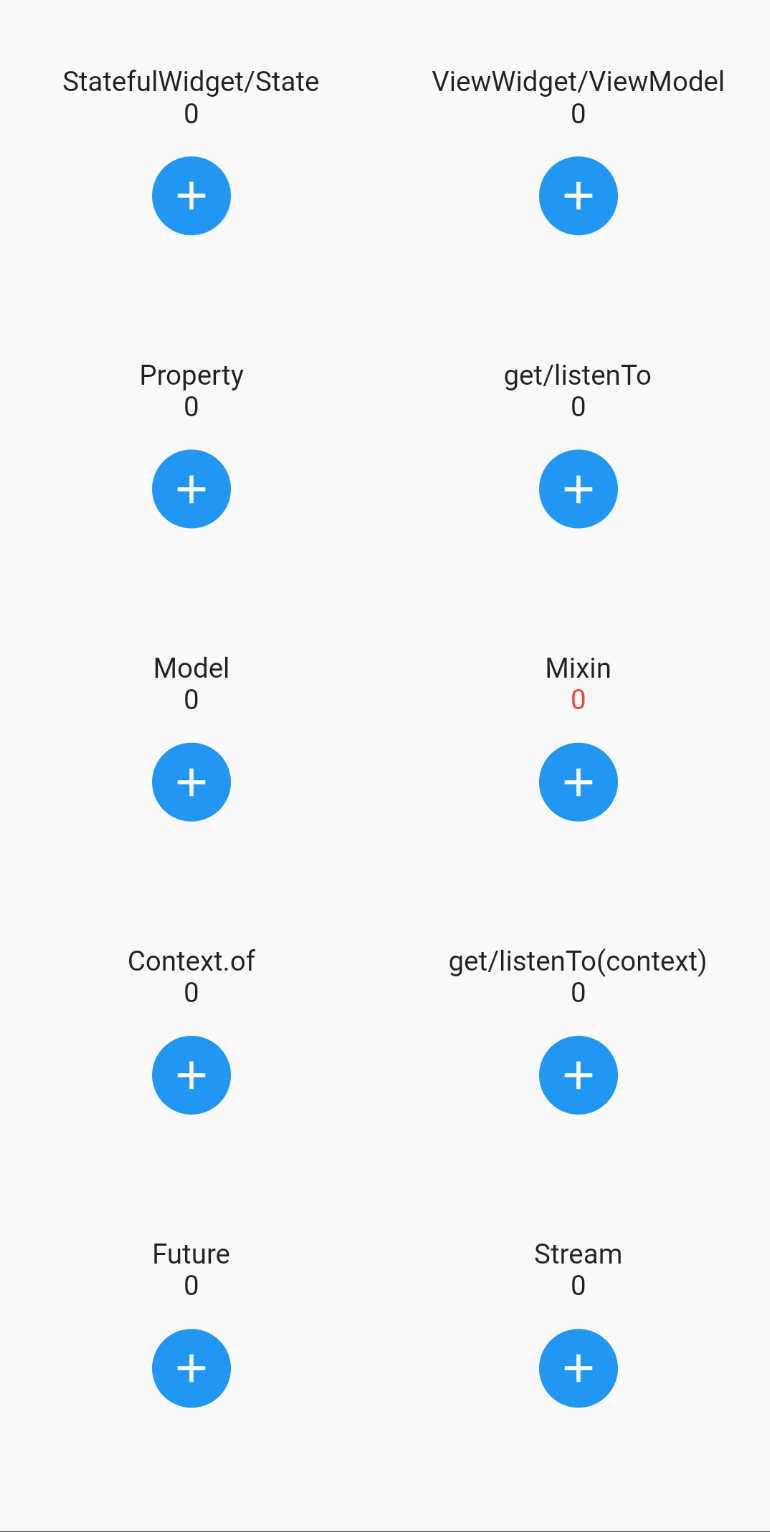
MVVM+ ist eine leichte Flutter-Implementierung von MVVM mit einem Locator zum Teilen von Zuständen über einen globalen Registrierungsspeicher (wie GetIt) oder vererbte Widgets (wie Provider).
Aus öffentlichen Paketdaten erstellte Orientierung.
MVVM+ ist ein leichtgewichtiges Flutter-Paket, das das MVVM-Architekturmuster implementiert und die Zustandsverwaltung sowie die Abhängigkeitsinjektion vereinfacht. Es bietet einen globalen Registrierungsservice zum Teilen von Zuständen, ähnlich wie GetIt, und unterstützt geerbte Widgets wie Provider für eine effiziente Datenweitergabe. Entwickelt für Einfachheit und Flexibilität hilft es Entwicklern, den Code mit klarer Trennung der Verantwortlichkeiten zu organisieren und Boilerplate zu reduzieren. Ideal für Projekte, die einen minimalen, aber effektiven Ansatz zur Zustandsverwaltung über mehrere Plattformen suchen.
Anwendungsfälle
Skalierbare Flutter-Anwendungen erstellen
Verwaltung des gemeinsam genutzten Anwendungsstatus
Abhängigkeitsinjektion vereinfachen
Aktivierung einer sauberen Trennung von Benutzeroberfläche und Geschäftslogik
Unterstützung der plattformübergreifenden Entwicklung
Hauptmerkmale
Leichte MVVM-Implementierung
Globales Zustandsregister (wie GetIt)
Unterstützung für vererbte Widgets (wie Provider)
Minimales Boilerplate
Plattformübergreifende Kompatibilität
Geeignet für
Entwickler, die neu im MVVM sind
Projekte, die eine einfache Zustandsverwaltung benötigen
Teams, die eine leichte DI-Lösung suchen
Flutter-Anwendungen für mehrere Plattformen
Apps mit sauberer Architektur
Hinweise
Kann zusätzliche Einrichtung für komplexe Zustandsflüsse erfordern
Etwas weniger funktionsreich als umfassende Zustandsverwaltungslösungen
Am besten geeignet für Anwendungen mittlerer Skalierung
Nicht ideal für sehr große oder hochdynamische Apps
Eingeschränkte Dokumentation im Vergleich zu etablierten Alternativen
Original-README
Originaler README-Schnappschuss aus dem verknüpften Quell-Repository. Aktuelle Inhalte finden Sie im Repository.
mvvm_plus (mvvm+)
MVVM+ is a lightweight Flutter implementation of MVVM, plus a locator for sharing states via a global registry (like GetIt) or inherited widgets (like Provider).
YouTube videos
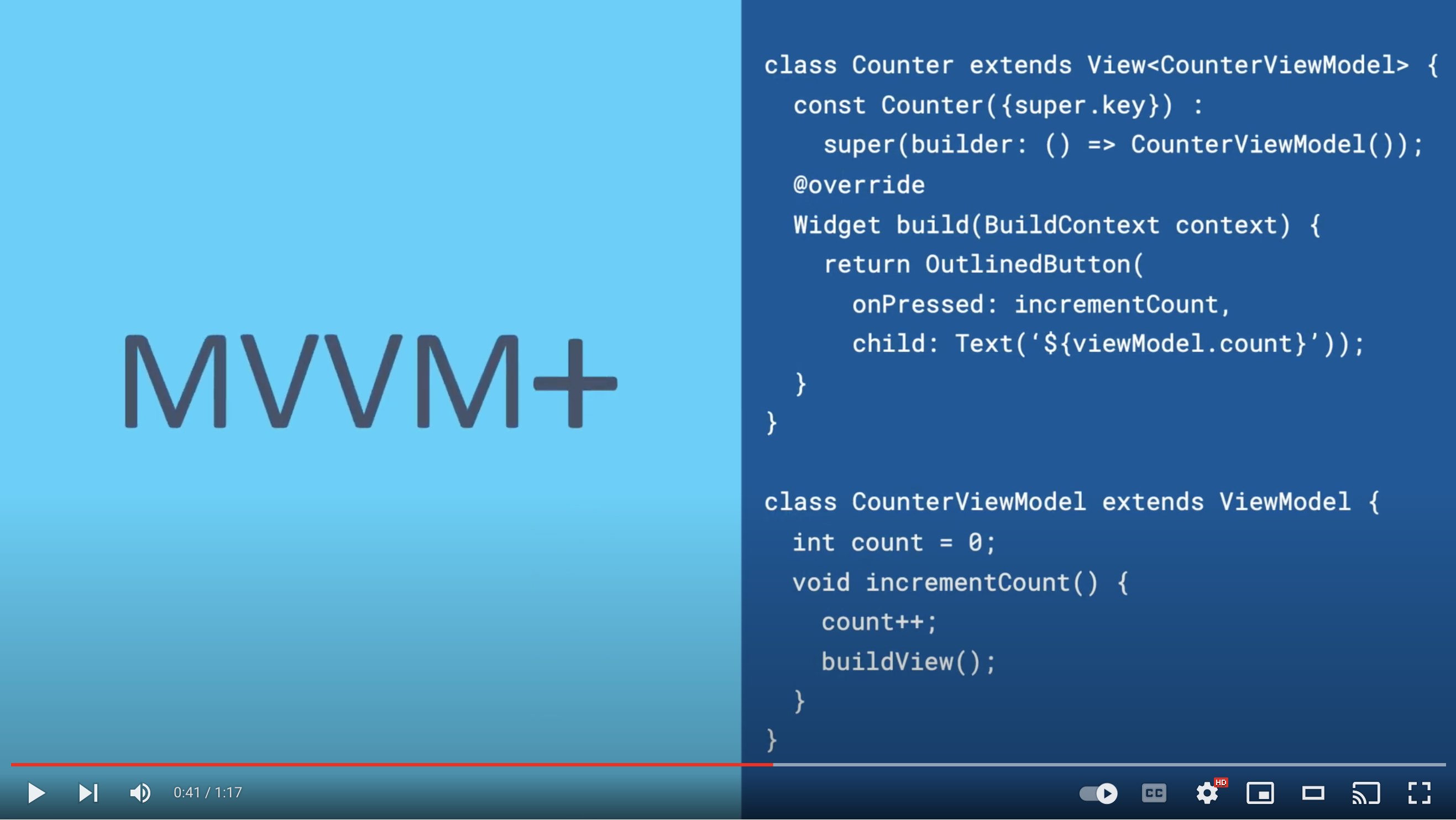
A one-minute introduction to MVVM+:
A longer demo video:
Tiny API
MVVM+ extends existing Flutter classes and introduces three methods: get, listenTo,
and buildView:
Model extends ChangeNotifier and adds:
get
listenTo
ViewWidget extends StatefulWidget/State and adds:
get
listenTo
ViewModel extends Model and adds:
buildView
Property is a typedef of ValueNotifier, so adds nothing.
But don't be fooled by MVVM+'s minimal interface. MVVM+ is a full implementation of MVVM.
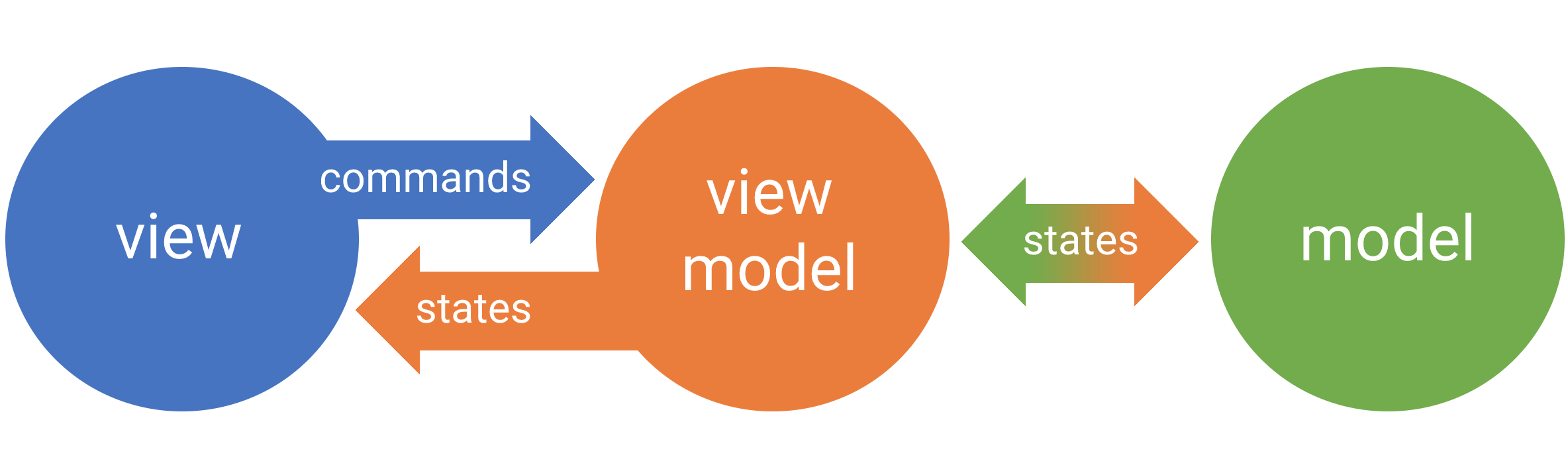
Model-View-View Model (MVVM)
As with all MVVM implementations, MVVM+ organizes UI into an object called the View. Business
logic associated with a View is organized into an object called a View Model. Business logic that
spans two or more View Models is organized into one or more Models.
States are mutated in the View Model and the Model, but not the View. With MVVM+, the View is a
Flutter widget and the View Model and Model are Dart models that extend ChangeNotifier.
MVVM+ goals:
Clearly separate business logic and state from UI.
Support access to models in a global registry (like GetIt).
Support access to models from descendant widgets (like Provider, InheritedWidget).
Work well alone or with other state management packages (BLoC, RxDart, Provider, GetIt, ...).
Be scalable and performant, so suitable for both indy and production apps.
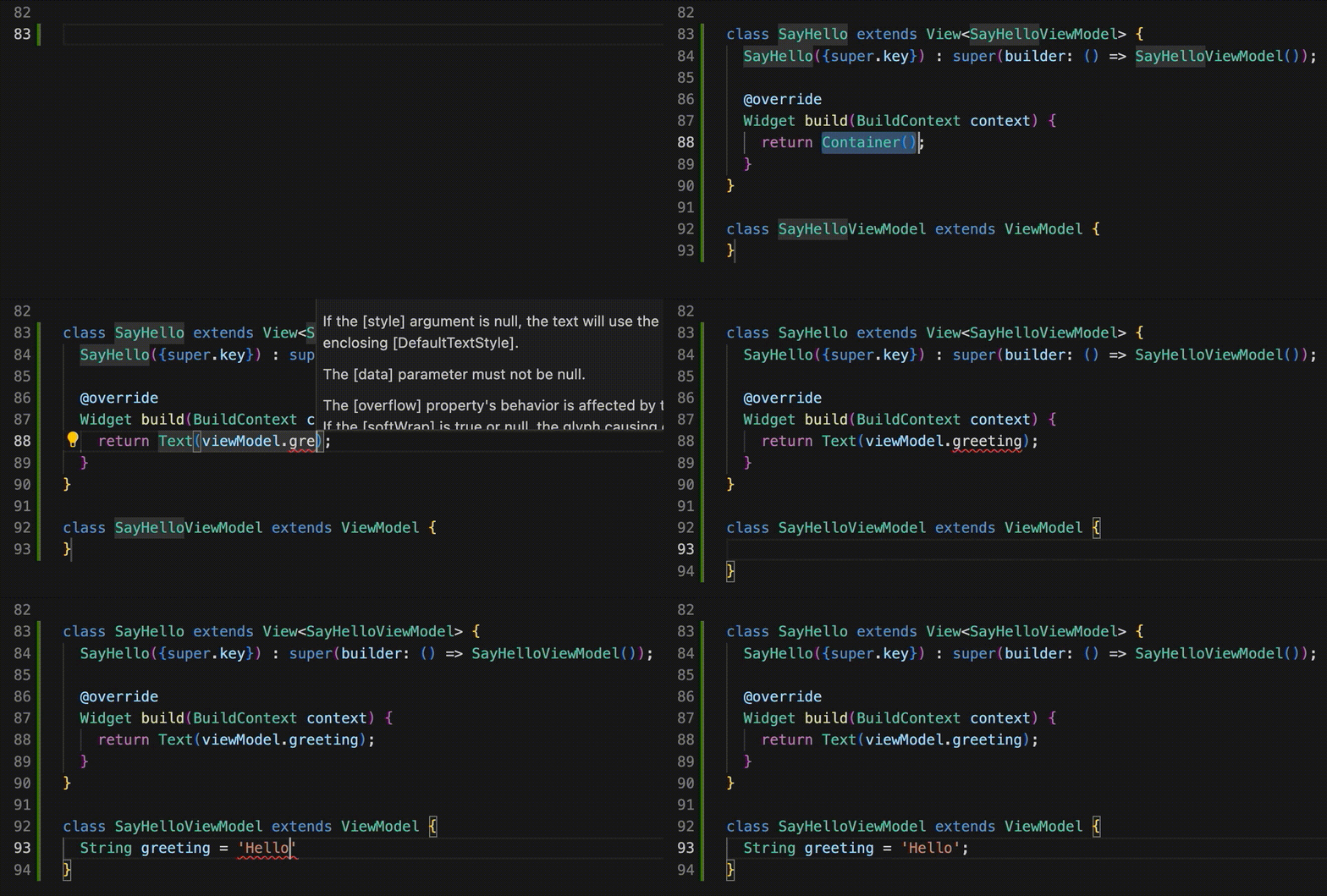
To create a View, extend ViewWidget. You give the super constructor a builder for your ViewModel (via
the "builder" parameter) and you override ViewWidget's build function (just like
StatelessWidget):
Views are frequently nested and can be large, like an app page or feature. Or small, like a password
field or a button.
VSCode mvvm+ extension
The boilerplate for the ViewWidget and ViewModel classes is very similar to that of StatefulWidget and its State class. So, like the Flutter extension adds a "stful" snippet for writing StatefulWidget boilerplate, the mvvm plus extension adds a snippet for writing ViewWidget and ViewModel classes.
Search the VSCode extension marketplace for "mvvm plus". After installing the extension, just start typing "mvvm+" in the edit window and hit Enter when the mvvm+ snippet is highlighted. Then type the name of your widget and the extension will populate the naming for you. Hit tab to edit the build function.
Rebuilding a ViewWidget
ViewModel includes a buildView method for rebuilding the ViewWidget. You can call it explicitly:
classMyWidgetViewModelextendsViewModel{
int counter;
voidincrementCounter() {
counter++;
buildView(); // <- queues ViewWidget to build
}
}
Or use buildView as a listener to bind the ViewModel to the ViewWidget with a ValueNotifier:
Because typing ..addListener(buildView) for every property can get tedious, ViewModel has a convenience method createProperty that adds the buildView listener for you. So you could refactor the line above as:
latefinal counter = createProperty<int>(0);
initState and dispose
Like the Flutter State class associated with StatefulWidget, the ViewModel class has initState
and dispose member functions which are handy for initialization and teardown.
Occasionally you need to access another widget's ViewModel instance (e.g., if it's an ancestor or on
another branch of the widget tree). To make a ViewModel globally available, use the ViewWidget specifier
location: Location.registry:
classMyOtherWidgetextendsViewWidget<MyOtherWidgetViewModel> {
MyOtherWidget(super.key) : super(
location: Location.registry, // <- Adds the ViewModel to the registry
builder: () => MyOtherWidgetViewModel());
}
Views and ViewModels anywhere on the widget tree can access the ViewModel with their get or listenTo methods.
final otherViewModel = get<MyOtherWidgetViewModel>();
final otherViewModel = listenTo<MyOtherWidgetViewModel>();
Like GetIt, registered ViewModels are not managed by InheritedWidget. So, widgets don't need to be
children of a ViewWidget to get its registered ViewModel. This is a big plus for use cases where
the accessed ViewModel is not an ancestor.
Unlike GetIt the lifecycle of all ViewModel instances (including registered) are bound to the
lifecycle of the ViewWidget instances that instantiated them. So, when a ViewWidget instance is removed from the
widget tree, its ViewModel is disposed.
On rare occasions when you need to register multiple ViewModels of the same type, just give each
ViewModel instance a unique name:
final headerText = get<MyOtherWidgetViewModel>(name: 'Header').someText;
final footerText = get<MyOtherWidgetViewModel>(name: 'Footer').someText;
Alternatively, make ViewModels inherited (like Provider, InheritedWidget)
Instead of using the global registry, you have the option of adding ViewModels to the widget tree. Just add the specifier location: Location.tree, which makes the ViewModel available to descendants:
classMyOtherWidgetextendsViewWidget<MyOtherWidgetViewModel> {
MyOtherWidget(super.key) : super(
location: Location.tree, // <- Puts ViewModel on the widget tree
builder: () => MyOtherWidgetViewModel());
}
Views and ViewModels that are descendants can use their context and get or listenTo functions to access the ViewModel.
final otherViewModel = get<MyOtherWidgetViewModel>(context: context);
final otherViewModel = listenTo<MyOtherWidgetViewModel>(context: context);
Models
The Model class is a super class of ViewModel with much of the functionality of ViewModel. MVVM+
uses the Bilocator package under the hood which has a widget
named "Bilocator" that adds Models to the widget tree:
By default, the Bilocator widget adds its model to the global registry when added to the widget tree and unregisters it when
removed. (To register multiple models with a single widget, check out Bilocators).
As with the ViewWidget class, to add a model to the widget tree (instead of the registry), simply specify the location to Location.tree:
Bilocator<MyModel>(
  builder: () => MyModel(),
  location: Location.tree, // <- Adds model to widget tree instead of global registry
  child: MyWidget(),
);
Listening to other widget's ViewModels
The get method of ViewWidget and ViewModel retrieves registered ViewModels but does not listen for
future changes. For that, use listenTo from within your ViewModel:
final someText = listenTo<MyOtherWidgetViewModel>().someText;
listenTo performs a one-time add of the buildView method as a listener that is called every time
the notifyListeners method of MyOtherWidgetViewModel is called. If you want to do more than just
queue a build, you can give listenTo a custom listener function:
final someText = listenTo<MyWidgetViewModel>(listener: myListener).someText;
If you want to rebuild your ViewWidget after your custom listener finishes, just call buildView within
your listener:
voidmyListener() {
// do some stuffbuildView();
}
Either way, listeners added by listenTo are automatically removed when your ViewModel instance is
disposed.
notifyListeners vs buildView
When your ViewWidget and ViewModel classes are instantiated, buildView is added as a listener to your
ViewModel. So, calling buildView or notifyListeners from within your ViewModel will both rebuild
your ViewWidget. So, what's the difference between calling buildView and notifyListeners? Nothing,
unless your ViewModel has other listeners. So, to eliminate unnecessary ViewWidget builds, it is a best
practice to use buildView unless your use case requires listeners to be notified of a change.
ValueNotifiers are your MVVM Properties!
The MVVM pattern uses the term "Properties" to describe public values of View Models that are bound
to Views and other objects. I.e., when the Property is changed, listeners are notified:
classMyViewModel{
final counter = Property<int>(0);
}
In Flutter, this is how ValueNotifiers work. So, MVVM+ adds a typedef that equates Property with
ValueNotifier. As you use MVVM+, feel free to call your public members of ViewModels "Properties"
or "ValueNotifiers", whichever is more comfortable to you. (In the MVVM+ documentation, I use "
ValueNotifier" to be more transparent with the Flutter underpinnings, but in practice, I prefer to
use "Property" because it clarifies its purpose and because "Property" has fewer characters! :)
So, for more granularity than listening to an entire registered Model, you can get a model and listenTo one of its
ValueNotifiers/Properties:
final cloud = get<CloudService>();
final currentUser = listenTo<ValueNotifier<User>>(notifier: cloud.currentUser).value;
FutureProperty and StreamProperty
MVVM+ supports Flutter Future and Stream with the FutureProperty and StreamProperty. When
either of these resolves, its hasData field is set to true and its listeners are notified,
enabling rendering to update and access the values through its data field.
Alternatively, the StreamProperty.dispose() cancels the subscription.
Mixins
The ViewWidget class is an extensions of a StatefulWidget, complete with the usual State class under the hood
(named ViewState) that manages View and its ViewModel. Some packages include a mixin that must be mixed in
with State. For this, you can extend ViewState to include your mixin. See the example below:
classMyWidgetextendsViewWidget<MyWidgetViewModel> {
MyWidget({super.key}) : super(builder: () => MyWidgetViewModel());
@override// Overriding createState is only required when adding mixinsMyWidgetStatecreateState() => MyWidgetState();
@overrideWidgetbuild(BuildContext context) {
// Use `getState` to retrieve your custom ViewState/mixin objectreturn getState<MyWidgetState>().buildGreeting(viewModel.message.value);
}
}
// Extend `ViewState` and add your mixinclassMyWidgetStateextendsViewState<MyWidgetViewModel> withMyMixin{}
mixinMyMixin {
buildGreeting(String message) => Text(message);
}
classMyWidgetViewModelextendsViewModel{
latefinal message = createProperty<String>('Hello');
}
For an slightly higher level introduction to MVVM+, see my
article Flutter State Management with MVVM+
. Please note that most of this ReadMe page overlaps with this article.
To learn more about the bilocator package that MVVM+ uses for its locator, see the bilocator documentation.