Pakete, Repositories und App-Kategorien suchen

Paketdetailsv0.5.0

native_ads

Flutter-Plugin für AdMob-Native-Anzeigen. Kompatibel mit Android und iOS über PlatformView.

30-Tage-Downloads
24
Likes
42
Pub-Punkte
40

Paket installieren

flutter pub add native_ads

Paketübersicht

Aus öffentlichen Paketdaten erstellte Orientierung.

Ein Flutter-Plugin, das die Integration von AdMob-Native-Anzeigen in mobile Anwendungen für Android und iOS ermöglicht. Durch die Nutzung von PlatformView bietet es eine nahtlose Möglichkeit, reichhaltigen, anpassbaren Werbeinhalt anzuzeigen, der sich an das Design der App anpasst. Das Plugin vereinfacht den Prozess zum Laden und Rendern von Native-Anzeigen, ohne plattformspezifischen Code zu erfordern. Es ist ideal für Entwickler, die ihre Apps mit hochengagierenden Anzeigenformaten monetarisieren möchten, während sie eine konsistente Benutzererfahrung gewährleisten.

Anwendungsfälle

  • Monetarisierung mobiler Apps mit Native-Ad-Einheiten
  • Visuell integrierte Anzeigen in App-Feeds anzeigen
  • Steigerung der Nutzerengagement durch reichhaltige Medienanzeigen
  • Unterstützung von Android und iOS mit einer einzigen Codebasis
  • Anpassen des Anzeigenaussehens an die App-Oberfläche

Hauptmerkmale

  • PlatformView-basierte Implementierung
  • AdMob-Kompatibilität
  • Plattformübergreifende Unterstützung (Android & iOS)
  • Rich-Media-Anzeigendarstellung
  • Einfache Integration über Flutter pub
  • Anpassbare Anzeigenvorlagen

Geeignet für

  • Flutter-Entwickler, die Native-Anzeigenintegration suchen
  • Apps, die eine hochwertige Anzeigenplatzierung erfordern
  • Projekte, die sowohl Android als auch iOS ansprechen
  • Entwickler, die sich auf die Konsistenz der Benutzererfahrung konzentrieren
  • mobile App-Teams mit Fokus auf Monetarisierung

Hinweise

  • Benötigt AdMob-Konto und Einrichtung
  • Abhängig vom Google Mobile Ads SDK
  • Möglicherweise sind zusätzliche Konfigurationen für die Anzeigenanpassung erforderlich
  • Beschränkt auf AdMob als Backend-Anbieter
  • Die Leistung hängt von Netzwerk- und Gerätefunktionen ab

Original-README

Originaler README-Schnappschuss aus dem verknüpften Quell-Repository. Aktuelle Inhalte finden Sie im Repository.

flutter_native_ads

version

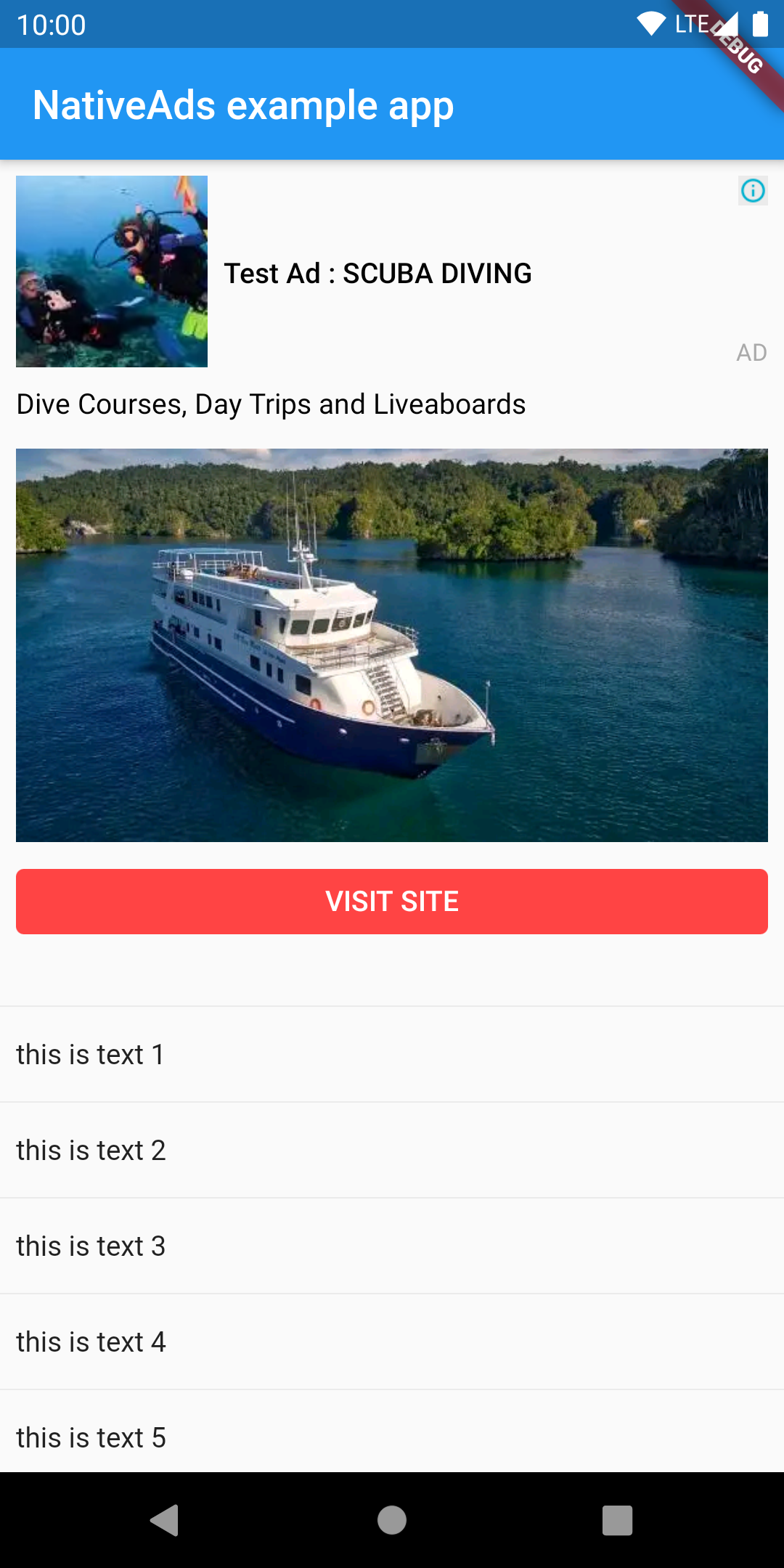
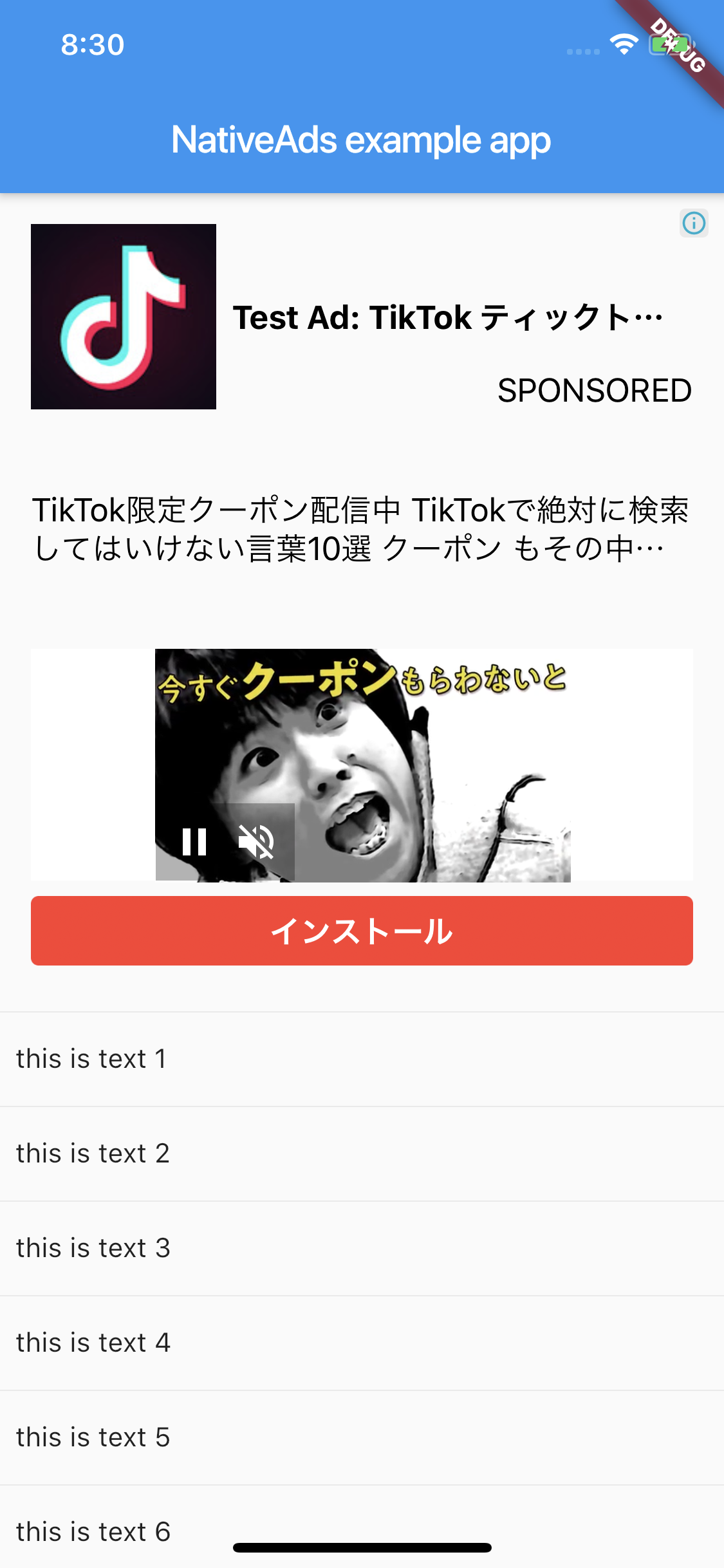
Flutter plugin for AdMob Native Ads. Compatible with Android and iOS using PlatformView.

Android iOS
image image

Getting Started

Android

AdMob 17 requires the App ID to be included in the AndroidManifest.xml. Failure to do so will result in a crash on launch of your app. The line should look like:

<meta-data
    android:name="com.google.android.gms.ads.APPLICATION_ID"
    android:value="[ADMOB_APP_ID]"/>

where [ADMOB_APP_ID] is your App ID. You must pass the same value when you initialize the plugin in your Dart code.

iOS

Admob 7.42.0 requires the App ID to be included in Info.plist. Failure to do so will result in a crash on launch of your app. The lines should look like:

<key>GADApplicationIdentifier</key>
<string>[ADMOB_APP_ID]</string>

where [ADMOB_APP_ID] is your App ID. You must pass the same value when you initialize the plugin in your Dart code.

And PlatformView

<key>io.flutter.embedded_views_preview</key>
<true/>

Layout

This plugin supported custom layout. You need to create a layout file.

Android

You can use anything if the parent is a ViewGroup. The example uses ConstraintLayout.

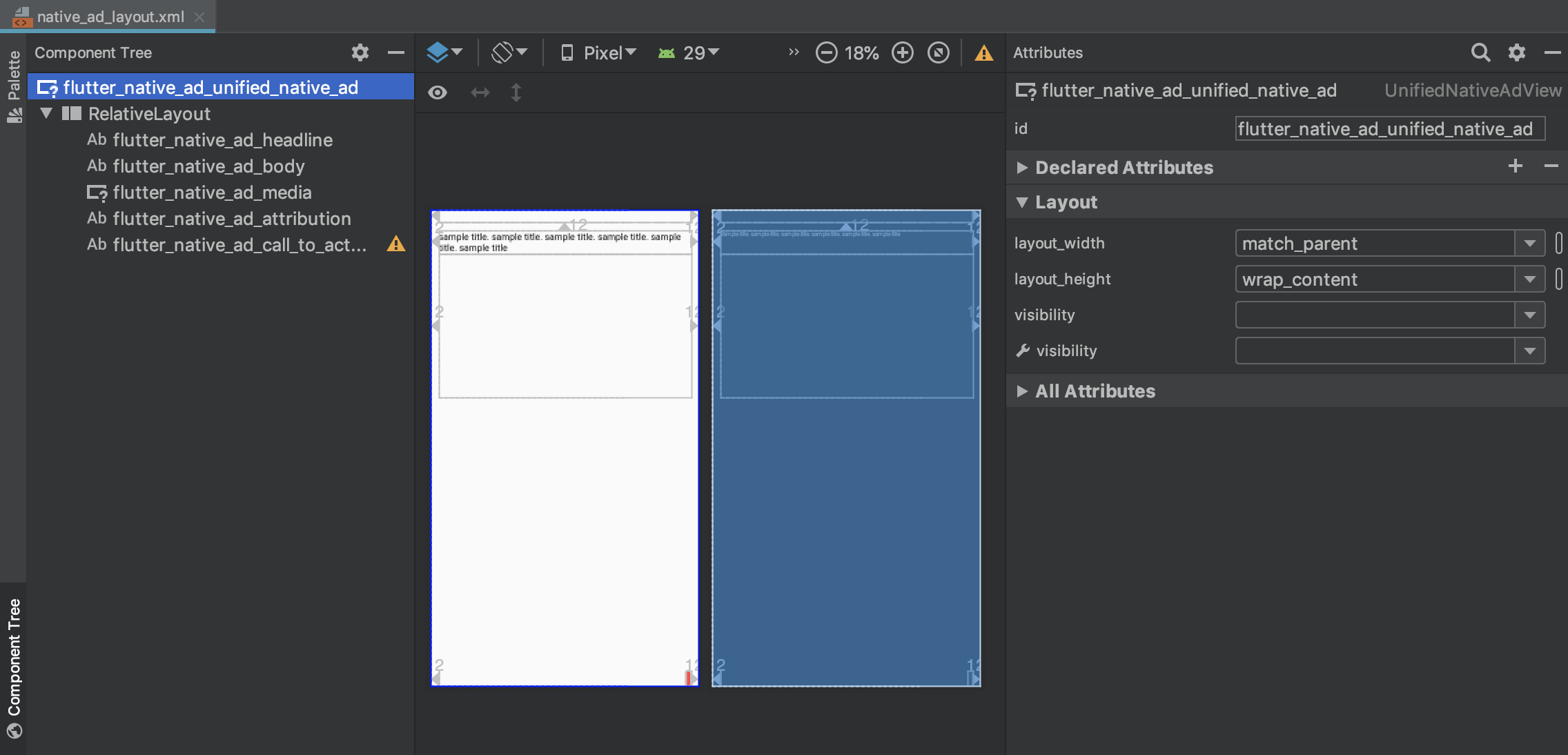
Use com.google.android.gms.ads.formats.UnifiedNativeAdView for the parent.

image

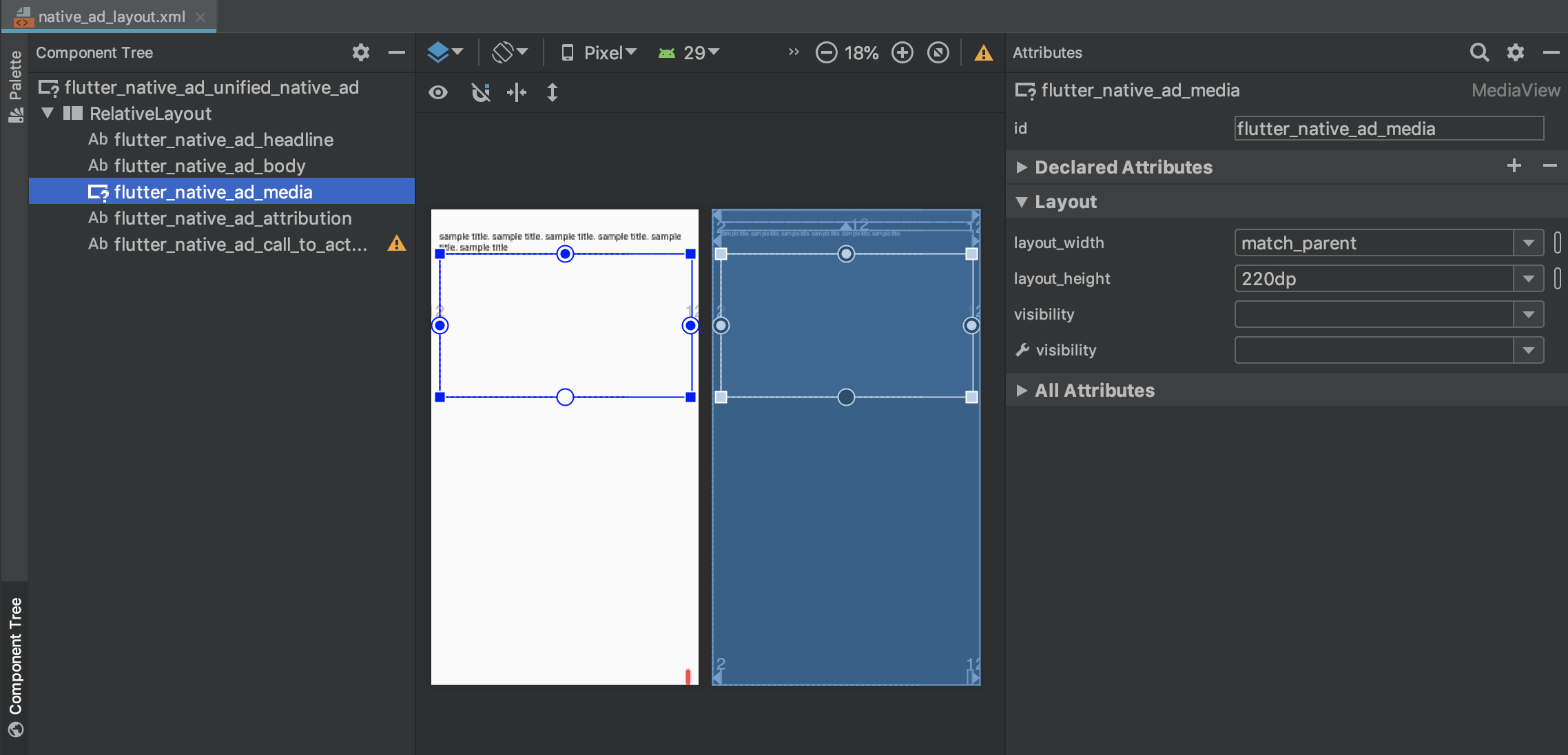
Use com.google.android.gms.ads.formats.MediaView for MediaView.

image

  • xml
<?xml version="1.0" encoding="utf-8"?>
<com.google.android.gms.ads.formats.UnifiedNativeAdView 
    xmlns:android="http://schemas.android.com/apk/res/android"
    xmlns:tools="http://schemas.android.com/tools"
    android:id="@+id/flutter_native_ad_unified_native_ad"
    ...
    
    <!-- ViewGroup -->
    <androidx.constraintlayout.widget.ConstraintLayout
        android:id="@+id/relativeLayout"
        android:layout_width="match_parent"
        android:layout_height="match_parent">
        
        ...

        <com.google.android.gms.ads.formats.MediaView
            android:id="@+id/flutter_native_ad_media"
            ...

example

iOS

Please set GADUnifiedNativeAdView for the parent.

image

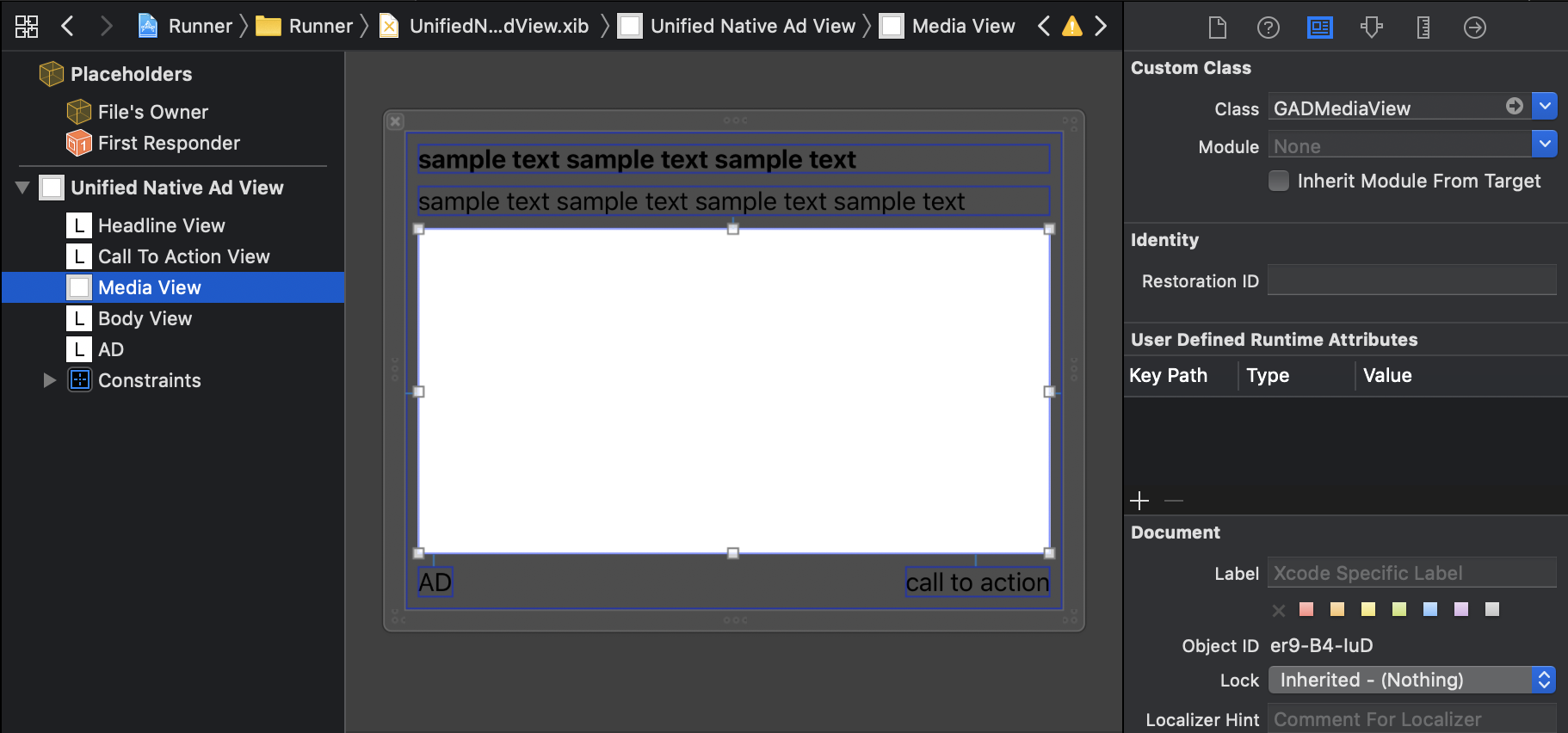
Please set GADMediaView to MediaView.

image

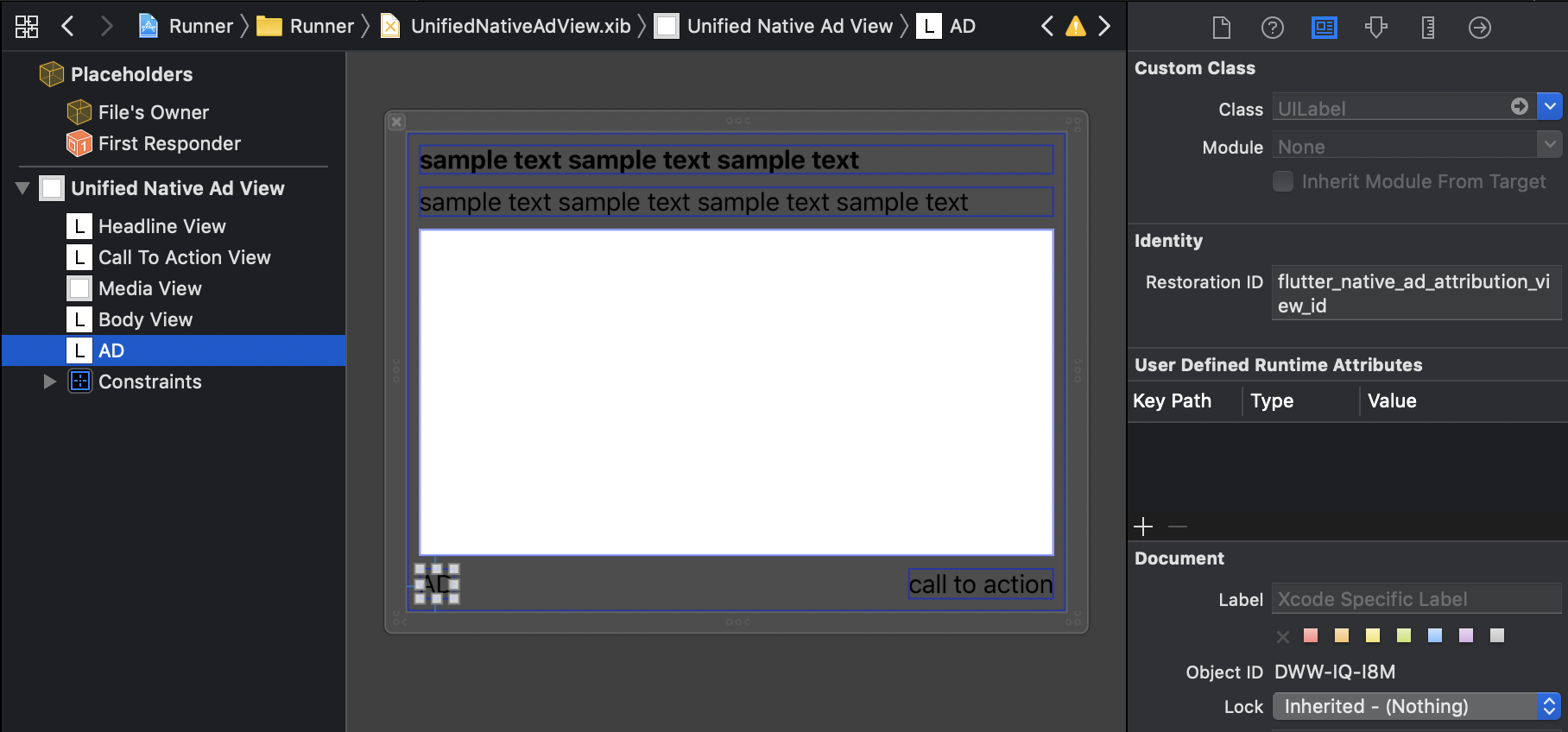
Please set Restoration ID for View that displays attribution

image

example

Mapping Native Ads to Layout

Need to mapping the view

Android

Mapping by view id

View ID
UnifiedNativeAdView flutter_native_ad_unified_native_ad
Headline flutter_native_ad_headline
Body flutter_native_ad_body
Call To Action flutter_native_ad_call_to_action
Attribution flutter_native_ad_attribution
MediaView flutter_native_ad_media
Icon flutter_naitve_ad_icon
Star rating flutter_naitve_ad_star
Store flutter_naitve_ad_store
Price flutter_naitve_ad_price
Advertiser flutter_naitve_ad_advertiser
iOS

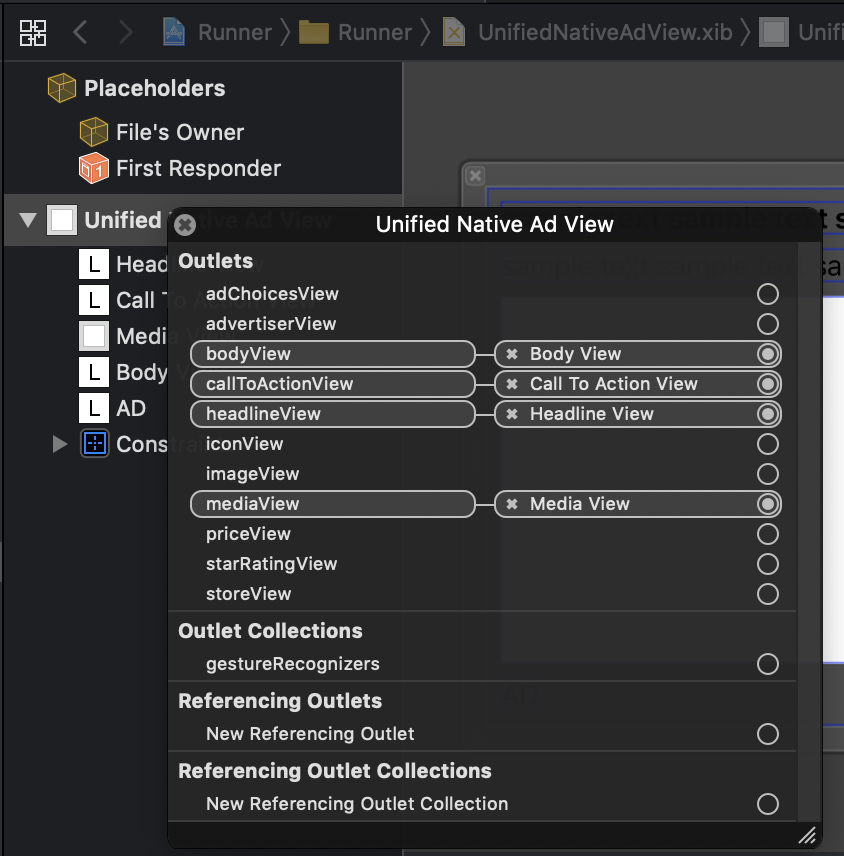
Mapping by Outlet

image

Usage

import 'package:flutter/material.dart';
import 'package:native_ads/native_ad_param.dart';
import 'package:native_ads/native_ad_view.dart';

import 'package:native_ads/native_ads.dart';

void main() {
  WidgetsFlutterBinding.ensureInitialized();
  NativeAds.initialize();
  runApp(MyApp());
}

class MyApp extends StatelessWidget {
  @override
  Widget build(BuildContext context) {
    return MaterialApp(
      home: Scaffold(
        appBar: AppBar(
          title: const Text('NativeAds example app'),
        ),
        body: Center(
          child: ListView.separated(
            itemBuilder: (context, index) {
              if (index % 10 == 0) {
                return Padding(
                  padding: const EdgeInsets.all(8.0),
                  child: SizedBox(
                    width: double.infinity,
                    height: 320,
                    child: NativeAdView(
                      onParentViewCreated: (_) {
                      },
                      androidParam: AndroidParam()
                        ..placementId = "ca-app-pub-3940256099942544/2247696110" // test
                        ..packageName = "{{YOUR_ANDROID_APP_PACKAGE_NAME}}"
                        ..layoutName = "{{YOUR_CREATED_LAYOUT_FILE_NAME}}"
                        ..attributionText = "AD"
                        ..testDevices = ["{{YOUR_TEST_DEVICE_IDS}}"],
                      iosParam: IOSParam()
                        ..placementId = "ca-app-pub-3940256099942544/3986624511" // test
                        ..bundleId = "{{YOUR_IOS_APP_BUNDLE_ID}}"
                        ..layoutName = "{{YOUR_CREATED_LAYOUT_FILE_NAME}}"
                        ..attributionText = "SPONSORED"
                        ..testDevices = ["{{YOUR_TEST_DEVICE_IDS}}"],
                      onAdImpression: () => print("onAdImpression!!!"),
                      onAdClicked: () => print("onAdClicked!!!"),
                      onAdFailedToLoad: (Map<String, dynamic> error) => print("onAdFailedToLoad!!! $error"),
                    ),
                  ),
                );
              } else {
                return Padding(
                  padding: const EdgeInsets.all(8.0),
                  child: Text(
                    "this is text $index",
                    style: Theme.of(context).textTheme.body1,
                  ),
                );
              }
            },
            itemCount: 50,
            separatorBuilder: (context, _) => const Divider(),
          ),
        ),
      ),
    );
  }
}

Supported native ads fields

  • Headline(Required)
  • Body(Required)
  • Call To Action(Required)
  • Ad Attribution(Required)
  • Media
  • Icon
  • Star rating
  • Store
  • Price
  • Advertiser

Event callback

Receive callbacks for some events by passing to the NativeAdView constructor

  • onAdImpression
  • onAdClicked
  • onAdFailedToLoad
  • onAdLeftApplication
  • onAdLoaded

Reference

Limitations

This is just an initial version of the plugin. There are still some limitations:

Kategorien

Quell-Repository

Projekte, die dieses Paket verwenden

Noch keine Daten verfügbar.