
Pakete, Repositories und App-Kategorien suchen

Cover von new_version
Paketdetailsv0.3.1

new_version

Überprüfen Sie, ob Ihr Benutzer die neueste Version Ihrer Flutter-App hat.

AndroidiOSmacOSWindowsLinux
30-Tage-Downloads
456
Likes
618
Pub-Punkte
130

Paket installieren

flutter pub add new_version

Paketübersicht

Aus öffentlichen Paketdaten erstellte Orientierung.

Das new_version-Paket hilft Flutter-Anwendungen, festzustellen, ob die aktuelle Version aktuell ist, indem es gegen eine angegebene Version auf einer entfernten Quelle wie einer JSON-Datei oder API-Endpunkt überprüft wird. Es unterstützt mehrere Plattformen, darunter Android, iOS, macOS, Windows und Linux. Das Paket ermöglicht Entwicklern, Benutzer zur Aktualisierung der App aufzufordern, wenn eine neuere Version verfügbar ist, was die Benutzererfahrung verbessert und sicherstellt, dass die neuesten Funktionen und Sicherheitspatches zugänglich sind. Es ist leichtgewichtig und mit minimalem Konfigurationsaufwand einfach zu integrieren.

Anwendungsfälle

  • Benutzer auffordern, die App zu aktualisieren
  • Auf Updates beim Start der App prüfen
  • Versionskompatibilität überprüfen
  • Benachrichtigen Sie Benutzer über neue Versionen
  • Integration in CI/CD-Workflows

Hauptmerkmale

  • Plattformübergreifende Unterstützung
  • Einfache Integration
  • Überprüfung der Remote-Version
  • Anpassbare Aktualisierungshinweise
  • Unterstützt JSON- und HTTP-Endpunkte

Geeignet für

  • Apps, die Versionskontrolle erfordern
  • Entwickler, die App-Updates verwalten
  • Projekte mit häufigen Veröffentlichungen
  • Benutzerorientierte mobile Anwendungen
  • Teams, die automatisierte Bereitstellung verwenden

Hinweise

  • Internetverbindung erforderlich
  • Beruht auf externer Versionsquelle
  • Möglicherweise benötigt eine Caching-Strategie
  • Nicht geeignet für Offline-zuerst-Anwendungen
  • Die Versionsvergleichslogik muss definiert werden
Original-README

Originaler README-Schnappschuss aus dem verknüpften Quell-Repository. Aktuelle Inhalte finden Sie im Repository.

Archive Notice

This plugin is relatively stable and feature-complete, but I won't be working on it or accepting pull requests going forward. If anyone is interested in taking over as maintainer, feel free to email me. I'm also happy to link to popular forks that have spun off. Thanks.

New Version Plugin 🎉

A Flutter plugin that makes it possible to:

  • Check if a user has the most recent version of your app installed.
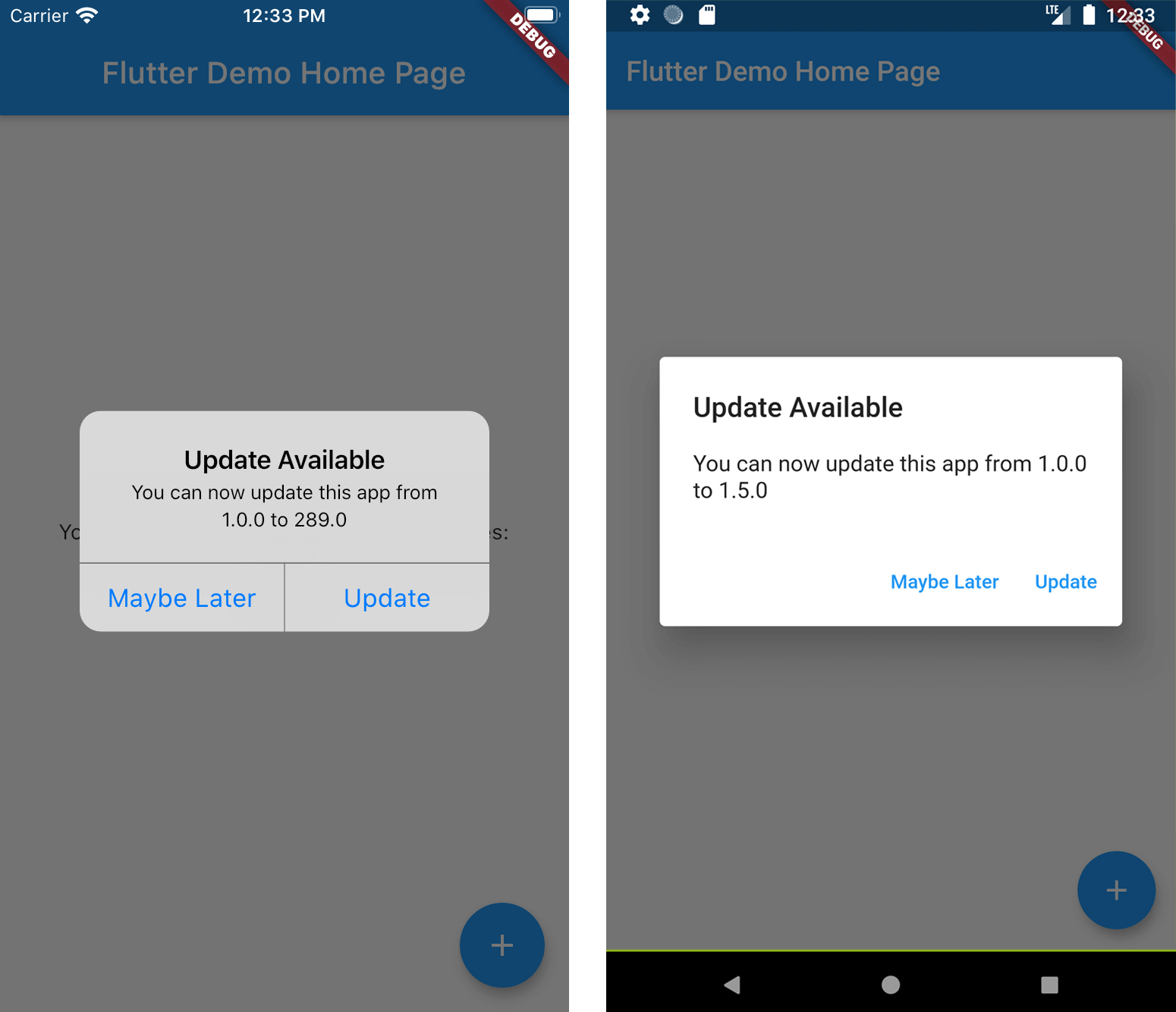
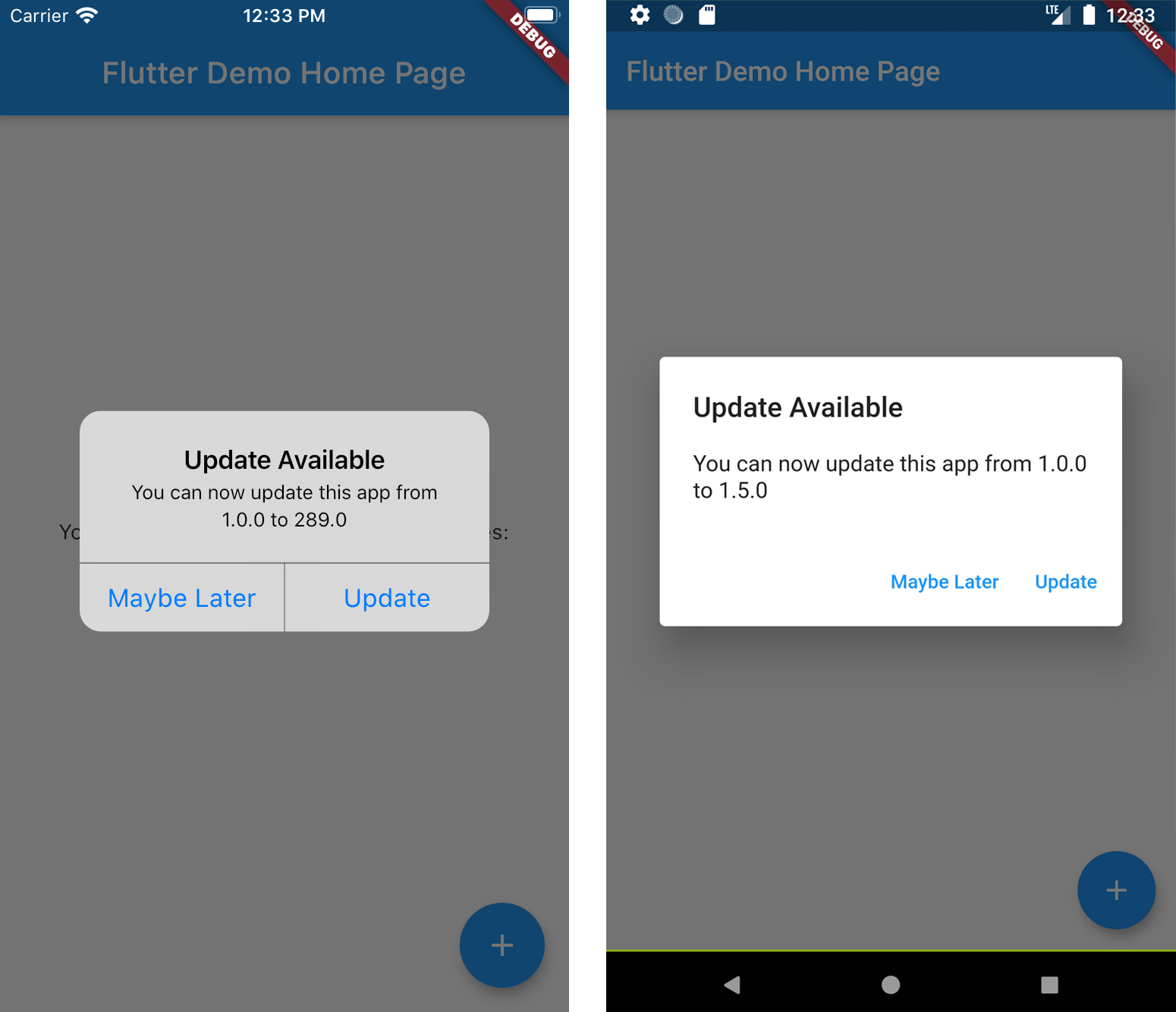
  • Show the user an alert with a link to the appropriate app store page.

See more at the Dart Packages page.

Screenshots

Installation

Add new_version as a dependency in your pubspec.yaml file.

dependencies:
  new_version: ^0.3.0

Usage

In main.dart (or wherever your app is initialized), create an instance of NewVersion.

final newVersion = NewVersion();

The plugin will automatically use your Flutter package identifier to check the app store. If your app has a different identifier in the Google Play Store or Apple App Store, you can overwrite this by providing values for androidId and/or iOSId.

For iOS: If your app is only available outside the U.S. App Store, you will need to set iOSAppStoreCountry to the two-letter country code of the store you want to search. See http://en.wikipedia.org/wiki/ISO_3166-1_alpha-2 for a list of ISO Country Codes.

You can then use the plugin in two ways.

Quickstart

Calling showAlertIfNecessary with your app's BuildContext will check if the app can be updated, and will automatically display a platform-specific alert that the user can use to go to the app store.

newVersion.showAlertIfNecessary(context: context);

Advanced 😎

If you want to create a custom alert or use the app version information differently, call getVersionStatus. This will return a Future<VersionStatus> with information about the local and app store versions of the app.

final status = await newVersion.getVersionStatus();
status.canUpdate // (true)
status.localVersion // (1.2.1)
status.storeVersion // (1.2.3)
status.appStoreLink // (https://itunes.apple.com/us/app/google/id284815942?mt=8)

If you want to present a customized dialog, you can pass your VersionStatus to showUpdateDialog().

newVersion.showUpdateDialog(
  context: context, 
  versionStatus: status,
  dialogTitle: 'Custom dialog title',
  dialogText: 'Custom dialog text',
  updateButtonText: 'Custom update button text',
  dismissButtonText: 'Custom dismiss button text',
  dismissAction: () => functionToRunAfterDialogDismissed(),
)

Kategorien

Abhängigkeiten

Abhängigkeiten 5 Einträge

Quell-Repository

Projekte, die dieses Paket verwenden

Noch keine Daten verfügbar.