Pakete, Repositories und App-Kategorien suchen

Cover von new_version_plus
Paketdetailsv1.0.1

new_version_plus

Überprüfen Sie, ob Ihr Benutzer die neueste Version Ihrer Flutter-App hat.

AndroidiOSmacOSWindowsLinux
30-Tage-Downloads
47.400
Likes
195
Pub-Punkte
140

Paket installieren

flutter pub add new_version_plus

Paketübersicht

Aus öffentlichen Paketdaten erstellte Orientierung.

Das new_version_plus-Paket hilft Flutter-Anwendungen zu ermitteln, ob der Benutzer die neueste Version verwendet, indem es die Metadaten von App Store oder Google Play überprüft. Es unterstützt mehrere Plattformen wie Android, iOS, macOS, Windows und Linux und ist daher ideal für die Verwaltung von App-Updates über Geräte hinweg. Das Paket ruft Versionsinformationen von offiziellen Stores ab und benachrichtigt Benutzer, wenn ein Update verfügbar ist, wodurch die Nutzerbindung verbessert und sichergestellt wird, dass Benutzer Zugriff auf die neuesten Funktionen und Sicherheitspatches haben.

Anwendungsfälle

  • Benutzer auffordern, bei Verfügbarkeit einer neueren Version zu aktualisieren
  • Auf Updates beim Start der App prüfen
  • Integration mit In-App-Aktualisierungsdialogen
  • Überwachung der Versionskonformität in Unternehmensanwendungen
  • Unterstützung der Update-Überprüfung über Plattformen hinweg

Hauptmerkmale

  • Plattformübergreifende Unterstützung (Android, iOS, macOS, Windows, Linux)
  • Holt Versionsinformationen aus App-Stores ab
  • Einfache API für Versionsvergleiche
  • Konfigurierbare Überprüfungs-Häufigkeit für Updates
  • Eingebaute Benachrichtigungsverwaltung

Geeignet für

  • Apps, die automatische Aktualisierungserkennung erfordern
  • Unternehmensanwendungen, die Versionskontrolle benötigen
  • Apps, die mehrere Betriebssysteme ansprechen
  • Entwickler, die eine minimale Einrichtung für Aktualisierungsprüfungen suchen
  • Projekte mit strengen Versionsrichtlinien

Hinweise

  • Benötigt Internetzugang, um die Version zu überprüfen
  • Möglicherweise Anpassung für nicht-Store-Verteilung erforderlich
  • Beschränkt auf Daten der offiziellen App Store-Version
  • Nicht geeignet für Offline-zuerst-Anwendungen
  • Abhängig von externen APIs, die möglicherweise Rate-Limits haben

Original-README

Originaler README-Schnappschuss aus dem verknüpften Quell-Repository. Aktuelle Inhalte finden Sie im Repository.

☕ Support Me

If you find this plugin useful, please consider supporting me:

Buy Me a Coffee

Note Original repository: https://pub.dev/packages/new_version

The problem with the original repository is that it will no longer be maintained by the creator, for this reason this repository was created in order to maintain updated code and make respective improvements as long as it is required.

New Version Plus Plugin 🎉

A Flutter plugin that makes it possible to:

  • Check if a user has the most recent version of your app installed.
  • Show the user an alert with a link to the appropriate app store page.

See more at the Dart Packages page.

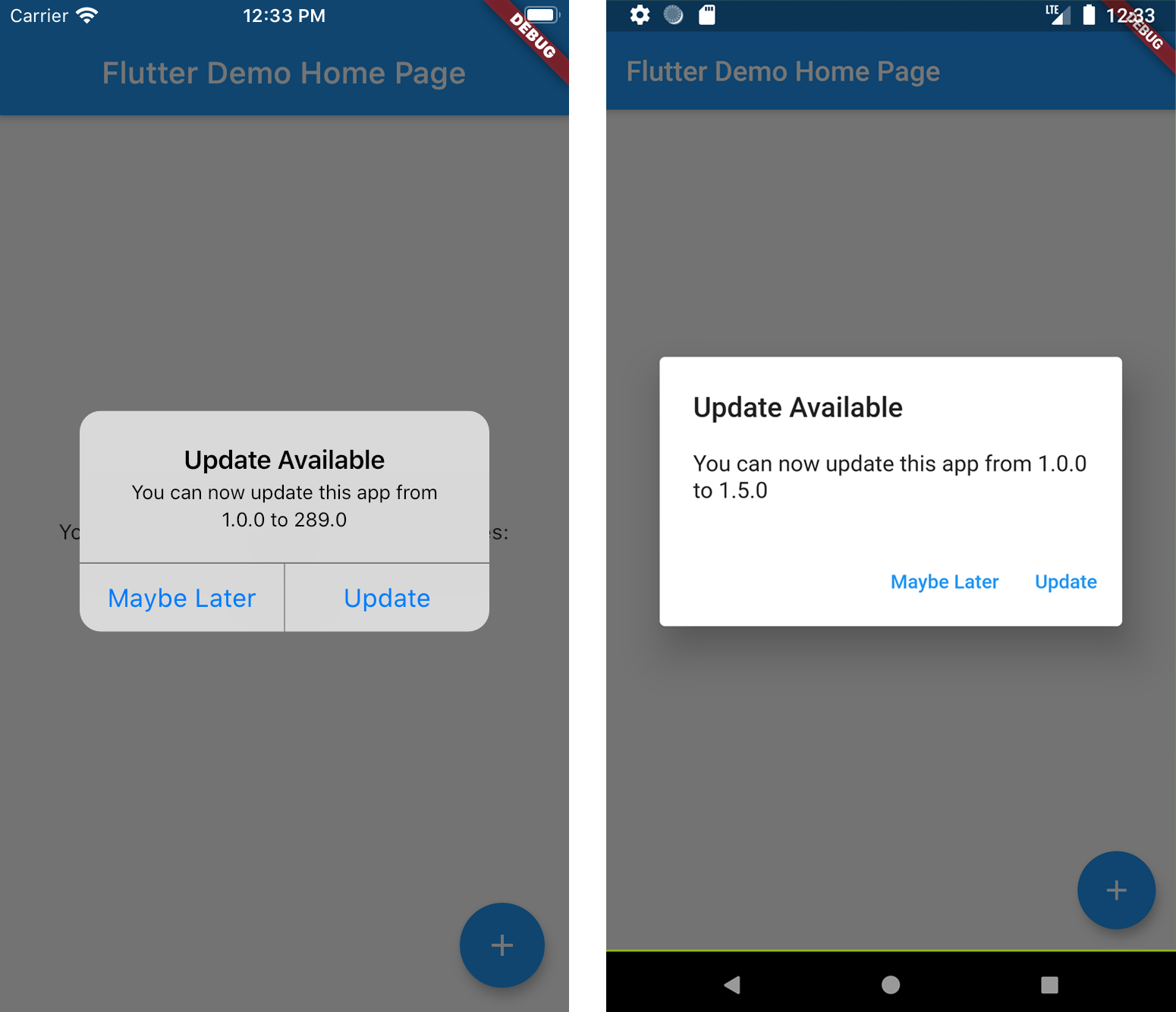
Screenshots

Installation

Add new_version_plus as a dependency in your pubspec.yaml file.

dependencies:
  new_version_plus: ^0.0.9

Usage

In main.dart (or wherever your app is initialized), create an instance of NewVersionPlus.

final newVersionPlus = NewVersionPlus();

The plugin will automatically use your Flutter package identifier to check the app store. If your app has a different identifier in the Google Play Store or Apple App Store, you can overwrite this by providing values for androidId and/or iOSId.

For iOS: If your app is only available outside the U.S. App Store, you will need to set iOSAppStoreCountry to the two-letter country code of the store you want to search. See http://en.wikipedia.org/wiki/ISO_3166-1_alpha-2 for a list of ISO Country Codes.

You can then use the plugin in two ways.

Quickstart

Calling showAlertIfNecessary with your app's BuildContext will check if the app can be updated, and will automatically display a platform-specific alert that the user can use to go to the app store.

newVersionPlus.showAlertIfNecessary(context: context);

Advanced 😎

If you want to create a custom alert or use the app version information differently, call getVersionStatus. This will return a Future<VersionStatus> with information about the local and app store versions of the app.

final status = await newVersionPlus.getVersionStatus();
status.canUpdate // (true)
status.localVersion // (1.2.1)
status.storeVersion // (1.2.3)
status.appStoreLink // (https://itunes.apple.com/us/app/google/id284815942?mt=8)

If you want to present a customized dialog, you can pass your VersionStatus to showUpdateDialog().

newVersionPlus.showUpdateDialog(
  context: context,
  versionStatus: status,
  dialogTitle: 'Custom dialog title',
  dialogText: 'Custom dialog text',
  updateButtonText: 'Custom update button text',
  dismissButtonText: 'Custom dismiss button text',
  dismissAction: () => functionToRunAfterDialogDismissed(),
)

The option was added so that in the android app you can modify the code of your country, with the variable: androidPlayStoreCountry

Kategorien

Abhängigkeiten

Abhängigkeiten 4 Einträge

Quell-Repository

Projekte, die dieses Paket verwenden

Noch keine Daten verfügbar.