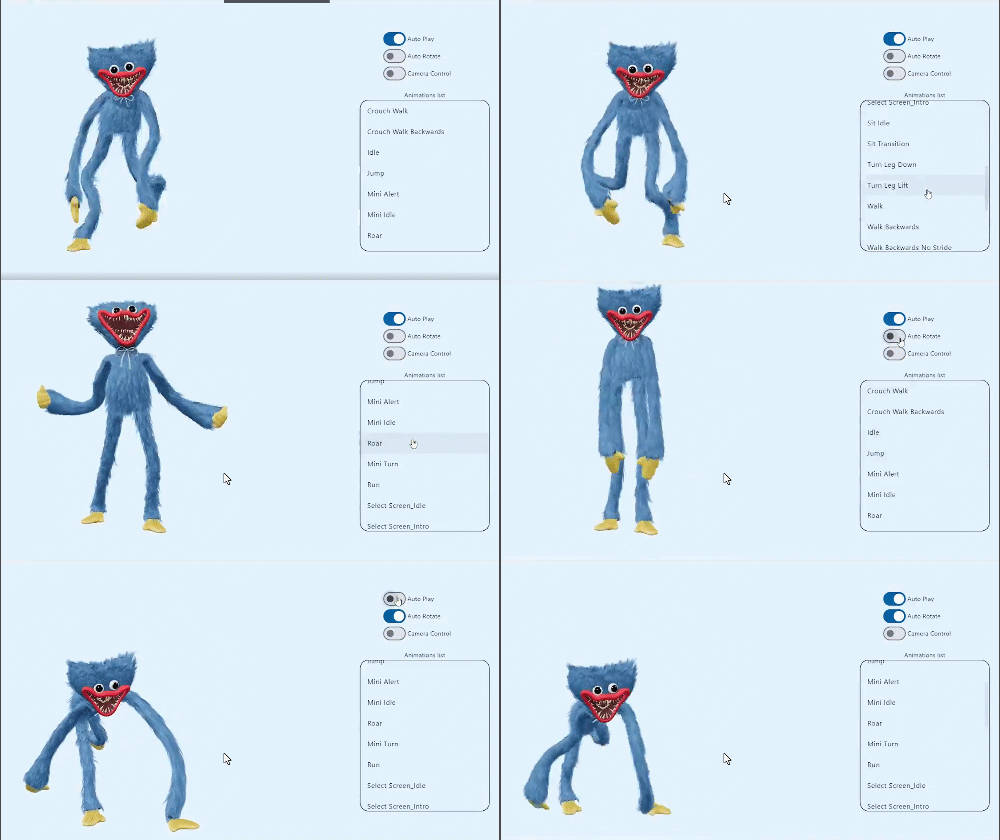
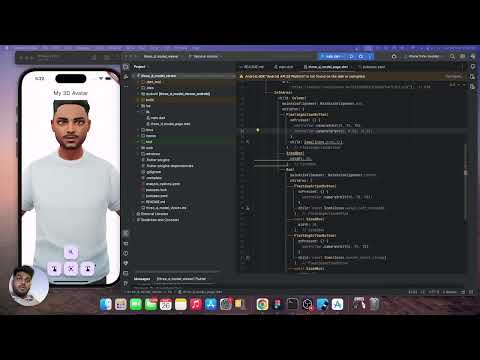
Aus öffentlichen Paketdaten erstellte Orientierung.
o3d ist ein Flutter-Paket, das die Integration von 3D-Objekten im GLB-Format auf mobilen und Web-Plattformen vereinfacht. Es bietet einen einfach zu verwendenden Controller zum Rendern, Animieren und Interagieren mit 3D-Modellen, ohne tiefgehende Kenntnisse in der 3D-Grafikprogrammierung zu erfordern. Für Entwickler, die ihre Apps mit immersiven 3D-Inhalten verbessern möchten, vereinfacht o3d den Prozess des Ladens und Managements von 3D-Ressourcen effizient. Das Paket unterstützt Android, iOS und Web und ist daher ideal für plattformübergreifende Anwendungen, die eine leichte 3D-Visualisierung benötigen.
Einfaches API zum Laden und Steuern von 3D-Objekten
Eingebaute Animation und Interaktionsverwaltung
Leichtgewichtig und für Leistung optimiert
Geeignet für
Flutter-Entwickler neu in 3D
Apps, die eine 3D-Modellanzeige erfordern
Bildungs- und E-Commerce-Apps
Interaktive Web- und Mobile-Erfahrungen
Hinweise
Benötigt 3D-Modelle im GLB-Format
Beschränkt auf grundlegende 3D-Interaktionen
Die Leistung kann auf Geräten mit geringer Leistung variieren
Keine integrierte Physik oder fortgeschrittene Animationen
Original-README
Originaler README-Schnappschuss aus dem verknüpften Quell-Repository. Aktuelle Inhalte finden Sie im Repository.
O3D - Model Viewer for Flutter
This is a Flutter widget for rendering interactive
3D models in the glTF and GLB formats.
The widget embeds Google's <model-viewer>
web component in a WebView.
cameraTarget: use controller.cameraTarget(20, 20, 5)x, y, z
cameraOrbit: use controller.cameraOrbit(1.2, 1, 4)(theta)deg, (phi)deg, (radius)m
availableAnimations: use controller.availableAnimations().then((animations) => log("Available animations: $animations"));
play: use controller.play()[optional] repetitions => play(repetitions: 2)
pause: use controller.pause()
Renders glTF and GLB models. (Also, USDZ models on iOS 12+.)
Supports animated models, with a configurable auto-play setting.
Optionally supports launching the model into an AR viewer.
Optionally auto-rotates the model, with a configurable delay.
Supports a configurable background color for the widget.
Installation
in pubspec.yaml
dependencies:o3d:^3.1.0
AndroidManifest.xml (Android 9+ only)
Test on real device and to use this widget on Android 9+ devices, your app must be permitted to make an HTTP connection
to http://localhost:XXXXX.
Android 9 (API level 28) changed the default for android:usesCleartextTraffic from true
to false,
so you will need to configure your app's android/app/src/main/AndroidManifest.xml as follows:
To use this widget on iOS, you need to opt-in to the embedded views preview
by adding a boolean property to your app's ios/Runner/Info.plist file, with
the key io.flutter.embedded_views_preview and the value YES:
We use
the Google APP
, com.google.android.googlequicksearchbox to display interactive 3D models on Android.
The model displays in 'ar_preferred' mode by default, Scene Viewer launches in AR native mode as the
entry mode.
If Google Play Services for AR (ARCore, com.google.ar.core)
isn't present, Scene Viewer gracefully falls back to 3D mode as the entry mode.
Note that due to browsers' CORS security restrictions, the model file
must be served with a Access-Control-Allow-Origin: * HTTP header.
Frequently Asked Questions
Q: Why doesn't my 3D model load and/or render?
A: There are several reasons why your model URL could fail to load and
render:
It might not be possible to parse the provided glTF or GLB file.
Some tools can produce invalid files when exporting glTF. Always
run your model files through the glTF Validator to check for this.