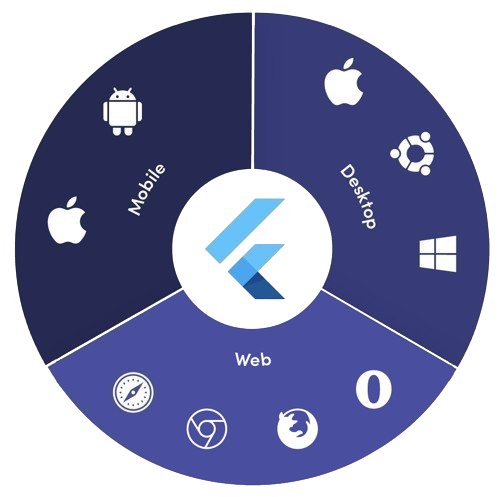
Aus öffentlichen Paketdaten erstellte Orientierung.
platform_detail ist ein leichtgewichtiges Dart-Paket, das die Abrufung umfassender plattformspezifischer Informationen vereinfacht. Es bietet eine einheitliche, einfach zu verwendende Schnittstelle zur Identifizierung des aktuellen Betriebssystems, Geräteart, Architektur und weiterer Laufzeitinformationen auf mehreren Plattformen wie Android, iOS, macOS, Windows und Linux. Für Entwickler, die zuverlässige Plattformdetektion ohne Boilerplate-Code benötigen, wurde es entwickelt und abstrahiert niedrigstufige Plattformprüfungen in saubere, lesbare Methoden. Die Bibliothek ist ideal für bedingte Logik basierend auf Umgebung oder Gerätecharakteristika.
Anwendungsfälle
Bedingte UI-Anzeige basierend auf der Plattform
gerätespezifische Funktionstoggle
Plattformübergreifende Debugging-Tools
Laufzeitumgebungsintrusion
Leistung pro Gerät optimieren
Plattformspezifisches Verhalten testen
Hauptmerkmale
Unterstützt Android, iOS, macOS, Windows und Linux
Einfache API zur Plattform- und Geräteerkennung
Gibt detaillierte Systeminformationen zurück
Leichtgewichtig ohne externe Abhängigkeiten
Konsistente Schnittstelle über Plattformen
Einfache Integration über pub add
Geeignet für
Plattformübergreifende Flutter-Anwendungen
Apps mit plattformbewusster Logik
Entwickler, die eine minimale Einrichtung suchen
Debugging- und Diagnosetools
Anwendungen für mehrere Desktop- und Mobile-Plattformen
Hinweise
Unterstützt keine Webplattform
Nur auf Laufzeitplattforminformationen beschränkt
Keine Erkennung von Plattformwechseln in Echtzeit
Beruht auf native Plattform-APIs
Auf einigen Plattformen ist möglicherweise eine Berechtigungsverwaltung erforderlich
Nicht für komplexe Geräte-Fingerabdruck-Erkennung vorgesehen
Original-README
Originaler README-Schnappschuss aus dem verknüpften Quell-Repository. Aktuelle Inhalte finden Sie im Repository.
Platform Detail
About
Platform Detail is a lightweight and developer-friendly Flutter package that makes platform detection easier, more complete, and cross-platform.
It provides a unified and consistent API for checking the platform your app is running on — including web, something that native Flutter classes like TargetPlatform and Platform from dart:io don't currently support.
⚠️ Flutter’s native Platform and TargetPlatform do not provide support for detecting web, which can be a limitation in universal apps.
✅ platform_detail addresses this limitation by introducing a simple and intuitive API that includes web detection out of the box.
✅ Why Use This Package?
✅ Unified API across all platforms (including web).
✅ Clear separation between platform type and platform group.
✅ Static API with simple access from PlatformDetail.
✅ No need to manually check kIsWeb or rely on partial solutions.
If you only rely on TargetPlatform, you’ll miss web support.
voidmain() {
// Native TargetPlatform doesn't detect web:if (defaultTargetPlatform == TargetPlatform.android) {
// OK for Android
} elseif (kIsWeb) {
// Web has to be checked manually
}
}
With PlatformDetail, the check is unified:
voidmain() {
if (PlatformDetail.isWeb) {
print('Web detected ✔️');
}
}
🔎 Group-based Detection
Check whether the current platform belongs to a broader category:
voidmain() {
if (PlatformDetail.isMobile) {
print('Mobile platform');
}
if (PlatformDetail.isDesktop) {
print('Desktop platform');
}
if (PlatformDetail.isDesktopOrWeb) {
print('Desktop or Web platform');
}
}
voidmain() {
if (PlatformDetail.isIOS) print('iOS');
if (PlatformDetail.isAndroid) print('Android');
if (PlatformDetail.isFuchsia) print('Fuchsia');
if (PlatformDetail.isWindows) print('Windows');
if (PlatformDetail.isLinux) print('Linux');
if (PlatformDetail.isMacOS) print('macOS');
if (PlatformDetail.isWeb) print('Web');
}
Or create different cases through the enum with a switch:
ℹ️ No configuration is required for most platforms.
For macOS, you must add the following entry to both DebugProfile.entitlements and ReleaseProfile.entitlements files:
If you need more detailed information about the device and operating system it is running on.
voidmain() async {
final descriptionDevice = awaitPlatformDetail.deviceInfo();
}
Or maybe you need an information string about the device info:
voidmain() async {
final descriptionDevice = awaitPlatformDetail.deviceInfoDetails();
}
This will return something like this:
Android: Android 9 (SDK 28), Xiaomi Redmi Note 7
iOS: iOS 13.1, iPhone 11 Pro Max iPhone
Web: Google Chrome (115.0.5790.170)
Linux: Fedora 17 (Beefy Miracle)
Windows: Windows 10 Home (1903)
MacOS: macOS 13.5, MacBook Pro
Get compact environment details
If you need a typed and lightweight payload with platform, model and locale, use environmentDetails():
voidmain() async {
final details = awaitPlatformDetail.environmentDetails();
print(details.platformType); // PlatformType.androidprint(details.platform); // android 14print(details.deviceModel); // Google Pixel 8print(details.locale); // en-US
}
This returns an EnvironmentDetails object with these fields:
platformType: PlatformType
platform: String
deviceModel: String
locale: String
The example app includes a section that renders these values on screen.
Get app version and build number
If you need app package metadata, you can use versionDetails():
voidmain() async {
final details = awaitPlatformDetail.versionDetails();
print(details.appName); // My Appprint(details.packageName); // com.example.my_appprint(details.version); // 5.4.0print(details.buildNumber); // 12
}
This returns a VersionDetails object with these fields:
appName: String
packageName: String
version: String
buildNumber: String
Light/Dark Mode
You can detect too if the device is configured in light or dark mode:
voidmain() {
if (PlatformDetail.isLightMode) {
print('The current platform is configured with light mode');
}
if (PlatformDetail.isDarkMode) {
print('The current platform is configured with dark mode');
}
}
voidmain() {
if (PlatformDetail.theme == DeviceTheme.light) {
print('The current device is configured in light mode');
}
if (PlatformDetail.theme == DeviceTheme.dark) {
print('The current device is configured in dark mode');
}
}