Pakete, Repositories und App-Kategorien suchen

Paketdetailsv1.0.6

pluto_grid_export

PlutoGridExport konvertiert die Metadaten von PlutoGrid in CSV oder PDF. Wird mit PlutoGrid verwendet.

AndroidiOSWebmacOSWindowsLinux
30-Tage-Downloads
99
Likes
29
Pub-Punkte
130

Paket installieren

flutter pub add pluto_grid_export

Paketübersicht

Aus öffentlichen Paketdaten erstellte Orientierung.

PlutoGridExport ist ein Flutter-Paket, das die Exportfunktion von Daten aus PlutoGrid in CSV- oder PDF-Formate ermöglicht. Es nutzt die Metadaten von PlutoGrid, um strukturierte, druckbare oder freigebbare Dateien zu generieren und somit die Datenzugänglichkeit sowie die Berichtsfunktionen zu verbessern. Als Begleitpaket für PlutoGrid vereinfacht es den Prozess des Teilen von tabellenbasierten Daten über verschiedene Plattformen hinweg. Das Paket unterstützt alle wichtigen Plattformen wie Android, iOS, Web, macOS, Windows und Linux und ist daher ideal für plattformübergreifende Anwendungen mit Exportfunktionen.

Anwendungsfälle

  • Exportieren von Gitterdaten für die Analyse in CSV
  • PDF-Berichte aus Gitterinhalten generieren
  • Strukturierte Daten mit Stakeholdern teilen
  • Exportfunktionen in Dashboards integrieren
  • Automatisierung der Berichterstellung
  • Unterstützung des Offline-Datenfreigabes

Hauptmerkmale

  • Exportieren in CSV- und PDF-Formate
  • Verwendet die Metadaten von PlutoGrid direkt
  • Plattformübergreifende Kompatibilität
  • Einfache Integration mit PlutoGrid
  • Leicht und fokussiert
  • Unterstützt plattformspezifische Darstellung

Geeignet für

  • datenintensive Anwendungen
  • Berichterstattungstools
  • Admin-Panel
  • Geschäftsanalyse-Dashboards
  • Bildungsaufgaben mit Datenfeldern
  • Apps, die druckfertige Exporte benötigen

Hinweise

  • Erfordert die Implementierung von PlutoGrid
  • Beschränkt auf Exporttypen CSV/PDF
  • Keine integrierte Dateispeicherung oder -freigabe
  • Abhängig von externer Darstellung für PDF
  • Nicht geeignet für große Datensätze ohne Optimierung
  • Die PDF-Qualität hängt von der zugrundeliegenden Plattformrenderung ab

Original-README

Originaler README-Schnappschuss aus dem verknüpften Quell-Repository. Aktuelle Inhalte finden Sie im Repository.

PlutoGrid for flutter - v8.1.0

Awesome Flutter codecov License: MIT


PlutoGrid is a DataGrid that can be operated with the keyboard in various situations such as moving cells.
It is developed with priority on the web and desktop.
Improvements such as UI on mobile are being considered.
If you comment on an issue, mobile improvements can be made quickly.


Demo Web

You can try out various functions and usage methods right away.
All features provide example code.


Pub.Dev

Check out how to install from the official distribution site.


Documentation

The documentation has more details.


ChangeLog

Please note the changes when changing the version of PlutoGrid you are using.


Issue

Report any questions or errors.


Packages

PlutoGridExport
This package can export the metadata of PlutoGrid as CSV or PDF.


Screenshots
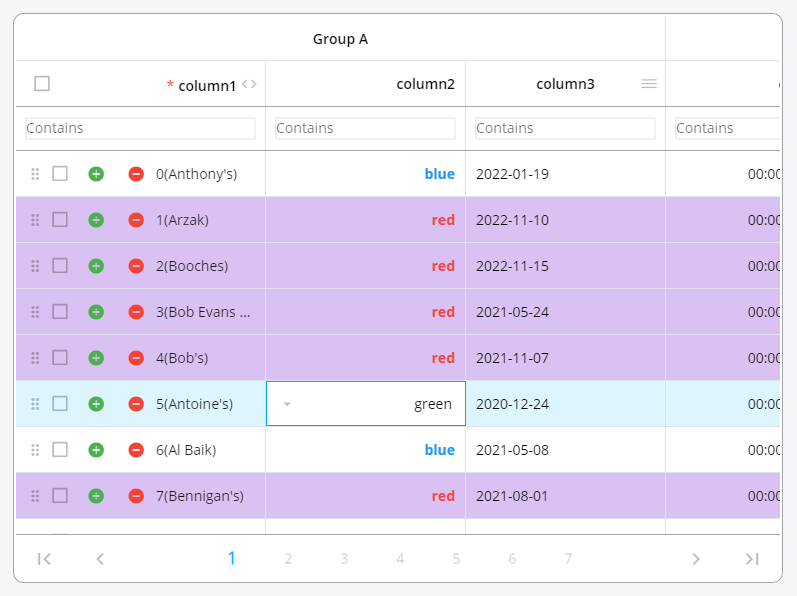
Change the color of the rows or make the cells look the way you want them.

PlutoGrid Normal


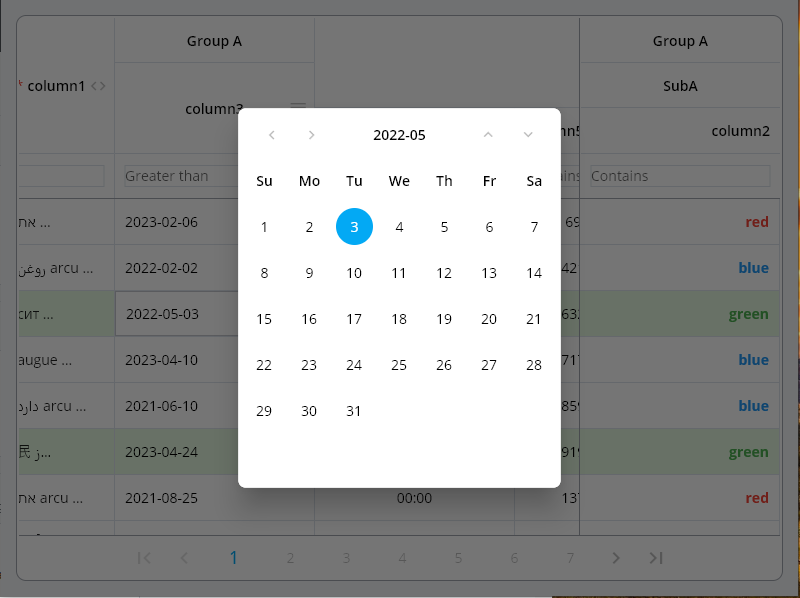
Date type input can be easily selected by pop-up and keyboard.

PlutoGrid Select Popup


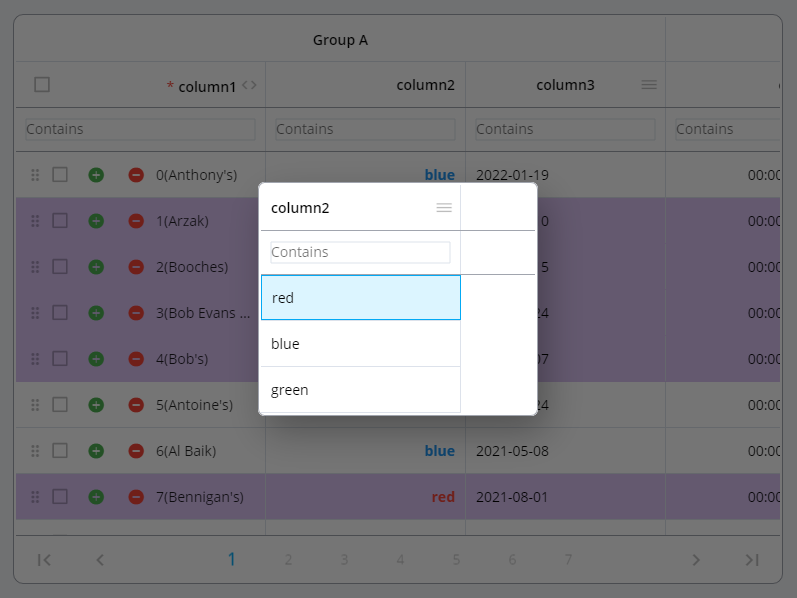
The selection type column can be easily selected using a pop-up and keyboard.

PlutoGrid Select Date


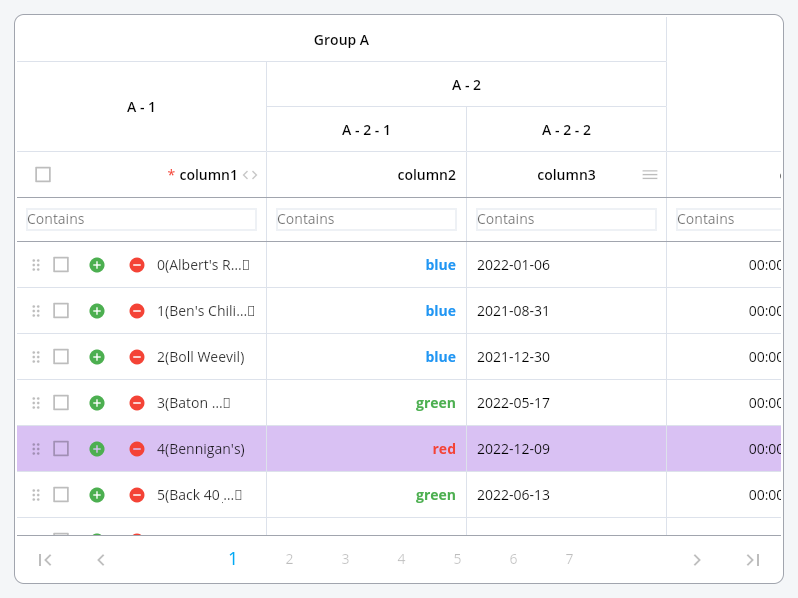
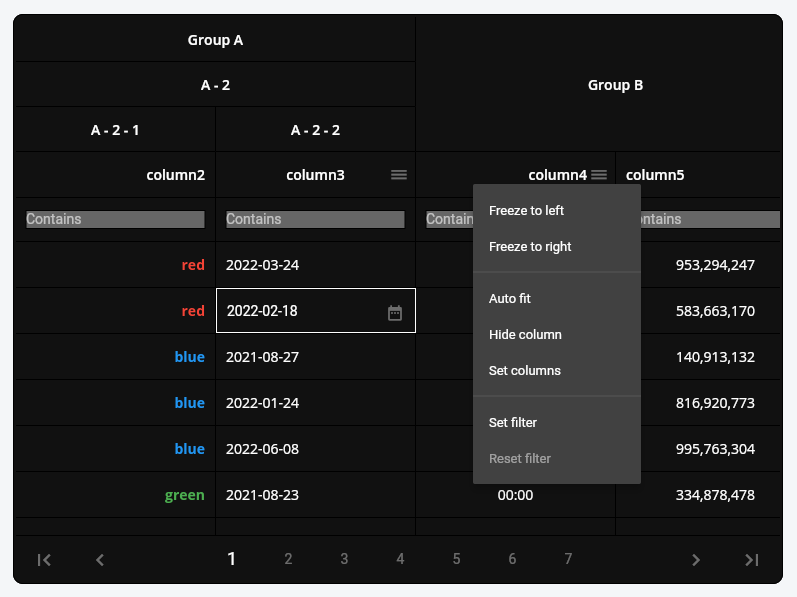
Group columns by desired depth.

PlutoGrid Cell renderer


Grid can be expressed in dark mode or a combination of desired colors. Also, freeze the column, move it by dragging, or adjust the size.

PlutoGrid Multi select


Example

Generate the data to be used in the grid.


List<PlutoColumn> columns = [

  /// Text Column definition
  PlutoColumn(
    title: 'text column',
    field: 'text_field',
    type: PlutoColumnType.text(),
  ),

  /// Number Column definition
  PlutoColumn(
    title: 'number column',
    field: 'number_field',
    type: PlutoColumnType.number(),
  ),

  /// Select Column definition
  PlutoColumn(
    title: 'select column',
    field: 'select_field',
    type: PlutoColumnType.select(['item1', 'item2', 'item3']),
  ),

  /// Datetime Column definition
  PlutoColumn(
    title: 'date column',
    field: 'date_field',
    type: PlutoColumnType.date(),
  ),

  /// Time Column definition
  PlutoColumn(
    title: 'time column',
    field: 'time_field',
    type: PlutoColumnType.time(),
  ),
];

List<PlutoRow> rows = [
  PlutoRow(
    cells: {
      'text_field': PlutoCell(value: 'Text cell value1'),
      'number_field': PlutoCell(value: 2020),
      'select_field': PlutoCell(value: 'item1'),
      'date_field': PlutoCell(value: '2020-08-06'),
      'time_field': PlutoCell(value: '12:30'),
    },
  ),
  PlutoRow(
    cells: {
      'text_field': PlutoCell(value: 'Text cell value2'),
      'number_field': PlutoCell(value: 2021),
      'select_field': PlutoCell(value: 'item2'),
      'date_field': PlutoCell(value: '2020-08-07'),
      'time_field': PlutoCell(value: '18:45'),
    },
  ),
  PlutoRow(
    cells: {
      'text_field': PlutoCell(value: 'Text cell value3'),
      'number_field': PlutoCell(value: 2022),
      'select_field': PlutoCell(value: 'item3'),
      'date_field': PlutoCell(value: '2020-08-08'),
      'time_field': PlutoCell(value: '23:59'),
    },
  ),
];

Create a grid with the data created above.

  @override
Widget build(BuildContext context) {
  return Scaffold(
    appBar: AppBar(
      title: const Text('PlutoGrid Demo'),
    ),
    body: Container(
      padding: const EdgeInsets.all(30),
      child: PlutoGrid(
          columns: columns,
          rows: rows,
          onChanged: (PlutoGridOnChangedEvent event) {
            print(event);
          },
          onLoaded: (PlutoGridOnLoadedEvent event) {
            print(event);
          }
      ),
    ),
  );
}

Flutter version compatible
Flutter PlutoGrid
3.38.0 or higher 8.1.0 or higher
3.19.0 or higher 8.0.0 or higher
3.10.0 or higher 7.0.0 or higher
3.7.0 or higher 6.0.0 or higher
3.3.0 or higher 5.0.6 or higher
3.0.0 or higher 3.0.0-0.pre or higher
2.5.0 or higher 2.5.0 or higher

For other versions, contact the issue


Related packages

develop packages that make it easy to develop admin pages or CMS with Flutter.


Donate to this project

Buy me a coffee


Jetbrains provides a free license

IDE license support

Kategorien

Abhängigkeiten

Abhängigkeiten 4 Einträge

Quell-Repository

Projekte, die dieses Paket verwenden

Noch keine Daten verfügbar.