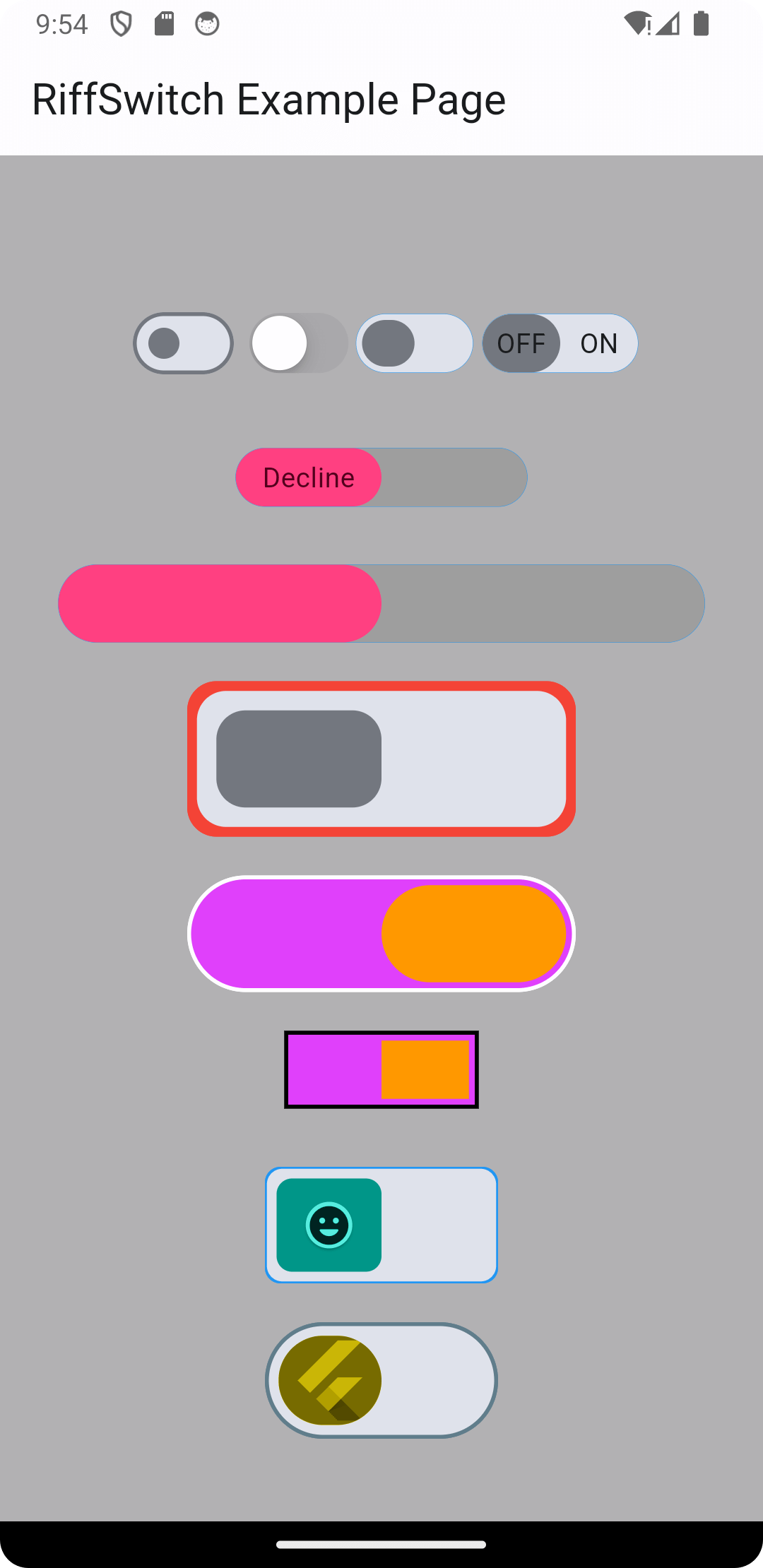
Erleben Sie nahtlose Übergänge und ansprechende Interaktionen mit RiffSwitch. Die Switch-Bibliothek, die problemlos Gleiteffekte und fesselnde Animationen ermöglicht.
Aus öffentlichen Paketdaten erstellte Orientierung.
RiffSwitch ist ein Flutter-Paket, das entwickelt wurde, um Benutzeroberflächen durch reibungslose Schiebeübergänge und visuell ansprechende Animationen für Schalterkomponenten zu verbessern. Es ermöglicht Entwicklern, mit minimalem Code ansprechende, interaktive Schalter zu erstellen, die ideal für Umschalter in Einstellungen, Präferenzen oder Statusanzeigen sind. Die Bibliothek unterstützt mehrere Plattformen wie Android, iOS, Web, macOS, Windows und Linux und sorgt so für konsistentes Verhalten über Geräte hinweg. Mit anpassbaren Stilen und reaktionsfähiger Rückmeldung verbessert RiffSwitch die Benutzererfahrung, indem Interaktionen dynamisch und poliert wirken.
Anwendungsfälle
Benutzerdefinierte Schalter
Benutzereinstellungen
Ein/Aus Statusanzeigen
Interaktive Benutzeroberflächenelemente
Mobile- und Web-App-Schnittstellen
Hauptmerkmale
glatte Schiebeanimationen
Plattformübergreifende Kompatibilität
Anpassbare Erscheinung
Reaktionsfähige Interaktionsrückmeldung
Minimale Einrichtung erforderlich
Geeignet für
UI-Designer, die auf visuelle Perfektion abzielen
Entwickler, die interaktive Formulare erstellen
Apps, die intuitive Schaltsteuerungen erfordern
Plattformübergreifende Flutter-Projekte
Projekte, die auf Benutzererfahrung setzen
Hinweise
Kann zusätzliche Stilisierung für komplexe Themen erfordern
Leistungseinfluss bei großen Listen von Schaltern
Beschränkt auf schaltungsbezogene Funktionen
Nicht geeignet für nicht-toggle-interaktive Komponenten
Abhängig vom Animationssystem von Flutter
Original-README
Originaler README-Schnappschuss aus dem verknüpften Quell-Repository. Aktuelle Inhalte finden Sie im Repository.
RiffSwitch
Breathe life into your Flutter UI with RiffSwitch, the switch library that empowers effortless sliding effects and captivating animations.
Customize the sliding behavior for a unique user experience, while interactive dragging fosters a sense of control and responsiveness.
Witness smooth state transitions as the switch flips, adding a touch of visual polish to your app.
Whether you prefer simple or decorative switch types, RiffSwitch seamlessly integrates into your UI,
transforming basic interactions into engaging experiences.
Experience seamless transitions and engaging interactions with RiffSwitch.
NOTE: It's important to note that the thumbColor property takes precedence over any color applied directly to the active or inactive thumb,
whether through a container widget or any other means.
This allows for consistent and predictable customization of the thumb's color across different states of the switch,
ensuring a cohesive visual appearance throughout the application.
Screenshots
Screenshot 1
Screenshot 2
Screenshot 3
Screenshot 4
Screenshot 5
Screenshot 6
Screen Record 1
Screen Record 2
Contributing
Contributions are welcome! Feel free to open issues or submit pull requests.
Issues: If you encounter any bugs, have feature requests, or want to suggest improvements, please open an issue on our GitHub repository. Provide as much detail as possible to help us understand the problem or idea better.
Pull Requests: If you'd like to contribute code changes, feel free to submit a pull request. Before doing so, make sure to fork the repository and create a new branch for your changes. Follow the existing coding style and guidelines, and write clear and concise commit messages. Your pull request will undergo review, and we'll work together to ensure the changes align with the project's goals.
Feature Requests: If you have ideas for new features or enhancements, please open an issue to discuss them. We value community feedback and want to ensure that new features align with the project's direction and objectives.
Spread the Word: Help us grow the FontResoft community by sharing the project with others. Whether through social media, blog posts, or word of mouth, spreading the word about FontResoft helps attract more users and contributors.
License
This project is licensed under the BSD 3-Clause License - see the LICENSE file for details.