Pakete, Repositories und App-Kategorien suchen

Cover von show_fps
Paketdetailsv1.1.0

show_fps

Ein Flutter-Paket, mit dem Sie die Leistung Ihrer App mithilfe des FPS-Badges überprüfen können.

AndroidiOSWebmacOSWindowsLinux
30-Tage-Downloads
2360
Likes
43
Pub-Punkte
160

Paket installieren

flutter pub add show_fps

Paketübersicht

Aus öffentlichen Paketdaten erstellte Orientierung.

Das show_fps-Paket ist ein leichtgewichtiges Flutter-Tool, das während der Entwicklung in der Ecke Ihrer App eine Echtzeit-FPS-(Frames Per Second)-Kennzeichnung anzeigt. Es hilft Entwicklern, die Leistung zu überwachen und Rendering-Engpässe durch Visualisierung von Frame-Raten-Schwankungen zu erkennen. Das Badge wird automatisch in Release-Builds ausgeblendet, sodass es keine Auswirkungen auf Produktions-Apps hat. Kompatibel mit allen wichtigen Plattformen, einschließlich Mobilgeräte, Web und Desktop, lässt sich problemlos in jedes Flutter-Projekt mit minimalem Aufwand integrieren. Ideal zur Optimierung der UI-Reaktionsfähigkeit und frühzeitigen Erkennung von Leistungsproblemen.

Anwendungsfälle

  • Leistungsüberwachung während der Entwicklung
  • UI-Jank oder Verzögerung erkennen
  • Animationsschlichtheit optimieren
  • Debugging von Rendering-Problemen
  • Echtzeit-Rückmeldung zur App-Reaktionsfähigkeit

Hauptmerkmale

  • Zeigt Live-FPS-Zähler an
  • Blendet sich im Release-Modus automatisch aus
  • Minimale Konfiguration erforderlich
  • Unterstützt alle Flutter-Plattformen
  • Anpassbare Badge-Position
  • Leichtgewichtig und nicht störend

Geeignet für

  • Flutter-Entwickler
  • UI/UX Ingenieure
  • Leistungsprüfer
  • Mobile- und Web-App-Bauer

Hinweise

  • Nicht für den Produktiveinsatz vorgesehen
  • Die Sichtbarkeit der Badge kann die Layout-Tests beeinträchtigen
  • Benötigt manuelle Entfernung vor der Freigabe
  • Begrenzte Anpassungsmöglichkeiten
  • Nur im Debug-Modus aktiv

Original-README

Originaler README-Schnappschuss aus dem verknüpften Quell-Repository. Aktuelle Inhalte finden Sie im Repository.

Show FPS

GitHub stars pub package

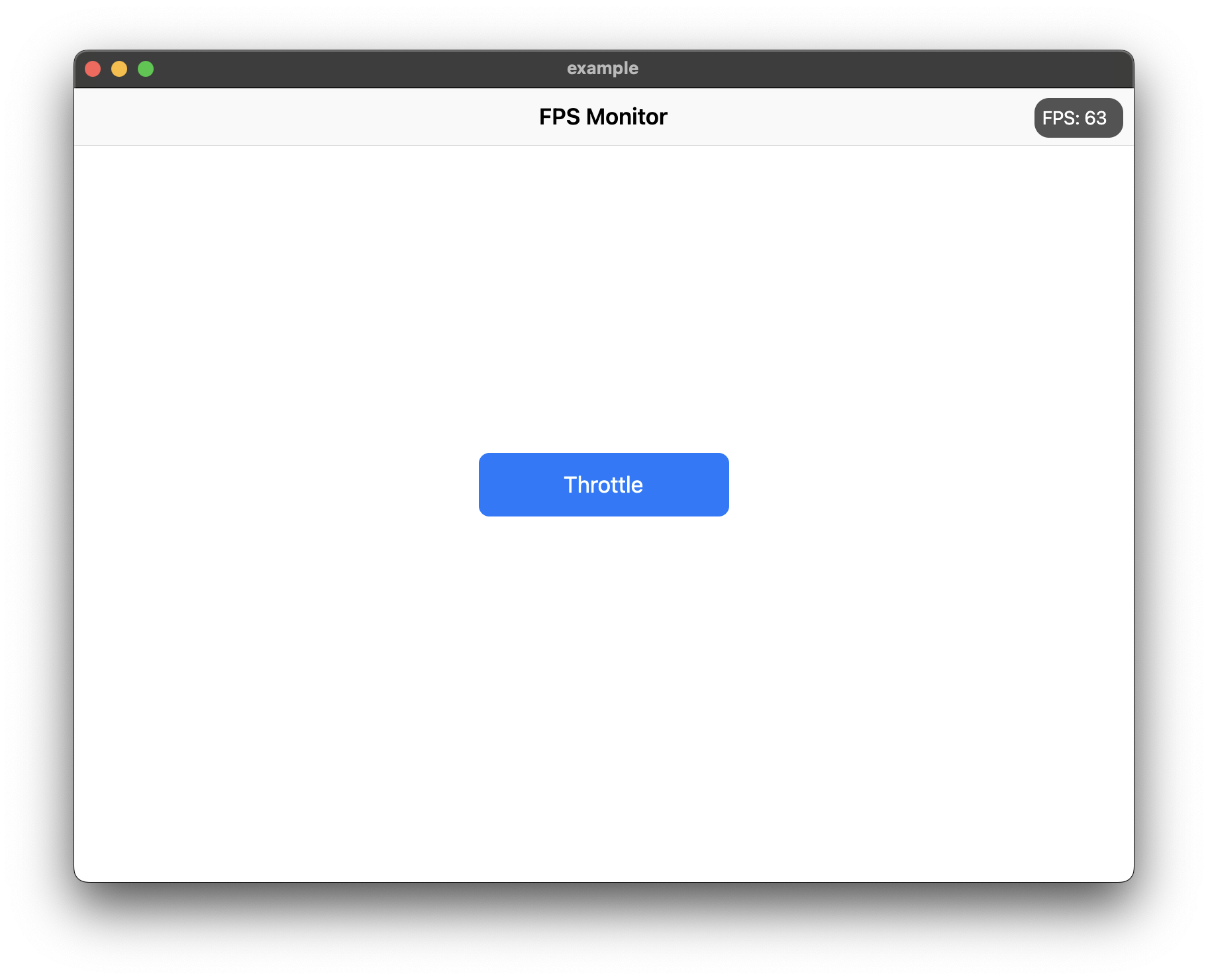
Use ShowFPS to monitor your app's FPS (Frames Per Second) in real time with advanced performance metrics.

Screenshot

Features

  • Real-time FPS monitoring with accurate microsecond precision
  • Average FPS calculation for smoother readings
  • Min/Max FPS tracking
  • Frame time display in milliseconds
  • Color-coded FPS text based on performance
  • Interactive chart with customizable colors
  • Target FPS line on chart
  • Jank frame indicators (frames significantly slower than average)
  • Frame budget indicator (percentage of target frame time used)
  • Dropped frame counter
  • Draggable widget positioning
  • Collapsible/expandable view
  • Double-tap to temporarily hide
  • Low FPS threshold alerts with visual feedback
  • Fully customizable colors and text styles

Installation

Add show_fps: ^1.1.0 in your project's pubspec.yaml:

dependencies:
  show_fps: ^1.1.0

Usage

Import show_fps in your dart file:

import 'package:show_fps/show_fps.dart';
Basic Usage

Wrap your main widget with ShowFPS widget:

import 'package:flutter/material.dart';
import 'package:show_fps/show_fps.dart';

void main() {
  runApp(const MyApp());
}

class MyApp extends StatelessWidget {
  const MyApp({super.key});

  @override
  Widget build(BuildContext context) {
    return MaterialApp(
      title: 'FPS Monitor',
      debugShowCheckedModeBanner: false,
      home: ShowFPS(
        alignment: Alignment.topRight,
        visible: true,
        showChart: true,
        child: const MyHomePage(),
      ),
    );
  }
}
Hide in Release Mode
import 'package:flutter/foundation.dart';

ShowFPS(
  visible: !kReleaseMode,
  child: MyHomePage(),
)
Simple FPS Counter (No Chart)
ShowFPS(
  showChart: false,
  child: MyHomePage(),
)
Advanced Usage with All Features
ShowFPS(
  alignment: Alignment.topRight,
  visible: true,
  showChart: true,
  borderRadius: const BorderRadius.all(Radius.circular(11)),

  // Display options
  showAverage: true,           // Show rolling average FPS
  showMinMax: true,            // Show min/max FPS values
  showFrameTime: true,         // Show frame time in ms
  colorCodedText: true,        // Color FPS based on performance

  // Chart options
  targetFps: 60,               // Target FPS for calculations
  showTargetLine: true,        // Show target line on chart
  showJankIndicators: true,    // Highlight slow frames
  jankThreshold: 1.5,          // Frames 1.5x slower than avg are jank
  chartMaxFps: 60,             // Max FPS for chart scale

  // Advanced metrics
  showFrameBudget: true,       // Show % of frame budget used
  showDroppedFrames: true,     // Show dropped frame count

  // Interaction options
  draggable: true,             // Allow dragging the widget
  collapsible: true,           // Tap to collapse/expand
  doubleTapToHide: true,       // Double-tap to temporarily hide
  hideDuration: const Duration(seconds: 3),

  // Performance options
  sampleRate: 1,               // Update every N frames

  // Customization
  backgroundColor: const Color(0xaa000000),
  goodColor: const Color.fromARGB(255, 0, 162, 255),
  poorColor: const Color(0xfff44336),
  textStyle: const TextStyle(
    color: Colors.white,
    fontSize: 14,
  ),

  // Alert callback
  alertThreshold: 30,          // Alert when FPS drops below 30
  onAlertTriggered: () {
    print('FPS dropped below threshold!');
  },

  child: MyHomePage(),
)

Parameters

Parameter Type Default Description
child Widget required The main widget to monitor
alignment Alignment Alignment.topRight Position of the FPS widget
visible bool true Whether to show the FPS widget
showChart bool true Whether to show the FPS chart
borderRadius BorderRadius BorderRadius.circular(11) Border radius of the widget
showAverage bool false Show average FPS instead of instantaneous
showMinMax bool false Show min/max FPS values
showFrameTime bool false Show frame time in milliseconds
colorCodedText bool true Color FPS text based on performance
targetFps double 60 Target FPS for calculations
showTargetLine bool false Show target FPS line on chart
showJankIndicators bool true Highlight jank frames on chart
jankThreshold double 1.5 Multiplier for jank detection
textStyle TextStyle? null Custom text style
draggable bool false Allow dragging the widget
collapsible bool false Allow tap to collapse/expand
sampleRate int 1 Update every N frames
chartMaxFps double 60 Maximum FPS for chart scale
showFrameBudget bool false Show frame budget percentage
showDroppedFrames bool false Show dropped frame counter
alertThreshold double? null FPS threshold for alerts
doubleTapToHide bool false Double-tap to temporarily hide
hideDuration Duration 3 seconds Duration to hide after double-tap
backgroundColor Color Color(0xaa000000) Background color
goodColor Color Color(0xff00a2ff) Color for good performance
poorColor Color Color(0xfff44336) Color for poor performance
onAlertTriggered VoidCallback? null Callback when FPS drops below threshold

Kategorien

Quell-Repository

Projekte, die dieses Paket verwenden

Noch keine Daten verfügbar.