Pakete, Repositories und App-Kategorien suchen

Cover von tap_debouncer
Paketdetailsv2.2.0

tap_debouncer

Tap-Debounce zur Vereinfachung von Widgets. Umhüllen Sie Ihr Button-Widget mit dem TapDebounce-Widget und alle Tipps werden deaktiviert, während der Tap-Callback im Gange ist.

AndroidiOSWebmacOSWindowsLinux
30-Tage-Downloads
19.000
Likes
120
Pub-Punkte
160

Paket installieren

flutter pub add tap_debouncer

Paketübersicht

Aus öffentlichen Paketdaten erstellte Orientierung.

TapDebounce ist ein Flutter-Paket, das die Verhinderung wiederholter Berührungen auf Widgets, insbesondere Schaltflächen, vereinfacht. Durch Umhüllen eines Widgets mit dem TapDebounce-Widget wird während der Ausführung des Berührungs-Callbacks eine weitere Berührung deaktiviert, wodurch das Risiko versehentlicher mehrfacher Übermittlungen verringert wird. Ideal für Formulare, Aktionen oder beliebige interaktive Elemente, bei denen schnelles Tippen Probleme verursachen könnte. Es unterstützt alle wichtigen Plattformen und lässt sich nahtlos in bestehende Flutter-Projekte integrieren.

Anwendungsfälle

  • Doppelte Formularübermittlungen verhindern
  • Vermeidung von schnellen Button-Klicks in Zahlungsabläufen
  • Verbesserung der UX in handlungsintensiven Schnittstellen
  • Unbeabsichtigte Zustandsänderungen reduzieren
  • Sichere Behandlung langsamer Netzwerkantworten
  • Schutz vor versehentlichen Doppeltipps

Hauptmerkmale

  • Automatische Deaktivierung des Tipps während des Callbacks
  • Einfache Umhüllungsintegration
  • Plattformübergreifende Unterstützung
  • Minimales Boilerplate
  • Konfigurierbare Debounce-Dauer
  • Funktioniert mit jedem Widget

Geeignet für

  • Entwickler, die schnellen Tapschutz suchen
  • Formulare und Aktionen mit hohem Touch-Risiko
  • Apps, die eine zuverlässige Steuerung der Benutzerinteraktion erfordern
  • Teams, die UX-Konsistenz priorisieren
  • Projekte mit häufigen Button-Interaktionen

Hinweise

  • Verhindert keine Berührungen, wenn der Rückruf sofort abgeschlossen ist
  • Kann bei langlaufenden Aufgaben eine manuelle Zurücksetzung erfordern
  • Beschränkt auf Berührungsevents
  • Keine integrierte Rückmeldung für deaktivierten Zustand
  • Nicht geeignet für komplexe Gestenerkennung
  • Erfordert sorgfältige Behandlung in asynchronen Workflows

Original-README

Originaler README-Schnappschuss aus dem verknüpften Quell-Repository. Aktuelle Inhalte finden Sie im Repository.

Analyze and tests status

Coverage Status

MIT License

Description

Tap debounce simplifying widget. Wrap your button widget in TapDebounce widget and any taps will be disabled while tap callback is in progress.

Manual

Initial code

Assume your code with some button look like this:

//...
child: RaisedButton(
  color: Colors.blue,
  disabledColor: Colors.grey,
  onPressed: () async => await someLongOperation(), // your tap handler
  child: const Text('Short'),
  );
//...

and you do not want user to be able to press the button again several times and start other someLongOperation functions. Example is a Navigator pop function - it can take a few hundred of millis to navigate and user can press the button several times, and that will lead to undesired pop several screens back instead of one.

Wrap code to TapDebouncer

Wrap this code to Debouncer and move RaisedButton onPressed contents to Debouncer onTap:

//...
child: TapDebouncer(
  onTap: () async => await someLongOperation(), // your tap handler moved here
  builder: (BuildContext context, TapDebouncerFunc? onTap) {
    return RaisedButton(
      color: Colors.blue,
      disabledColor: Colors.grey,
      onPressed: onTap,  // It is just onTap from builder callback
      child: const Text('Short'),
    );
  },
),
//...

Debouncer will disable the RaisedButton by setting onPressed to null while onTap is being executed.

Add delay after tap process

You can add optional delay to be sure that the button is disabled some time after someOperation is called.

//...
onTap: () async {
    await someOperation();
    
    await Future<void>.delayed(const Duration(milliseconds: 1000));
},
//...
Use cooldown instead of delay

You can fill optional cooldown field with some Duration and avoid adding of Future.delayed at the end of onTap callback, this will be done automatically:

//...
child: TapDebouncer(
  cooldown: const Duration(milliseconds: 1000),
  onTap: () async => await someLongOperation(), // your tap handler moved here
  builder: (BuildContext context, TapDebouncerFunc? onTap) {
    return RaisedButton(
      color: Colors.blue,
      disabledColor: Colors.grey,
      onPressed: onTap,  // It is just onTap from builder callback
      child: const Text('Short'),
    );
  },
),
//...

Then your onTap could be changed to this:

//...
onTap: () async => await someOperation(),
//...
Cooldown behavior with exception

If someOperation will raise exception cooldown delay will also work, after exception.

Change look of busy widget (waiting for tap complete)

You can inspect value of onTap and change look of your widget:

//...
builder: (BuildContext context, TapDebouncerFunc? onTap) {
  return RaisedButton(
    color: Colors.blue,
    onPressed: onTap,
    // variant with manual test onTap for null in builder
    child: onTap == null
        ? const Text('Wait...')
        : const Text('Short'),
  );
},
//...

Also you can use waitBuilder method to build new busy widget:

//...
builder: (BuildContext context, TapDebouncerFunc? onTap) {
//...
},
// variant with using waitBuilder instead of test onTap for null
waitBuilder: (BuildContext context, Widget child) {
  return Stack(
    children: <Widget>[
      child,
      const Center(child: CircularProgressIndicator()),
    ],
  );
},
//...

waitBuilder will return original widget (built with onTap == null) as child

Example

See example application for details:

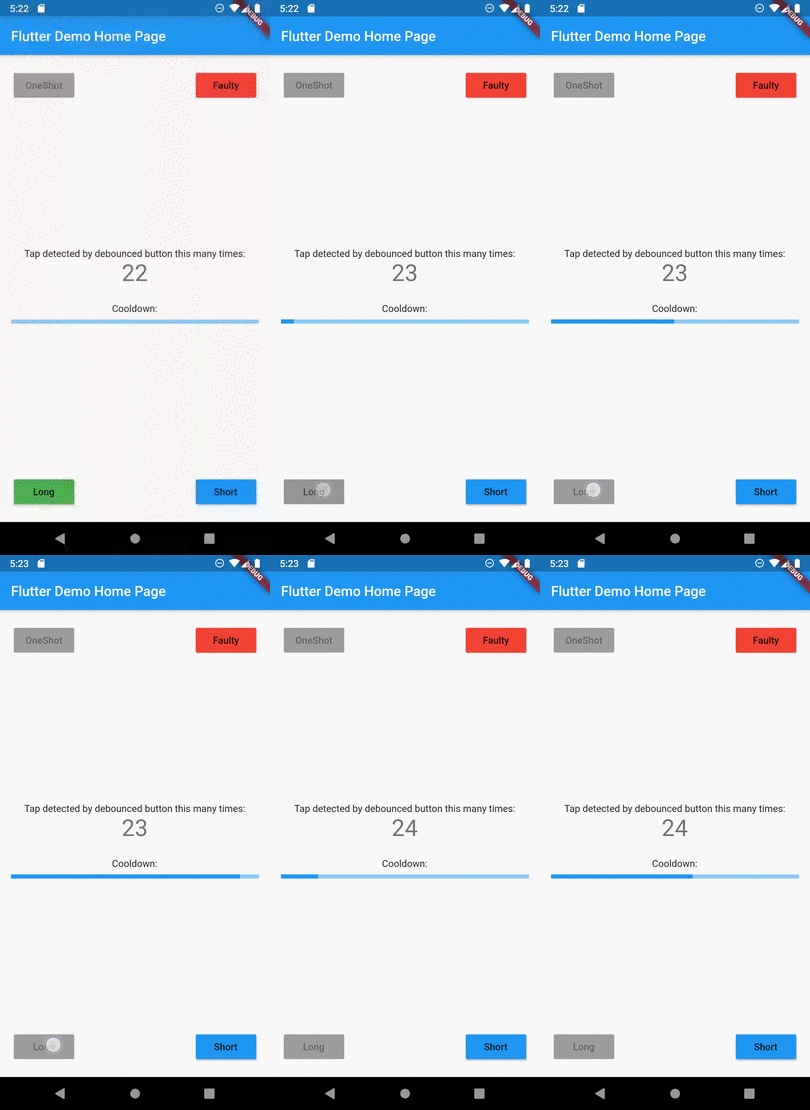
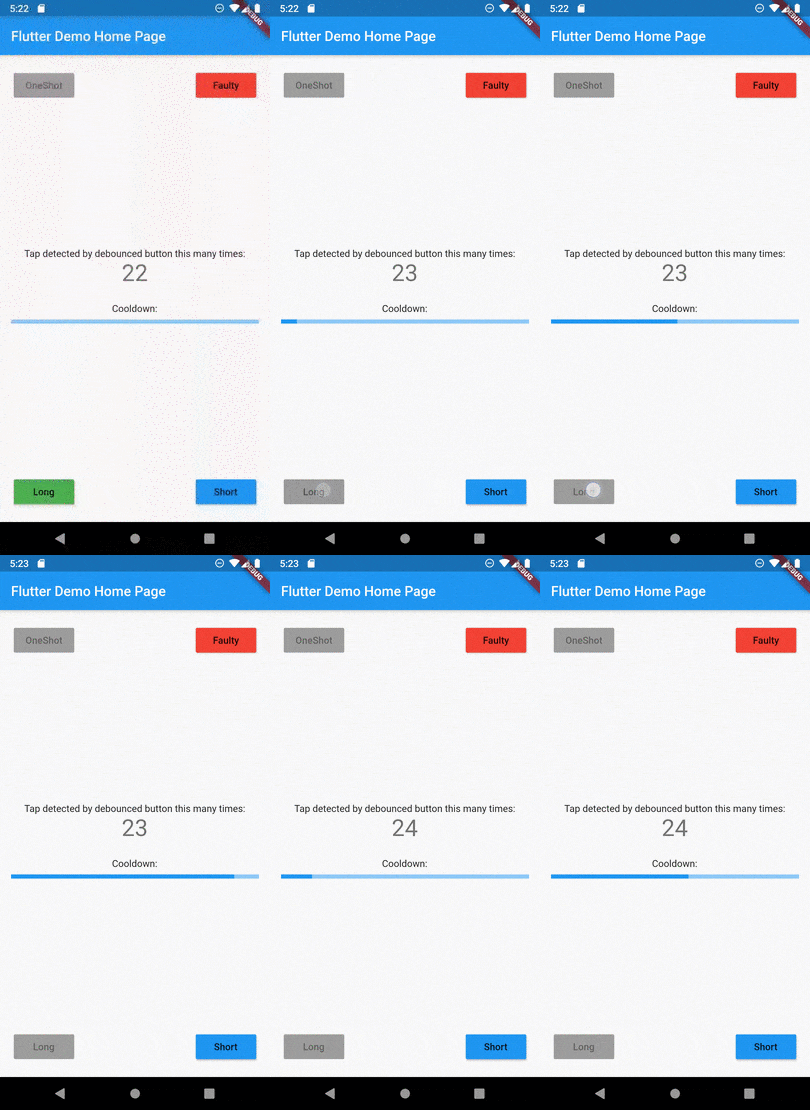
Example of button disabled after tap

Kategorien

Quell-Repository

Projekte, die dieses Paket verwenden

Noch keine Daten verfügbar.