Pakete, Repositories und App-Kategorien suchen

Cover von touch_indicator
Paketdetailsv2.0.0

touch_indicator

Zeigen Sie bis zu 5 Touch-Indikatoren an, wo Sie den Bildschirm berühren. Nützlich bei einer Präsentation für ein Publikum oder beim Aufnehmen Ihrer App.

AndroidiOSWebmacOSWindowsLinux
30-Tage-Downloads
12.800
Likes
57
Pub-Punkte
150

Paket installieren

flutter pub add touch_indicator

Paketübersicht

Aus öffentlichen Paketdaten erstellte Orientierung.

Das touch_indicator-Paket zeigt bis zu fünf visuelle Indikatoren an den Stellen an, an denen Benutzer den Bildschirm berühren. Ideal für Live-Demonstrationen oder Bildschirmaufnahmen, hilft es Zuschauern, genau zu sehen, wo Interaktionen stattfinden. Die Indikatoren sind subtil, aber sichtbar und eignen sich perfekt zum Präsentieren von App-Funktionen, ohne die Benutzererfahrung zu stören. Das Paket ist auf allen wichtigen Plattformen verfügbar, einschließlich Mobilgeräten, Web und Desktop, und lässt sich mit minimalem Aufwand nahtlos in Flutter-Anwendungen integrieren. Das Paket ist leichtgewichtig und für den vorübergehenden Einsatz während Demonstrationen oder Tutorials konzipiert.

Anwendungsfälle

  • Live-App-Demonstrationen
  • Bildschirm-Aufnahmetutorials
  • Benutzerinteraktionsrückmeldung
  • Anleitungen für Bildungs-Apps
  • Debugging des Berührungverhaltens

Hauptmerkmale

  • Zeigt bis zu 5 Touchpunkten an
  • Plattformübergreifende Unterstützung
  • Minimale Leistungseinbuße
  • Einfache Integration
  • Anpassbare Erscheinung

Geeignet für

  • Entwickler präsentieren Apps
  • Lehrkräfte, die Software demonstrieren
  • UI-Tester
  • App-Demo-Ersteller
  • Aufnahme von Tutorial-Videos

Hinweise

  • Nicht für den Produktiveinsatz vorgesehen
  • Indikatoren sollten in Endbuilds deaktiviert werden
  • Funktioniert möglicherweise nicht zuverlässig auf allen Hardware
  • Am besten vorübergehend während Demonstrationen verwendet
  • Visuelle Indikatoren können in einigen Kontexten ablenken
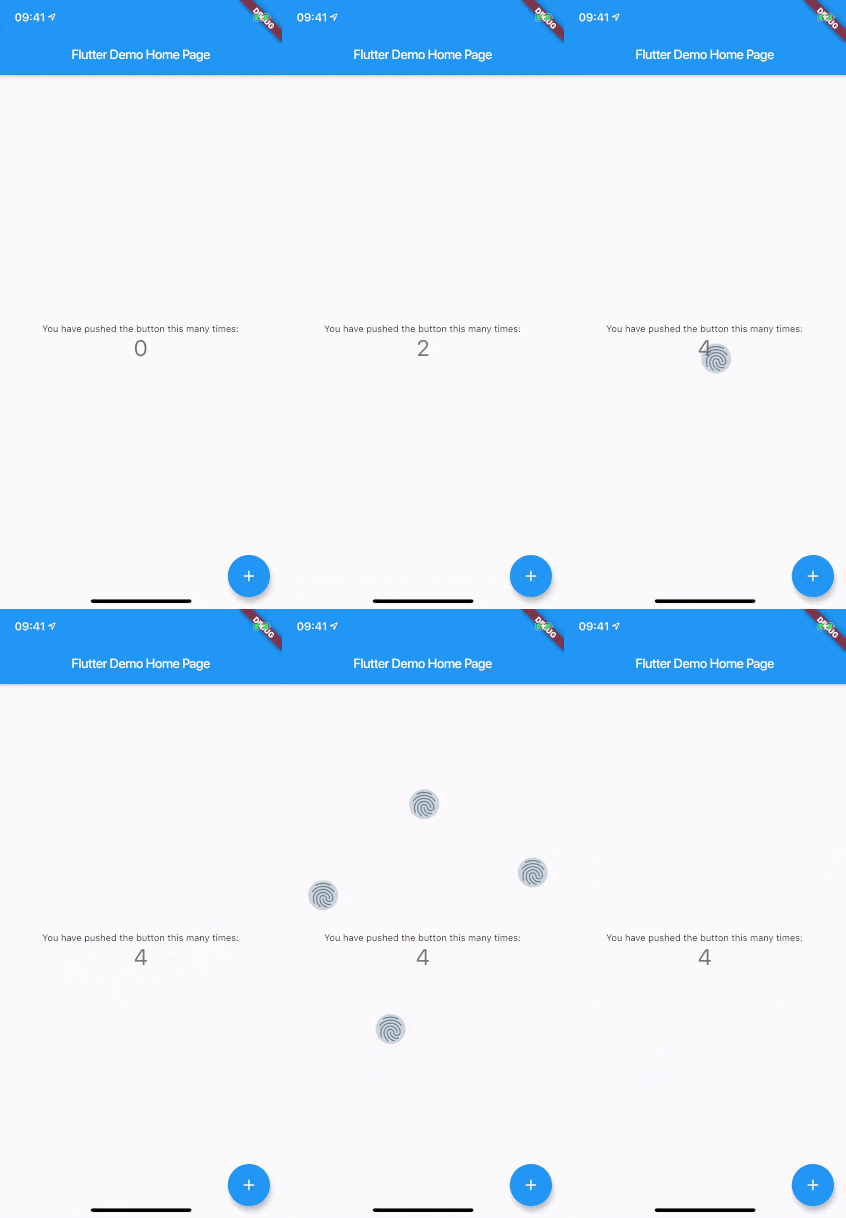
Original-README

Originaler README-Schnappschuss aus dem verknüpften Quell-Repository. Aktuelle Inhalte finden Sie im Repository.

touch_indicator

When you are recording a screencast of your app, you often want to give visual indication of where your fingers are touching the screen. Showing that on Android is easy. On iOS it's less intuitive. touch_indicator makes it easier and consistent on both platforms.

You add this widget as the main widget where you want to display user touches. Usually this will be the direct child of your MaterialApp. It will show an indicator on every touching finger and is completely customizable.

Installation

Add the plugin to your pubspec.yaml:

dependencies:
  touch_indicator: ^2.0.0

Usage

Import the package in your Dart code:

import 'package:touch_indicator/touch_indicator.dart';

Wrap all routes in your app in the TouchIndicator widget:

class MyApp extends StatelessWidget {
  MaterialApp(
    title: 'Touch indicator example',
    builder: (context, child) => TouchIndicator(child: child!),
    home: MyHomePage(title: 'Flutter Demo Home Page'),
  );
}

Customization options

indicatorColor

Changes the color of the backdrop and icon. Default is Colors.blueGrey.

indicatorSize

Changes the size of the indicator. Default is 40.0.

indicator

By adding a Widget here, you can change the complete look of the touch indicators. Make sure to supply a proper indicatorSize in order for the indicators to be positioned at the center of your touchpoints.

forceInReleaseMode

When you want to show indicators when the app is running in release mode, make sure to enable this option. Default is false.

enabled

You can enable or disable display of the indicators on the fly with this option. Default is true.

Kategorien

Quell-Repository

Projekte, die dieses Paket verwenden

Noch keine Daten verfügbar.