Ein universelles Widget, das überall in Ihrem Widget-Baum platziert werden kann und vollständige Unterstützung für Animationen und Barrierefreiheit bietet.
Aus öffentlichen Paketdaten erstellte Orientierung.
Ein vielseitiges Flutter-Widget, das nahtlos überall im Widgetbaum integriert werden kann. Es unterstützt vollständige Animationsfunktionen und barrierefreie Funktionen, um eine konsistente und inklusive Benutzererfahrung in verschiedenen Kontexten sicherzustellen. Ideal für wiederverwendbare Komponenten, die dynamisches Verhalten und Kompatibilität mit Bildschirmlesern erfordern. Das Paket erhöht die Flexibilität von Widgets, ohne Leistung oder Benutzerfreundlichkeit zu beeinträchtigen.
Anwendungsfälle
Wiederverwendbare UI-Komponenten
Dynamische Inhaltsdarstellung
Barrierefreie Schnittstellen
Plattformübergreifende Widget-Integration
Animierte Benutzeroberflächenelemente
Hauptmerkmale
Vollständige Animationsunterstützung
Eingebaute Zugänglichkeit
Flexible Platzierung im Widgetbaum
Leichtgewichtig und effizient
Erweiterbares Design
Geeignet für
Entwickler, die wiederverwendbare Widgets erstellen
Teams, die Barrierefreiheit priorisieren
Apps mit animierten Benutzeroberflächen
Projekte mit komplexen Widget-Hierarchien
Plattformübergreifende Flutter-Anwendungen
Hinweise
Erfordert Verständnis des Widget-Lebenszyklus von Flutter
Kann zusätzliche Konfiguration für fortgeschrittene Animationen erfordern
Nicht für Hochfrequenz-Updates optimiert
Eingeschränkte plattformspezifische Anpassung
Hängt von der korrekten Integration in Zustandsverwaltungsflüsse ab
Original-README
Originaler README-Schnappschuss aus dem verknüpften Quell-Repository. Aktuelle Inhalte finden Sie im Repository.
The Mighty UniversalWidget
I'm just so excited to introduce to you my superhero widget: UniversalWidget
You can find the package at: https://pub.dartlang.org/packages/universal_widget
With UniversalWidget, you will have full control with it in the widget tree.
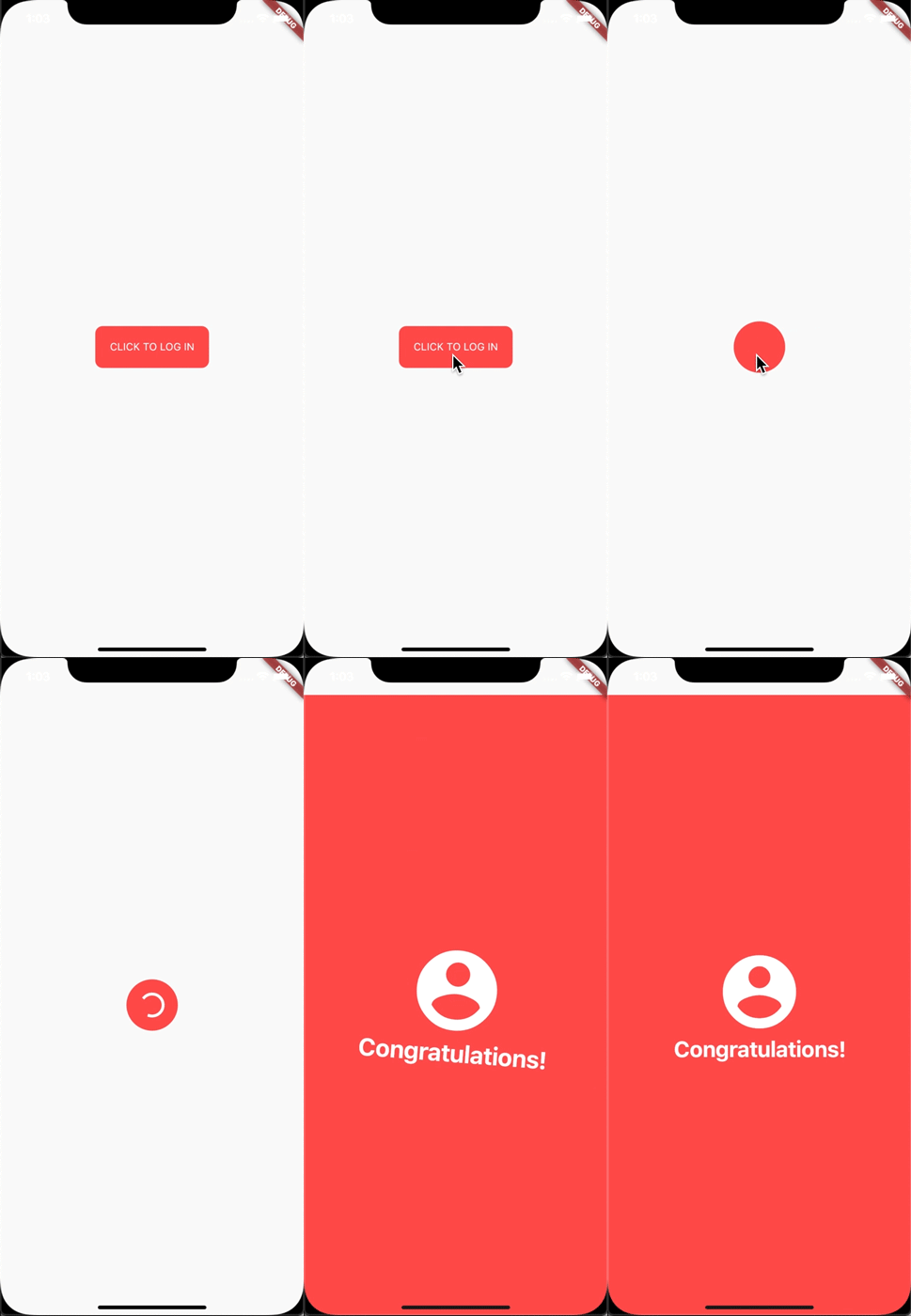
I made this login animation with UniversalWidget in only 8 lines of code. If you want to know how to do it with Flutter, see this cool tutorial: https://blog.geekyants.com/flutter-login-animation-ab3e6ed4bd19
Apply easing type to the animation, listen to the widget to see when the animation is finished, see the progress of the animation, or make the animation repeated. Here you go:
myWidget.update(
  duration: 0.5, // in seconds
  delay: 2, // in seconds - wait 2 seconds then play the animation
  height: 100,
  ease: Curve.elasticEaseOut, // or your can use Ease.elasticEaseOut, it's the same
  onComplete: (widget){
    print("I finished changing my height!");
  },
  onUpdate: (progress){
    print("Animation progress is $progress");
  }
);
If you want to repeat the animation 5 times:
myWidget.update(
  ...
  repeat: 5,
  ...
);
If you want the animation to play in reverse after it's finish: (like the way playing Yoyo in real life)
myWidget.update(
  ...
  yoyo: true,
  ...
);
If you want to repeat the animation forever:
myWidget.update(
  ...
  repeat: -1,
  ...
);
Combining "repeat" and "yoyo", you will have the animation go forward & backward forever:
myWidget.update(...repeat:-1,yoyo:true,...);
To stop the widget from animation:
myWidget.killAllTweens();
Additional Animation Easing Types
Yes, UniversalWidget has more easing type than Flutter framework, it supports:
Ease.backIn
Ease.backOut
Ease.backInOut
Ease.slowMo
Ease.sineIn
Ease.sineOut
Ease.sineInOut
Let play with it yourself! ;)
Accessibility
Let's take full control of your UniversalWidget, you can access to it everywhere, EVERYWHERE. (as long as it's still on your screen)
Notes that the given name should be unique, if you have many UniversalWidget with the same name, only the latest one in the widget tree can be accessible by a name, the others won't. So please name it wisely.
Wait, there's more. If you want to check for the size of the widget, do this:
UniversalWidget(
  child: Text("Hello World!"),
  // because the widget size can only be calculated after the widget are build, you need to listen on this event:
  onWidgetBuilt: (context){
    print("My size is ${context.size}");
  }
);
Phewwww... that's it for now. Now you guys might understand why I called it "The Mighty Widget", not too brag, eh? Hopefully it will save you a bunch of time, as it's saving me right now.
If you have any feedback, or meet any troubles while using this widget, please feel free to reach me via this Github repo.