Kategorien, Pakete und Repositories suchen

Paketdetailsv1.1.0

watermark_unique

watermark_unique ist ein Flutter-Paket zum Hinzufügen von Text- und Bildwatermarks zu einem Bild. Sie können Position, Farbe, Hintergrundfarbe und Abstand der Wasserzeichen anpassen.

AndroidiOSWeb
30-Tage-Downloads
105
Likes
29
Pub-Punkte
150

Paket installieren

flutter pub add watermark_unique

Paketübersicht

Aus öffentlichen Paketdaten erstellte Orientierung.

watermark_unique ist ein Flutter-Paket, das entwickelt wurde, um benutzerdefinierte Text- und Bildwasserzeichen zu Bildern hinzuzufügen. Es ermöglicht Benutzern die Anpassung der Position, Farbe, Hintergrundfarbe und Abstände des Wasserzeichens für präzise Kontrolle. Ideal für Apps, die Bildschutz oder Branding erfordern, unterstützt es die Plattformen Android, iOS und Web. Das Paket ist leichtgewichtig und lässt sich problemlos mit einem einfachen Befehl in bestehende Flutter-Projekte integrieren. Seine Open-Source-Natur fördert Community-Beiträge und Transparenz.

Anwendungsfälle

  • Urheberrechts-Hinweise zu Bildern hinzufügen
  • Foto mit Logos branden
  • Den Schutz digitaler Inhalte vor unerlaubtem Gebrauch
  • Wasserzeichen-basierte Miniaturansichten erstellen
  • Bildmetadaten visuell anpassen

Hauptmerkmale

  • Unterstützt Text- und Bildwatermarking
  • Konfigurierbare Position und Ausrichtung
  • Einstellbare Farb- und Hintergrundoptionen
  • Anpassbare Paddings-Einstellungen
  • Plattformübergreifende Kompatibilität (Android, iOS, Web)

Geeignet für

  • Fotografie- und Medien-Apps
  • Content-Management-Systeme
  • E-Commerce-Plattformen
  • Digitale Asset-Bibliotheken
  • Kreative Werkzeuge und Editoren

Hinweise

  • Bild muss vor der Anwendung von Wasserzeichen geladen werden
  • Die Leistung kann bei großen Bildern variieren
  • Beschränkt auf statische Wasserzeichenplatzierung
  • Kein integrierter Rückgängigmachen oder Bearbeitungsverlauf
  • Abhängig von der Effizienz der externen Bildverarbeitung
Original-README

Originaler README-Schnappschuss aus dem verknüpften Quell-Repository. Aktuelle Inhalte finden Sie im Repository.

watermark_unique

watermark_unique is a flutter package to add text and image watermarks on an image. You can customize the watermark's position, color, background color, and padding. Check on pub.dev: https://pub.dev/packages/watermark_unique

Documentation

Features
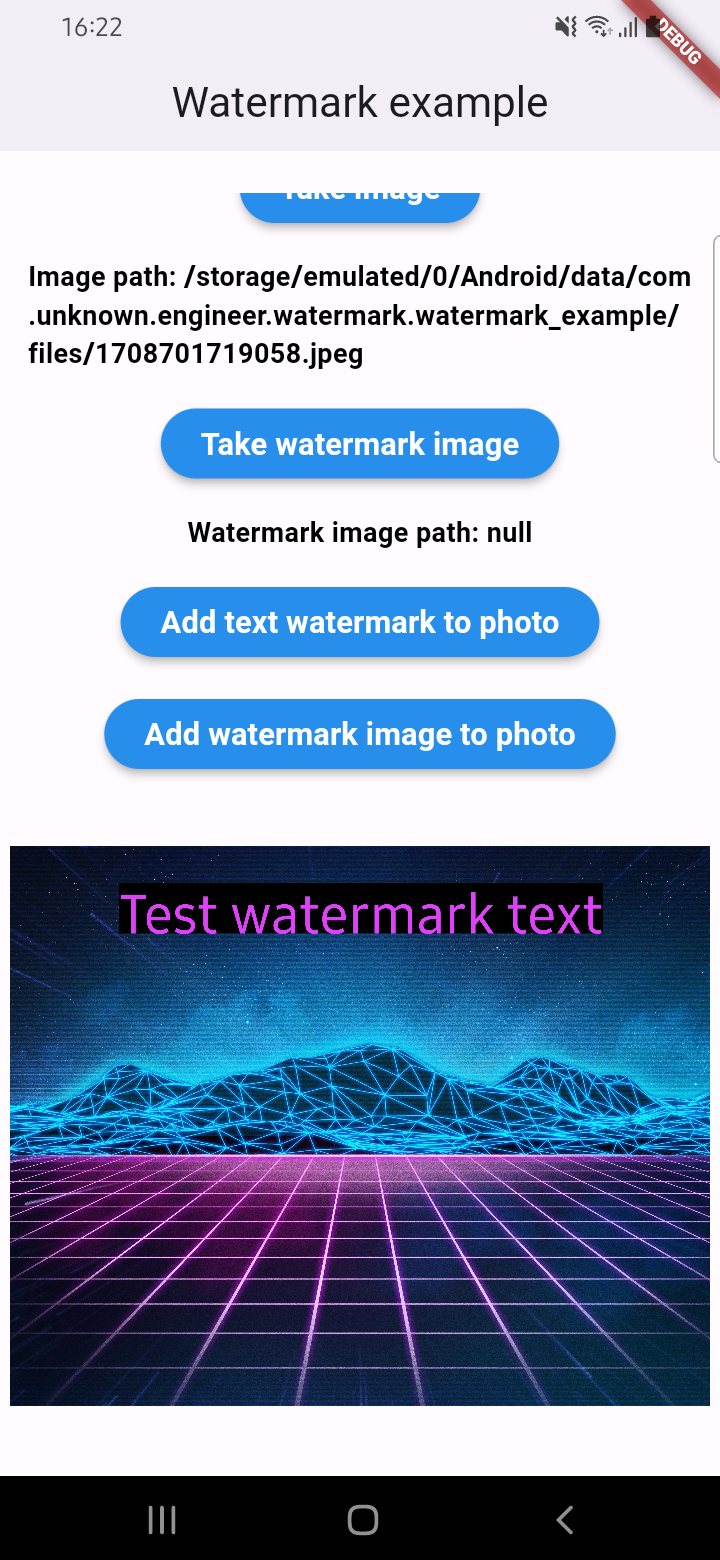
  • Add text to image
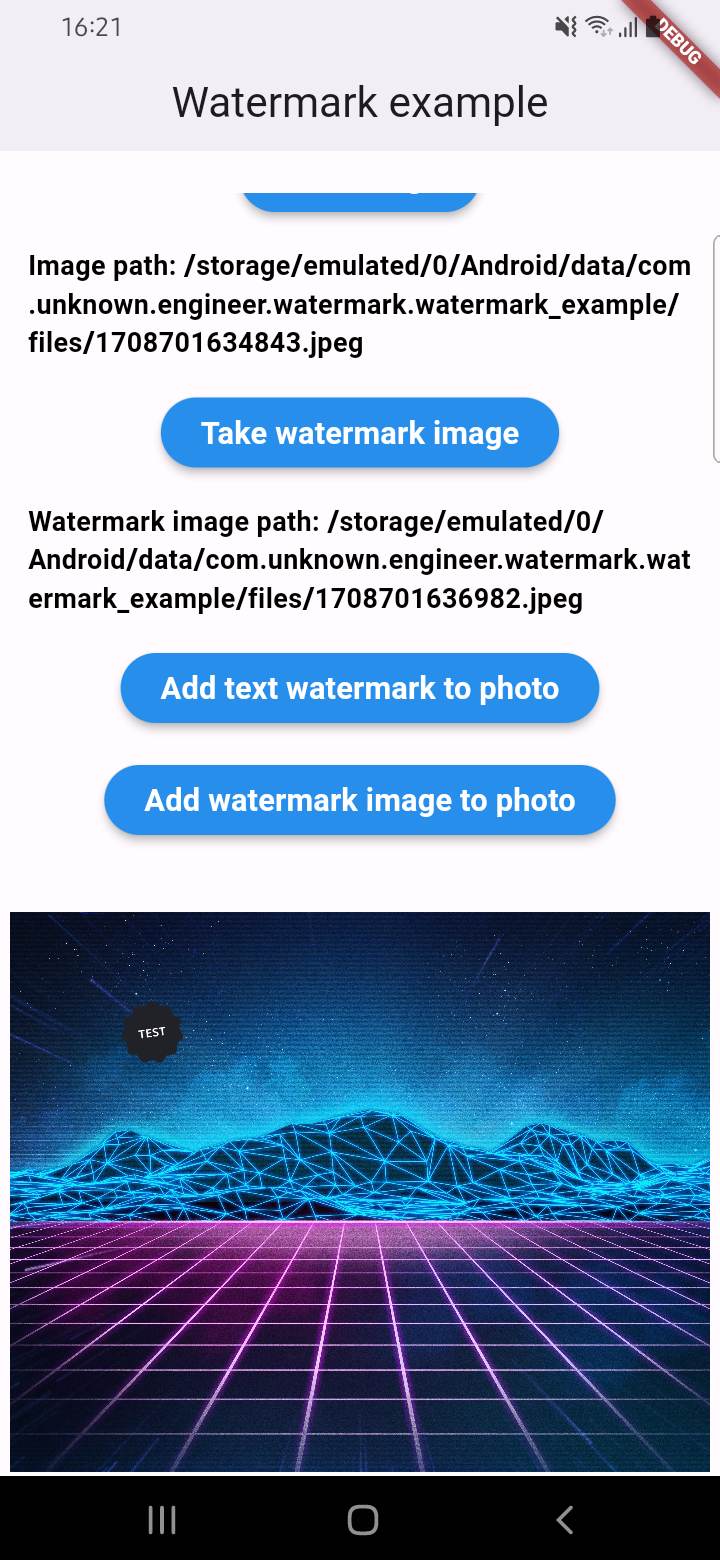
  • Add watermark to image
  • Get result via File or Uint8List

Parameters for image that you can change

  • Text
  • Position by X
  • Position by Y
  • Text size
  • Text color (withOpacity)
  • Background text color (optional / withOpacity)
  • Padding for text if background exist (optional)
  • Quality of image with watermark
  • Image format that you will use to compress

Usage

An example of how you can add text to an image (only IOS or Android):

final image = await watermarkPlugin.addTextWatermark(
  filePath: photo!.path, // image file path
  text: 'Test watermark text', // watermark text
  x: 500, // position by x
  y: 400, // position by y
  textSize: 250, // text size
  color: Colors.purpleAccent, // color of text
  isNeedRotateToPortrait: true, // rotation image to portrait (Default: false) ONLY ANDROID
  backgroundTextColor: Colors.black.withOpacity(0.5), // color of background text (optional)
  quality: 100, // quality of image with watermark
  backgroundTextPaddingLeft: 12, // padding of background text (optional)
  backgroundTextPaddingTop: 12, // padding of background text (optional)
  backgroundTextPaddingRight: 12, // padding of background text (optional)
  backgroundTextPaddingBottom: 12, // padding of background text (optional)
  imageFormat: ImageFormat.jpeg, // image format that you will use to compress
);

An example of how you can add a watermark to an image (only IOS or Android):

final image = await watermarkPlugin.addImageWatermark(
  filePath: photo!.path, // image file path
  watermarkImagePath: watermark!.path, // watermark image file path
  x: 500, // position by x
  y: 400, // position by x
  quality: 100, // quality of image with watermark
  imageFormat: ImageFormat.jpeg, // image format that you will use to compress
  watermarkWidth: 300, // watermark image width
  watermarkHeight: 300,  // watermark image height
);

An example of how you can add text to an image and get results via Uint8List (IOS || Android || WEB):

final image = await watermarkPlugin.addTextWatermarkUint8List(
  filePath: photo!.path, // image file path
  text: 'Test watermark text', // watermark text
  x: 500, // position by x
  y: 400, // position by y
  textSize: 250, // text size
  color: Colors.purpleAccent, // color of text
  isNeedRotateToPortrait: true, // rotation image to portrait (Default: false) ONLY ANDROID
  backgroundTextColor: Colors.black, // color of background text (optional)
  backgroundTextPaddingLeft: 12, // padding of background text (optional)
  backgroundTextPaddingTop: 12, // padding of background text (optional)
  backgroundTextPaddingRight: 12, // padding of background text (optional)
  backgroundTextPaddingBottom: 12, // padding of background text (optional)
);

An example of how you can add a watermark to an image and get results via Uint8List (IOS || Android || WEB):

final image = await watermarkPlugin.addImageWatermarkUint8List(
  filePath: photo!.path, // image file path
  watermarkImagePath: watermark!.path, // watermark image file path
  x: 500, // position by x
  y: 400, // position by x
  watermarkWidth: 300, // watermark image width
  watermarkHeight: 300,  // watermark image height
);

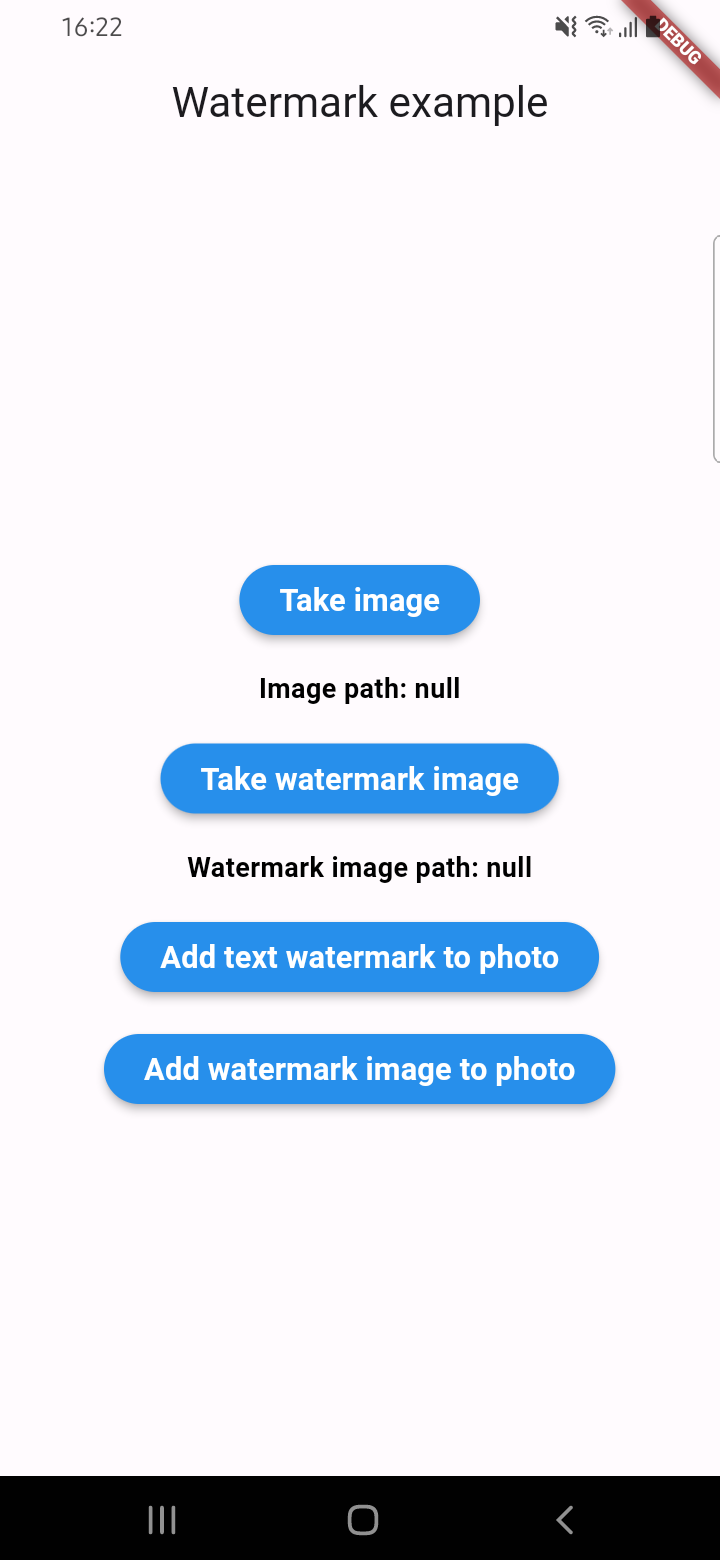
Example screenshots

Kategorien

Abhängigkeiten

Abhängigkeiten 2 Einträge

  • image^4.5.4
  • plugin_platform_interface^2.1.8

Quell-Repository

Projekte, die dieses Paket verwenden

Noch keine Daten verfügbar.