Implementieren Sie mit einem maßgeschneiderten XL-Layering-Paradigma Parallax-Animationen, die durch Beschleunigungsmesser und Zeiger oder Touch gesteuert werden. Gyroskopunterstützung.
Aus öffentlichen Paketdaten erstellte Orientierung.
XL ist ein Flutter-Paket, das Parallax-Animationen mithilfe von Beschleunigungssensoren, Gyroskopen und Touch/Pointer-Eingaben ermöglicht und mit einem einzigartigen Schichtsystem immersive 3D-Effekte erzeugt. Es ermöglicht Entwicklern, dynamische, reaktive Benutzeroberflächen zu erstellen, bei denen Inhalte auf Gerätebewegungen und Benutzerinteraktionen reagieren. Ideal für Apps, die Tiefe und Interaktivität erfordern, wie beispielsweise Dashboards, Spiele oder visuell anspruchsvolle UIs. Das Paket unterstützt Android, iOS und Web und bietet eine flüssige Leistung über alle Geräte hinweg.
Anwendungsfälle
Interaktive App-Schnittstellen
Gaming-Benutzeroberflächenelemente
Dynamische Dashboard-Visualisierungen
Berührung- und Bewegungsreaktive Layouts
3D-ähnliche Tiefe in Web- und Mobilanwendungen
Hauptmerkmale
Integration von Beschleunigungssensor und Gyroskop
A package providing the XL stack widget to implement accelerometer- and
pointer-fueled parallax animations that smoothly transform
children according to a spatial, three-dimensional layer definition.
Touch and Gyroscope support included.
Design simple or elaborate XL-erometer driven interactions and interfaces.
Getting Started
To get started with sensor data, use an XL with XLayers:
As stated, an XL may have both varieties of layer interspersed.
The default function of the stack is to apply pointer data to both
varieties of Layer, and to only apply sensors data to XLayers;
there are, however, flags available to toggle either functionality, as:
const layers = [
XLayer(/* Blue X Layer; reactive */),
PLayer(/* Red P Layer; more reactive */),
XLayer(/* Black Layer; non-reactive control */),
];
final example = Column(children: [
Expanded(
child: Row(children: [
constExpanded(
child: XL(
// X and P Layers behave the same way with these flags// (but still may differ slightly on parameters for Z axis rotation).
sharesPointer: true,
sharesSensors: true,
layers: layers,
)),
constExpanded(
child: XL(
// All Layers react to pointers, but only XLayers// will recognize sensors. Default flags.
sharesPointer: true, // default
sharesSensors: false, // default
layers: layers,
))])),
Expanded(
child: Row(children: [
constExpanded(
child: XL(
// All Layers react to sensors,// but only PLayers will recognize pointer.
sharesPointer: false,
sharesSensors: true,
layers: layers,
)),
constExpanded(
child: XL(
// Each Layer will deal only with its prescribed input data.
sharesPointer: false,
sharesSensors: false,
layers: layers,
))])),
]);
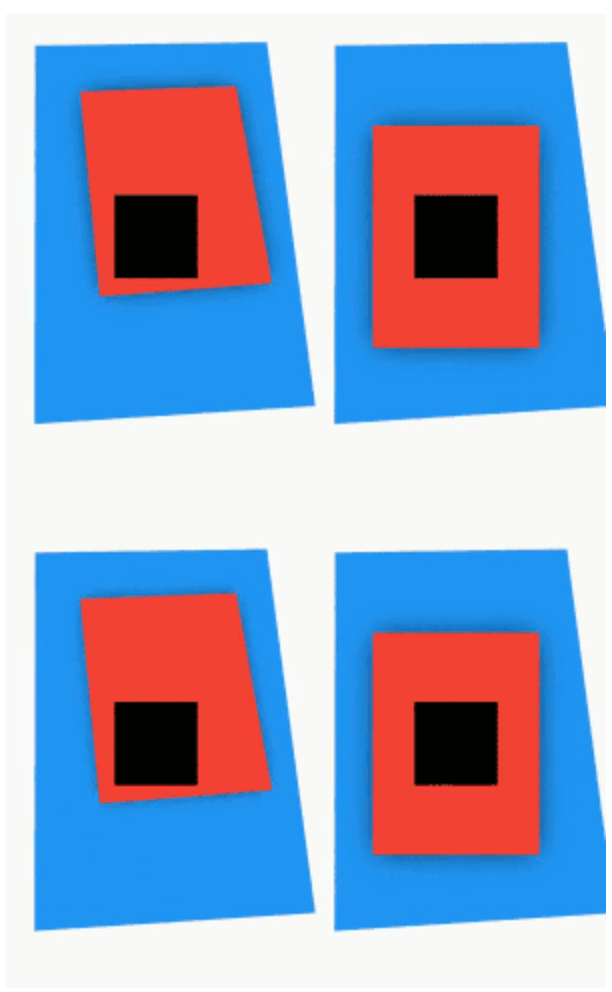
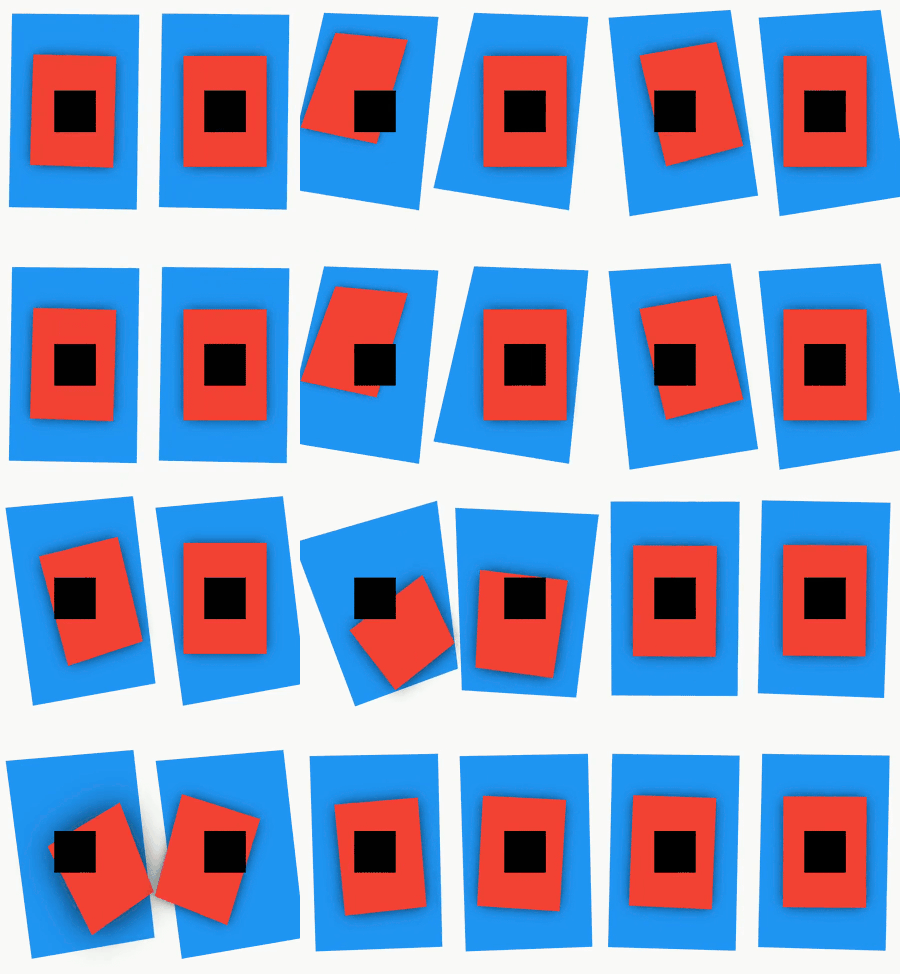
That same stack of layers laid out in a demonstration
with the two flags in their four possible configurations:
🟥 Red layers are PLayers and react primarily to pointers data.
👈 The left two 🟥 PLayers also consider sensors data
🟦 Blue layers are XLayers and react primarily to sensors data.
👆 The top two 🟦 XLayers also consider pointer data
⬛ Black layers are control XLayers with no animation properties.
They make no reaction to any input.
Reference
🛣️ Roadmap
🔳 Provide richer access to sensors data and ability to manipulate Layers in new ways
Such as an AccelSpec and GyroSpec that would enable transformation
of any axis based on input from any axis, determined by parameter.
Currently, for example, yRotation is controlled by accelerometer X axis
rotation. zRotation may also be controlled by accelerometer X axis rotation
with parameter zRotationByX. However, zRotationByGyro may interpret
Z axis gyroscope rotations. It is the only axis with two such inputs.
Imagine declaring an axis to rotate or offset, then also determining
which axis/sensor contributes to it. What deep options that could provide!
Such as offsetting a Widget vertically and rotating it over Y axis
based on only one input from accelerometer.
🔳 Along with #1 above, provide more Gyroscope functionality
than only one axis of influence.
Gyro is a little tricker, as the sensor mostly reads flat near-0
values unless the device is moving.
This still provides cool options for developers to make neat interactions,
and so should be expanded upon.
✅ Offer an automatic XL stack that simply accepts a List<Widget>
(not necessarily XLayers) and dynamically generates progressively greater
translation and rotation values for each layer.
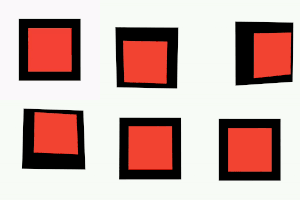
Check out AutoXL which makes a parallax stack even easier to implement.
Simply provide any old widgets as layers and optionally tinker
with the depthFactor or max layer depth.
Forked from mouse_parallax considering the required AnimatedParallaxStack widget is not exported with the original package and that accelerometers have nothing to do with mice.