श्रेणियाँ, पैकेज और रिपॉज़िटरी खोजें

activity_ring कवर
पैकेज विवरणv0.3.0

activity_ring

Apple Watch शैली के रिंग में प्रगति बार बनाने के लिए Flutter लाइब्रेरी।

AndroidiOSWebmacOSWindowsLinux
30-दिन डाउनलोड
1.8 हज़ार
लाइक
31
Pub अंक
140

पैकेज इंस्टॉल करें

flutter pub add activity_ring

पैकेज अवलोकन

सार्वजनिक जानकारी से बना चयन मार्गदर्शन। केवल संदर्भ हेतु।

एक फ्लटर पैकेज जो डेवलपर्स को एप्पल वॉच-स्टाइल सर्कुलर प्रगति रिंग्स बनाने में सक्षम बनाता है। ये दृश्य आकर्षक, एनीमेटेड रिंग्स एक संक्षिप्त और स्पष्ट तरीके से प्रगति दिखाती हैं, जो लक्ष्य, समय या पूर्णता प्रतिशत को ट्रैक करने के लिए आदर्श हैं। यह पैकेज एंड्रॉइड, आईओएस, वेब, मैकओएस, विंडोज और लिनक्स जैसे कई प्लेटफॉर्म का समर्थन करता है, जिससे उपकरणों के बीच सुसंगत UI सुनिश्चित होता है। यह ऐप थीम्स के अनुरूप अनुकूलित रंग, स्ट्रोक चौड़ाई और एनीमेशन प्रभाव प्रदान करता है। फिटनेस ऐप्स, डैशबोर्ड या किसी भी ऐप के लिए आदर्श जिसमें सुंदर प्रगति विजुअलाइजेशन की आवश्यकता हो।

उपयोग

  • फिटनेस ट्रैकिंग ऐप्स
  • डैशबोर्ड विजेट्स
  • लक्ष्य पूर्णता संकेतक
  • समय-आधारित प्रगति प्रदर्शन
  • इंटरैक्टिव यूआई तत्व

मुख्य विशेषताएँ

  • Apple Watch शैली के वृत्ताकार प्रगति वलय
  • कस्टमाइज़ की गई रंग और स्ट्रोक चौड़ाई
  • स्मूथ एनिमेशन
  • क्रॉस-प्लेटफ़ॉर्म समर्थन
  • सरल API एकीकरण
  • प्रतिक्रियाशील डिज़ाइन

इनके लिए उपयुक्त

  • फिटनेस या वेलनेस ऐप बनाने वाले डेवलपर्स
  • आधुनिक यूआई घटकों की तलाश करने वाले डिज़ाइनर
  • दृश्य प्रगति फीडबैक की आवश्यकता वाले ऐप
  • क्रॉस-प्लेटफॉर्म एप्लिकेशन्स
  • लक्ष्य-निर्देशित इंटरफ़ेस वाले प्रोजेक्ट्स

विचार योग्य बातें

  • Flutter के चित्रण और एनीमेशन प्रणाली को समझने की आवश्यकता है
  • कम-स्तर के उपकरणों पर प्रदर्शन समायोजन की आवश्यकता हो सकती है
  • केवल गोलाकार प्रगति दृश्यीकरण तक सीमित
  • जटिल डेटा विज़ुअलाइज़ेशन के लिए उपयुक्त नहीं

मूल README

संबंधित सोर्स रिपॉज़िटरी के मूल README का स्नैपशॉट। नवीनतम सामग्री के लिए रिपॉज़िटरी देखें।

Activity Rings

pub package

Library to create Progress bars in Apple Watch style rings - Apple Watch Rings

To use, import package:activity_ring/activity_ring.dart.

This library is built with to be extremely customizable with low effort. Please check the API documentation if you get stuck anywhere.

Note: Do not let the auto brighten colors to exceed 3 rings as this will cause a runtime exception.

Example

There are several ways to create rings.

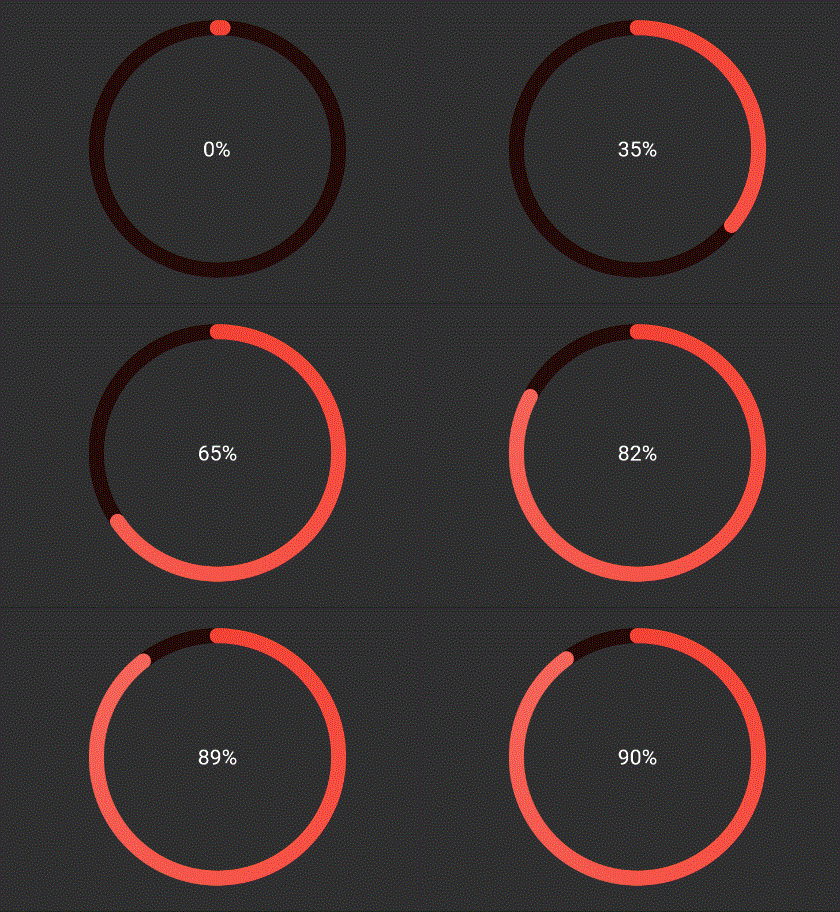
Using a single color
Ring(
  percent: 90,
  color: RingColorScheme(ringColor: Colors.red),
  radius: 80,
  width: 10,
  child: Center(child: Text('90%')),
)

RingColor

The above ring is automatically painted with gradients. To have a constant color just pass gradient: false to RingColorScheme.

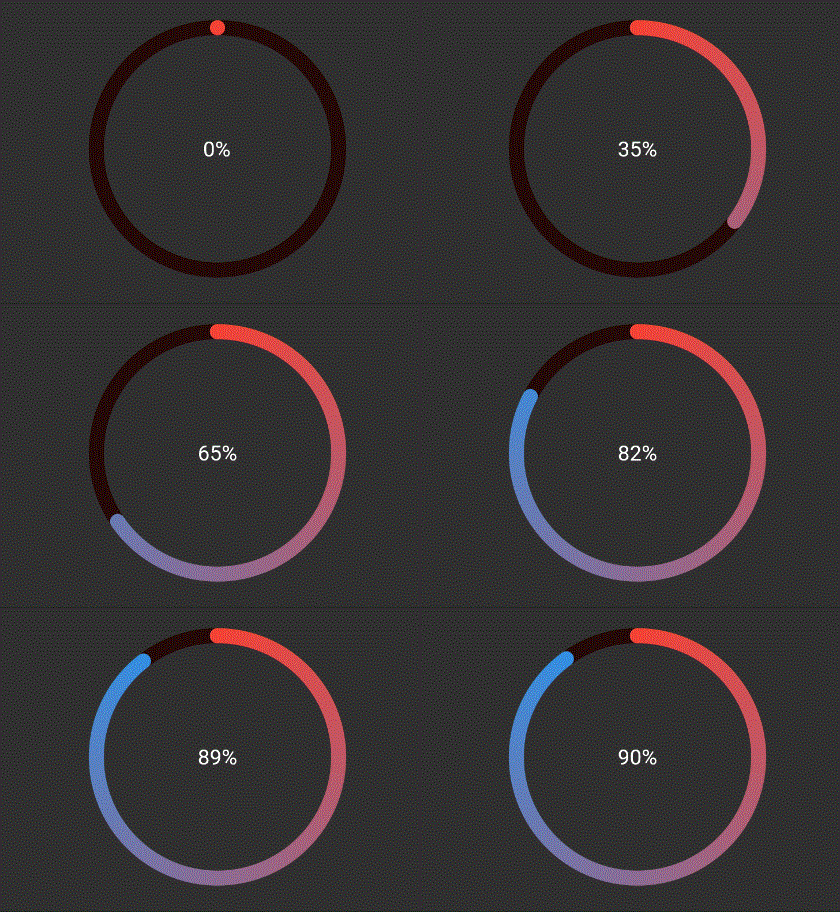
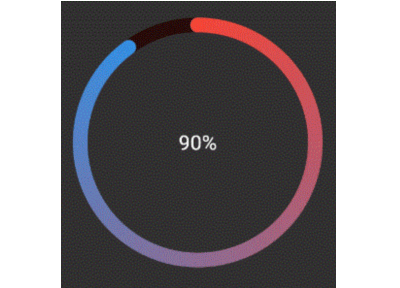
Using a single gradient
Ring(
  percent: 90,
  color: RingColorScheme(ringGradient: [Colors.red, Colors.blue]),
  radius: 80,
  width: 10,
  child: Center(child: Text('90%')),
),

RingGradient

The above ring is automatically painted with gradient from colors given.

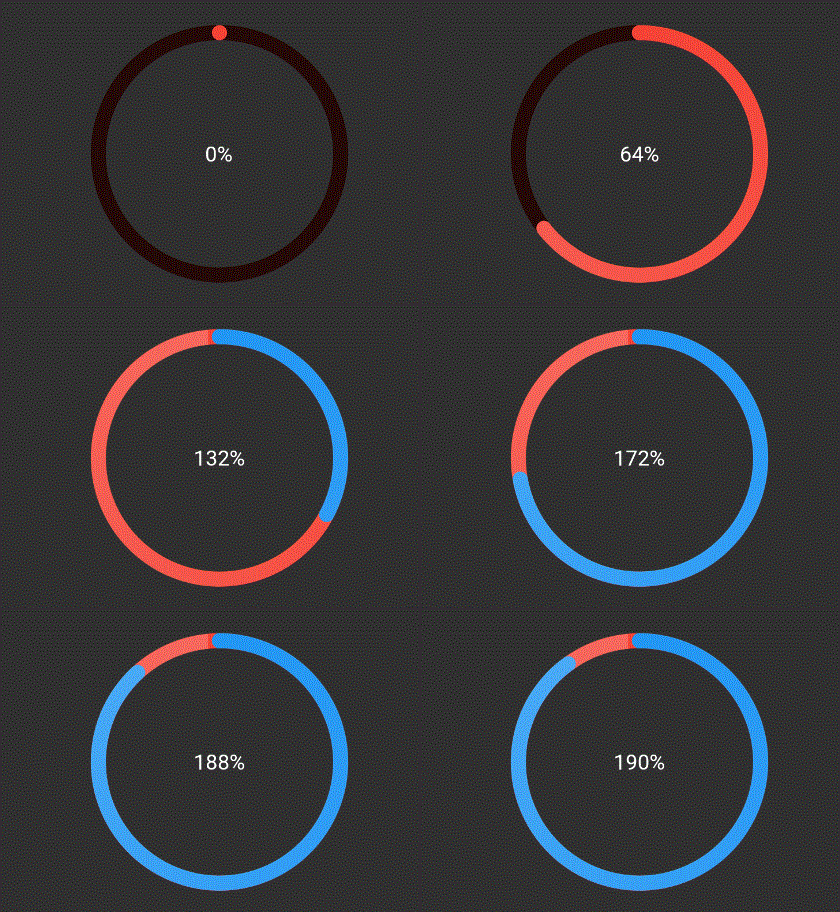
Using same color for a ring with different color for each ring
Ring(
  percent: 190,
  color: RingColorScheme(ringColors: [Colors.red, Colors.blue]),
  radius: 80,
  width: 10,
  child: Center(child: Text('190%')),
),

RingColors

The above ring is automatically painted with gradient from colors given, where each color in list represents that ring's color. To have a constant color just pass gradient: false to RingColorScheme.

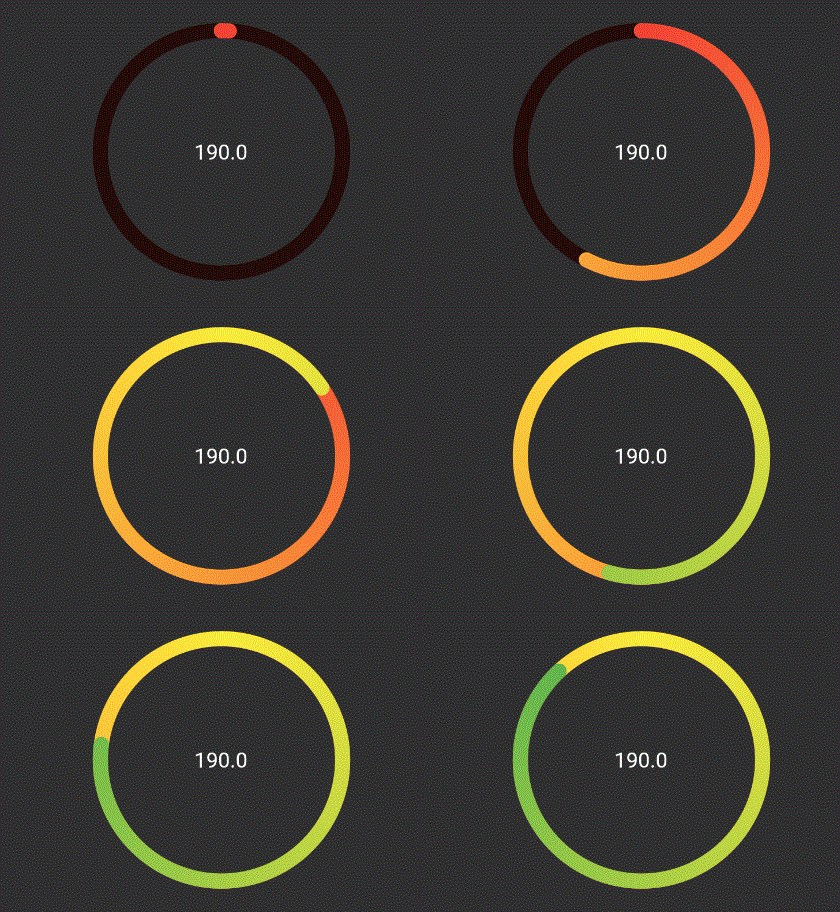
Explicitly mentioning gradinet for each ring
Ring(
  percent: 190,
  color: RingColorScheme(ringGradients: [[Colors.red, Colors.yellow], [Colors.yellow, Colors.green]]),
  radius: 80,
  width: 10,
  child: Center(child: Text('190%')),
),

RingGradients

The above ring is automatically painted with gradient from colors given, where each color in list represents that ring's color. To have a constant color just pass gradient: false to RingColorScheme.

TODO

  • [ ] Create templates for apple colors
  • [ ] Add tests and coverage

श्रेणियाँ

सोर्स रिपॉज़िटरी

इस पैकेज का उपयोग करने वाले प्रोजेक्ट

अभी कोई डेटा उपलब्ध नहीं है।