सार्वजनिक जानकारी से बना चयन मार्गदर्शन। केवल संदर्भ हेतु।
Adhara Socket.IO एक Flutter पैकेज है जो Socket.IO प्रोटोकॉल का उपयोग करके WebSocket संचार की अनुमति देता है, जो iOS और Android दोनों प्लेटफॉर्म के लिए समर्थित है। Infitio द्वारा बनाया गया, यह Flutter ऐप में रियल-टाइम फीचर्स को लागू करने का एक भरोसेमंद और कुशल तरीका प्रदान करता है। पैकेज कनेक्शन मैनेजमेंट, इवेंट हैंडलिंग और मैसेज ब्रॉडकास्टिंग को सरल बनाता है, जिससे चैट सिस्टम, लाइव नोटिफिकेशन या सहयोगात्मक टूल्स जैसे ऐप्स के लिए आदर्श है। यह मौजूदा Socket.IO सर्वर्स के साथ बिना किसी दिक्कत के एकीकृत होता है और डेवलपर्स के लिए एक साफ, Dart-अनुकूल API प्रदान करता है।
उपयोग
रियल-टाइम चैट एप्लिकेशन्स
लाइव डेटा स्ट्रीमिंग
सहयोगात्मक संपादन उपकरण
आईओटी डिवाइस मॉनिटरिंग
पुश नोटिफिकेशन्स
मुख्य विशेषताएँ
Socket.IO प्रोटोकॉल का समर्थन करता है
क्रॉस-प्लेटफॉर्म (iOS और Android)
सरल घटना-आधारित API
स्वचालित पुनर्संबंध
हल्का और तेज़
इनके लिए उपयुक्त
रियल-टाइम फ्लटर ऐप्स बना रहे डेवलपर्स
Socket.IO सर्वर का उपयोग करने वाली टीमें
लाइव डेटा सिंक्रनाइज़ेशन की आवश्यकता वाले ऐप्स
विचार योग्य बातें
एक संगत Socket.IO सर्वर की आवश्यकता है
WebSocket-आधारित संचार पर सीमित
निर्मित एन्क्रिप्शन नहीं (HTTPS का उपयोग करें)
मूल README
संबंधित सोर्स रिपॉज़िटरी के मूल README का स्नैपशॉट। नवीनतम सामग्री के लिए रिपॉज़िटरी देखें।
socket.io version supported: v2
development in progress for v3 and v4
If you are using v3/v4 socket on server side, you may face connection issues, please downgrade and try in such scenario.
Usage:
See example/lib/main.dart for more detailed example
final SOCKET_SERVER = 'http://192.168.1.2:7070/'; //To be modified accordinglySocketIO socket;
StreamSubscription connectSubscription;
StreamSubscription echoSubscription;
Future<void> demonstrateSocket() async {
// Create a socket instance
socket = awaitSocketIOManager().createInstance(
SocketOptions(SOCKET_SERVER),
);
// Listen to socket connect event
subscription = socket.onConnect.listen((data){
print('connected: $data');
socket.emit('message', ['Hello world!']);
});
// Listen to an custom ("news") event
echoSubscription = socket.on('echo', (data){
print("news event recieved with data: $data");
});
// There are 2 ways to connect to socket server// - normal: doesn't wait for connectio success// - sync: ensures connection or errors out on failure// normal:// connect to socket server - will initialize connection,// but not ensure the connection yet.// If this method used to connect to server, then emit events should be sent// only after ensuring connection to socket server is successful by listening// to onConnect events// await socket.connect();// sync:// This API will ensure connection to server is successful// or will throw error on connect errorawait socket.connectSync();
// publish data - will publish to server, won't ensure the deliveryawait socket.emit('echo', ['hello']);
// emit with acknowledgement - will publish to server// and ensure delivery with ack if ack is implemented in serverdynamic ackData = await socket.emitWithAck('echo', ['hello']);
print('acknowledgement recieved from server: $ackData');
}
Future<void> dispose() async {
// cancel echo and onConnect subscriptionsawait echoSubscription.cancel();
await connectSubscription.cancel();
// clear socket instance from managerawaitSocketIOManager().clearInstance(socket);
}
// register liteners, connect to a socket, and publish datademonstrateSocket();
// will dispose listeners and socketdispose();
Running example:
clone the project
start socket server in the background
cd socket.io.server
npm i
./node_modules/.bin/pm2/ index.js
cd ../
open example/lib/main.dart and edit the URI in #7 to point to your hosted/local socket server instances as mentioned step 2
For example:
constString URI = "http://192.168.1.2:7000/";
constString URI = "http://mysite.com/";
run example
cd example
flutter run
iOS support 📢📢
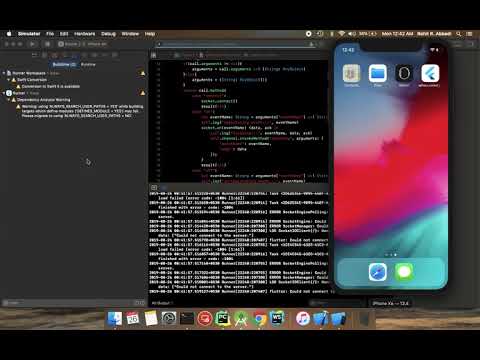
This project uses Swift for iOS support, please enable Swift support for your project for this plugin to work
Android support for SDK > 27
Configure android:usesCleartextTraffic="true" as a property of <application ...> tag in android/app/src/main/AndroidManifest.xml