(नल-सेफ + V2) ऑडियो रिकॉर्ड प्लगइन जो रिकॉर्ड, पॉज, रिज़म, स्टॉप के समर्थन करता है और औसत शक्ति, शीर्ष शक्ति जैसे ऑडियो लेवल मीट्रिंग गुणों तक पहुंच प्रदान करता है।
सार्वजनिक जानकारी से बना चयन मार्गदर्शन। केवल संदर्भ हेतु।
Another Audio Recorder एक नल-सुरक्षित, वर्जन 2 Flutter प्लगइन है जो Android और iOS के लिए है और रिकॉर्डिंग लाइफसाइकिल—रिकॉर्ड, प्रतीक्षा, फिर से शुरू करना और बंद करना—पर पूर्ण नियंत्रण प्रदान करता है। यह वास्तविक समय में ऑडियो लेवल मीटरिंग तक पहुँच प्रदान करता है, जिसमें औसत और चरम शक्ति शामिल है, जो ऑडियो विज़ुअलाइज़ेशन या गुणवत्ता मॉनिटरिंग की आवश्यकता वाले एप्लिकेशन के लिए आदर्श है। प्लगइन हल्का है, अच्छी तरह से दस्तावेज़ित है और संगीत, आवाज़ नोट या पॉडकास्ट ऐप्स में बिना किसी दिक्कत के एकीकृत करने के लिए डिज़ाइन किया गया है।
उपयोग
वॉइस मेमो एप्लिकेशन्स
ऑडियो विज़ुअलाइज़ेशन टूल्स
पॉडकास्ट रिकॉर्डिंग फीचर्स
रियल-टाइम ऑडियो लेवल मॉनिटरिंग
बोली-टेक्स्ट पूर्वप्रसंस्करण
मुख्य विशेषताएँ
रिकॉर्ड/प्रतीक्षा/जारी रखें/बंद करें का समर्थन करता है
रियल-टाइम औसत और शीर्ष शक्ति मीटरिंग
नॉल सुरक्षित और Dart 3 के साथ संगत
क्रॉस-प्लेटफॉर्म (Android और iOS)
सरल API के साथ कॉलबैक इवेंट्स
इनके लिए उपयुक्त
ऑडियो रिकॉर्डिंग ऐप बनाने वाले डेवलपर्स
ऑडियो लेवल फीडबैक की आवश्यकता वाले ऐप्स
सटीक ऑडियो नियंत्रण की आवश्यकता वाले प्रोजेक्ट
मोबाइल प्लेटफॉर्म के लिए फ्लटर ऐप्स
विचार योग्य बातें
Android और iOS पर रनटाइम अनुमतियों की आवश्यकता है
सीमित ऑडियो रिकॉर्डिंग — कोई प्लेबैक सपोर्ट नहीं
पृष्ठभूमि रिकॉर्डिंग के लिए अतिरिक्त हैंडलिंग की आवश्यकता हो सकती है
प्लेटफॉर्म-विशिष्ट नेटिव कोड पर निर्भर है
मूल README
संबंधित सोर्स रिपॉज़िटरी के मूल README का स्नैपशॉट। नवीनतम सामग्री के लिए रिपॉज़िटरी देखें।
Then use hasPermission api to ask user for permission when needed
Configuration
iOS Deployment Target is 8.0 above
Android
AndroidX: use latest version (0.5.x)
Legacy Android: use old version (0.4.9)
Usage
Recommended API Usage: hasPermission => init > start -> (pause <-> resume) * n -> stop, call init again before start another recording
Always check permission first(it will request permission if permission has not been set to true/false yet, otherwise it will return the result of recording permission)
Initialize (run this before start, so we could check if file with given name already exists)
var recorder = AnotherAudioRecorder("file_path.mp4"); // .wav .aac .m4aawait recorder.initialized;
or
var recorder = AnotherAudioRecorder("file_path", audioFormat: AudioFormat.AAC); // or AudioFormat.WAVawait recorder.initialized;
Sample Rate
var recorder = AnotherAudioRecorder("file_path", audioFormat: AudioFormat.AAC, sampleRate: 22000); // sampleRate is 16000 by defaultawait recorder.initialized;
Audio Extension and Format Mapping
Audio Format
Audio Extension List
AAC
.m4a .aac .mp4
WAV
.wav
Start recording
await recorder.start();
var recording = await recorder.current(channel: 0);
Get recording details
var current = await recording.current(channel: 0);
// print(current.status);
You could use a timer to access details every 50ms(simply cancel the timer when recording is done)
newTimer.periodic(tick, (Timer t) async {
var current = await recording.current(channel: 0);
// print(current.status);setState(() {
});
});
Recording
Name
Description
path
String
extension
String
duration
Duration
audioFormat
AudioFormat
metering
AudioMetering
status
RecordingStatus
Recording.metering
Name
Description
peakPower
double
averagePower
double
isMeteringEnabled
bool
Recording.status
Unset,Initialized,Recording,Paused,Stopped
Pause
await recorder.pause();
Resume
await recorder.resume();
Stop (after stop, run init again to create another recording)
var result = await recorder.stop();
File file = widget.localFileSystem.file(result.path);
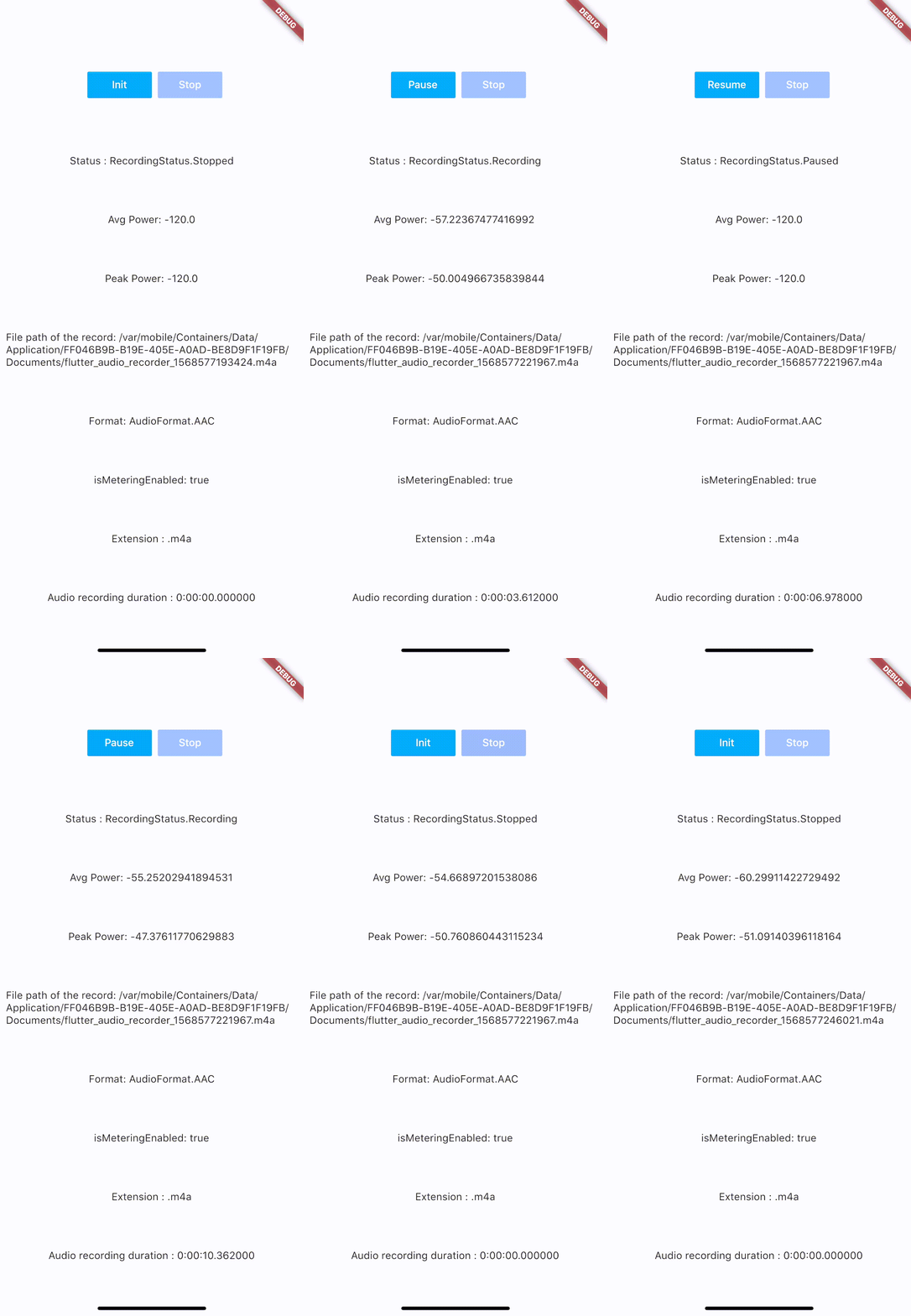
Example
Please check example app using Xcode.
Getting Started
This project is a starting point for a Flutter
plug-in package,
a specialized package that includes platform-specific implementation code for
Android and/or iOS.
For help getting started with Flutter, view our
online documentation, which offers tutorials,
samples, guidance on mobile development, and a full API reference.
Credits
This plugin is based on the flutter_audio_recorder, because they stopped updating their plugin and answering/accepting PR's (https://github.com/rmbrone/flutter_audio_recorder)
@hnvn - Migrate to Android embedding v2 + Support AAC codec (https://github.com/rmbrone/flutter_audio_recorder/pull/52)
@PerrchicK - error handling instead of app crash (https://github.com/rmbrone/flutter_audio_recorder/pull/45/files)