सार्वजनिक जानकारी से बना चयन मार्गदर्शन। केवल संदर्भ हेतु।
assets_audio_player_web पैकेज एक वेब-विशिष्ट प्लगइन है जो Flutter एप्लिकेशन को एप्लिकेशन के संसाधन डायरेक्टरी में संग्रहीत ऑडियो फ़ाइलों को वेब प्लेटफ़ॉर्म पर सीधे प्लेबैक करने की अनुमति देता है। यह मूल assets_audio_player पैकेज की क्षमता को वेब के लिए अनुकूलित करके विस्तारित करता है, जिससे डेवलपर्स को बाहरी सर्वर की आवश्यकता के बिना स्थानीय संसाधन फ़ाइलों से ऑडियो को स्ट्रीम और नियंत्रित करने में सक्षम बनाता है। यह Android, iOS, macOS और वेब वातावरणों में एक समान व्यवहार के साथ बिना किसी बाधा के ऑडियो प्लेबैक सुनिश्चित करता है।
उपयोग
वेब-आधारित खेलों में पृष्ठभूमि संगीत का उपयोग करना
वेब ऐप्स में एप्प संसाधनों से स्ट्रीमिंग ऑडियो
वेब फ्लटर ऐप में ऑफलाइन ऑडियो प्ले बैक सक्षम करें
वेब ट्यूटोरियल में आवाज़ वर्णन का एकीकरण
वेब फॉर्म में ऑडियो प्रतिक्रिया का समर्थन
मुख्य विशेषताएँ
स्रोत से वेब केवल ऑडियो प्लेबैक
assets_audio_player के साथ निरंतर एकीकरण
MP3, WAV और अन्य सामान्य प्रारूपों का समर्थन करता है
Flutter pub add के साथ न्यूनतम सेटअप
मोबाइल और वेब पर क्रॉस-प्लेटफॉर्म सुसंगतता
इनके लिए उपयुक्त
Flutter विकासक वेब ऑडियो एप्लिकेशन बना रहे हैं
ऑफलाइन ऑडियो प्लेबैक की आवश्यकता वाले ऐप्स
शैक्षिक या इंटरैक्टिव वेब सामग्री
एम्बेडेड ध्वनि प्रभाव वाले खेल
कई प्लेटफॉर्मों पर assets_audio_player का उपयोग करने वाले प्रोजेक्ट
विचार योग्य बातें
केवल वेब प्लेटफॉर्म पर काम करता है
pubspec.yaml में संसाधनों की सही घोषणा करने की आवश्यकता है
assets में संग्रहीत ऑडियो फ़ाइलों तक सीमित
URL से स्ट्रीमिंग का समर्थन नहीं है
मुख्य संपत्ति के लिए निर्भर है audio_player पैकेज
मूल README
संबंधित सोर्स रिपॉज़िटरी के मूल README का स्नैपशॉट। नवीनतम सामग्री के लिए रिपॉज़िटरी देखें।
🎧 assets_audio_player 🔊
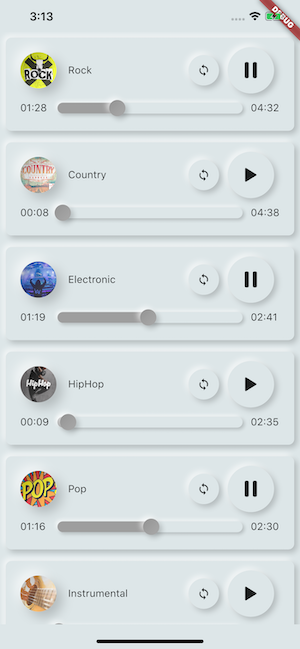
Play music/audio stored in assets files (simultaneously) directly from Flutter (android / ios / web / macos).
You can also use play audio files from network using their url, radios/livestream and local files
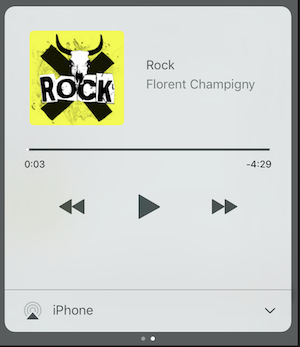
Notification can be displayed on Android & iOS, and bluetooth actions are handled
AssetsAudioPlayer.setupNotificationsOpenAction((notification) {
//custom actionreturntrue; //true : handled, does not notify others listeners//false : enable others listeners to handle it
});
Then if you want a custom action on widget
AssetsAudioPlayer.addNotificationOpenAction((notification) {
//custom actionreturnfalse; //true : handled, does not notify others listeners//false : enable others listeners to handle it
});
Custom actions
You can enable/disable a notification action
open(AUDIO,
showNotification: true,
notificationSettings: NotificationSettings(
prevEnabled: false, //disable the previous button//and have a custom next action (will disable the default action)
customNextAction: (player) {
print("next");
}
)
)
Update audio's metas / notification content
After your audio creation, just call
audio.updateMetas(
       player: _assetsAudioPlayer, //add the player if the audio is actually played
       title: "My new title",
       artist: "My new artist",
       //if I not provide a new album, it keep the old one
       image: MetasImage.network(
         //my new image url
       ),
);
You can create new AssetsAudioPlayer using AssetsAudioPlayer.newPlayer(),
which will play songs in a different native Media Player
This will enable to play two songs simultaneously
You can have as many player as you want !
///play 3 songs in parallelAssetsAudioPlayer.newPlayer().open(
Audio("assets/audios/song1.mp3")
);
AssetsAudioPlayer.newPlayer().open(
Audio("assets/audios/song2.mp3")
);
//another way, with create, open, play & dispose the player on finishAssetsAudioPlayer.playAndForget(
Audio("assets/audios/song3.mp3")
);
Each player has an unique generated id, you can retrieve or create them manually using
final player = AssetsAudioPlayer.withId(id: "MY_UNIQUE_ID");
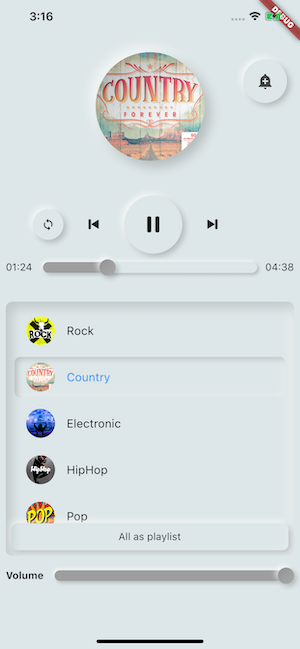
🗄️ Playlist
assetsAudioPlayer.open(
  Playlist(
    audios: [
      Audio("assets/audios/song1.mp3"),
      Audio("assets/audios/song2.mp3")
    ]
  ),
  loopMode: LoopMode.playlist //loop the full playlist
);

assetsAudioPlayer.next();
assetsAudioPlayer.prev();
assetsAudioPlayer.playlistPlayAtIndex(1);
Audio Widget
If you want a more flutter way to play audio, try the AudioWidget !
Just remove the Audio from the tree !
Or simply keep play: false
🎧 Listeners
All listeners exposes Streams
Using RxDart, AssetsAudioPlayer exposes some listeners as ValueObservable (Observable that provides synchronous access to the last emitted item);
🎵 Current song
//The current playing audio, filled with the total song duration
assetsAudioPlayer.current //ValueObservable<PlayingAudio>//Retrieve directly the current played assetfinalPlayingAudio playing = assetsAudioPlayer.current.value;
//Listen to the current playing song
assetsAudioPlayer.current.listen((playingAudio){
final asset = playingAudio.assetAudio;
final songDuration = playingAudio.duration;
})
⌛ Current song duration
//Listen to the current playing songfinal duration = assetsAudioPlayer.current.value.duration;
⏳ Current position (in seconds)
assetsAudioPlayer.currentPosition //ValueObservable<Duration>//retrieve directly the current song positionfinalDuration position = assetsAudioPlayer.currentPosition.value;
returnStreamBuilder(
stream: assetsAudioPlayer.currentPosition,
builder: (context, asyncSnapshot) {
finalDuration duration = asyncSnapshot.data;
returnText(duration.toString());
}),
finalLoopMode loopMode = assetsAudioPlayer.loop;
// possible values// LoopMode.none : not looping// LoopMode.single : looping a single audio// LoopMode.playlist : looping the fyll playlist
assetsAudioPlayer.setLoopMode(LoopMode.single);
assetsAudioPlayer.loopMode.listen((loopMode){
//listen to loop
})
assetsAudioPlayer.toggleLoop(); //toggle the value of looping
🏃 Play Speed
assetsAudioPlayer.setPlaySpeed(1.5);
assetsAudioPlayer.playSpeed.listen((playSpeed){
//listen to playSpeed
})
//change play speed for a particular AudioAudio audio = Audio.network(
url,
playSpeed: 1.5
);
assetsAudioPlayer.open(audio);
🎙️ Pitch
assetsAudioPlayer.setPitch(1.2);
assetsAudioPlayer.pitch.listen((pitch){
//listen to pitch
})
//change pitch for a particular AudioAudio audio = Audio.network(
url,
pitch: 1.2
);
assetsAudioPlayer.open(audio);
Android only allow HTTPS calls, you will have an error if you're using HTTP,
don't forget to add INTERNET permission and seet usesCleartextTraffic="true" in your AndroidManifest.xml
iOS only allow HTTPS calls, you will have an error if you're using HTTP,
don't forget to edit your info.plist and set NSAppTransportSecurity to NSAllowsArbitraryLoads