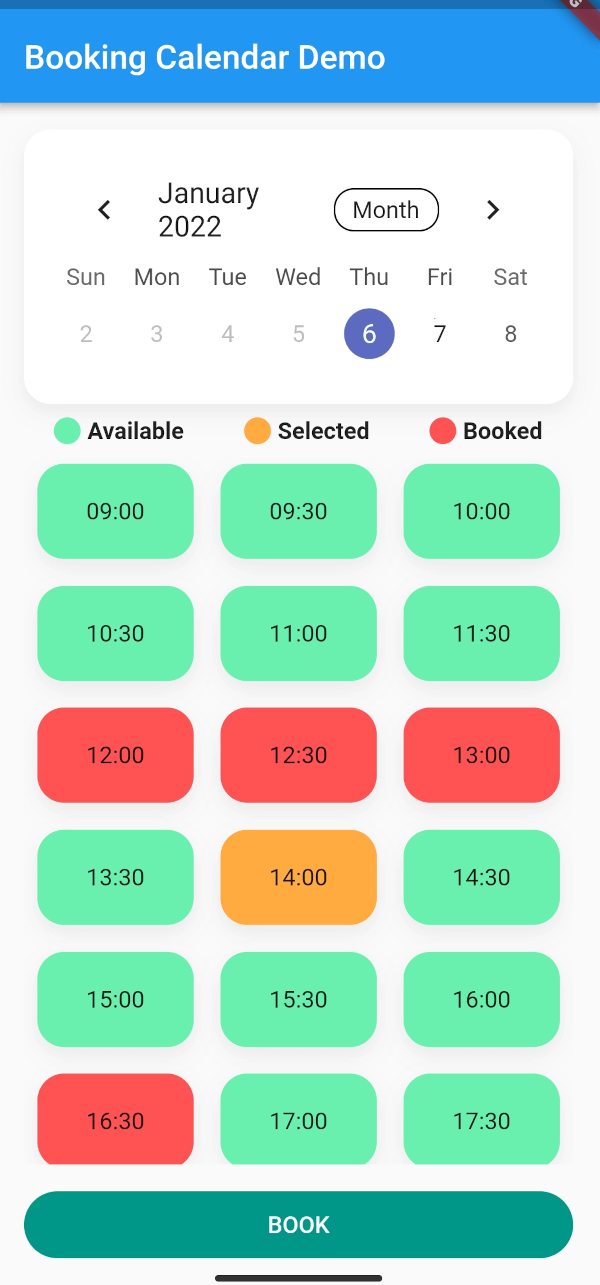
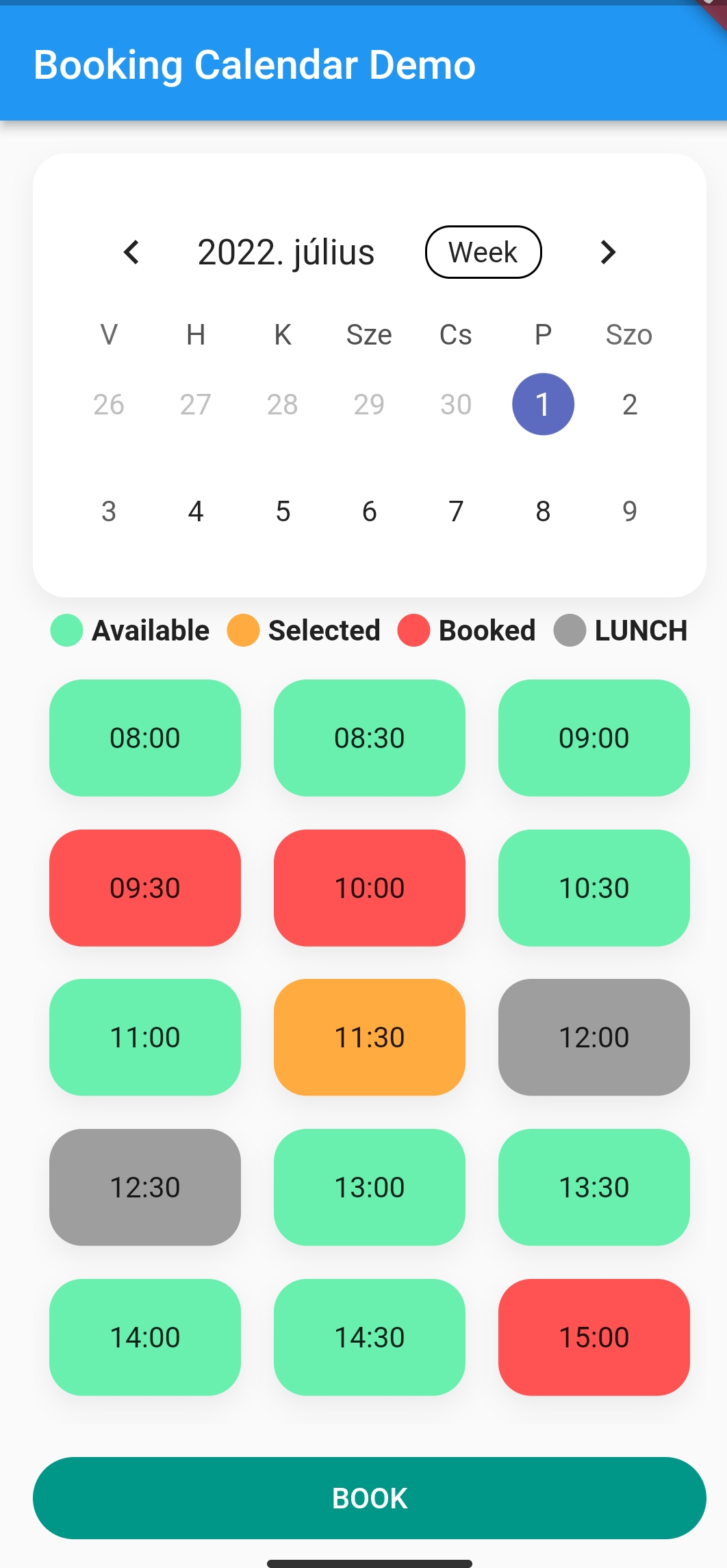
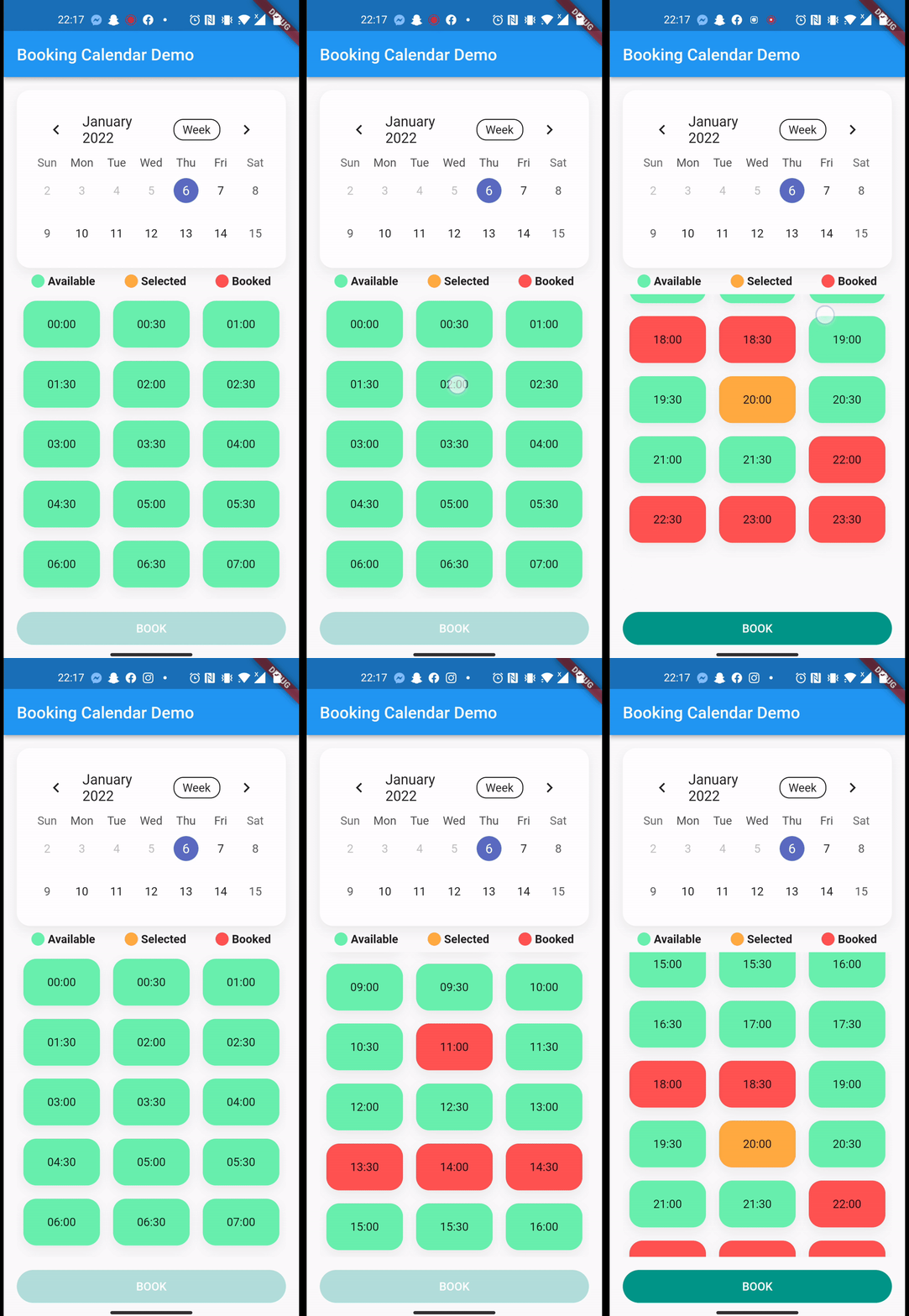
अपने एप्लिकेशन के माध्यम से ऑनलाइन बुकिंग के लिए Flutter पैकेज। फायरस्टोर धाराओं के साथ वास्तविक समय की बुकिंग डेटा प्राप्त करने के लिए धाराओं के साथ उपयोग करें
सार्वजनिक जानकारी से बना चयन मार्गदर्शन। केवल संदर्भ हेतु।
एक फ्लटर पैकेज जो ऐप के भीतर ऑनलाइन बुकिंग कार्यक्षमता को सक्षम करता है, जो धाराओं के माध्यम से फायरस्टोर जैसे वास्तविक समय के डेटा स्रोतों के साथ निरंतर एकीकरण के लिए डिज़ाइन किया गया है। यह बुकिंग घटनाओं को गतिशील रूप से प्रबंधित करने, उपलब्धता को दिखाने और बुकिंग प्रबंधन के लिए एक कस्टमाइज़ेबल कैलेंडर इंटरफ़ेस प्रदान करता है। जैसे अपॉइंटमेंट सिस्टम, ईवेंट प्लानर या सेवा बुकिंग प्लेटफॉर्म जैसे ऐप्स के लिए आदर्श है। यह पैकेज कई प्लेटफॉर्म का समर्थन करता है, जिससे उपकरणों के बीच एक समान उपयोगकर्ता अनुभव सुनिश्चित होता है।
उपयोग
ऑनलाइन अपॉइंटमेंट स्लॉटिंग
घटना बुकिंग प्रणाली
सेवा बुकिंग इंटरफेस
रियल-टाइम उपलब्धता ट्रैकिंग
लाइव अपडेट के लिए Firestore के साथ एकीकरण
मुख्य विशेषताएँ
स्ट्रीम-आधारित रियल-टाइम डेटा समर्थन
क्रॉस-प्लेटफॉर्म संगतता
कस्टमाइज़ किया गया कैलेंडर UI
डायनामिक बुकिंग इवेंट हैंडलिंग
Firebase Firestore के साथ आसान एकीकरण
इनके लिए उपयुक्त
अपॉइंटमेंट ऐप्स बनाने वाले डेवलपर्स
बैकएंड डेटा के लिए Firestore का उपयोग करने वाली टीमें
लाइव बुकिंग अपडेट की आवश्यकता वाले एप्लिकेशन
बहुपлатफॉर्म योजना उपकरण
उपयोगकर्ता इंटरफेस पर आधारित बुकिंग इंटरफेस
विचार योग्य बातें
धाराओं और एसिंक प्रोग्रामिंग के बारे में ज्ञान की आवश्यकता है
बाह्य डेटा स्रोत पर निर्भर करता है (जैसे फायरस्टोर)
ब्रांड अनुकूलन के लिए कस्टम स्टाइलिंग की आवश्यकता हो सकती है
प्रदर्शन धारा डेटा के आयतन पर निर्भर करता है
बुनियादी इनपुट जाँच के अलावा सीमित आंतरिक प्रामाणिकता
मूल README
संबंधित सोर्स रिपॉज़िटरी के मूल README का स्नैपशॉट। नवीनतम सामग्री के लिए रिपॉज़िटरी देखें।
Booking Calendar
Want to make online bookings in your app? Then luckily you need look no further!
With a total of 4 lines, you get a working online booking system where users can track bookings in real-time.
It calculates the cases where there would be a conflict in the calendar and displays them in different colors.
You can customise your booking calendar with a number of additional parameters.
After you successfully integrated Firebase to your app. How to setup Firebase with Flutter
In this example, we will book sporting slots, using Firebase Firestore.
Here is the model we store in the Firebase:
import'package:cloud_firestore/cloud_firestore.dart';
import'package:json_annotation/json_annotation.dart';
import'package:sport.bp/util/app_util.dart';
part'sport_booking.g.dart';
@JsonSerializable(explicitToJson: true)
classSportBooking{
/// The generated code assumes these values exist in JSON.finalString? userId;
finalString? userName;
finalString? placeId;
finalString? serviceName;
finalint? serviceDuration;
finalint? servicePrice;
//Because we are storing timestamp in Firestore, we need a converter for DateTime/* static DateTime timeStampToDateTime(Timestamp timestamp) {
return DateTime.parse(timestamp.toDate().toString());
}
static Timestamp dateTimeToTimeStamp(DateTime? dateTime) {
return Timestamp.fromDate(dateTime ?? DateTime.now()); //To TimeStamp
}*/@JsonKey(fromJson: AppUtil.timeStampToDateTime, toJson: AppUtil.dateTimeToTimeStamp)
finalDateTime? bookingStart;
@JsonKey(fromJson: AppUtil.timeStampToDateTime, toJson: AppUtil.dateTimeToTimeStamp)
finalDateTime? bookingEnd;
finalString? email;
finalString? phoneNumber;
finalString? placeAddress;
SportBooking(
{this.email,
this.phoneNumber,
this.placeAddress,
this.bookingStart,
this.bookingEnd,
this.placeId,
this.userId,
this.userName,
this.serviceName,
this.serviceDuration,
this.servicePrice});
/// Connect the generated [_$SportBookingFromJson] function to the `fromJson`/// factory.factorySportBooking.fromJson(Map<String, dynamic> json) => _$SportBookingFromJson(json);
/// Connect the generated [_$SportBookingToJson] function to the `toJson` method.Map<String, dynamic> toJson() => _$SportBookingToJson(this);
}
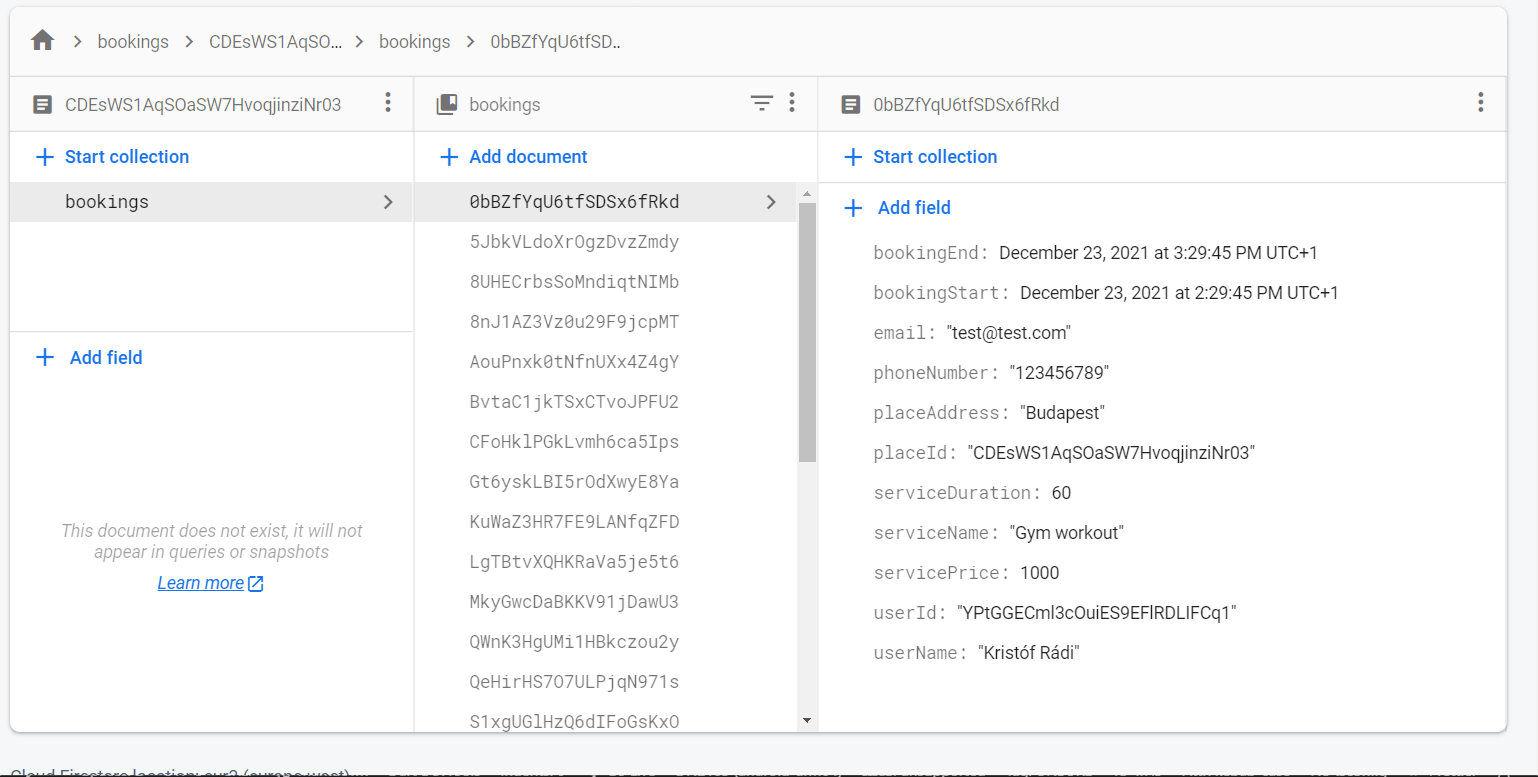
This is how the structure of the data looks like in the Firestore document:
So after the Firebase init, we can access the Firestore collection.
CollectionReference bookings = FirebaseFirestore.instance.collection('bookings');
///This is how can you get the reference to your data from the collection, and serialize the data with the help of the Firestore [withConverter]. This function would be in your repository.CollectionReference<SportBooking> getBookingStream({requiredString placeId}) {
return bookings.doc(placeId).collection('bookings').withConverter<SportBooking>(
fromFirestore: (snapshots, _) => SportBooking.fromJson(snapshots.data()!),
toFirestore: (snapshots, _) => snapshots.toJson(),
);
}
///How you actually get the stream of data from Firestore with the help of the previous function///note that this query filters are for my data structure, you need to adjust it to your solution.Stream<dynamic>? getBookingStreamFirebase(
{requiredDateTime end, requiredDateTime start}) {
returnApiRepository.
.getBookingStream(placeId: 'YOUR_DOC_ID')
.where('bookingStart', isGreaterThanOrEqualTo: start)
.where('bookingStart', isLessThanOrEqualTo: end)
.snapshots(),
}
///After you fetched the data from firestore, we only need to have a list of datetimes from the bookings:List<DateTimeRange> convertStreamResultFirebase(
{requireddynamic streamResult}) {
///here you can parse the streamresult and convert to [List<DateTimeRange>]///Note that this is dynamic, so you need to know what properties are available on your result, in our case the [SportBooking] has bookingStart and bookingEnd propertyList<DateTimeRange> converted = []
for (var i = 0; i < streamResult.size; i++) {
final item = streamResult.docs[i].data();
converted.add(DateTimeRange(start: (item.bookingStart!), end: (item.bookingEnd!)));
}
return converted;
}
///This is how you upload data to FirestoreFuture<dynamic> uploadBookingFirebase(
{requiredBookingService newBooking}) async {
await bookings
.doc('your id, or autogenerate')
.collection('bookings')
.add(newBooking.toJson())
.then((value) => print("Booking Added"))
.catchError((error) => print("Failed to add booking: $error"));
}
}
/**AFTER YOU HAVE EVERY HELPER FUNCTION YOU CAN PASS THESE TO YOUR BOOKINGCALENDAR */BookingCalendar(
bookingService: mockBookingService,
convertStreamResultToDateTimeRanges: convertStreamResultFirebase,
getBookingStream: getBookingStreamFirebase,
uploadBooking: uploadBookingFirebase,
uploadingWidget: constCircularProgressIndicator(),
//... other customisation properties
),
Additional information
Feel free to add issues, open PR-s and leave comments on the github repository.