पैकेज, रिपॉज़िटरी और ऐप श्रेणियाँ खोजें

bottom_bar_page_transition कवर
पैकेज विवरणv3.0.0

bottom_bar_page_transition

नीचे के बार नेविगेशन का उपयोग करते समय पृष्ठों के बीच एनीमेशन दिखाएं।

AndroidiOSWebmacOSWindowsLinux
30-दिन डाउनलोड
122
लाइक
75
Pub अंक
150

पैकेज इंस्टॉल करें

flutter pub add bottom_bar_page_transition

पैकेज अवलोकन

सार्वजनिक जानकारी से बना चयन मार्गदर्शन। केवल संदर्भ हेतु।

bottom_bar_page_transition पैकेज फ्लटर एप्लिकेशन में बॉटम नेविगेशन बार का उपयोग करने वाले ऐप्स में पेज के बीच स्मूथ, एनिमेटेड ट्रांज़िशन को संभव बनाता है। यह टैब के बीच नेविगेशन के दौरान विजुअल कन्टिन्यूइटी प्रदान करके उपयोगकर्ता अनुभव को बढ़ाता है, जिससे प्रत्येक पेज बदलाव चिकना और जानबूझकर लगता है। यह विशेष रूप से बॉटम नेविगेशन पैटर्न के लिए डिज़ाइन किया गया है और मानक BottomNavigationBar विजेट्स के साथ बिना किसी दिक्कत के एकीकृत होता है। यह एंड्रॉइड, आईओएस, वेब, मैकओएस, विंडोज़ और लिनक्स जैसे कई प्लेटफॉर्म का समर्थन करता है, जिससे यह क्रॉस-प्लेटफॉर्म ऐप्स के लिए लचीला बन जाता है। इससे जटिल हाथ से राज्य प्रबंधन की आवश्यकता के बिना कस्टम एनिमेशन के कार्यान्वयन को सरल बनाया जाता है।

उपयोग

  • मोबाइल ऐप में एनीमेटेड टैब स्विचिंग
  • नीचे के नेविगेशन आधारित इंटरफेस में यूएक्स को बढ़ावा देना
  • संक्रमण के साथ प्लेटफॉर्म-आधारित नेविगेशन
  • चिकनी ऐप ओनबोर्डिंग फ्लो का निर्माण करें
  • नेविगेशन के दौरान दृश्य प्रतिक्रिया जोड़ना
  • डायनामिक कंटेंट बदलाव का समर्थन करना

मुख्य विशेषताएँ

  • स्मूथ पेज ट्रांजिशन एनीमेशन
  • BottomNavigationBar के लिए बिल्ट-इन समर्थन
  • प्लेटफॉर्म के अनुकूलता
  • आवश्यक सेटअप न्यूनतम
  • कस्टमाइज़ेबल एनीमेशन प्रकार
  • मानक नेविगेशन पैटर्न के साथ काम करता है

इनके लिए उपयुक्त

  • नीचे के नैव का उपयोग करने वाले मोबाइल ऐप डेवलपर्स
  • डिज़ाइन-केंद्रित UI कार्यान्वयन
  • सरल नेविगेशन की आवश्यकता वाले ऐप्स
  • त्वरित एनीमेशन एकीकरण के लिए विकासकर्ता
  • क्रॉस-प्लेटफॉर्म Flutter प्रोजेक्ट्स
  • उपयोगकर्ता अनुभव पर ध्यान केंद्रित टीमें

विचार योग्य बातें

  • जटिल लेआउट के लिए अतिरिक्त स्टाइलिंग की आवश्यकता हो सकती है
  • निम्न नेविगेशन संदर्भ तक सीमित
  • एनिमेशन प्रदर्शन डिवाइस पर निर्भर करता है
  • गैर-बॉटम-नेविगेशन नेविगेशन के लिए अनुपयुक्त
  • राज्य अटूटता के सावधानीपूर्वक निपटारा की आवश्यकता होती है
  • स्थिर पृष्ठ संरचना के साथ सबसे अच्छा उपयोग किया जाता है
मूल README

संबंधित सोर्स रिपॉज़िटरी के मूल README का स्नैपशॉट। नवीनतम सामग्री के लिए रिपॉज़िटरी देखें।

bottom_bar_page_transition

Flutter package to display transition for switching pages beween bottom bar page navigation.

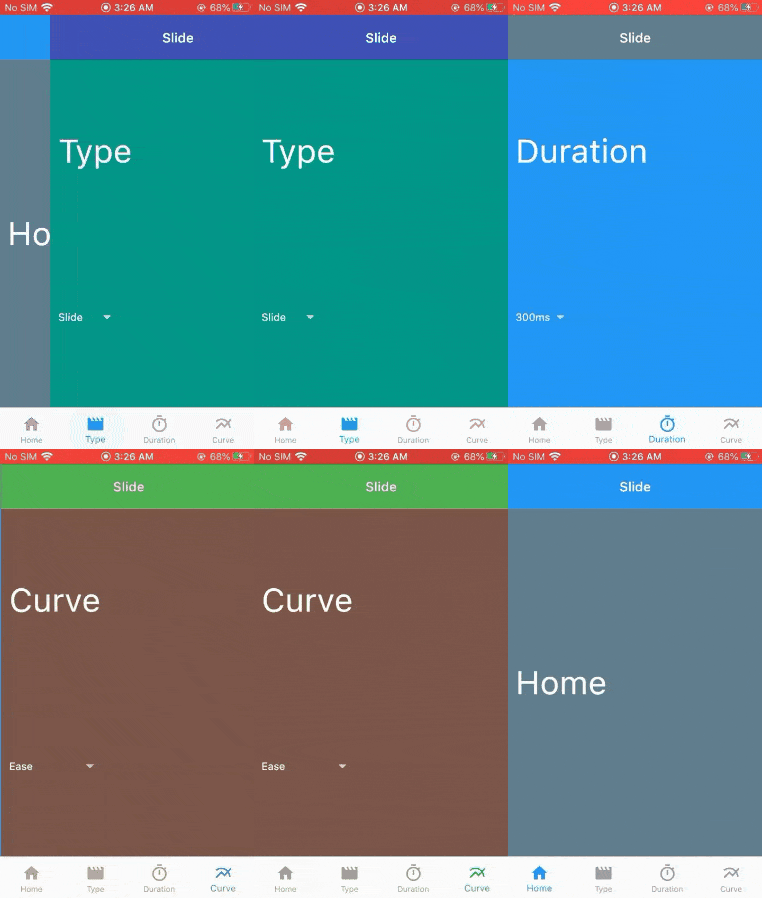
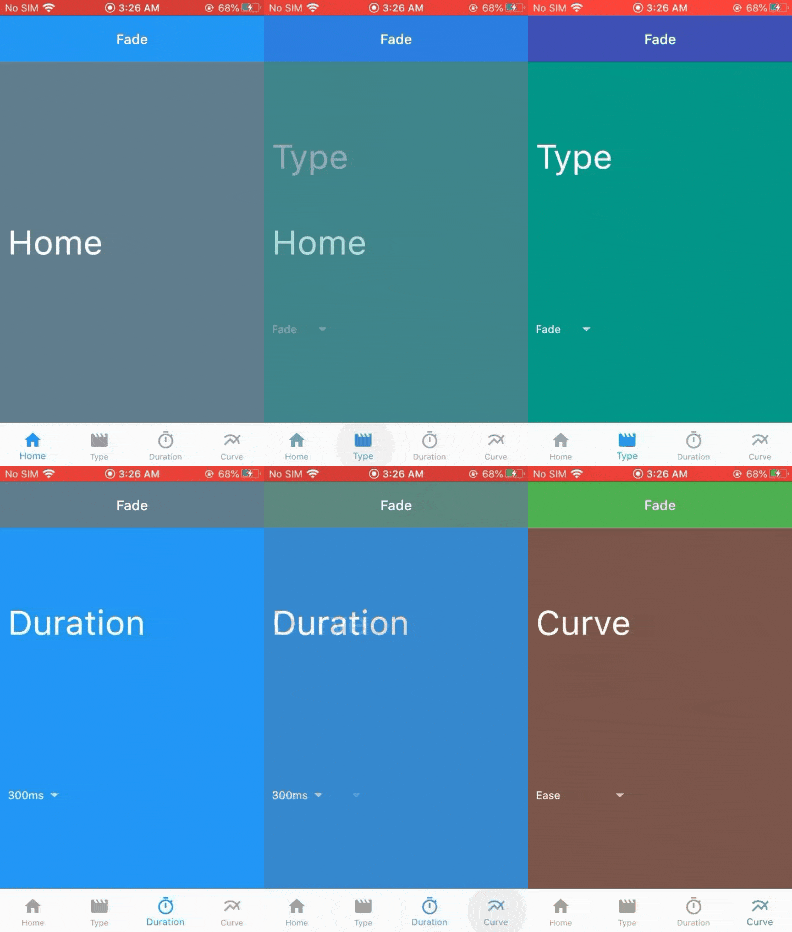
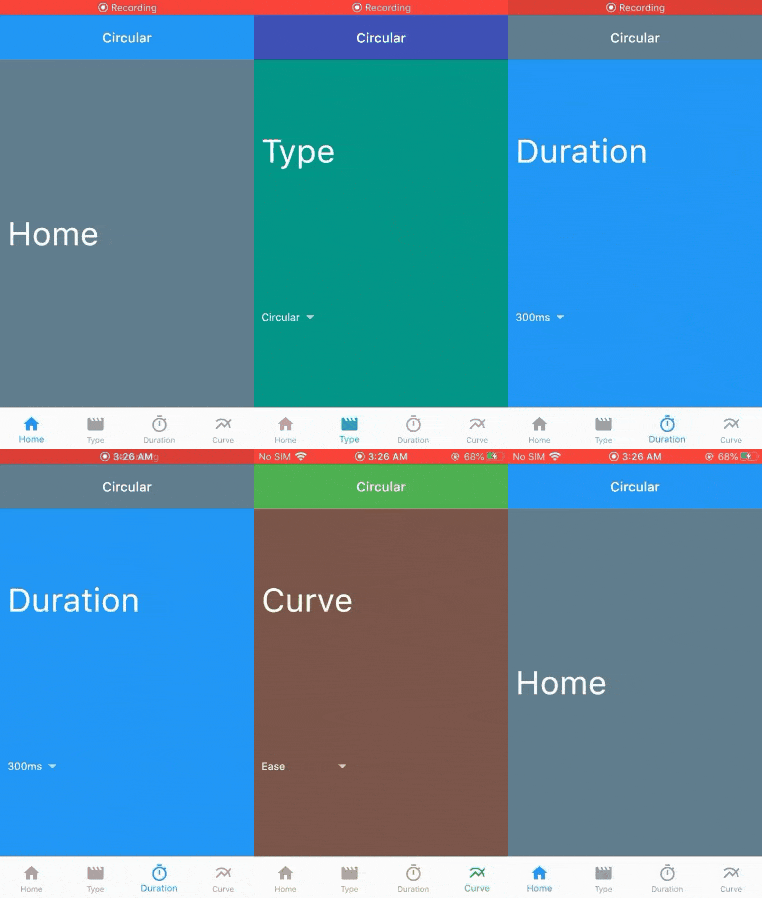
Previews

Circular Slide Fade

Features

  • Can be used to show animation while swiching pages in bottom navigation bar
  • Add global key to widget to avoid reinitate widget

Getting Started

Installing

To use this package, add bottom_bar_page_transition as a dependency in your pubspec.yaml file.

In your dart file import the library by

import 'package:bottom_bar_page_transition/bottom_bar_page_transition.dart';

In build method

return Scaffold(
      body: BottomBarPageTransition(
        builder: (_, index) => _getBody(index),
        currentIndex: _currentPage,
        totalLength: totalPage,
        transitionType: transitionType,
        transitionDuration: duration,
        transitionCurve: curve,
      ),
      bottomNavigationBar: _getBottomBar(),
    );

create `_getBody(int index) method to return body of the widget

Widget _getBody(int index) {
    return CustomScrollView(
      //key:_keys[index] //add keys to avoid initiate child widget after animation ends
      slivers: <Widget>[
        SliverAppBar(
          title: Text('Page $index'),
        ),
        SliverFillRemaining(
          child: Center(child: Text('Page $index')),
        )
      ],
    );
  }

create _getBottomBar() to create bottom bar

Widget _getBottomBar() {
    return BottomNavigationBar(
        currentIndex: _currentPage, 
        onTap: (index) {
          _currentPage = index;
          setState(() {});
        },
        selectedItemColor: Colors.blue,
        unselectedItemColor: Colors.grey,
        type: BottomNavigationBarType.fixed,
        items: List.generate(
            totalPage,
            (index) => BottomNavigationBarItem(
                  icon: Icon(icons[index]),
                  title: Text(names[index]),
                )));
  }

Parameter Description

builder - function to return content of widget
currentIndex - current displaying page
totalLength - total number of pages
transitionType - tractionType can be circle/slide/fade
transitionDuration - Duration of animation
transitionCurve - Curve is animation curve and they are used to adjust the rate of change of an animation over time

श्रेणियाँ

सोर्स रिपॉज़िटरी

इस पैकेज का उपयोग करने वाले प्रोजेक्ट

अभी कोई डेटा उपलब्ध नहीं है।