यह एक प्लगइन है जो आपके एप्लिकेशन के क्लाइंट से मूलभूत जानकारी प्राप्त करने की अनुमति देता है। इसका उपयोग करना आसान है और विभिन्न प्लेटफॉर्म (एंड्रॉइड, आईओएस, और वेब) का समर्थन करता है।
सार्वजनिक जानकारी से बना चयन मार्गदर्शन। केवल संदर्भ हेतु।
client_information पैकेज फ्लटर एप्लिकेशन में मूल ग्राहक डिवाइस जानकारी के लिए आसान पहुंच प्रदान करता है। यह Android, iOS और वेब प्लेटफॉर्म को समर्थन करता है, जिससे डेवलपर्स को मॉडल, ओएस संस्करण और प्लेटफॉर्म प्रकार जैसी महत्वपूर्ण डिवाइस विवरण प्राप्त करने में सक्षम होते हैं। सरलता के लिए डिज़ाइन किया गया, यह एक सरल API के साथ मौजूदा प्रोजेक्ट्स में बिना किसी दिक्कत के एकीकृत होता है। विश्लेषण, डिबगिंग या व्यक्तिगत विशेषताओं के लिए आदर्श, यह विभिन्न वातावरणों में स्थिर व्यवहार सुनिश्चित करता है।
उपयोग
डिवाइस विश्लेषण
उपयोगकर्ता प्रोफाइलिंग
डिबगिंग और समस्या निवारण
व्यक्तिगत उपयोगकर्ता अनुभव
क्रॉस-प्लेटफॉर्म ऐप विकास
मुख्य विशेषताएँ
क्रॉस-प्लेटफ़ॉर्म समर्थन (Android, iOS, Web)
सरल और स्पष्ट एपीआई
उपकरण मॉडल और ओएस सूचना को पुनः प्राप्त करें
हल्का और तेज़
प्लेटफॉर्म के बीच सुसंगत डेटा
इनके लिए उपयुक्त
क्रॉस-प्लेटफॉर्म ऐप्स बनाने वाले डेवलपर्स
उपकरण-स्तरीय दृष्टि की आवश्यकता वाली टीमें
उपयोगकर्ता उपकरण प्रांत की आवश्यकता वाले ऐप
विश्लेषण और मॉनिटरिंग टूल
वेब और मोबाइल हाइब्रिड एप्लिकेशन
विचार योग्य बातें
Android और iOS पर उपयुक्त अनुमतियाँ आवश्यक हैं
मूलभूत उपकरण की जानकारी तक सीमित
डेटा एकत्र करते समय गोपनीयता संगति आवश्यक है
कोई रियल-टाइम अपडेट नहीं
प्लेटफॉर्म-विशिष्ट कार्यान्वयन पर निर्भर
मूल README
संबंधित सोर्स रिपॉज़िटरी के मूल README का स्नैपशॉट। नवीनतम सामग्री के लिए रिपॉज़िटरी देखें।
Client Information
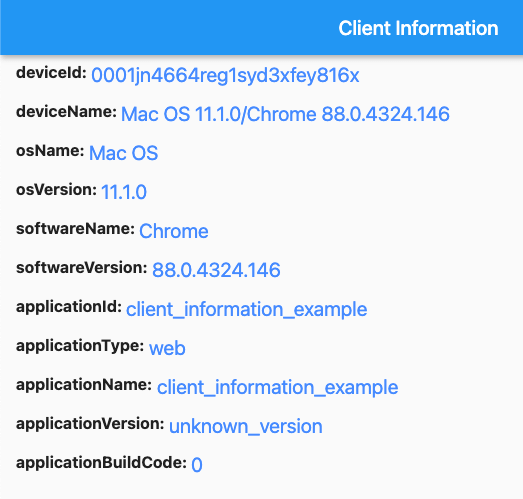
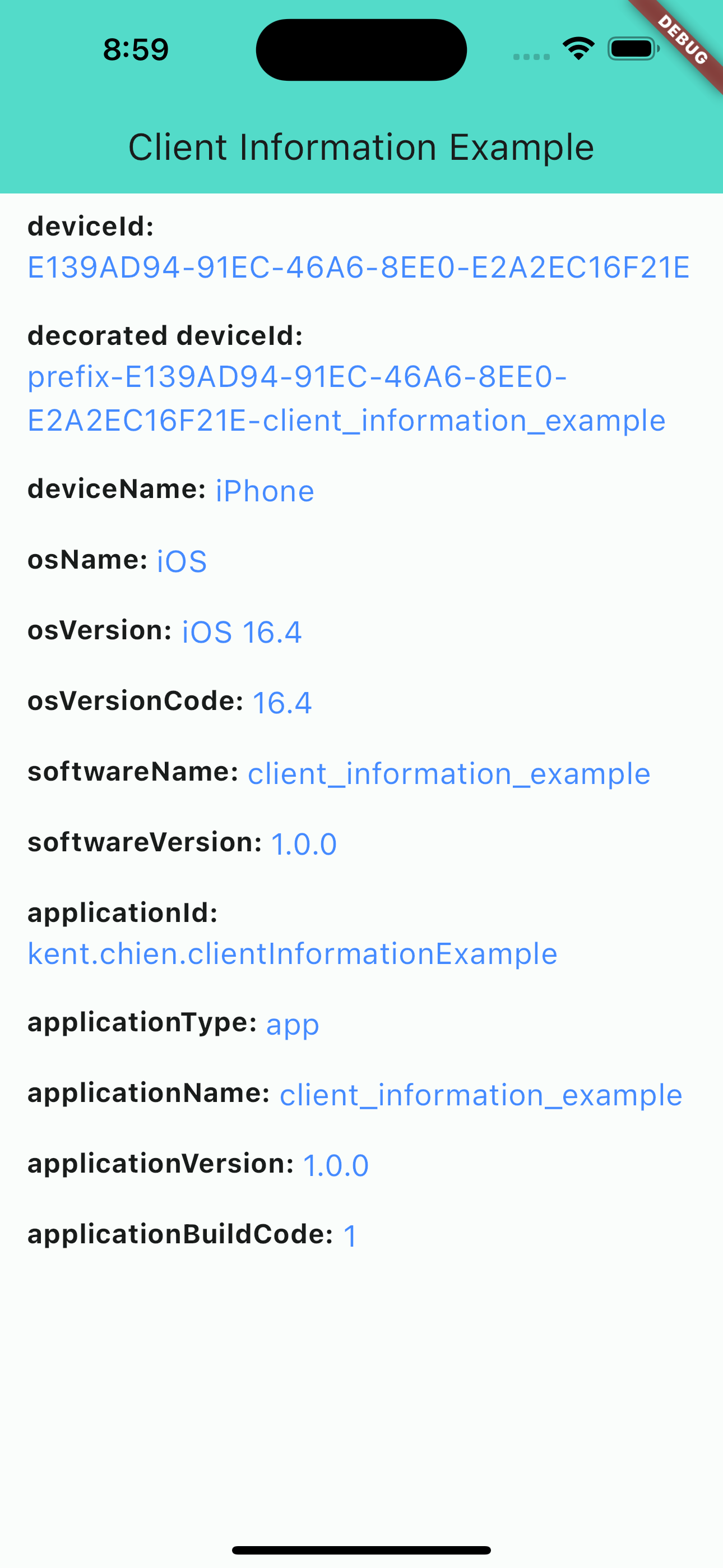
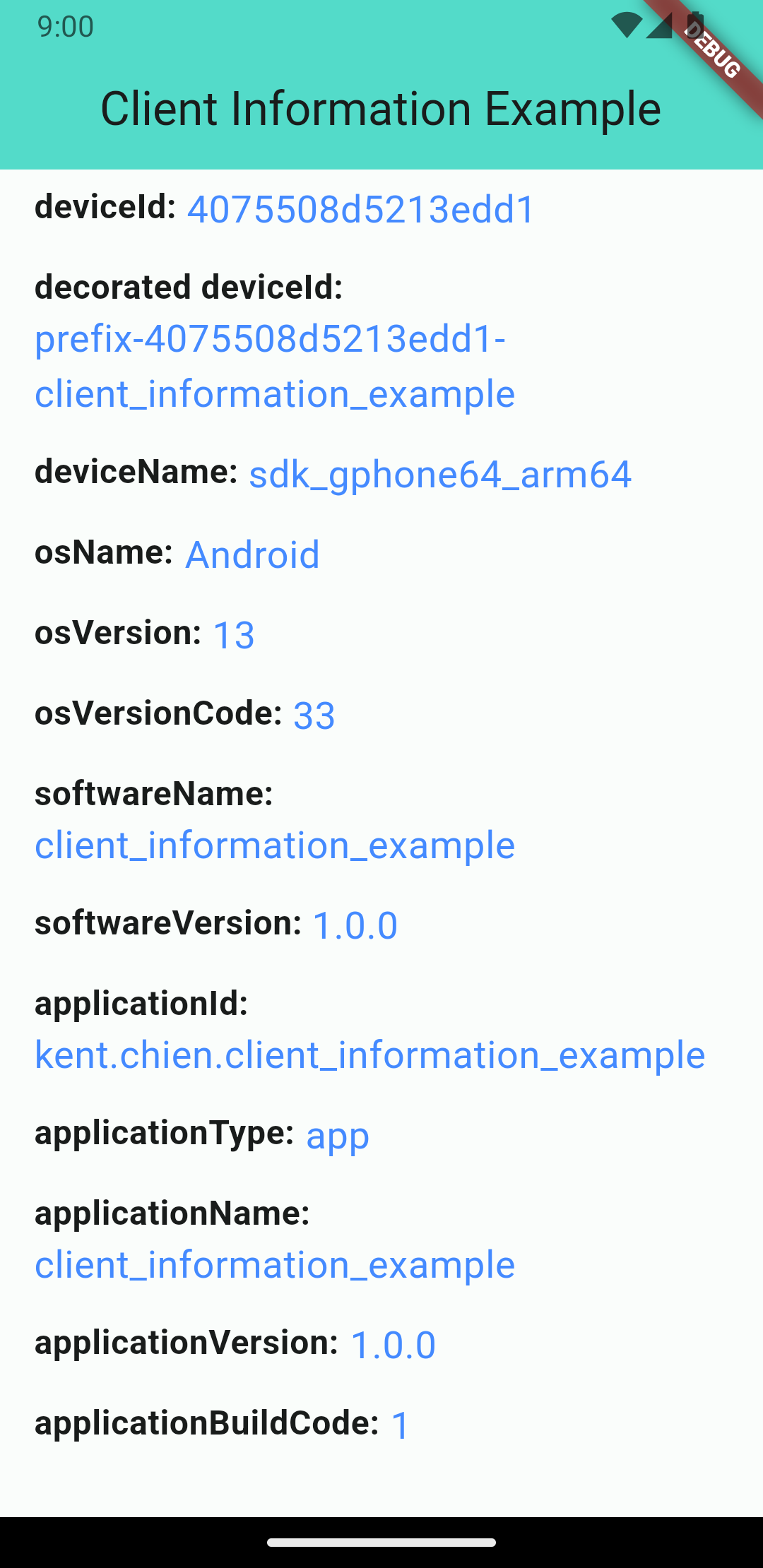
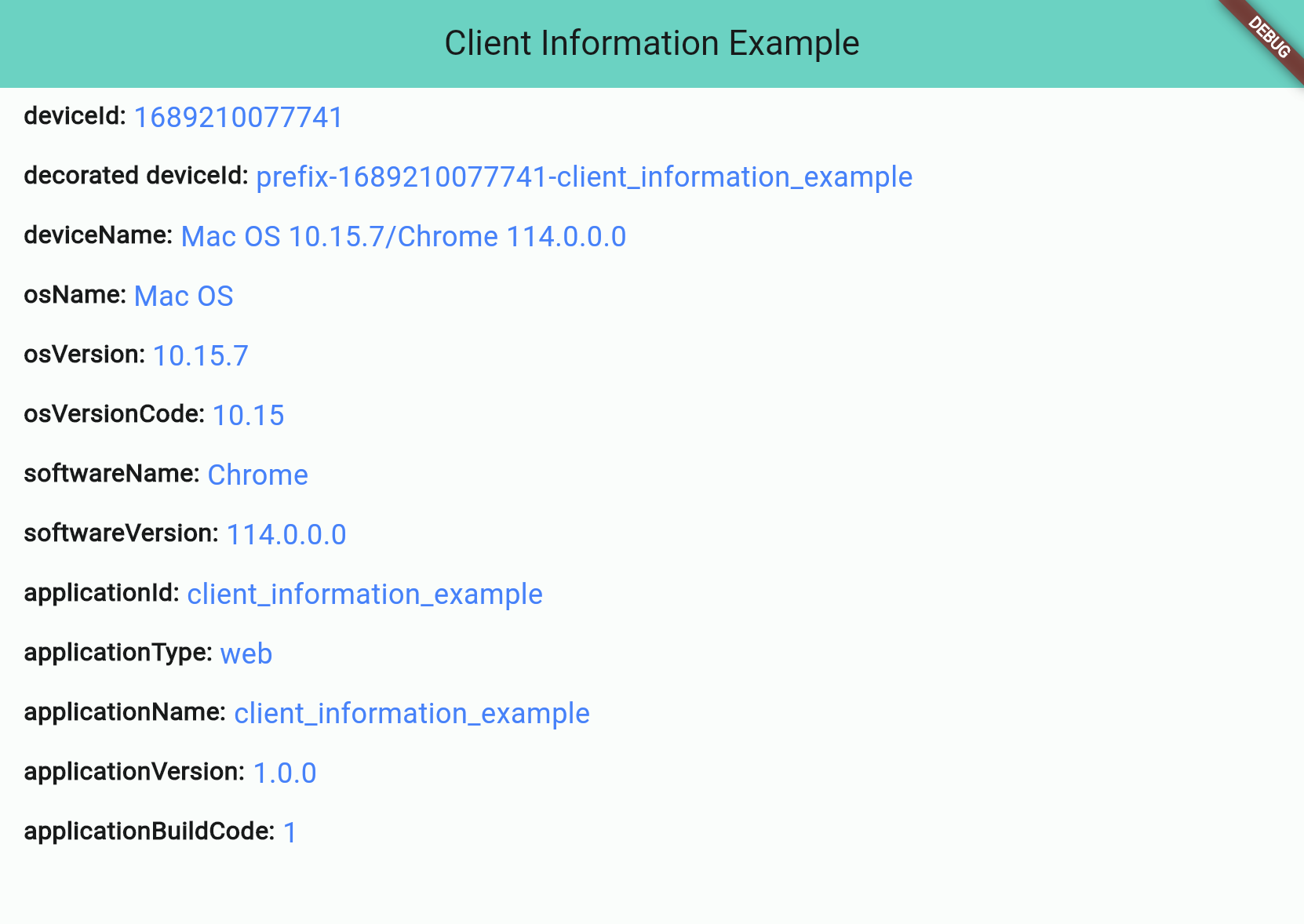
This is a plugin that lets you get basic information from your application's client. It's easy to use and supports different platforms (Android, iOS, and Web). There are four different information types: "application information", "software information", "operating system information", and "device information".
iOS screenshot
Android screenshot
Web screenshot
Information Types
There are 4 different types:
Application Information
Software Information
Operating System Information
Device Information
Application Information
Application information is all about the application you build. And notice that applicationId is not supported for web applications.
Attribute
iOS
Android
Web
applicationId String
⭕ bundleIdentifier
⭕ package name
❌ default: application name
applicationType String (app/web)
⭕
⭕
⭕
applicationName String
⭕
⭕
⭕
applicationVersion String
⭕
⭕
⭕
applicationBuildCode String
⭕
⭕
⭕
Software Information
"Software" stands for the "software" that runs your application, such as "Operating System" for iOS/Android projects or "Browser" for web projects.
Attribute
iOS
Android
Web
softwareName String
⭕ OS name
⭕ OS name
⭕ Browser name
softwareVersion String
⭕ OS version
⭕ OS version
⭕ Browser version
Operating System Information
OS information will show you the OS's name and version. Notice: Web projects may not get this information if the browser's user-agent doesn't contain any information about the operating system.
Attribute
iOS
Android
Web
osName String
⭕ OS name
⭕ OS name
⚠️ OS name (*unknown possible)
osVersion String
⭕ OS version
⭕ OS version
⚠️ OS Version (*unknown possible)
osVersionCode String
⭕ iOS version(number)
⭕ Android API level
⚠️ OS Version(number) (*unknown: -1)
Device Information
The device information will display device's ID and name. Note that web projects don't support real deviceId, so they will use the package uuid to generate a unique string and save to the browser's cookie.
// Get client informationClientInformation info = awaitClientInformation.fetch();
print(info.deviceId); // EA625164-4XXX-XXXX-XXXXXXXXXXXXprint(info.osName); // iOS
Decoration
Starting from version 2.1.0, you can customize some information by passing the decorators. Like below:
var information = awaitClientInformation.fetch(
// you can pass decorators to decoration the value before it return.
decorators: ClientInformationDecorators(
deviceId: (oriInfo, value) =>
'prefix-$value-${oriInfo.applicationName}',
),
);
Or, you can use extension method like this:
var information = awaitClientInformation.fetch();
print('Original DeviceId: ${information.deviceId}');
// Original DeviceId: EA625164-4XXX-XXXX-XXXXXXXXXXXXvar decoratedInfo = information.decoration(deviceId: (oriInfo, value) => '$value-some-suffix-string-here');
print('Decorated DeviceId: ${decoratedInfo.deviceId}');
// Decorated DeviceId: EA625164-4XXX-XXXX-XXXXXXXXXXXX-some-suffix-string-here
Mock Data for Test
Starting from version 1.0.2, you can mock data or enable "mockMode" to facilitate testing. Here is how to set it up:
In your test file:
setUp(() async {
// Change to "MockMode" and set the default data you need.ClientInformation.mockOn(
deviceId: 'mock_device_id', osName: 'MyCustomOS');
});
tearDown(() {
// Close the "MockMode" in tearDown methodClientInformation.mockOff();
});
// Run your testtest('`deviceId` will be "mock_device_id"', () async {
ClientInformation info = awaitClientInformation.fetch();
expect(info.deviceId, 'mock_device_id');
});