सार्वजनिक जानकारी से बना चयन मार्गदर्शन। केवल संदर्भ हेतु।
कूलस्टेपर एक कस्टमाइज़ेबल फ्लटर विजेट है जो फॉर्म विजार्ड या ओनबोर्डिंग फ्लो जैसी अनुक्रमिक प्रक्रियाओं में उपयोगकर्ताओं को मार्गदर्शन करने के लिए बनाया गया है। यह स्पष्ट, इंटरैक्टिव तरीके से चरणों का दृश्य प्रतिनिधित्व करता है, और चरणों के बीच स्मूथ ट्रांज़िशन का समर्थन करता है। सभी प्रमुख प्लेटफॉर्म—एंड्रॉइड, आईओएस, वेब, मैकओएस, विंडोज़ और लिनक्स—पर समर्थन के साथ, यह एक संगत उपयोगकर्ता अनुभव सुनिश्चित करता है। विजेट हल्का है और आसानी से एकीकृत किया जा सकता है, जिससे यह चरण-दर-चरण नेविगेशन की आवश्यकता वाले एप्लिकेशन के लिए आदर्श है।
उपयोग
ऑनबोर्डिंग ट्यूटोरियल
बहु-चरण फॉर्म
चेकआउट प्रक्रियाएं
गाइडेड सेटअप विजार्ड
उपयोगकर्ता पंजीकरण प्रवाह
मुख्य विशेषताएँ
कस्टमाइज़ किए गए चरण सूचक
स्मूथ ट्रांजिशन एनीमेशन
क्रॉस-प्लेटफॉर्म संगतता
मौजूदा UI के साथ आसान एकीकरण
क्षैतिज और लंबवत व्यवस्था का समर्थन करता है
कॉन्फ़िगरेबल सक्रिय/अनसक्रिय अवस्था
इनके लिए उपयुक्त
गाइडेड वर्कफ़्लो बनाने वाले विकासकर्ता
स्मार्ट नेविगेशन की आवश्यकता वाले ऐप्स
आधुनिक स्टेपर घटकों की तलाश कर रहे डिज़ाइनर
न्यूनतम बॉलरप्लेट कोड वाले प्रोजेक्ट्स
बहुप्लेटफॉर्म लक्षित करने वाली टीमें
विचार योग्य बातें
सीमित निर्मित वैधता तर्क
हाथ से राज्य प्रबंधन की आवश्यकता है
जटिल डिज़ाइन के लिए कस्टम स्टाइलिंग की आवश्यकता हो सकती है
बहुत बड़ी चरण गिनती के लिए अनअनुकूलित
उन्नत विशेषताओं के लिए बाहरी निर्भरताओं पर निर्भर करता है
मूल README
संबंधित सोर्स रिपॉज़िटरी के मूल README का स्नैपशॉट। नवीनतम सामग्री के लिए रिपॉज़िटरी देखें।
cool_stepper
CoolStepper is a widget that displays a step by step sequence of operations. it could be helpful for a form wizard or onboarding.
Usage
To use this package, add cool_stepper as a dependency in your pubspec.yaml file.
And add this import to your file.
import 'package:cool_stepper/cool_stepper.dart';
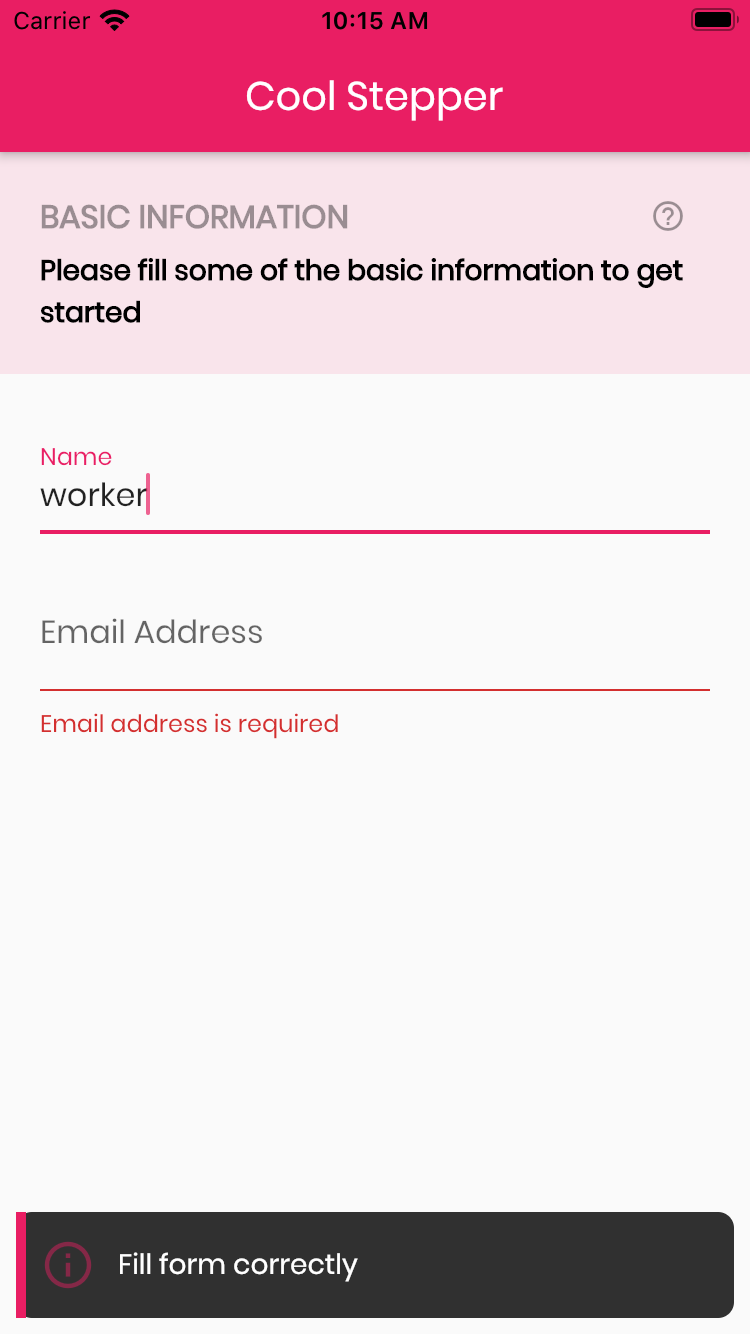
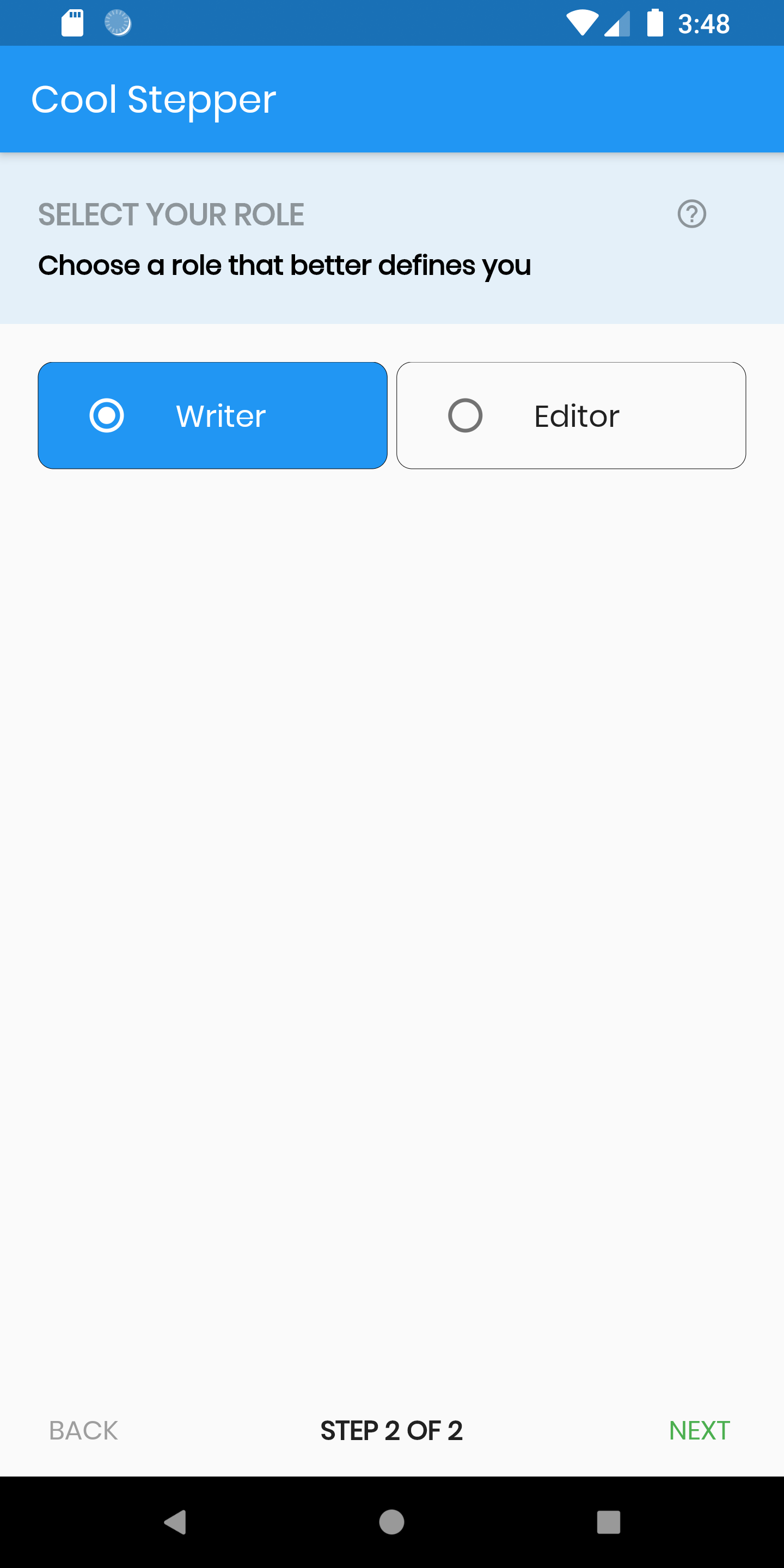
Screenshots
Example
CoolStepper(
   onCompleted: () {},
   steps: List<CoolStep>[
       CoolStep(
        title: "Basic Information",
        subtitle: "Please fill some of the basic information to get started",
        content: Container()
       ),
   ],
);
For each step, return a null, if you want the validation to pass or a String message which would be displayed if you set the showErrorSnackbar attribute to true.
validation: () {
if (!_formKey.currentState!.validate()) {
return'Fill form correctly';
}
returnnull;
},
CoolStepper Class
Attribute
Data type
Description
Default Value
onCompleted
Void Function()
@required - A function that is triggers when all steps have been completed
A List of string that when supplied will override 'backText'. Must be one less than the number of steps since for the first step, the backText won't be visible
null
nextTextList
List
A List of string that when supplied will override 'nextText'Must be one less than the number of steps since the 'finalText' attribute is able to set the value for the final step's next button