पैकेज, रिपॉज़िटरी और ऐप श्रेणियाँ खोजें

cupertino_sidebar कवर
पैकेज विवरणv1.0.1

cupertino_sidebar

Flutter में iOS-शैली के साइडबार और फ्लोटिंग टैब बार लाता है, आपके ऐप में iPadOS-शैली के नेविगेशन के लिए एक शानदार, मूल अनुभव प्रदान करता है।

AndroidiOSWebmacOSWindowsLinux
30-दिन डाउनलोड
629
लाइक
63
Pub अंक
150

पैकेज इंस्टॉल करें

flutter pub add cupertino_sidebar

पैकेज अवलोकन

सार्वजनिक जानकारी से बना चयन मार्गदर्शन। केवल संदर्भ हेतु।

cupertino_sidebar पैकेज फ्लटर ऐप्स को iOS-शैली के साइडबार और फ्लोटिंग टैब बार के साथ बढ़ाता है, एक मूल iPadOS-जैसा नेविगेशन अनुभव प्रदान करता है। विकासकर्ताओं के लिए डिज़ाइन किया गया है जो कई प्लेटफॉर्मों पर Apple के चमकदार इंटरफ़ेस की प्रतिलिपि बनाना चाहते हैं, यह एंड्रॉइड, iOS, वेब, macOS, Windows और Linux पर फ्लटर प्रोजेक्ट्स में बिना किसी दिक्कत के एकीकृत हो जाता है। सहज गेस्चर और प्रतिक्रियाशील लेआउट के साथ, यह संक्षिप्त और विस्तारित साइडबार मोड का समर्थन करता है, जो उत्पादकता और सामग्री-समृद्ध एप्लिकेशन के लिए आदर्श है। पैकेज हल्का है और आसानी से लागू किया जा सकता है, जो Cupertino डिज़ाइन सिद्धांतों के अनुरूप है।

उपयोग

  • iPadOS-शैली के ऐप नेविगेशन
  • साइड पैनल वाले उत्पादकता एप्स
  • सामग्री प्रबंधन इंटरफेस
  • डेस्कटॉप पर बहु-पैनल लेआउट
  • Apple इकोसिस्टम उपयोगकर्ताओं के लिए अनुकूलित ऐप्स

मुख्य विशेषताएँ

  • iOS-शैली का फ्लोटिंग टैब बार
  • प्रतिक्रियाशील साइडबार लेआउट
  • सभी प्रमुख प्लेटफॉर्म का समर्थन
  • गति-आधारित नेविगेशन
  • कूपर्टिनो डिज़ाइन संगतता
  • संक्षिप्त और विस्तारित मोड

इनके लिए उपयुक्त

  • iPadOS उपयोगकर्ताओं के लिए विकासकर्ता
  • बहु-पैनल नेविगेशन की आवश्यकता वाले ऐप्स
  • मूल आईओएस अंदाज की तलाश में डिज़ाइनर
  • क्रॉस-प्लेटफॉर्म डेस्कटॉप एप्लिकेशन
  • उपयोगकर्ता उपयोगिता पर जोर देने वाले Flutter प्रोजेक्ट

विचार योग्य बातें

  • बड़े स्क्रीन के लिए सबसे उपयुक्त
  • छोटे उपकरणों पर लेआउट समायोजन की आवश्यकता हो सकती है
  • Cupertino शैली के आगे सीमित कस्टमाइजेशन
  • पारंपरिक मोबाइल-केवल एप्लिकेशन के लिए आदर्श नहीं है
मूल README

संबंधित सोर्स रिपॉज़िटरी के मूल README का स्नैपशॉट। नवीनतम सामग्री के लिए रिपॉज़िटरी देखें।

Cupertino Sidebar

cupertino_sidebar brings iOS-style sidebars and floating tab bars to Flutter, providing a sleek, native feel for iPadOS-style navigation in your app.

Features

Cupertino Sidebar

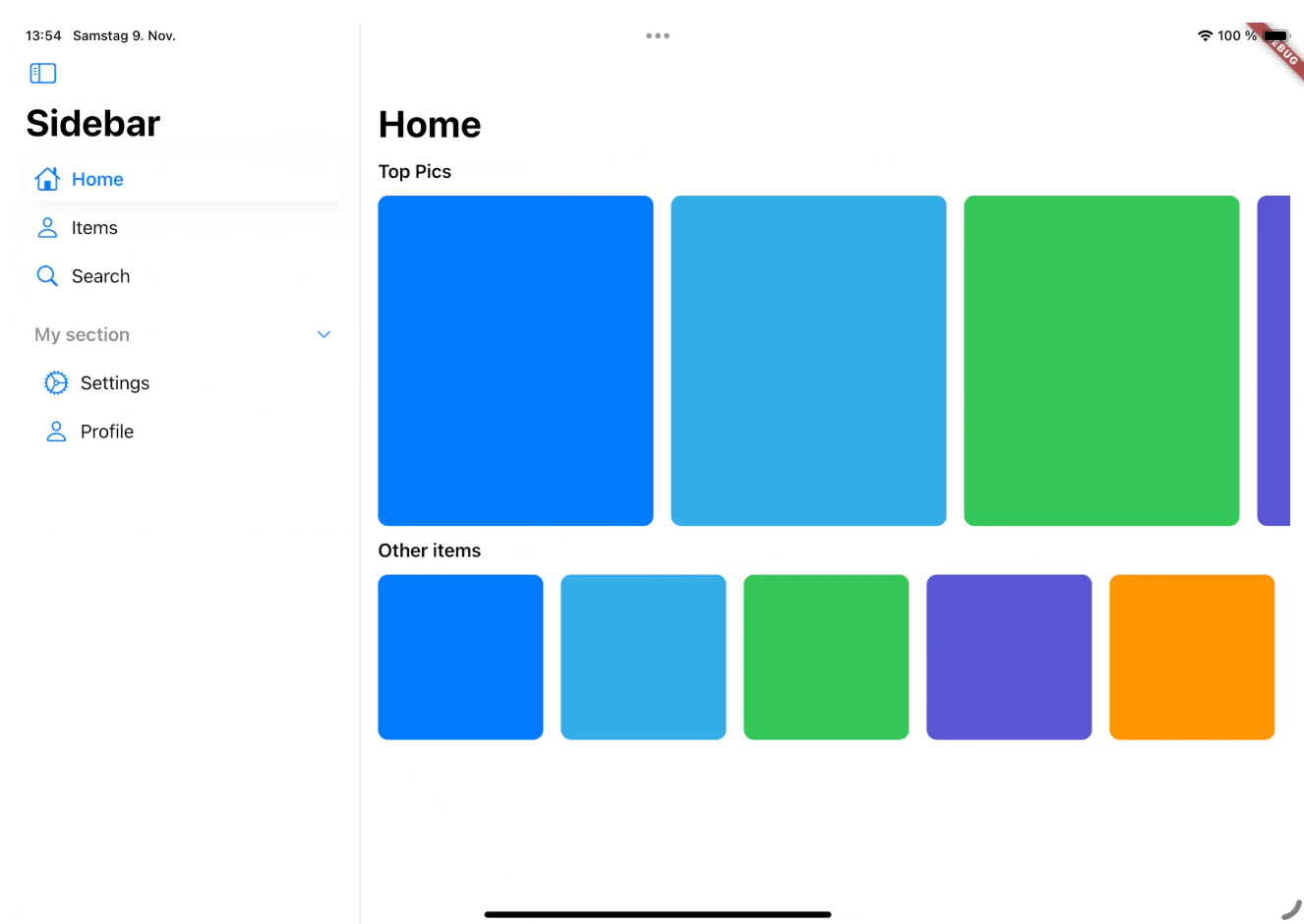
Cupertino Sidebar

A iOS-style sidebar that can be used to navigate through your app.

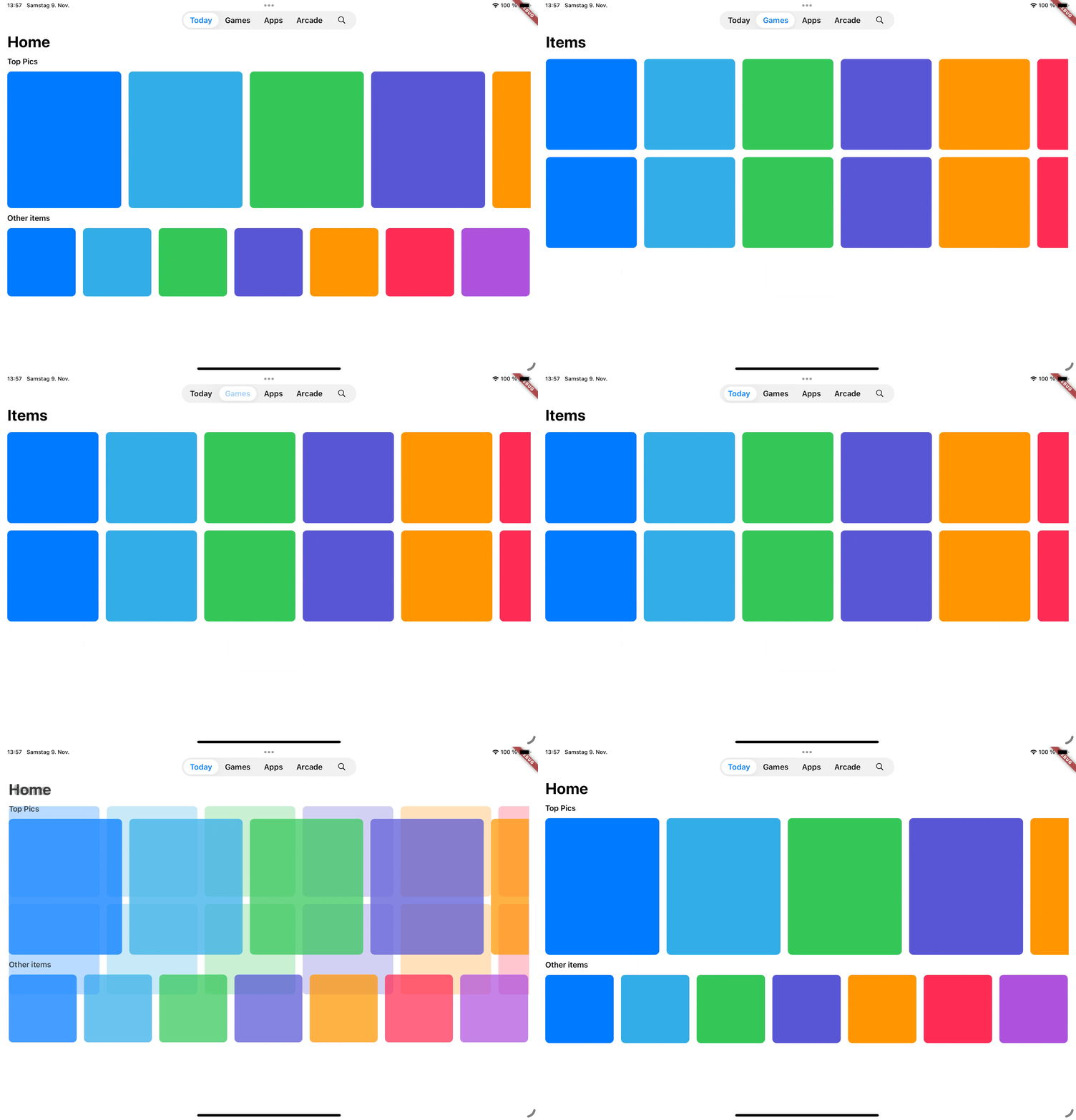
Cupertino Floating Tab Bar

Cupertino Floating Tab Bar

A iPadOS-style floating tab bar that can also be used to navigate through your app.

📖 Usage

Sidebar

The CupertinoSidebar works very similar to Flutter's NavigationDrawer. It accepts a list of destinations, a selected index, and a callback function triggered when a destination is tapped.

CupertinoSidebar(
  selectedIndex: _selectedIndex,
  onDestinationSelected: (value) {
    setState(() {
      // Update the selected index when a destination is selected.
      _selectedIndex = value;
    });
  },
  children: [
    // index 0
    SidebarDestination(
      icon: Icon(CupertinoIcons.home),
      label: Text('Home'),
    ),
    // index 1
    SidebarDestination(
      icon: Icon(CupertinoIcons.person),
      label: Text('Items'),
    ),
    // index 2
    SidebarDestination(
      icon: Icon(CupertinoIcons.search),
      label: Text('Search'),
    ),
  ],
);

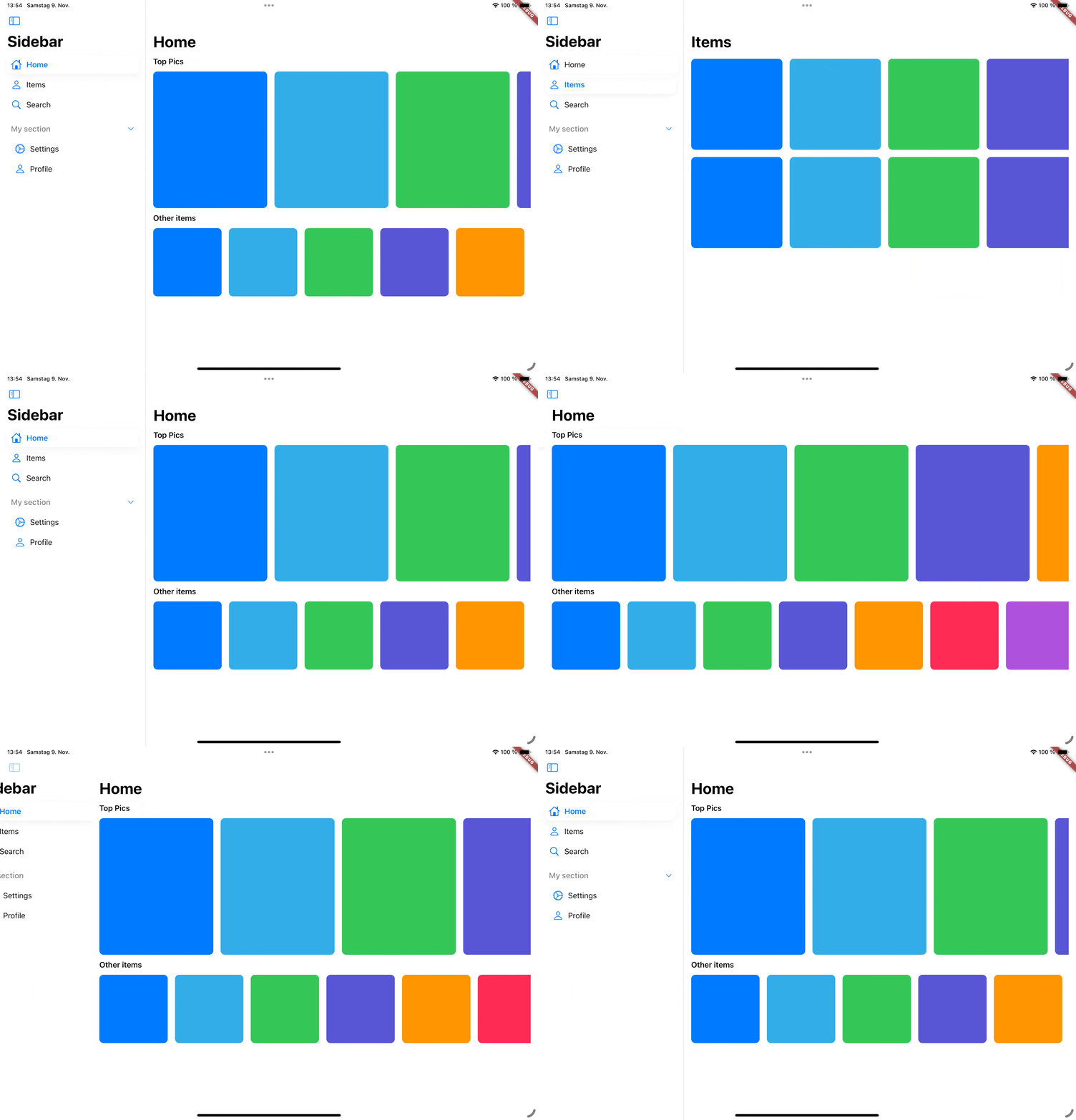
CupertinoSidebar also supports expandable sections, allowing you to group destinations.

...
children: [
    ...
   SidebarSection(
      label: Text('My section'),
      children: [
        SidebarDestination(
          icon: Icon(CupertinoIcons.settings),
          label: Text('Settings'),
        ),
        ...
      ],
    ),
]

For a full example, see the Sidebar example.

Floating Tab Bar

The CupertinoFloatingTabBar is managed by a TabController, with options to add tabs and specify a callback function.

CupertinoFloatingTabBar(
  onDestinationSelected: (value) {},
  controller: _myTabController,
  tabs: const [
    CupertinoFloatingTab(
      child: Text('Today'),
    ),
    CupertinoFloatingTab(
      child: Text('Library'),
    ),
    CupertinoFloatingTab.icon(
      icon: Icon(CupertinoIcons.search),
    ),
  ],
)

For a full example, see the Tab Bar example.

Additional examples

📅 Roadmap

This package is actively being developed. Planned features include:

  • Tab bar to sidebar transition
  • Adaptive scaffold that switches between a sidebar and a floating tab bar and a bottom tab bar depending on the screen size.

🤝 Contributing

Contributions are welcome! Feel free to submit issues, ideas, or pull requests. Together, we can make cupertino_sidebar even better!

श्रेणियाँ

सोर्स रिपॉज़िटरी

इस पैकेज का उपयोग करने वाले प्रोजेक्ट

अभी कोई डेटा उपलब्ध नहीं है।