सार्वजनिक जानकारी से बना चयन मार्गदर्शन। केवल संदर्भ हेतु।
dart_periphery एक Dart लाइब्रेरी है जो Linux पेरिफेरल I/O इंटरफेस को निचले स्तर पर एक्सेस प्रदान करती है, जिसमें GPIO, I2C, SPI, PWM, LED, ADC, MMIO और सीरियल कम्युनिकेशन शामिल है। यह c-periphery C लाइब्रेरी का Dart संस्करण है, जो Linux-आधारित प्रणालियों में सीधे हार्डवेयर इंटरैक्शन की अनुमति देता है। IoT और एम्बेडेड एप्लिकेशन के लिए डिज़ाइन किया गया है, जो डार्ट कोड से भौतिक उपकरणों को नियंत्रित और मॉनिटर करने की अनुमति देता है। न्यूनतम अब्स्ट्रैक्शन के साथ वास्तविक समय हार्डवेयर इंटरफेसिंग की आवश्यकता वाले प्रोजेक्ट्स के लिए यह पैकेज आदर्श है।
उपयोग
GPIO पिन को नियंत्रित करना
I2C/SPI के माध्यम से सेंसर डेटा पढ़ना
PWM के साथ एलईडी और मोटर का नियंत्रण
माइक्रोकंट्रोलर्स के साथ इंटरफेसिंग
रियल-टाइम हार्डवेयर मॉनिटरिंग
एम्बेडेड सिस्टम विकास
मुख्य विशेषताएँ
विभिन्न लिनक्स पेरिफेरल इंटरफ़ेस का समर्थन करता है
निम्न स्तर का हार्डवेयर एक्सेस
क्रॉस-प्लेटफॉर्म लिनक्स सामंजस्यता
मूल c-periphery लाइब्रेरी के बाइंडिंग्स
हल्का और कारगर
थ्रेड-सुरक्षित संचालन
इनके लिए उपयुक्त
आईओटी उपकरण विकासकर्ता
एम्बेडेड सिस्टम इंजीनियर
हार्डवेयर प्रोटोटाइपिंग
लिनक्स-आधारित स्वचालन परियोजनाएं
भौतिक उपकरणों के साथ काम कर रहे Dart विकासकर्ता
विचार योग्य बातें
लिनक्स ओएस की आवश्यकता है
रूट या अधिकार प्राप्त एक्सेस की आवश्यकता है
लिनक्स प्लेटफॉर्म पर सीमित
हार्डवेयर-विशिष्ट कॉन्फ़िगरेशन की आवश्यकता है
मोबाइल या वेब ऐप्स के लिए उपयुक्त नहीं
मूल README
संबंधित सोर्स रिपॉज़िटरी के मूल README का स्नैपशॉट। नवीनतम सामग्री के लिए रिपॉज़िटरी देखें।
dart_periphery is a Dart port of the native c-periphery library (v2.5.0)
for Linux Peripheral I/O (GPIO, LED, PWM, SPI, I2C, MMIO and Serial peripheral I/O). This package
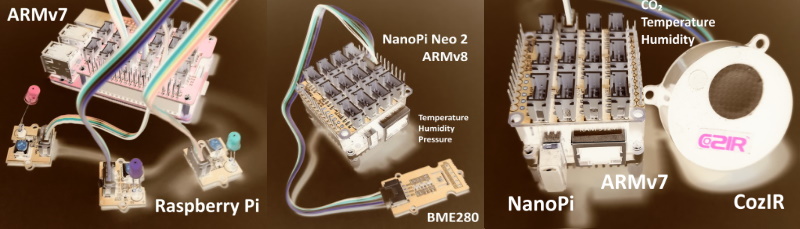
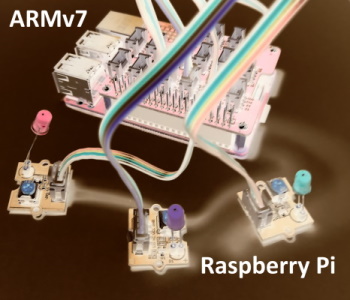
is designed for System on Chips (SoCs) such as Raspberry Pi, NanoPi, Banana Pi, and others.
What is c-periphery?
Abstract from the project web site:
c-periphery is a small C library for
GPIO,
LED,
PWM,
SPI,
I2C,
MMIO (Memory Mapped I/O)
Serial peripheral I/O
interface access in userspace Linux. c-periphery simplifies and consolidates the native Linux APIs to these interfaces. c-periphery is useful in embedded Linux environments (including Raspberry Pi, BeagleBone, etc. platforms) for interfacing with external peripherals. c-periphery is re-entrant, has no dependencies outside the standard C library and Linux, compiles into a static library for easy integration with other projects, and is MIT licensed
dart_periphery binds the c-periphery library with the help of the dart:ffi mechanism.
Nevertheless, dart_periphery tries to be close as possible to the original library.
See the following documentation. Thanks to Vanya Sergeev for his great job!
🤔 Why c-periphery?
The number of GPIO libraries/interfaces is shrinking:
import'package:dart_periphery/dart_periphery.dart';
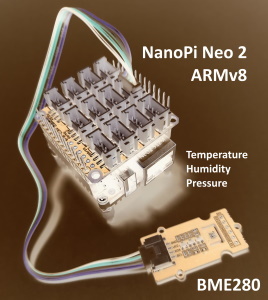
/// https://wiki.seeedstudio.com/Grove-Barometer_Sensor-BME280//// Grove - Temp&Humi&Barometer Sensor (BME280) is a breakout board for Bosch BMP280 high-precision,/// low-power combined humidity, pressure, and temperature sensor.voidmain() {
// Select the right I2C bus number /dev/i2c-?// 1 for Raspberry Pi, 0 for NanoPi (Armbian), 2 Banana Pi (Armbian)var i2c = I2C(1);
try {
print('I2C info:' + i2c.getI2Cinfo());
var bme280 = BME280(i2c);
var r = bme280.getValues();
print('Temperature [°] ${r.temperature.toStringAsFixed(1)}');
print('Humidity [%] ${r.humidity.toStringAsFixed(1)}');
print('Pressure [hPa] ${r.pressure.toStringAsFixed(1)}');
} finally {
i2c.dispose();
}
}
import'package:dart_periphery/dart_periphery.dart';
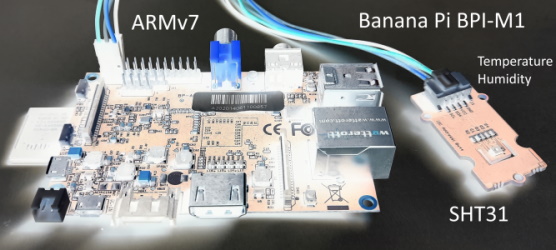
/// Grove - Temp&Humi Sensor(SHT31) is a highly reliable, accurate,/// quick response and integrated temperature & humidity sensor.voidmain() {
// Select the right I2C bus number /dev/i2c-?// 1 for Raspberry Pi, 0 for NanoPi (Armbian), 2 Banana Pi (Armbian)var i2c = I2C(1);
try {
var sht31 = SHT31(i2c);
print(sht31.getStatus());
print('Serial number ${sht31.getSerialNumber()}');
print('Sensor heater active: ${sht31.isHeaterOn()}');
var r = sht31.getValues();
print('SHT31 [t°] ${r.temperature.toStringAsFixed(2)}');
print('SHT31 [%°] ${r.humidity.toStringAsFixed(2)}');
} finally {
i2c.dispose();
}
}
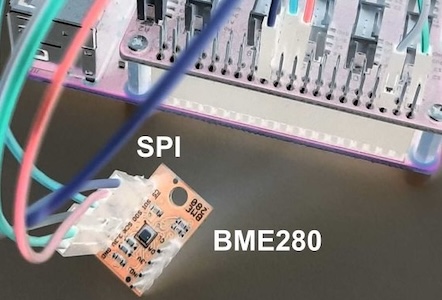
SPI
import'package:dart_periphery/dart_periphery.dart';
voidmain() {
var spi = SPI(0, 0, SPImode.mode0, 1000000);
try {
print('SPI info:' + spi.getSPIinfo());
var bme280 = BME280.spi(spi);
var r = bme280.getValues();
print('Temperature [°] ${r.temperature.toStringAsFixed(1)}');
print('Humidity [%] ${r.humidity.toStringAsFixed(1)}');
print('Pressure [hPa] ${r.pressure.toStringAsFixed(1)}');
} finally {
spi.dispose();
}
}
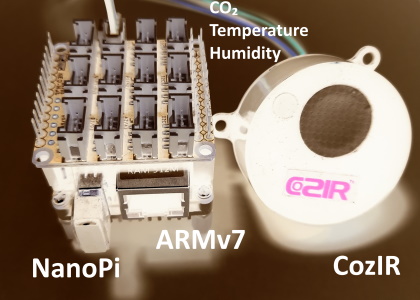
Serial
import'package:dart_periphery/dart_periphery.dart';
import'dart:io';
////// [COZIR CO2 Sensor](https://co2meters.com/Documentation/Manuals/Manual_GC_0024_0025_0026_Revised8.pdf)///voidmain() {
print('Serial test - COZIR CO2 Sensor');
var s = Serial('/dev/serial0', Baudrate.b9600);
try {
print('Serial interface info: ' + s.getSerialInfo());
// Return firmware version and sensor serial number - two lines
s.writeString('Y\r\n');
var event = s.read(256, 1000);
print(event.toString());
// Request temperature, humidity and CO2 level.
s.writeString('M 4164\r\n');
// Select polling mode
s.writeString('K 2\r\n');
// print any response
event = s.read(256, 1000);
print('Response ${event.toString()}');
sleep(Duration(seconds: 1));
for (var i = 0; i < 5; ++i) {
s.writeString('Q\r\n');
event = s.read(256, 1000);
print(event.toString());
sleep(Duration(seconds: 5));
}
} finally {
s.dispose();
}
}
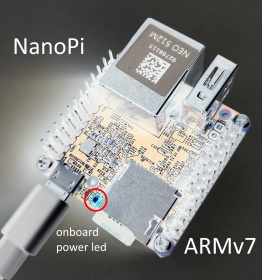
Led
import'package:dart_periphery/dart_periphery.dart';
import'dart:io';
voidmain() {
/// Nano Pi power led - see 'ls /sys/class/leds/'var led = Led('nanopi:red:pwr');
try {
print('Led handle: ${led.getLedInfo()}');
print('Led name: ${led.getLedName()}');
print('Led brightness: ${led.getBrightness()}');
print('Led maximum brightness: ${led.getMaxBrightness()}');
var inverse = !led.read();
print('Original led status: ${(!inverse)}');
print('Toggle led');
led.write(inverse);
sleep(Duration(seconds: 5));
inverse = !inverse;
print('Toggle led');
led.write(inverse);
sleep(Duration(seconds: 5));
print('Toggle led');
inverse = !inverse;
led.write(inverse);
sleep(Duration(seconds: 5));
print('Toggle led');
led.write(!inverse);
} finally {
led.dispose();
}
}
PWM
Ensure that PWM is correctly enabled. e.g. see the following documentation for the Raspberry Pi.
Important hint:dart_periphery includes an automatic mechanism to load the correct library.
The additional methods described here can be used to override this default mechanism if needed.
But be aware, any of these methods to disable or change the behaviour the auto detection must be
called before any dart_periphery interface is used!
/// Sets the tmp directory for the extraction of the libperiphery.so file.voidsetTempDirectory(String tmpDir)
/// Allows to load an existing libperiphery.so file from tmp directory. voidreuseTmpFileLibrary(bool reuse)
/// loads the shared library /// export LD_LIBRARY_PATH=/usr/local/lib:$LD_LIBRARY_PATHuseSharedLibrary();
If this method is called, dart_periphery loads the shared library. For this case c-periphery
must be installed as a shared library. See the section Shared Library for details.
To load a custom library call following method
voidsetCustomLibrary(String absolutePath)
This method can also be helpful for a currently not supported platform.
If you want to load the library from the current directory call
Starting from version 0.9.7, the default library handling mechanism creates a temporary library
file, named in the format e.g. pid_1456_libperiphery_arm.so. The unique process ID for each isolate
prevents repeated creation of the temporary library, avoiding crashes caused by overwriting an
actively used library.
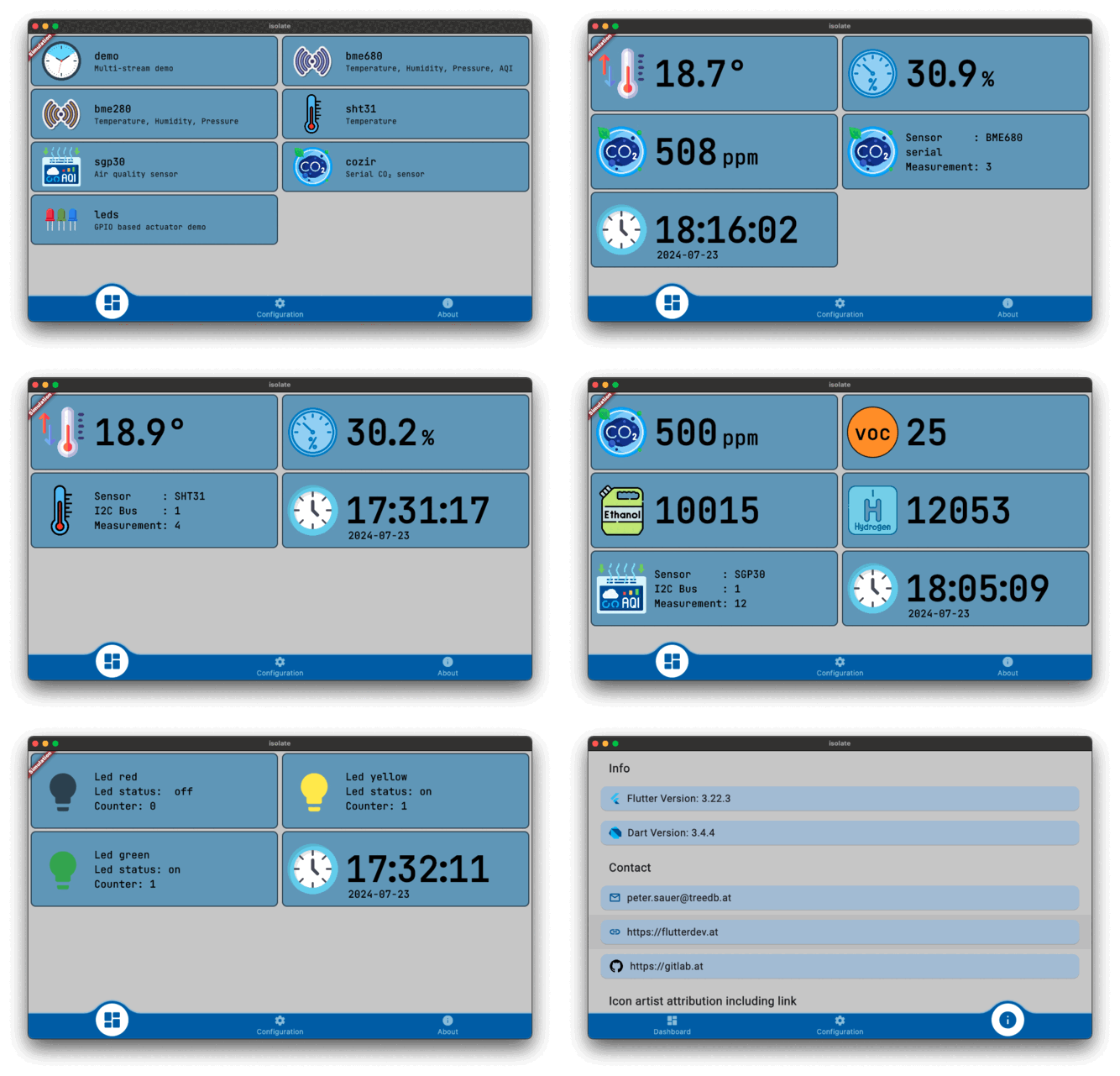
This subproject bases on
flutter-pi and implements a simple
Dart isolate/stream architecture designed to transfer sensor data from an isolate to the Flutter UI:
Isolate interface: This consists of the steps InitTask, MainTask, and ExitTask, along with a
limited back channel for controlling the Dart isolate. This setup is typically used for sensor
measurements:
InitTask: Initializes the sensor.
MainTask: Collects sensor data and passes it to a stream.
ExitTask: Disposes of the sensor.
Listening Mode: Supports user-defined handling for isolate events.
This variant remains on standby for data; once data is processed, the result is passed to the stream
and subsequently to the Flutter UI. This model is used for actuator control, such as operating a LED.
Support for Multiple Streams: Enables handling of multiple data streams simultaneously.
This project is currently still beta and development is ongoing.
💧 flutter_sensor_tester
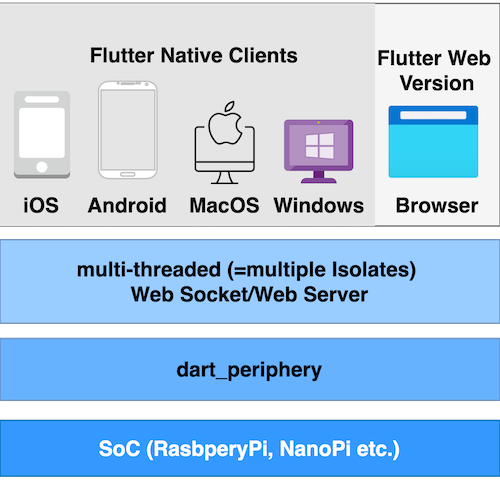
This project builds upon the flutter_pi_sensor_tester by introducing a client/server architecture, enhancing its functionality for distributed applications.
Currently in its alpha stage, the project is scheduled for release in March 2025.
³ Raspberry Pi OS (64-bit), NanoPi Neo2 with a Allwinner H5, Quad-core 64-bit CPU
⁴ Fails for NanoPi, NanoPi Neo2 and Banana Pi on Armbian- same behavior like the original
c-periphery test program. This is a point of deeper investigations
Code review - this is my first public Dart project. I am a Java developer and probably I tend
to solve problems rather in the Java than in the Dart way.