प्रकार-सुरक्षित बाहरी डीपलिंक लॉन्चिंग के लिए आसान उपयोग करने वाला Flutter प्लगइन, अंतर्निर्मित स्मार्ट फॉलबैक के साथ, ऐप स्टोर्स और लोकप्रिय ऐप्स का समर्थन करता है।
सार्वजनिक जानकारी से बना चयन मार्गदर्शन। केवल संदर्भ हेतु।
deeplink_x एक Flutter प्लगइन है जो प्रकार सुरक्षित नेविगेशन और स्मार्ट फॉलबैक मैकेनिज्म के साथ बाहरी डीप लिंक्स को लॉन्च करने को सरल बनाता है। यह ऐप स्टोर्स और लोकप्रिय ऐप्स का समर्थन करता है, जिससे उपयोगकर्ताओं को सही गंतव्य—चाहे ऐप, वेब पेज या स्टोर लिस्टिंग हो—तक निर्देशित किया जाता है। प्लगइन Android, iOS, Web, macOS, Windows और Linux पर काम करता है, जिससे प्लेटफॉर्म के आधार पर समान व्यवहार मिलता है। अनुपस्थित ऐप्स के लिए निर्मित हैंडलिंग उपयोगकर्ता अनुभव को चिकना बनाती है, जिसमें ऐप स्टोर या वेब URL जैसे उपयुक्त विकल्पों पर पुनर्निर्देशित किया जाता है।
उपयोग
एक फ्लटर ऐप के भीतर ऐप-विशिष्ट लिंक लॉन्च करना
जब एप्लिकेशन स्थापित नहीं होता है, तो उपयोगकर्ताओं को ऐप स्टोर पर पुनर्निर्देशित करना
असमर्थित डीप लिंक्स के लिए फॉलबैक प्रदान करना
सोशल मीडिया या भुगतान ऐप डीप लिंक्स के साथ एकीकरण
वेब और मोबाइल प्लेटफॉर्म पर यूनिवर्सल लिंक सक्षम करना
मुख्य विशेषताएँ
प्रकार सुरक्षित गहन लिंक प्रबंधन
कम ऐप के लिए स्मार्ट फॉलबैक तर्क
क्रॉस-प्लेटफॉर्म समर्थन (Android, iOS, Web, macOS, Windows, Linux)
ऐप स्टोर के साथ एंबेडेड इंटीग्रेशन
स्वचालित URL सत्यापन और मार्गदर्शन
कस्टम फॉलबैक रणनीतियों का समर्थन
इनके लिए उपयुक्त
बाहरी ऐप एकीकरण के साथ ऐप बनाने वाले डेवलपर्स
कई प्लेटफॉर्मों के बीच विश्वसनीय डीप लिंकिंग की आवश्यकता वाले ऐप्स
अनुपलब्ध एप्लिकेशन के लिए बिना तोड़े फॉलबैक की आवश्यकता वाले प्रोजेक्ट
विकासक अनुभव और सुरक्षा को प्राथमिकता देने वाली टीमें
गहरे लिंक के माध्यम से तृतीय पक्ष सेवाओं का उपयोग करने वाले अनुप्रयोग
विचार योग्य बातें
लक्षित प्लेटफॉर्म पर सही URL योजना कॉन्फ़िगरेशन की आवश्यकता होती है
कस्टम फॉलबैक व्यवहार के लिए अतिरिक्त सेटअप की आवश्यकता हो सकती है
पैकेज में सूचीबद्ध समर्थित प्लेटफ़ॉर्म तक सीमित
सही मैनिफेस्ट और कॉन्फ़िगरेशन फ़ाइल्स पर निर्भर करता है
कस्टमाइज़ेशन के बिना जटिल डायनामिक गहरे लिंक सीनारियो के लिए उपयुक्त नहीं है
मूल README
संबंधित सोर्स रिपॉज़िटरी के मूल README का स्नैपशॉट। नवीनतम सामग्री के लिए रिपॉज़िटरी देखें।
DeeplinkX
Type-safe deeplinks into external apps — with automatic store & web fallback, on every Flutter platform.
DeeplinkX is a Flutter plugin for launching typed external deeplinks — it launches deeplinks into other apps from your Flutter app. Open a chat in WhatsApp, a profile in Telegram or Instagram, a video on YouTube, or a location in Google Maps, Amap, Baidu Maps, NAVER Map, 2GIS, Tencent Maps, Yandex Maps, Yandex Navigator, Apple Maps, Waze, Sygic, Sygic Truck, Moovit, Air Navigation Pro, Mappls, Mapy.com, TMAP, KakaoMap, or Neshan with turn-by-turn directions — with one strongly-typed call. When the target app isn't installed, it automatically falls back to the right app store, then to a web URL. No URL strings to maintain, no Platform.isAndroid branches to write.
What does the X stand for?External. DeeplinkX is built for launching links out to other apps — not for handling incoming links into your own. For inbound links, use app_links or go_router.
Why DeeplinkX
Typed API — every supported app and action is a Dart call; the package owns the URL schemes, not you.
Smart fallback — installed → open the app; not installed → open its store; no store → open the web URL.
Installation check — ask isAppInstalled() before you launch.
Cross-platform store redirect — point users at a store listing (your app, a promoted app, an ad CTA) and DeeplinkX picks the right store for the device.
Maps & navigation — open a location, search a place, or launch turn-by-turn directions in Google Maps, Amap, Baidu Maps, NAVER Map, 2GIS, Tencent Maps, Yandex Maps, Yandex Navigator, Apple Maps, Waze, Sygic, Sygic Truck, Moovit, Air Navigation Pro, Mappls, Mapy.com, TMAP, KakaoMap, or Neshan; list your preferred apps and DeeplinkX opens the first installed one, falling back to the web map otherwise.
One package, every platform — iOS, Android, macOS, Windows, Linux, and Web.
Out of the box: 36 apps, including 19 navigation providers (ChatGPT, Netflix, Temu, Snapchat, CapCut, Facebook, Instagram, LinkedIn, WhatsApp, Telegram, Twitter, Threads, YouTube, TikTok, Pinterest, Zoom, Slack, Google Maps, Amap, Baidu Maps, NAVER Map, 2GIS, Tencent Maps, Yandex Maps, Yandex Navigator, Waze, Apple Maps, Sygic, Sygic Truck, Moovit, Air Navigation Pro, Mappls, Mapy.com, TMAP, KakaoMap, Neshan), and 7 stores (iOS App Store, Mac App Store, Microsoft Store, Google Play, Huawei AppGallery, Cafe Bazaar, Myket).
Install
flutter pub add deeplink_x
import'package:deeplink_x/deeplink_x.dart';
Requires Dart >=3.1.0 and Flutter >=3.13.0.
Quick Start
Open a Telegram profile, and fall back to the App Store / Play Store if Telegram isn't installed:
On Android, add package and intent visibility declarations directly under
<manifest>, alongside <application>, in
android/app/src/main/AndroidManifest.xml:
That's the whole flow — DeeplinkX resolves the platform, checks installation, and handles the fallback.
Demo
Try the live web demo, download an Android demo APK below, or run the example on a real device for the full experience — installation checks need a native platform.
Android Demo APKs
Choose the APK matching your device. ARM64 is the right choice for most modern Android phones and tablets.
When opening a downloaded APK, Android may ask you to allow your browser or file manager to install unknown apps. Grant that permission only for the application you used to download the APK, then disable it again if you no longer need it.
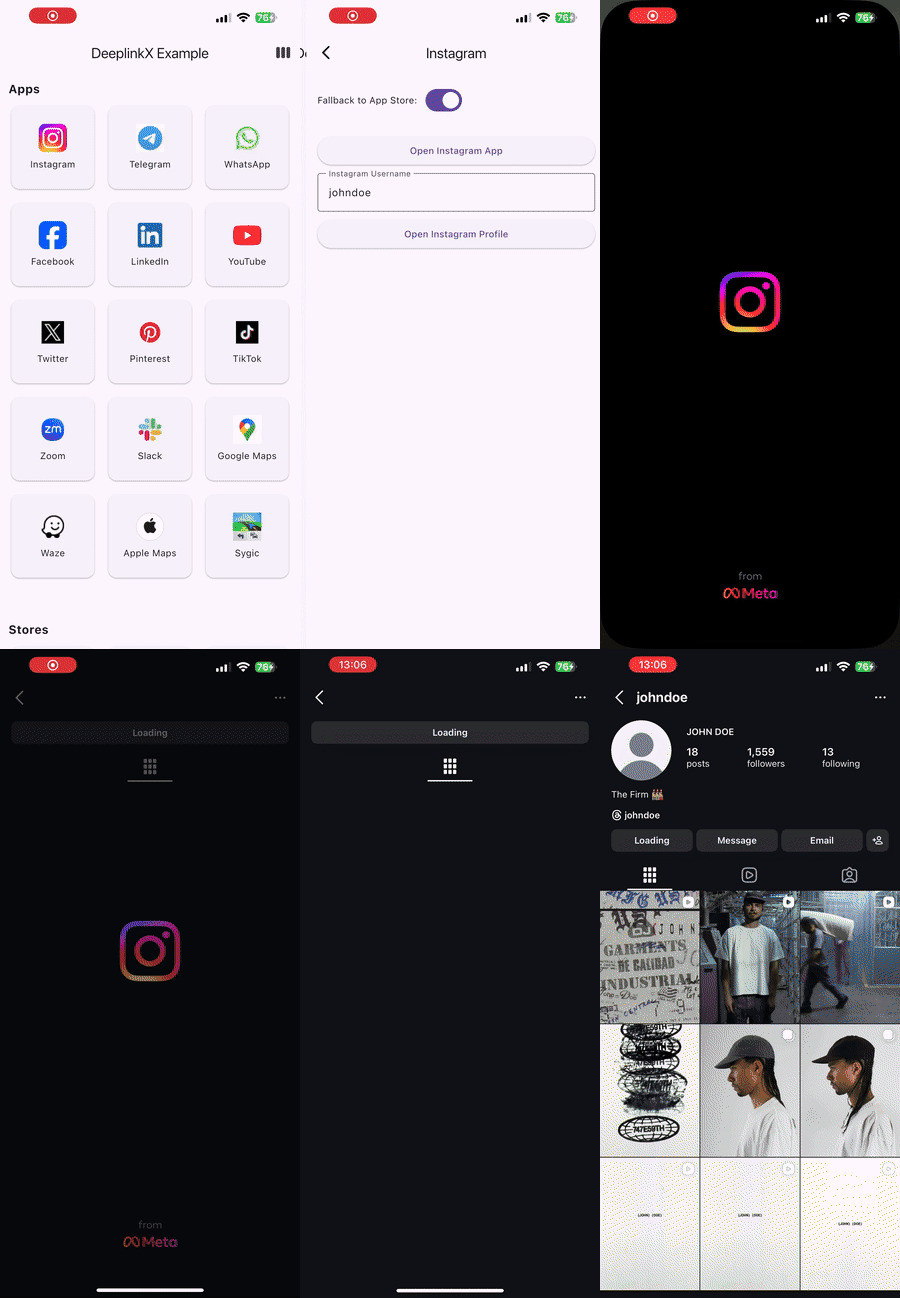
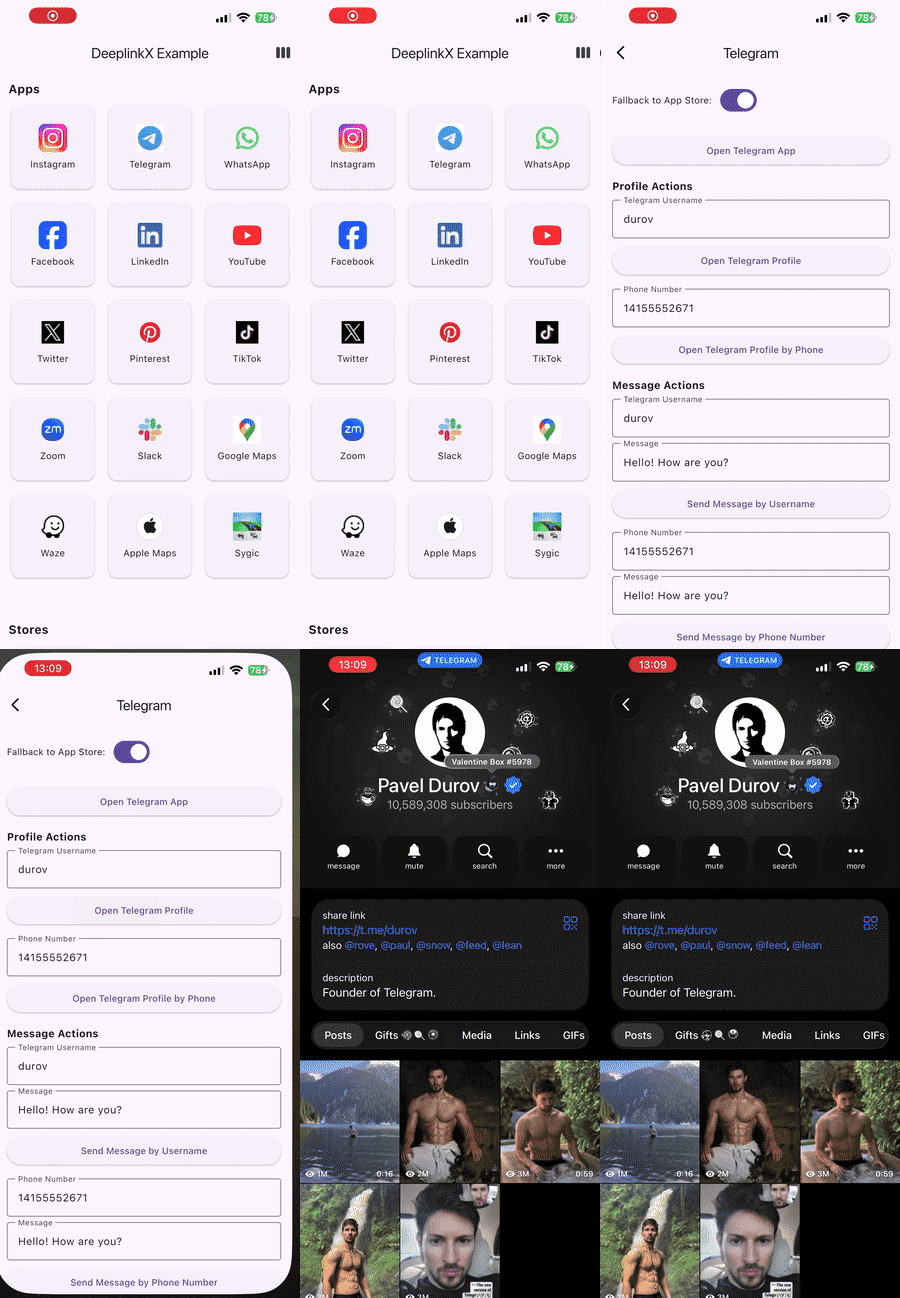
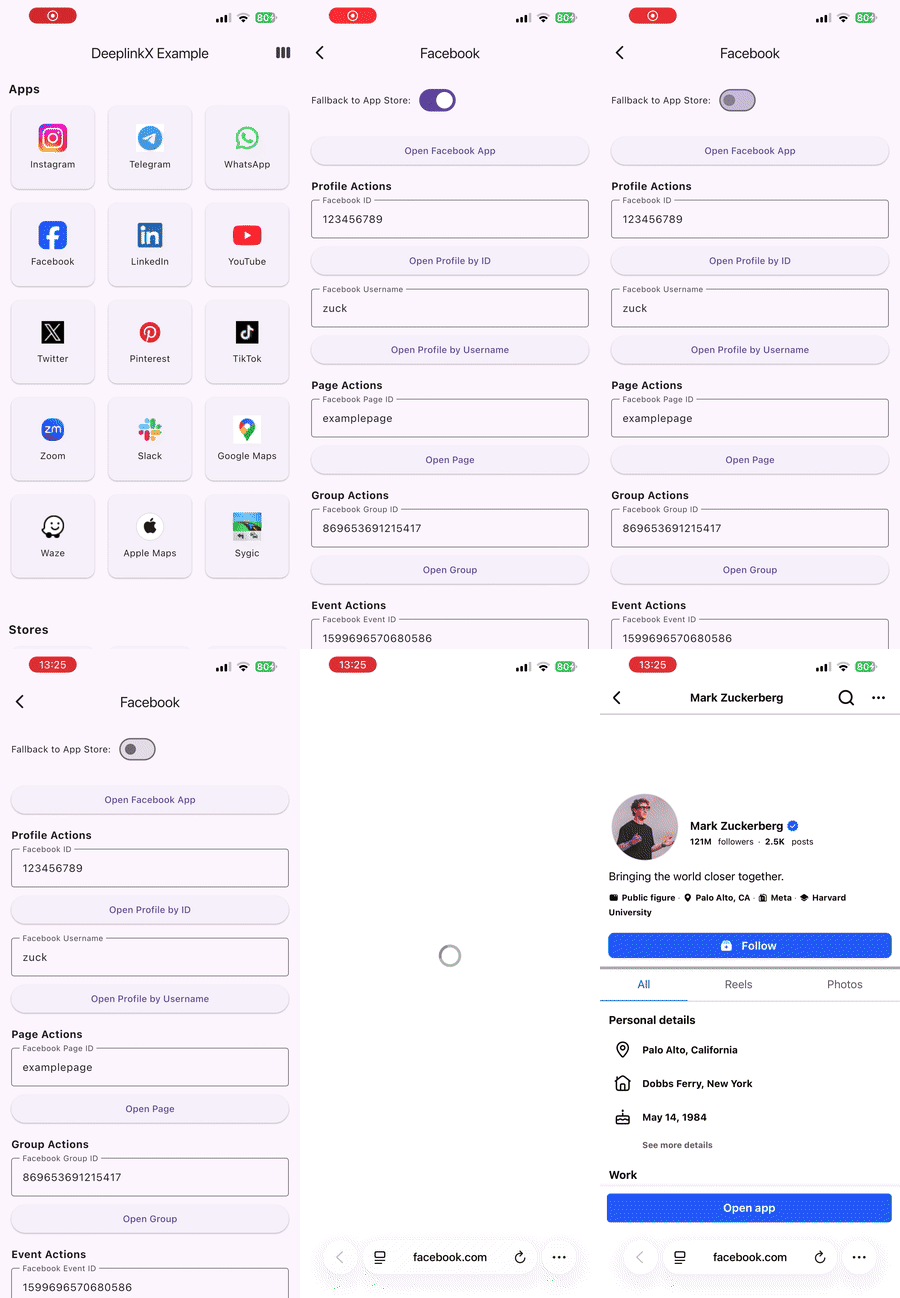
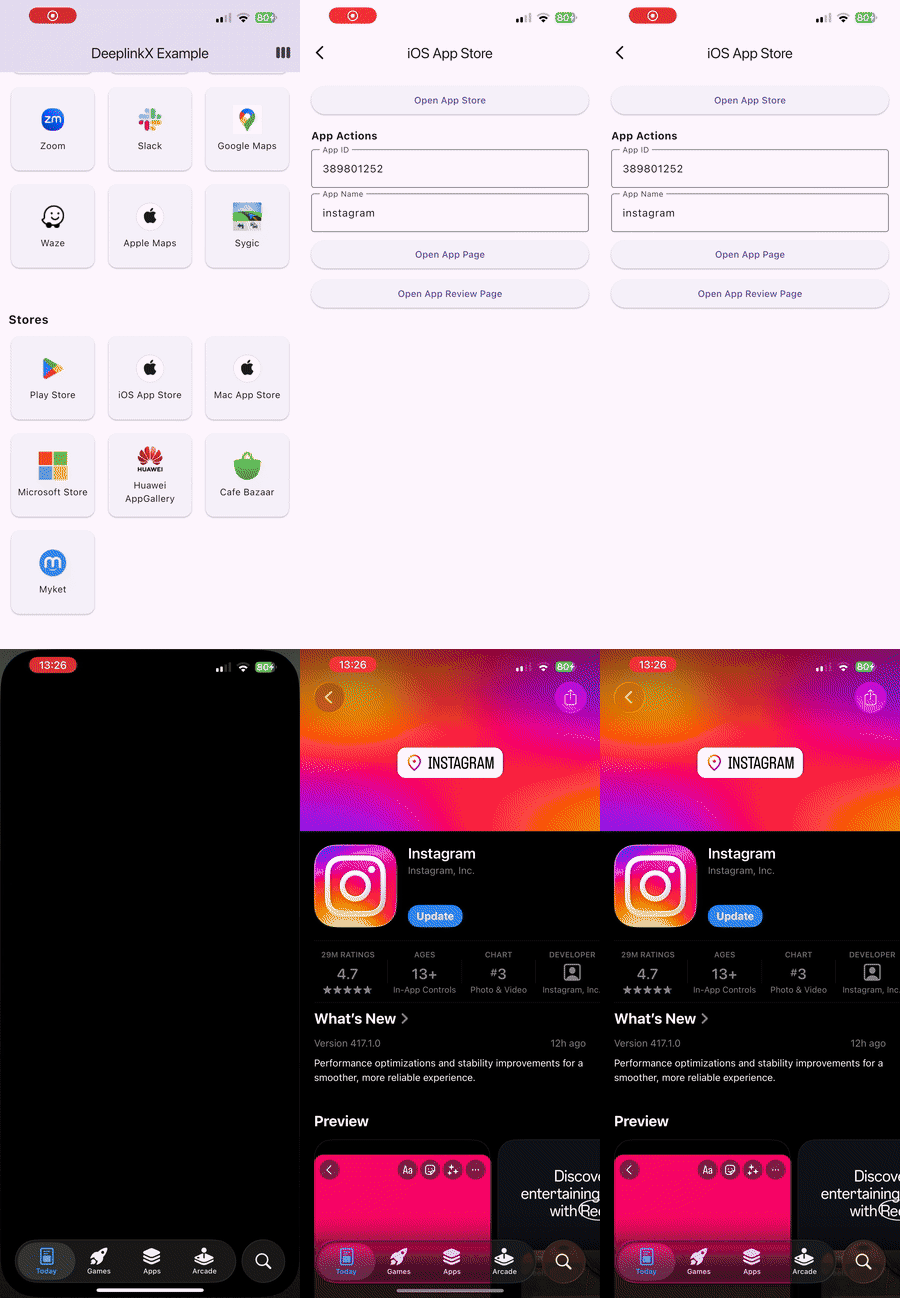
Alongside the individual app and store detail screens, the example includes real-world flows for app updates, automatic store and map selection, support links, ratings, sharing, installation checks, meetings and communities, promoted app CTAs, and fallback-policy exploration.
Instagram Profile
Telegram Profile
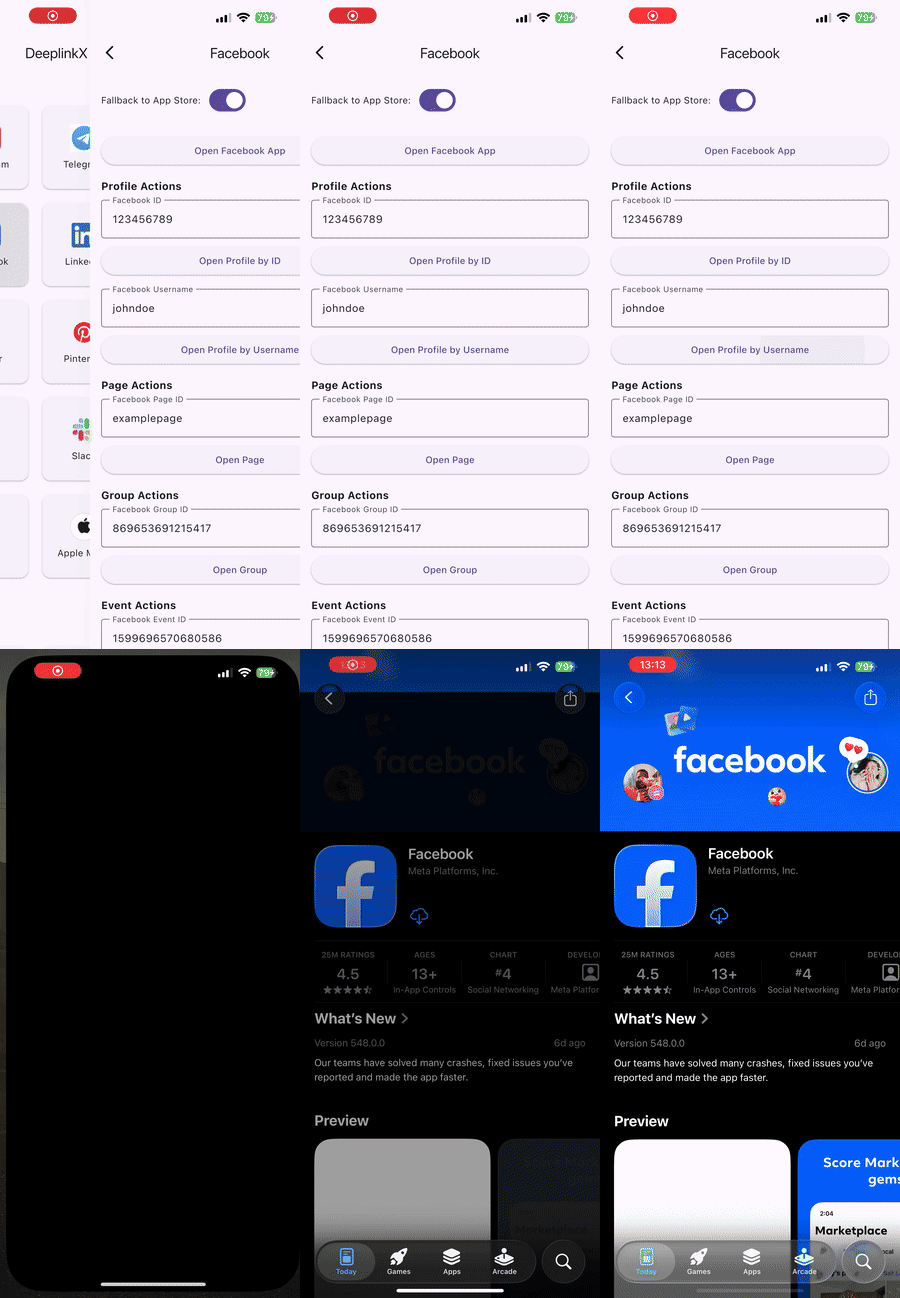
Facebook App
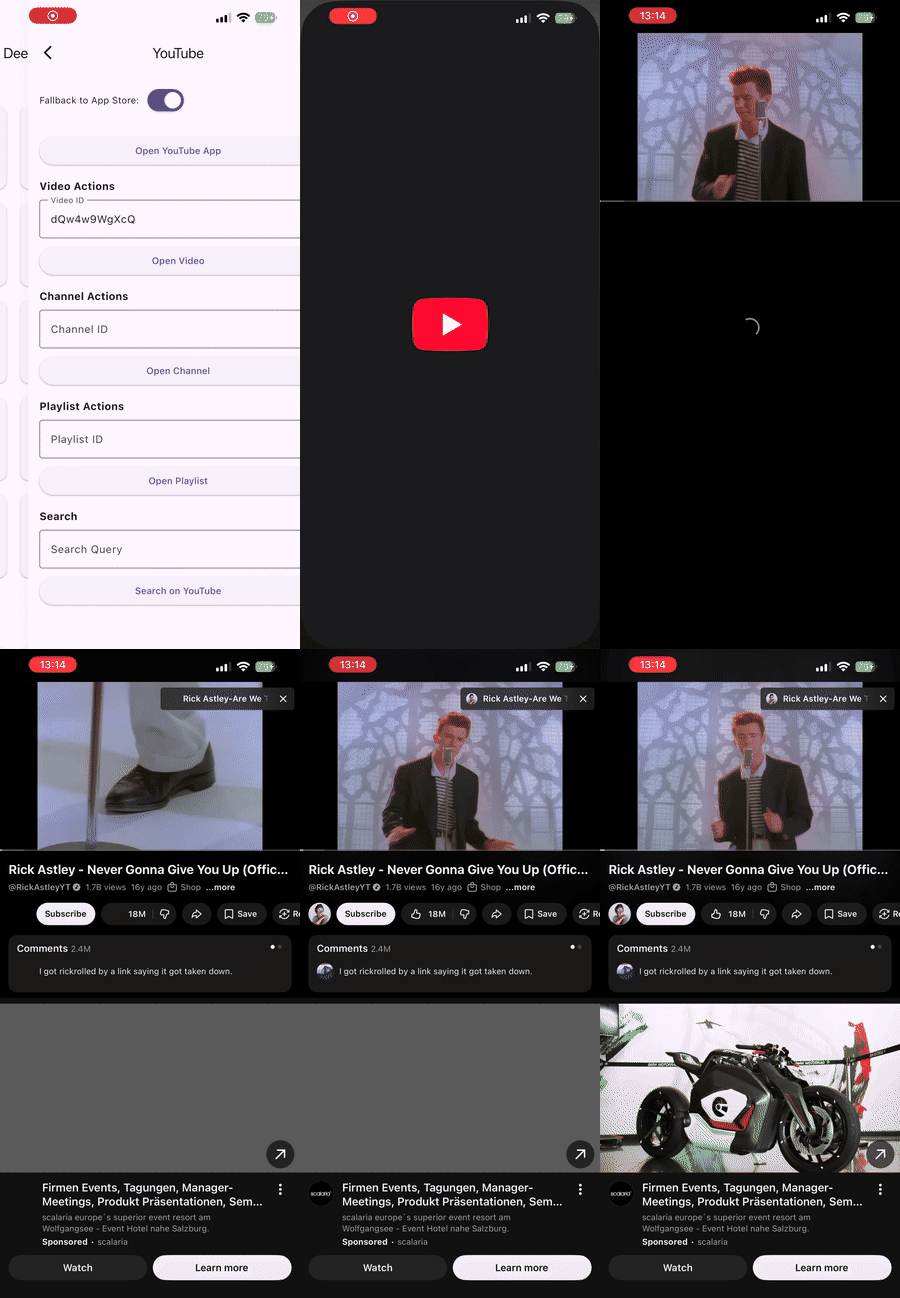
YouTube Video
Facebook Web Fallback
iOS App Store Page
How it works
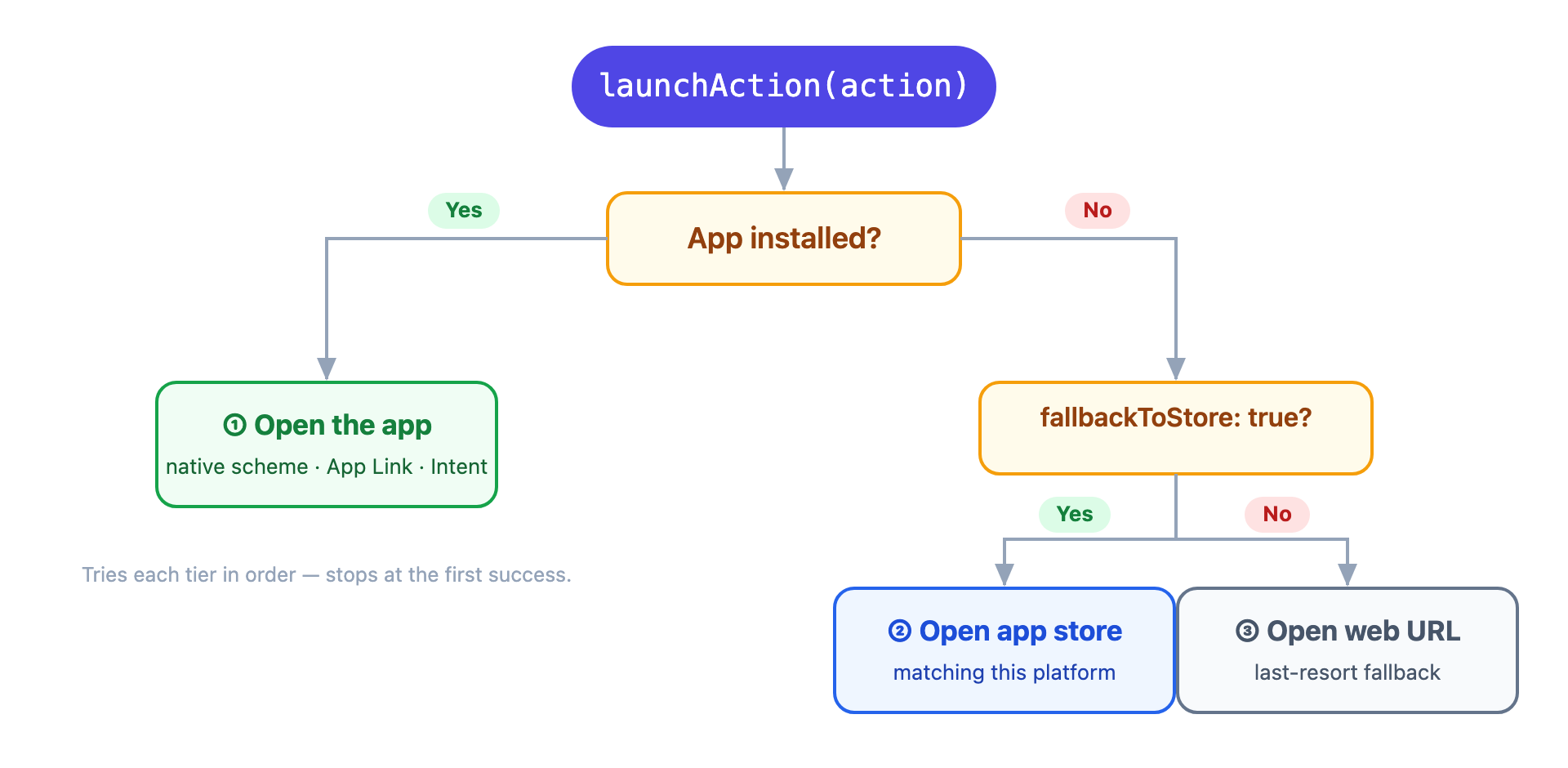
Every launch follows the same three-tier strategy, in order:
Native deeplink — opens the app directly via a custom URL scheme, App Link, or Android Intent when it's installed.
Store fallback — if fallbackToStore: true and the app is absent, redirects to the correct store for the current platform.
Web fallback — otherwise opens the action's web URL, when one exists.
Pass disableFallback: true to any launch method to attempt only the native path (skip ② and ③). Every launch method returns Future<bool> — see Return values.
Note: with fallbackToStore: true, if a vendor changes or removes a custom scheme, DeeplinkX redirects to the store rather than the web URL. Set fallbackToStore: false when you always want the web page as the fallback.
Why custom schemes instead of universal links? Under the hood, DeeplinkX opens apps with iOS custom URL schemes, Android Intents, and Android/iOS App Links — the same launch mechanics you'd otherwise hand-roll with url_launcher — rather than plain HTTPS universal links, because they:
Launch directly, no browser flash — no redirect flicker before the app opens.
Skip the "Open with…" dialog on Android — Intents target the exact package.
Allow a real installation check — universal links return true even when the app is missing (the browser would handle them), which breaks fallback logic; a scheme/package check does not.
Stay resilient — every scheme is paired with a web fallback, so a deprecated scheme still lands the user somewhere useful.
Use cases
Open a screen inside an app
Deep-link to a specific screen; fall back to the store if the app is missing:
The same call shape works to open WhatsApp, Telegram, or any other supported app from your Flutter app.
Check whether an app is installed
Check whether WhatsApp, Telegram, Google Maps, LinkedIn, or another supported app is installed before you launch it:
final isInstalled = await deeplinkX.isAppInstalled(LinkedIn());

if (isInstalled) {
  await deeplinkX.launchAction(
    LinkedIn.openProfile(profileId: 'johndoe'),
  );
}
Send users to a store listing
Send users to the right store page for any app you configure — your own app's install/update flow, a promoted app, or an ad CTA. Declare each platform's listing once; DeeplinkX opens the one matching the device. No Platform.isAndroid checks.
Launch Google Maps, Amap, Baidu Maps, NAVER Map, 2GIS, Tencent Maps, Yandex Maps, Yandex Navigator, Apple Maps, Waze, Sygic, Sygic Truck, Moovit, Air Navigation Pro, Mappls, Mapy.com, TMAP, KakaoMap, or Neshan for supported map actions — view a location, search a place, get directions (by address), or get directions with coordinates — on every platform, including web and desktop. For each, list the maps apps you prefer in priority order; DeeplinkX opens the first installed one and falls back to the web map if none are present. NAVER Map actions require your Android application ID and iOS bundle ID; Tencent Maps actions require a developer key. Need another provider? Request it — map support is actively expanding.
For 2GIS specifically, declare <string>dgis</string> on iOS and <package android:name="ru.dublgis.dgismobile" /> on Android.
For Yandex Maps, add <string>yandexmaps</string> on iOS and
<package android:name="ru.yandex.yandexmaps" /> on Android.
For Yandex Navigator, add <string>yandexnavi</string> on iOS,
<package android:name="ru.yandex.yandexnavi" /> on Android, and an Android
VIEW intent query for the yandexnavi scheme.
For Tencent Maps, add <string>qqmap</string> on iOS,
<package android:name="com.tencent.map" /> on Android, and an Android
VIEW intent query for the qqmap scheme.
For NAVER Map, add <string>nmap</string> on iOS,
<package android:name="com.nhn.android.nmap" /> on Android, and an Android
VIEW intent query for the nmap scheme.
For Mapy.com, add <string>szn-mapy</string> on iOS and
<package android:name="cz.seznam.mapy" /> on Android.
For TMAP, add <string>tmap</string> on iOS and
<package android:name="com.skt.tmap.ku" /> on Android.
For KakaoMap, add <string>kakaomap</string> on iOS and
<package android:name="net.daum.android.map" /> on Android.
For Sygic Truck, add <package android:name="com.sygic.truck" /> on Android.
The proposed iOS integration shares regular Sygic's com.sygic.aura scheme;
see the Sygic Truck validation limitations before relying on it.
DeeplinkX vs url_launcher
url_launcher is a general-purpose URL opener. DeeplinkX is purpose-built for external app deeplinks:
DeeplinkX
url_launcher
Typed API for popular apps
✅ 36 apps, no URL maintenance
❌ Raw URLs only
Automatic store / web fallback
✅ Built in
❌ Manual implementation required
Installation check
✅ isAppInstalled()
⚠️ canLaunchUrl() — unreliable for HTTPS schemes
Android Intent support
✅ Advanced intent options
⚠️ Basic intent launching only
macOS custom scheme check
✅ Supported
❌ Not supported
Map actions across apps
✅ View / search / directions, first installed
❌ Not available
Store listing redirect
✅ One call, all platforms
❌ Not available
Redirecting to a store page with url_launcher means detecting the platform, looking up each store's URL format, and handling Huawei edge cases — everywhere you need it. DeeplinkX does it in one redirectToStore call.
Compared to single-purpose alternatives, external_app_launcher opens an app or its store listing but has no typed map or social-app actions. DeeplinkX covers apps, maps, and stores from one typed API.
Return values
Every launch method returns a Future<bool>:
launchAction, launchApp — true if the app launched or a fallback (store/web) succeeded; false otherwise.
isAppInstalled — true if the app is installed.
redirectToStore — true if any matching store opened; false if no store matched the platform or none launched.
launchMap*Action — true if any listed provider (or its fallback) launched.
DeeplinkX swallows platform errors internally and reports them through this boolean, so a launch never throws — branch on the result.
Missing an app?
If DeeplinkX doesn't support the app, store, or navigation provider you need, open a new app request with the app name, target platforms, known schemes/App Link patterns, store links, and the actions you want.
Documentation
Per-app pages (schemes, required config, fallback behavior) live in doc/apps. Full API reference: pub.dev.
Contributions are welcome — fork, branch, and open a PR. Please check existing issues first. Found a rough edge or a gap? The feedback form directly shapes the API and docs.