पैकेज, रिपॉज़िटरी और ऐप श्रेणियाँ खोजें

draggable_float_widget कवर
पैकेज विवरणv0.1.0

draggable_float_widget

यह एक ड्रैगेबल और फ्लोटिंग फ्लटर विजेट है, जिसकी दृश्यता को स्क्रॉल व्यू के स्क्रॉलिंग इवेंट के माध्यम से नियंत्रित किया जा सकता है।

AndroidiOSWebmacOSWindowsLinux
30-दिन डाउनलोड
1.8 लाख
लाइक
116
Pub अंक
150

पैकेज इंस्टॉल करें

flutter pub add draggable_float_widget

पैकेज अवलोकन

सार्वजनिक जानकारी से बना चयन मार्गदर्शन। केवल संदर्भ हेतु।

एक फ्लटर पैकेज जो एक ड्रैगेबल, फ्लोटिंग विजेट प्रदान करता है जो स्क्रॉल इवेंट्स के प्रति प्रतिक्रिया करके स्वचालित रूप से दिखाई या छिपाई जा सकती है। फ्लोटिंग एक्शन बटन या उपयोगकर्ता के स्क्रॉलिंग व्यवहार का अनुसरण करने वाले कस्टम ओवरले जैसे इंटरैक्टिव UI तत्व बनाने के लिए आदर्श है। विजेट को स्क्रीन पर मुक्त रूप से ले जाया जा सकता है और यह स्क्रॉल दिशा और स्क्रॉलव्यू में स्थिति के आधार पर अपनी दृश्यता को अनुकूलित करता है। यह सभी प्रमुख प्लेटफॉर्म जैसे Android, iOS, Web, macOS, Windows और Linux का समर्थन करता है।

उपयोग

  • स्क्रॉल करने योग्य सूचियों में फ्लोटिंग एक्शन बटन
  • स्क्रॉल के प्रति प्रतिक्रिया करने वाले इंटरैक्टिव ओवरले
  • कस्टम ड्रैगेबल UI कंपोनेंट्स
  • मोबाइल ऐप नेविगेशन में सुधार करना
  • वेब एप्लिकेशन में डायनामिक UI तत्व

मुख्य विशेषताएँ

  • ड्रैगेबल पोजीशनिंग
  • स्क्रॉल-ट्रिगर्ड दृश्यता नियंत्रण
  • क्रॉस-प्लेटफ़ॉर्म संगतता
  • ड्रैग के दौरान स्मूथ एनीमेशन
  • निर्धारित दृश्य/छुपाए घंटे
  • कई प्लेटफॉर्म लक्ष्यों का समर्थन करता है

इनके लिए उपयुक्त

  • स्क्रॉल-संवेदनशील यूआई बनाने वाले डेवलपर्स
  • गतिशील फ्लोटिंग तत्वों की आवश्यकता वाले मोबाइल और वेब ऐप्स
  • गतिशील अंदाज़ में इंटरैक्शन के लिए डिज़ाइनर
  • जटिल ओवरले आवश्यकताओं वाले ऐप्स
  • बहु-प्लेटफॉर्म डिप्लॉयमेंट का लक्ष्य निर्धारित करने वाली टीमें

विचार योग्य बातें

  • बड़ी सूचियों पर कार्यक्षमता सुधार की आवश्यकता हो सकती है
  • जटिल स्क्रॉल व्यवहार के लिए दृश्यता तर्क में कस्टमाइज़ेशन की आवश्यकता हो सकती है
  • सीमित निर्मित स्टाइल विकल्प
  • स्थिर फ्लोटिंग तत्वों के लिए उपयुक्त नहीं
  • नेस्टेड स्क्रॉल व्यू में सावधानीपूर्वक संभालना आवश्यक है

मूल README

संबंधित सोर्स रिपॉज़िटरी के मूल README का स्नैपशॉट। नवीनतम सामग्री के लिए रिपॉज़िटरी देखें।

draggable_float_widget

This is a draggable and floating Flutter widget, which can control its visibility through the scrolling event of ScrollView.

Usage

To use this plugin, add draggable_float_widget as a dependency in your pubspec.yaml file.

constructor
  • the constructor of component

    DraggableFloatWidget({
      Key? key,
      this.width = defaultWidgetWidth,
      this.height = defaultWidgetHeight,
      this.eventStreamController,
      this.config = const DraggableFloatWidgetBaseConfig(),
      required this.child,
      this.onTap,
    }) : super(key: key);
    
  • special field instructions

    property description default
    eventStreamController The [StreamController] of [OperateEvent] null
    config the base config of [DraggableFloatWidget] DraggableFloatWidgetBaseConfig()
  • the base config of component

    DraggableFloatWidgetBaseConfig({
      this.isFullScreen = true,
      this.appBarHeight = kToolbarHeight,
      this.initPositionXInLeft = true,
      this.initPositionYInTop = true,
      this.initPositionYMarginBorder = 0,
      this.borderLeft = defaultBorderWidth,
      this.borderRight = defaultBorderWidth,
      this.borderTop = defaultBorderWidth,
      this.borderTopContainTopBar = false,
      this.borderBottom = defaultBorderWidth,
      this.exposedPartWidthWhenHidden = defaultExposedPartWidthWhenHidden,
      this.animDuration = const Duration(milliseconds: 300),
      this.delayShowDuration = const Duration(milliseconds: 500),
      this.debug = false,
    });
    
example
  • the first, add scroll listener

    ⚠️Ignore this step if the component is not affected by ScrollView scrolling, and you don't need to pass an StreamController instance into the instance.

    NotificationListener(
      onNotification: (notification) {
        if (notification is ScrollStartNotification) {
          eventStreamController.add(OperateEvent.OPERATE_HIDE);
        } else if (notification is ScrollEndNotification) {
          eventStreamController.add(OperateEvent.OPERATE_SHOW);
        }
        return true;
      },
      child: ListView(...),
    )
    
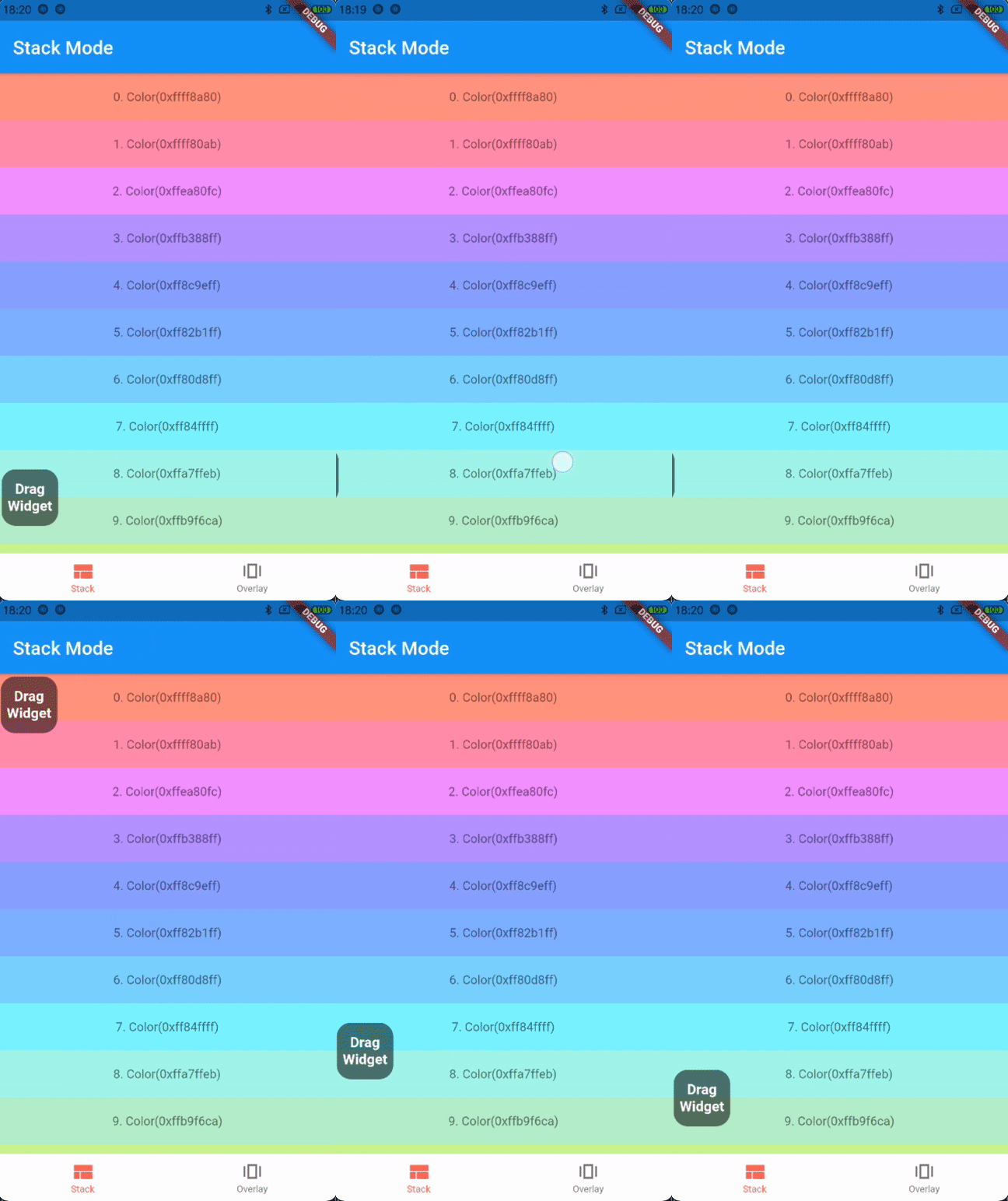
  • the first way: stack mode

    Stack(
      children: [
        listView,
        DraggableFloatWidget(
          child: child,
          eventStreamController: eventStreamController,
          config: DraggableFloatWidgetBaseConfig(
            isFullScreen: false,
            initPositionYInTop: false,
            initPositionYMarginBorder: 50,
            borderBottom: navigatorBarHeight + defaultBorderWidth,
          ),
          onTap: () => print("Drag onTap!"),
        )
      ],
    )
    

    stack mode

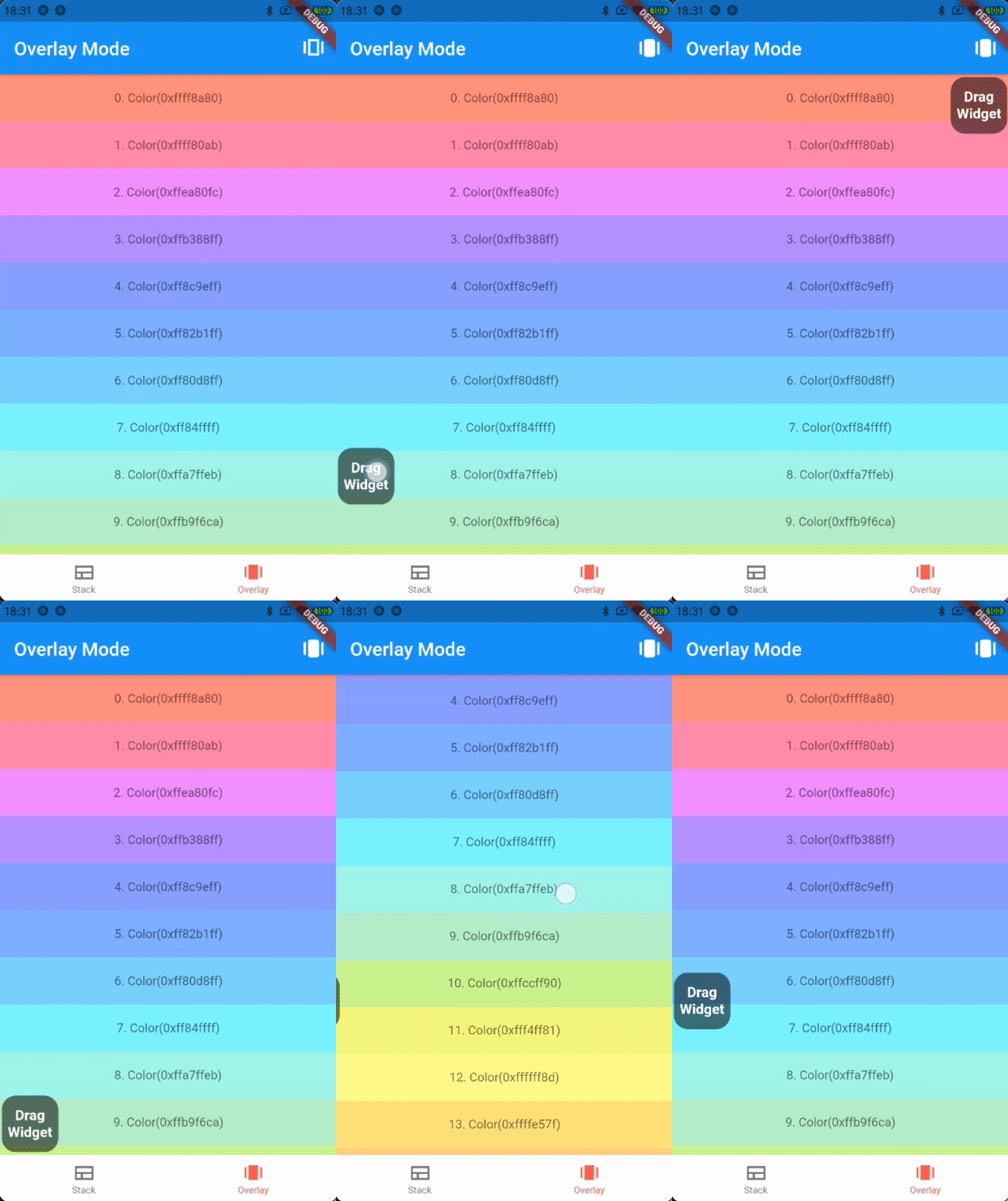
  • the second way: overlay mode

    _overlayEntry = OverlayEntry(builder: (context) {
      return DraggableFloatWidget(
        child: widget.child,
        eventStreamController: widget.eventStreamController,
        config: DraggableFloatWidgetBaseConfig(
          initPositionYInTop: false,
          initPositionYMarginBorder: 50,
          borderTopContainTopBar: true,
          borderBottom: widget.navigatorBarHeight + defaultBorderWidth,
        ),
        onTap: () => print("Drag onTap!"),
      );
    });
    
    /// Warning: context cannot be the context of MaterialApp
    Overlay.of(context)?.insert(_overlayEntry!);
    

    overlay mode

Contributions

If you encounter any problem or the library is missing a feature feel free to open an issue. Feel free to fork, improve the package and make pull request.

License

MIT

श्रेणियाँ

सोर्स रिपॉज़िटरी

इस पैकेज का उपयोग करने वाले प्रोजेक्ट