पैकेज, रिपॉज़िटरी और ऐप श्रेणियाँ खोजें

पैकेज विवरणv2.0.0

floating_snackbar

आपके प्रोजेक्ट के लिए कस्टम फ्लोटिंग स्नैकबार प्रदान करने वाला एक पैकेज।

AndroidiOSWebmacOSWindowsLinux
30-दिन डाउनलोड
953
लाइक
28
Pub अंक
150

पैकेज इंस्टॉल करें

flutter pub add floating_snackbar

पैकेज अवलोकन

सार्वजनिक जानकारी से बना चयन मार्गदर्शन। केवल संदर्भ हेतु।

एक फ्लटर पैकेज जो कई प्लेटफॉर्म पर बेहतर उपयोगकर्ता प्रतिक्रिया के लिए कस्टमाइज़ेबल फ्लोटिंग स्नैकबार प्रदान करता है। आधुनिक, एनीमेटेड नोटिफिकेशन अनुभव प्रदान करने के लिए डिज़ाइन किया गया है, इसमें स्मूथ ट्रांज़िशन और डायनामिक पोज़िशनिंग का समर्थन है। उपयोगकर्ता फ्लो को बाधित किए बिना छोटे संदेश, चेतावनियाँ या पुष्टिकरण दिखाने के लिए आदर्श है। पैकेज हल्का है और न्यूनतम सेटअप के साथ मौजूदा प्रोजेक्ट में बिना किसी दिक्कत के एकीकृत हो जाता है। यह Android, iOS, Web, macOS, Windows और Linux पर काम करता है, जिससे उपकरणों के बीच संगत व्यवहार सुनिश्चित होता है।

उपयोग

  • त्वरित स्थिति अपडेट दिखाएं
  • कार्रवाई के बाद पुष्टि संदेश दिखाएं
  • फॉर्म में उपयोगकर्ता प्रतिक्रिया प्रदान करना
  • सफल ऑपरेशन के बारे में उपयोगकर्ता को सूचित करना
  • एनिमेटेड नोटिफिकेशन के साथ UI में सुधार करना

मुख्य विशेषताएँ

  • कस्टमाइज़ किए गए दिखावट और एनीमेशन
  • फ्लोटिंग, गैर-ब्लॉकिंग डिज़ाइन
  • क्रॉस-प्लेटफ़ॉर्म सुविधा
  • मौजूदा कोड के साथ आसान एकीकरण
  • बहुत दृश्य स्थितियों का समर्थन

इनके लिए उपयुक्त

  • मोबाइल और वेब एप्लिकेशन
  • हल्की नोटिफिकेशन की आवश्यकता वाले प्रोजेक्ट
  • आधुनिक UI घटकों की तलाश में विकासकर्ता
  • प्लेटफॉर्म के आसपास सुस्त प्रतिक्रिया वाले ऐप्स
  • उपयोगकर्ता इंटरफेस-केंद्रित Flutter परियोजनाएँ

विचार योग्य बातें

  • जटिल डिज़ाइन के लिए अतिरिक्त स्टाइलिंग की आवश्यकता हो सकती है
  • मूल एस्नैकबार कार्यक्षमता तक सीमित
  • अक्सर उपयोग करने पर प्रभाव
  • स्वाइप-टू-डिसमिस के लिए कोई निर्मित समर्थन नहीं है
  • प्लेटफॉर्म-विशिष्ट रेंडरिंग व्यवहार पर निर्भर करता है

मूल README

संबंधित सोर्स रिपॉज़िटरी के मूल README का स्नैपशॉट। नवीनतम सामग्री के लिए रिपॉज़िटरी देखें।

floating_snackbar

pub package CI license

Beautiful, customizable floating snackbars / toasts for Flutter. 🚀

Keep the dead-simple one-liner you already know - or reach for variants, positioning, theming, actions, progress bars, and context-free display when you need them. Pure Dart, zero native code, works on every platform.

Android iOS Linux macOS Web Windows
✅ ✅ ✅ ✅ ✅ ✅

📸 Screenshots

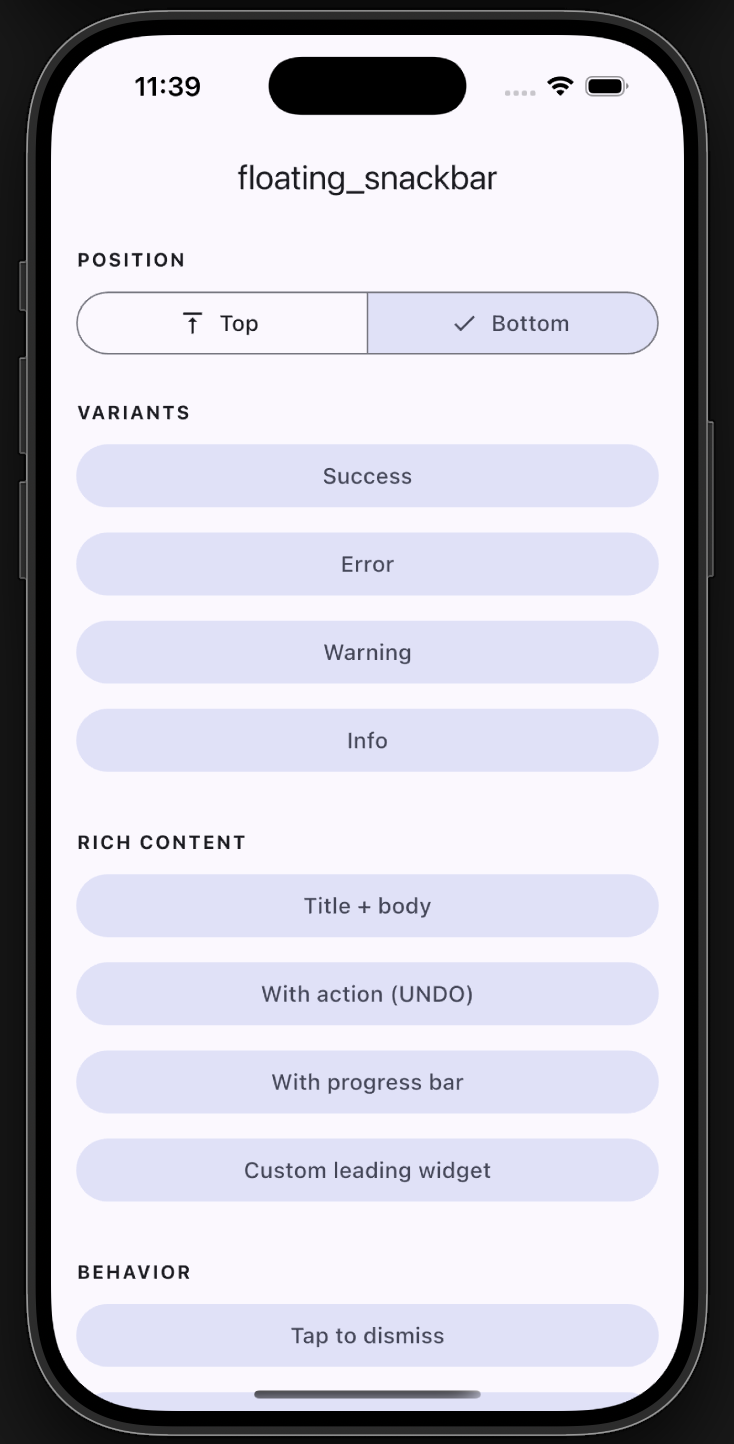
Plain example app screen
Example app
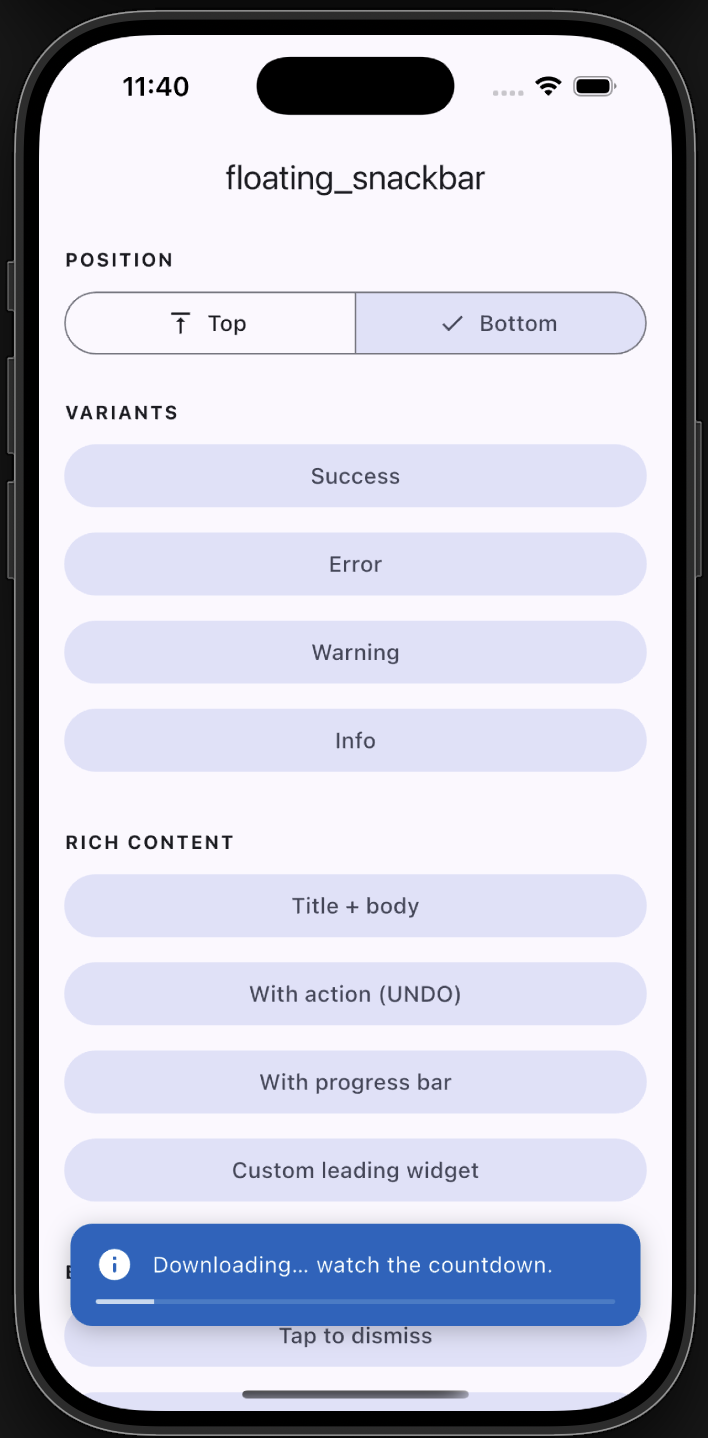
Progress bar
Progress
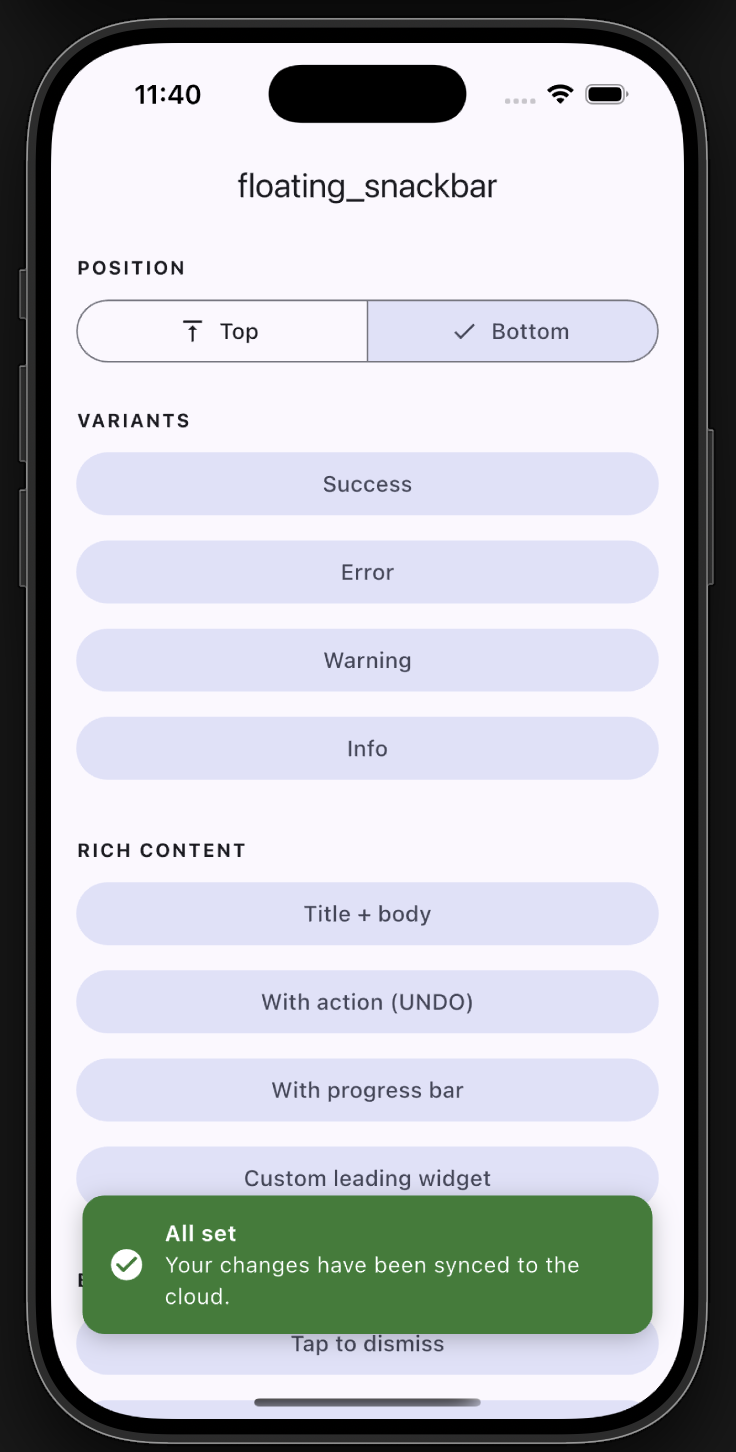
Bottom snackbar with title
Bottom with title
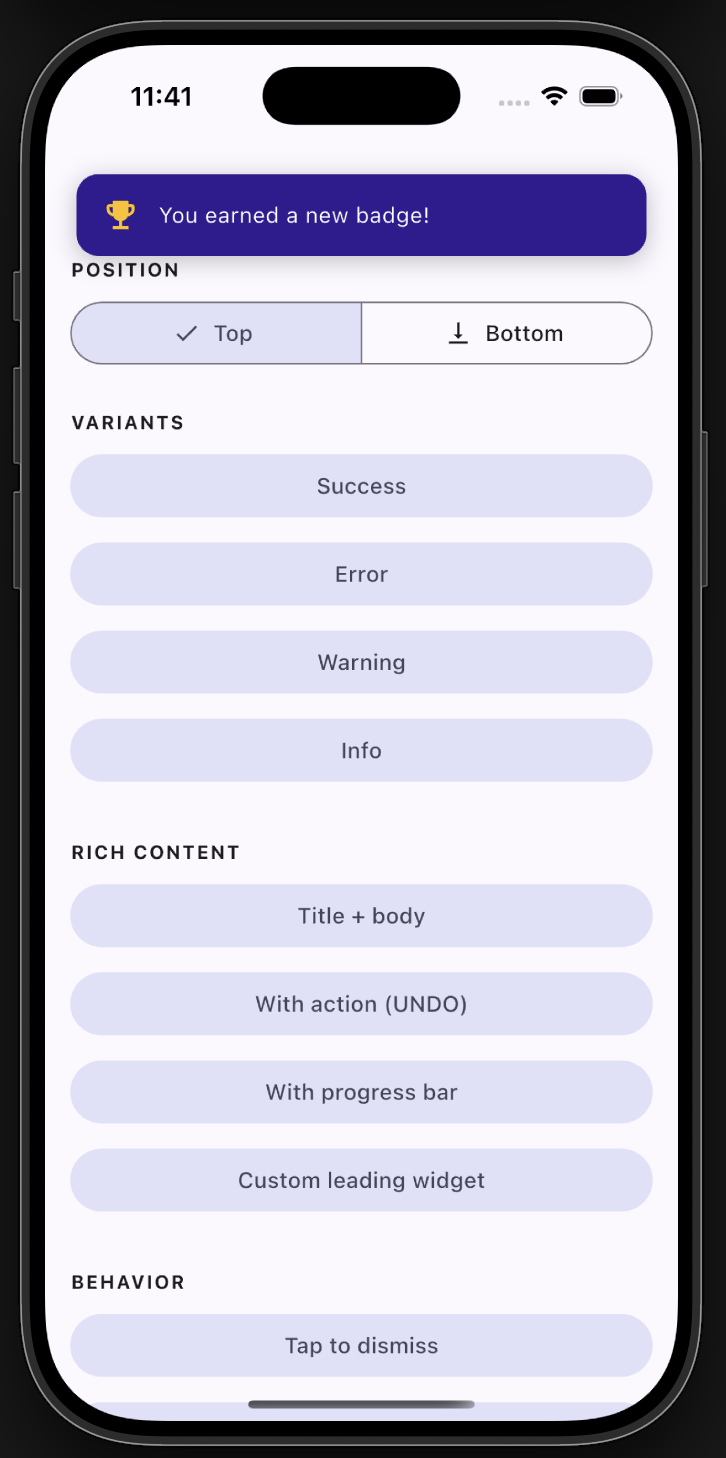
Top position
Top position

✨ Features

  • ✅ Backward compatible - the original floatingSnackBar() still works.
  • 🎨 Variants - success, error, warning, info, with default colors & icons.
  • 📍 Positioning - show at the top or bottom of the screen.
  • 🧩 Rich content - title + body, leading icon/widget, trailing action button.
  • ⏳ Progress bar - optional countdown indicator.
  • 👆 Dismissal - tap-to-dismiss and swipe-to-dismiss.
  • 🌈 Animations - slide, fade, or scale.
  • 🌍 Global theming - set defaults once via FloatingSnackBar.theme.
  • 🪄 Context-free - show from services/blocs with no BuildContext.

📦 Getting started

Add the dependency:

dependencies:
  floating_snackbar: ^2.0.0

Import it:

import 'package:floating_snackbar/floating_snackbar.dart';

🚀 Usage

The simple one-liner (unchanged)
floatingSnackBar(
  message: 'Hi there! I am a floating SnackBar!',
  context: context,
);
Variants
FloatingSnackBar.success(context, 'Saved successfully!');
FloatingSnackBar.error(context, 'Something went wrong.');
FloatingSnackBar.warning(context, 'Battery is running low.');
FloatingSnackBar.info(context, 'A new update is available.');
Positioning
FloatingSnackBar.success(
  context,
  'Shown at the top!',
  position: FloatingSnackBarPosition.top,
);
Title, action & progress
FloatingSnackBar.show(
  context,
  'Item deleted.',
  title: 'Done',
  position: FloatingSnackBarPosition.bottom,
  showProgress: true,
  duration: const Duration(seconds: 5),
  action: FloatingSnackBarAction(
    label: 'UNDO',
    onPressed: () => restoreItem(),
  ),
);
Custom leading widget & colors
FloatingSnackBar.show(
  context,
  'You earned a new badge!',
  leading: const Icon(Icons.emoji_events, color: Colors.amber),
  backgroundColor: const Color(0xFF311B92),
  animation: FloatingSnackBarAnimation.scale,
);
Context-free (no BuildContext)

Wire the navigator key into your app once:

MaterialApp(
  navigatorKey: FloatingSnackBar.navigatorKey,
  // ...
);

Then call from anywhere - a service, a bloc, an interceptor:

FloatingSnackBar.info(null, 'No BuildContext needed!');

Already have a navigator key? Just assign it: FloatingSnackBar.navigatorKey = myExistingKey;

Global theming

Set your defaults once (e.g. in main) and every snackbar follows them:

FloatingSnackBar.theme = const FloatingSnackBarTheme(
  defaultPosition: FloatingSnackBarPosition.top,
  borderRadius: 16,
  duration: Duration(seconds: 3),
  successColor: Colors.teal,
  animation: FloatingSnackBarAnimation.slide,
);
Dismiss programmatically
FloatingSnackBar.dismiss(context); // or dismiss() with the navigatorKey set

📋 API reference

FloatingSnackBar.show(context, message, { ... })
Parameter Type Description
context BuildContext? Required unless navigatorKey is wired up.
message String The body text.
title String? Optional bold title above the message.
type FloatingSnackBarType normal / success / error / warning / info.
position FloatingSnackBarPosition? top or bottom.
animation FloatingSnackBarAnimation? slide / fade / scale.
duration Duration? Visible time before auto-dismiss.
leading Widget? Custom leading widget (overrides the type icon).
action FloatingSnackBarAction? Trailing action button.
backgroundColor Color? Overrides the type/theme background.
textColor Color? Overrides the text color.
textStyle TextStyle? Overrides the message style.
titleStyle TextStyle? Overrides the title style.
dismissOnTap bool? Tap the card to dismiss.
showProgress bool? Show a countdown bar.
replace bool Replace the current snackbar (default) or queue.

success / error / warning / info are thin wrappers over show with the matching type. Every unset argument falls back to FloatingSnackBar.theme.


🧪 Example

A full demo of every feature lives in example/. Run it with:

cd example
flutter run

🤝 Support

Found a bug or have an idea? Open an issue. 🐛


Enjoy building delightful Flutter apps with floating_snackbar! 🎉

श्रेणियाँ

सोर्स रिपॉज़िटरी

इस पैकेज का उपयोग करने वाले प्रोजेक्ट