सार्वजनिक जानकारी से बना चयन मार्गदर्शन। केवल संदर्भ हेतु।
Flutter Auto Form एक पैकेज है जिसका उद्देश्य Flutter एप्लिकेशन में उपयोगकर्ता-अनुकूल फॉर्म के निर्माण को सरल बनाना है। यह डेटा मॉडल्स के आधार पर स्वचालित रूप से फॉर्म फील्ड बनाकर बॉइलरप्लेट कोड को कम करता है, जिससे विकास गति और सुसंगतता में सुधार होता है। अंतर्निहित सत्यापन, त्रुटि संभाल और कस्टमाइज़ किए जा सकने वाले विजेट्स के साथ, यह डेवलपर अनुभव और अंतिम उपयोगकर्ता अंतरक्रिया को बढ़ाता है। पैकेज सभी प्रमुख प्लेटफॉर्म का समर्थन करता है, जिससे यह क्रॉस-प्लेटफॉर्म फॉर्म वास्तविकीकरण के लिए आदर्श है।
उपयोग
डेटा मॉडल से डायनामिक फॉर्म बनाना
पुनरावृत्ति फॉर्म कोड कम करना
प्लेटफॉर्म के भीतर सुसंगत UI बनाना
आसानी से फॉर्म सत्यापन कार्यान्वित करें
इनपुट स्क्रीन का त्वरित प्रोटोटाइपिंग
मुख्य विशेषताएँ
स्वचालित फॉर्म फ़ील्ड जनरेशन
निर्मित वैधता समर्थन
कस्टमाइज़ किए गए फॉर्म विजेट्स
क्रॉस-प्लेटफ़ॉर्म संगतता
आवश्यक बॉयलरप्लेट कम है
इनके लिए उपयुक्त
त्वरित फॉर्म निर्माण की खोज कर रहे विकासकर्ता
स्थिर फॉर्म डिज़ाइन की आवश्यकता वाले प्रोजेक्ट्स
क्रॉस-प्लेटफॉर्म फ्लटर ऐप्स
त्वरित फॉर्म कार्यान्वयन की आवश्यकता वाले प्रोटोटाइप
रखरखाव फॉर्म कोड प्राथमिकता देने वाली टीमें
विचार योग्य बातें
अत्यधिक जटिल फॉर्म के लिए सीमित कस्टमाइज़ेशन
उन्नत वैधता के लिए अतिरिक्त कॉन्फ़िगरेशन की आवश्यकता हो सकती है
अद्वितीय, अनॉन-मानक लेआउट वाले फॉर्म के लिए आदर्श नहीं है
मॉडल संरचना पर निर्भर करता है स्वचालित उत्पादन के लिए
ऑटो-फॉर्म पैटर्न के बारे में अपरिचित नए उपयोगकर्ताओं के लिए सीखने का वक्र
मूल README
संबंधित सोर्स रिपॉज़िटरी के मूल README का स्नैपशॉट। नवीनतम सामग्री के लिए रिपॉज़िटरी देखें।
Flutter Auto Form
The easiest way to create fully customizable forms with only a tiny amount of code.
Introduction
Are you tired of writing endless lines of code to create forms in your Flutter apps? Look no further! Our Flutter Auto
Form package is here to revolutionize your form-building experience.
Our primary goal is to significantly reduce the amount of code required to create forms in Flutter. We achieve this by
embracing a clear separation of concerns between form logic and form display.
With Flutter Auto Form, you write the form logic in pure Dart, without any direct mention of widgets. Instead, we
introduce the AFWidget, which dynamically renders all the necessary widgets based on a straightforward form
declaration—a simple Dart class that extends the TemplateForm class.
But that's not all! Our package empowers you to design your custom fields and linked widgets, making nearly any form
conceivable. Whether you're working on basic forms or tackling complex ones, Flutter Auto Form has got you covered.
The true magic of Flutter Auto Form shines when you're dealing with multiple forms, especially complex ones. All your
validators are automatically called when you submit a form, and you can even create sub-forms that cascade into one
another.
Dynamic form generation is also feasible but still in experimental mode. It is accessible through the
JsonSchemaForm class.
dependencies:flutter:sdk:flutter# Your other packages ...flutter_auto_form:^1.0.6
Support
Platforms: All platforms currently supported
Autofill hints: Automatic support through AFTextFieldType
Validators: Email, Url, Hex colour, Not null, Minimum string length, Same as another field, Alphanumeric.
Fields: Password (auto obscure toggle), Text, Number, Model (built-in support for search through an api),
Boolean, Sub-form (cascading forms), Select (dropdown field allowing only predefined values)
Custom code: You can customize and create new fields, validators, widgets as you please without even touching the
source code of this package !
Usage
The first step in creating a form with Flutter Auto Form is to create a class inheriting from the TemplateForm class.
The second & (already) last step is to add the AFWidget wherever you would like to display a form.
AFWidget<RegistrationForm>(
formBuilder: () => RegistrationForm(),
submitButton: (Function({bool showLoadingDialog}) submit) => Padding(
padding: constEdgeInsets.only(top: 32),
child: MaterialButton(
child: Text('Submit'),
onPressed: () => submit(showLoadingDialog: true),
),
),
onSubmitted: (RegistrationForm form) {
// do whatever you want when the form is submittedprint(form.toMap());
},
);
Example
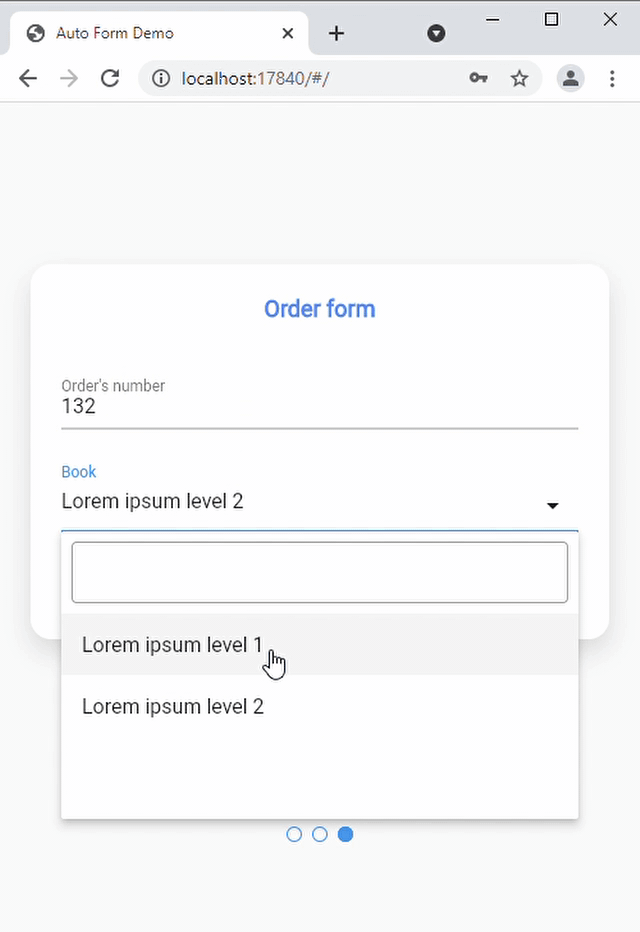
A demo video can be found here. The
four forms displayed in the video are all created with Flutter Auto Form, even the model search field.
The source code is located in the example folder.
Advanced usage
If you need to create your own field (color field, image field, ...) you can always create it by overriding the Field
class. Then to display a custom widget, create a stateful widget that extends the FieldStatefulWidget, and of which the
state extends the FieldState class.
This package is still under construction ! Do not hesitate to create an issue on the GitHub page if you find any bug
or if you would like to see a new type of validator, field !