पैकेज, रिपॉज़िटरी और ऐप श्रेणियाँ खोजें

पैकेज विवरणv1.0.3

flutter_flip_view

एक नया Flutter प्लगइन।

30-दिन डाउनलोड
41
लाइक
28
Pub अंक
30

पैकेज इंस्टॉल करें

flutter pub add flutter_flip_view

पैकेज अवलोकन

सार्वजनिक जानकारी से बना चयन मार्गदर्शन। केवल संदर्भ हेतु।

एक फ्लटर प्लगइन जो इंटरैक्टिव कार्ड फ्लिप एनीमेशन को सक्षम करता है, जो कार्ड के आगे और पीछे के पक्षों के साथ डायनामिक UI तत्व बनाने के लिए उपयुक्त है। यह स्मूथ ट्रांजिशन का समर्थन करता है और दृश्य गहराई या परतदार सामग्री की आवश्यकता वाले इंटरफ़ेस के लिए डिज़ाइन किया गया है। पैकेज हल्का है और मौजूदा फ्लटर प्रोजेक्ट में आसानी से एकीकृत किया जा सकता है। यह शैक्षिक ऐप्स, फ्लैशकार्ड या किसी भी ऐप के लिए विशेष रूप से उपयोगी है जहां एक साथ जानकारी प्रस्तुत करने से उपयोगकर्ता अनुभव में सुधार होता है।

उपयोग

  • फ्लैशकार्ड्स के लिए फ्लिप कार्ड बनाना
  • इंटरैक्टिव उत्पाद प्रीव्यू बनाना
  • शैक्षिक प्रश्नोत्तरी डिज़ाइन करना
  • ऑनबोर्डिंग स्क्रीन्स में सुधार करना
  • डुअल-कंटेंट कार्ड प्रदर्शित कर रहे हैं

मुख्य विशेषताएँ

  • स्मूथ फ्लिप एनीमेशन
  • कस्टम फ्रंट और बैक कंटेंट का समर्थन
  • Flutter विजेट्स के साथ आसान एकीकरण
  • हल्का और कार्यक्षम
  • निर्धारित फ्लिप दिशा और गति

इनके लिए उपयुक्त

  • शैक्षिक ऐप विकासकर्ता
  • इंटरैक्टिव तत्वों की तलाश में UI डिज़ाइनर
  • कार्ड-आधारित लेआउट का उपयोग करने वाले ऐप निर्माता
  • इंटरैक्टिव ट्यूटोरियल बना रहे डेवलपर्स
  • उपयोगकर्ता अनुभव को बढ़ावा देने वाली टीमें

विचार योग्य बातें

  • मूलभूत फ्लिप मैकेनिक्स तक सीमित
  • कोई बिल्ट-इन गेस्चर पहचान नहीं है
  • अवस्था प्रबंधन के लिए हस्तचालित निर्देशन की आवश्यकता होती है
  • जटिल नेस्टेड लेआउट के लिए अनअनुकूलित
  • सरल फ्लिपिंग के अलावा 3D प्रभावों का समर्थन नहीं है
मूल README

संबंधित सोर्स रिपॉज़िटरी के मूल README का स्नैपशॉट। नवीनतम सामग्री के लिए रिपॉज़िटरी देखें।

flutter_flip_view

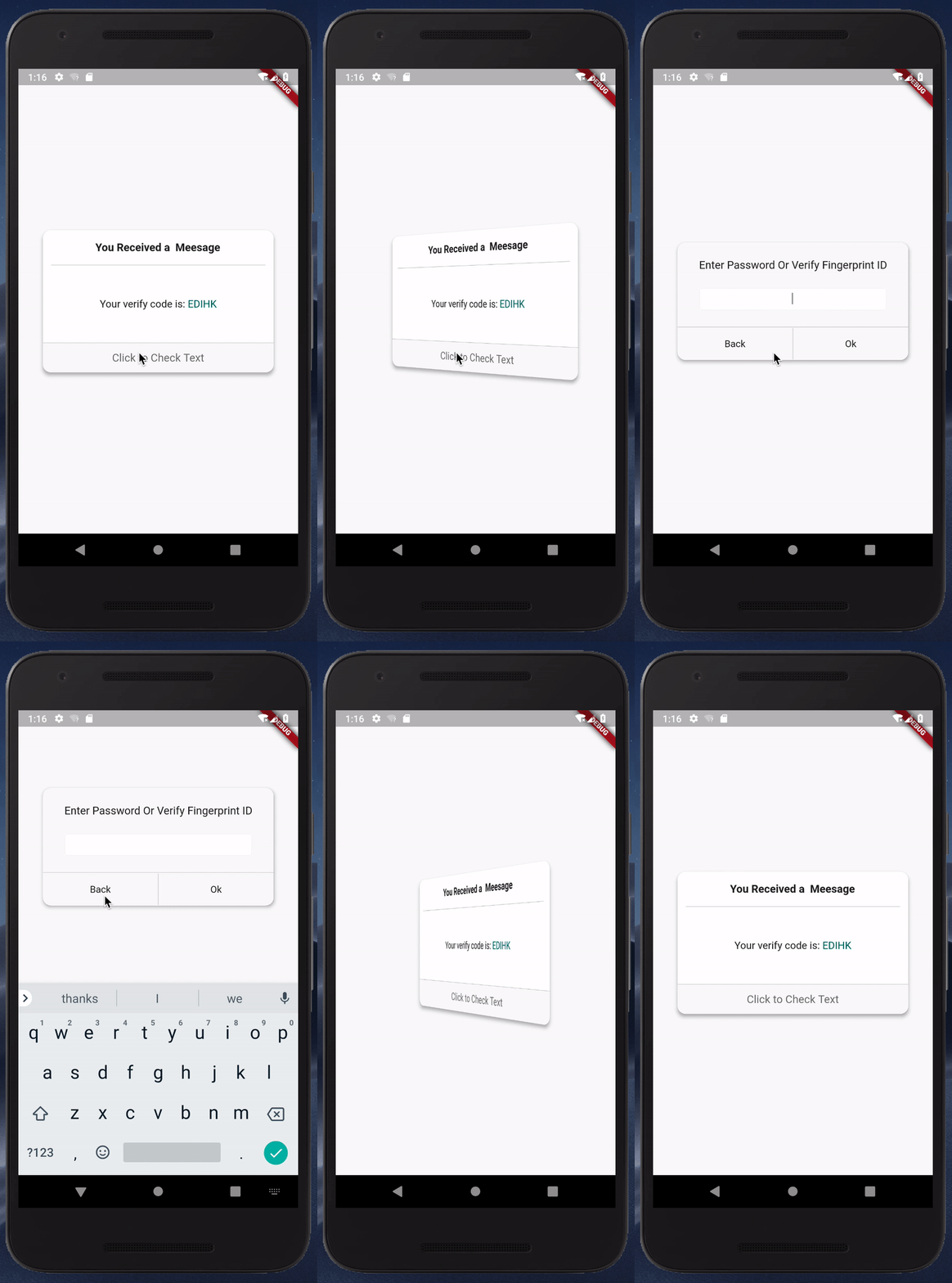
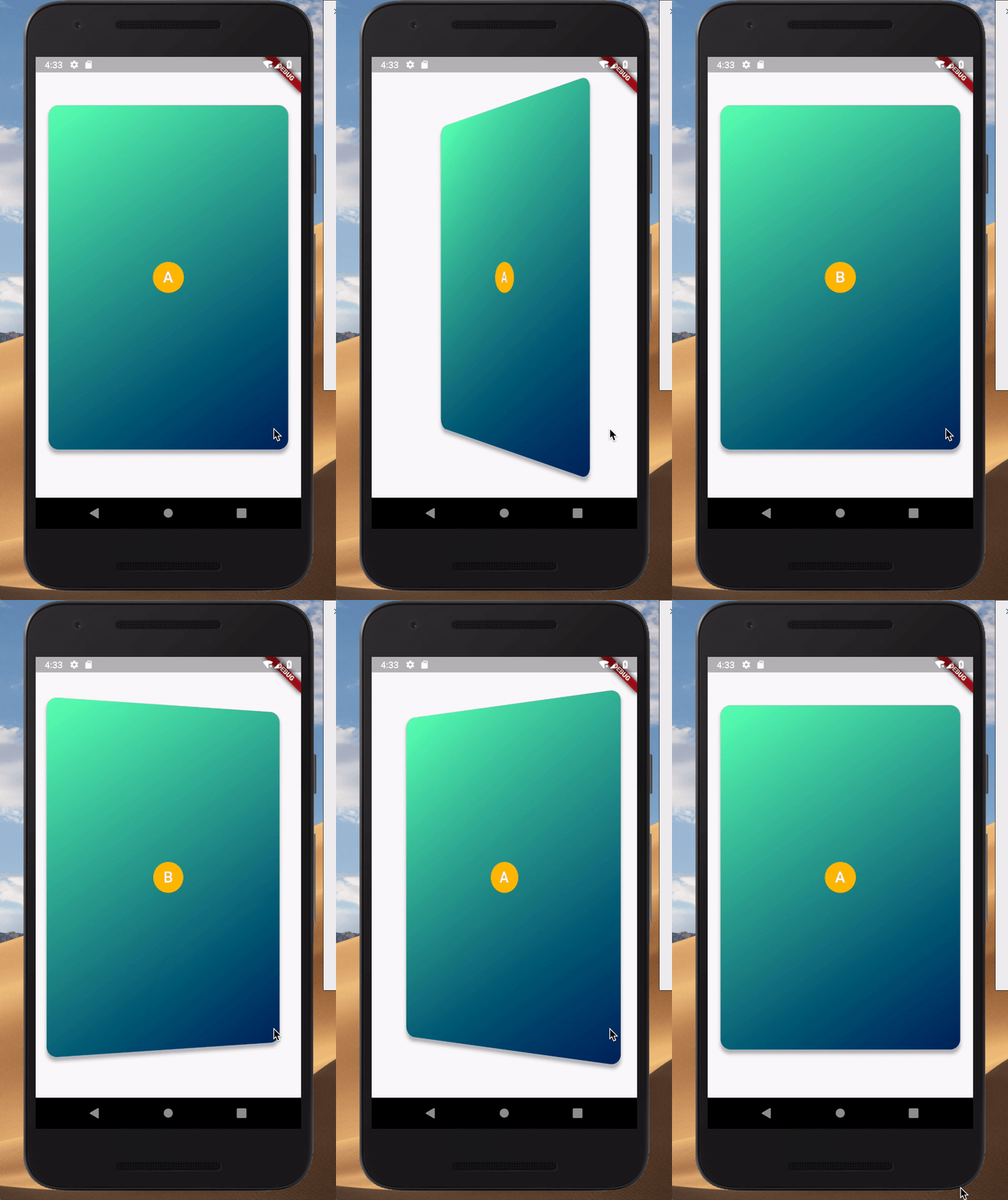
This is a flutter Widget base on pure Dart code that provides 3D flip card visuals.

simplecard

customlayout

Usage

add package in your pubspec.yaml

dependencies:
   flutter_flip_view: ^latest_version

This is a simple usage

import 'package:flutter_flip_view/flutter_flip_view.dart';

FlipView(
  animationController: _curvedAnimation,
  front: Container(
    width: 300,
    height: 500,
    color: Colors.amber,
    alignment: Alignment.center,
    child: Text('Front'),
  ),
  back: Container(
    width: 300,
    height: 500,
    color: Colors.blueGrey,
    alignment: Alignment.center,
    child: Text('Back'),
  ),
)

You can get more usage case in main.dart and custom_layout_example.dart

Pay attention

If the widgets you are using within the flip_view are wrapped in a Card widget or a Material widget, you should set the Card (or Material) property clipBehavior to Clip.hardEdge or something other than Clip.none.

Getting Started

This project is a starting point for a Flutter plug-in package, a specialized package that includes platform-specific implementation code for Android and/or iOS.

For help getting started with Flutter, view our online documentation, which offers tutorials, samples, guidance on mobile development, and a full API reference.

श्रेणियाँ

सोर्स रिपॉज़िटरी

इस पैकेज का उपयोग करने वाले प्रोजेक्ट