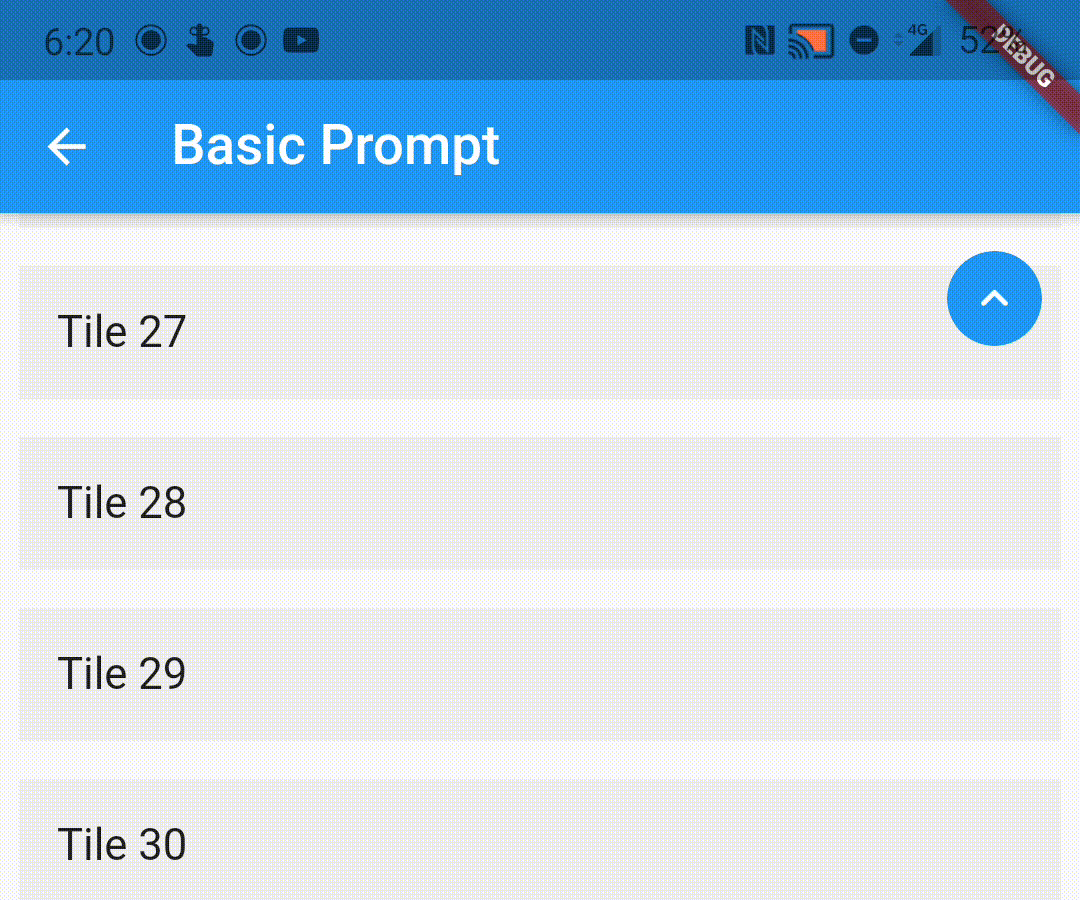
एक पैकेज जो आपके स्क्रॉल करने योग्य विजेट्स को लपेटने के लिए एक सरल वраФ प्रदान करता है, जब आप स्क्रॉल करते हैं तो उपयोगकर्ता को ऊपर जाएँ का प्रॉम्प्ट दिखाता है।
सार्वजनिक जानकारी से बना चयन मार्गदर्शन। केवल संदर्भ हेतु।
एक हल्का फ्लटर पैकेज जो स्क्रॉल करने योग्य विजेट्स को घेरता है ताकि जब उपयोगकर्ता नीचे स्क्रॉल करता है तो 'ऊपर स्क्रॉल करें' संकेतक स्वचालित रूप से प्रदर्शित हो। यह लंबे सूचियों या स्क्रॉल दृश्यों के शीर्ष पर वापस आने के लिए एक स्पष्ट तरीका प्रदान करके उपयोगकर्ता अनुभव को बढ़ाता है। पैकेज को आसानी से एकीकृत किया जा सकता है और किसी भी स्क्रॉल करने योग्य सामग्री, जैसे ListView, CustomScrollView या SingleChildScrollView के साथ बिना किसी समस्या के काम करता है। इसमें बटन के दिखावट और व्यवहार को कस्टमाइज़ करने का समर्थन है।
उपयोग
लंबी सूचियों में ऊपर की ओर स्क्रॉल करने वाला बटन जोड़ना
स्क्रॉल करने योग्य डैशबोर्ड में उपयोगकर्ता अनुभव में सुधार
सामग्री-भारी ऐप्स में पहुंच को बढ़ाना
स्क्रॉल करते समय दृश्य प्रतिक्रिया प्रदान करना
नेस्टेड स्क्रॉल व्यू में नेविगेशन को सरल बनाना
मुख्य विशेषताएँ
स्क्रॉल स्थिति के आधार पर स्वचालित दृश्यता
कस्टमाइज़ेबल फ्लोटिंग एक्शन बटन
वраФ퍡 विजेट के साथ न्यूनतम सेटअप
सभी स्क्रॉल करने योग्य विजेट्स के साथ काम करता है
डार्क मोड और थीम इंटीग्रेशन का समर्थन करता है
इनके लिए उपयुक्त
लंबे स्क्रॉल करने योग्य सामग्री वाले ऐप
उपयोगकर्ता अनुभव पर बल देने वाले उपयोगकर्ता इंटरफ़ेस डिज़ाइनर
त्वरित स्क्रॉल-टू-टॉप कार्यान्वयन की खोज कर रहे विकासकर्ता
न्यूनतम निर्भरता वाले प्रोजेक्ट्स
सामग्री-समृद्ध स्क्रीन वाले मोबाइल ऐप्स
विचार योग्य बातें
जटिल नेस्टेड स्क्रॉल व्यू के साथ अतिरिक्त कॉन्फ़िगरेशन के बिना काम नहीं कर सकता है
यदि डिफ़ॉल्ट का उपयोग नहीं कर रहे हैं, तो स्क्रॉल कंट्रोलर को हाथ से संभालना आवश्यक है
मूल शैली के अतिरिक्त सीमित कस्टमाइजेशन विकल्प
अनुपयुक्त गैर-स्क्रॉल किए गए विजेट के लिए
प्लेटफॉर्म-विशिष्ट स्क्रॉल व्यवहार पर निर्भर करता है
मूल README
संबंधित सोर्स रिपॉज़िटरी के मूल README का स्नैपशॉट। नवीनतम सामग्री के लिए रिपॉज़िटरी देखें।
flutter_scroll_to_top
A wrapper to show a scroll to top prompt to the user on ScrollView widgets.
Installing
Add the following dependency to your pubspec.yaml file:
If the child ScrollView has different properties for scrollController, scrollDirection,
primary or reverse parameters than the default values, you need to pass them to the ScrollWrapper
widget as it requires the same parameters. It provides a ScrollViewProperties object in the builder
callback that you can use to access the properties in the ScrollView widget.
You can pass the following parameters to customise the prompt accordingly
enabledAtOffset - At what scroll offset to enable the prompt on.
alwaysVisibleAtOffset - If the prompt is to be always visible at the provided offset. Setting this to false only shows the prompt when the user starts scrolling upwards. Default value is false.
scrollOffsetUntilVisible - Offset should the user scroll in the opposite direction before the prompt becomes visible.
scrollOffsetUntilHide - Offset should the user scroll before the prompt hides itself, if visible.
promptAlignment - Where on the widget to align the prompt.
promptDuration - Duration it takes for the prompt to come into view/vanish.
promptAnimationCurve - Animation Curve that the prompt will follow when coming into view.
promptAnimationType - PromptAnimation that the prompt follows when animating. Has three options, fade, scale and size.
scrollToTopDuration - Duration it takes for the page to scroll to the top on prompt button press.
scrollToTopCurve - Animation Curve for scrolling to the top.
promptTheme - You can pass PromptButtonTheme to modify the prompt button further. It has the following parameters:
padding - Padding around the prompt button.
iconPadding - Padding around the icon inside the button.