सार्वजनिक जानकारी से बना चयन मार्गदर्शन। केवल संदर्भ हेतु।
एक फ्लटर पैकेज जो दबाव-ज़ूम, बहु-छवि नेविगेशन और गैलरी-शैली ब्राउज़िंग के समर्थन के साथ एक स्पष्ट छवि दर्शक प्रदान करता है। इसमें एक्सपैंडेड स्क्रीन डायलॉग कार्यक्षमता शामिल है, जिससे विभिन्न प्लेटफॉर्मों पर छवियों को बिना किसी बाधा के दिखाया जा सकता है। सरलता और प्रदर्शन के लिए डिज़ाइन किया गया है, इसे विस्तृत कस्टम इम्प्लीमेंटेशन के बिना छवि देखने की क्षमता वाले ऐप में आसानी से एकीकृत किया जा सकता है। यह पैकेज सभी प्रमुख प्लेटफॉर्म जैसे Android, iOS, Web, macOS, Windows और Linux का समर्थन करता है।
उपयोग
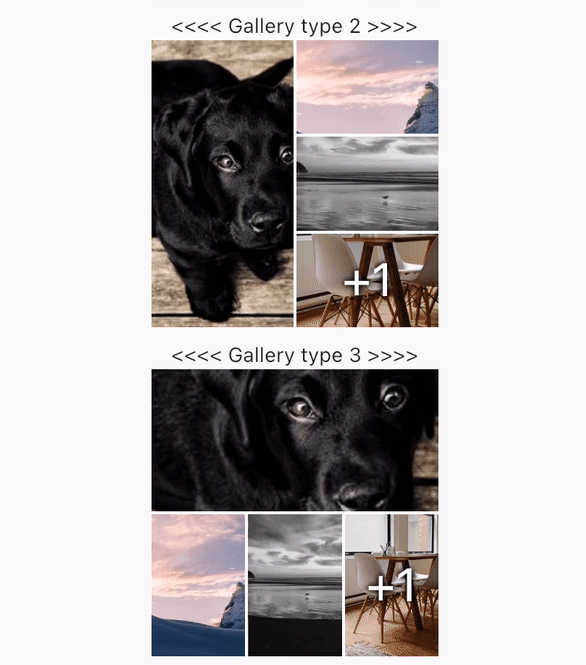
छवि गैलरी प्रदर्शित कर रहा है
ज़ूम के साथ उच्च-रिज़ोल्यूशन छवियों को देखें
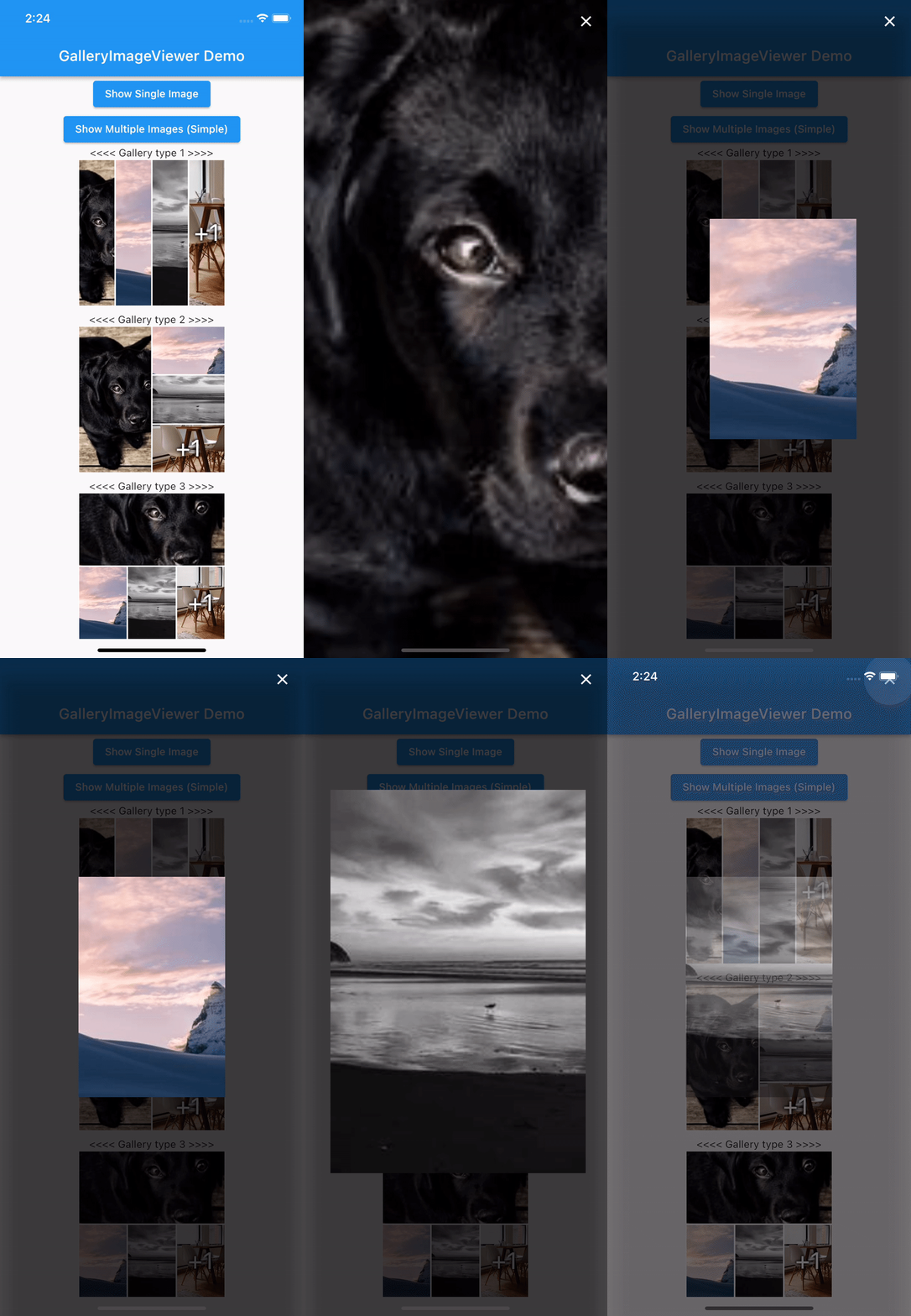
पूर्ण-स्क्रीन छवि ब्राउज़िंग
फोटो ऐप में छवि दर्शकों को एकीकृत करना
मीडिया-भारी ऐप्स में उपयोगकर्ता अनुभव को बढ़ाना
मुख्य विशेषताएँ
पिंच-टू-ज़ूम गेस्चर सपोर्ट
बहु-छवि नेविगेशन
एम्बेडेड फुल-स्क्रीन डायलॉग
प्लेटफॉर्म के अनुकूलता
न्यूनतम सेटअप के साथ सरल एकीकरण
गैलरी-शैली छवि ब्राउज़िंग
इनके लिए उपयुक्त
फोटो शेयरिंग ऐप्स
ई-कॉमर्स उत्पाद छवि दर्शक
यात्रा या पोर्टफोलियो ऐप्स
शैक्षिक या संदर्भ ऐप
इंटरैक्टिव इमेज एक्सप्लोरेशन की आवश्यकता वाले ऐप्स
विचार योग्य बातें
सही छवि संपत्ति प्रबंधन की आवश्यकता है
कस्टम UI के लिए अतिरिक्त स्टाइलिंग की आवश्यकता हो सकती है
प्रदर्शन छवि के आकार और संख्या पर निर्भर करता है
केवल छवि सामग्री तक सीमित
वीडियो प्लेबैक के लिए डिज़ाइन नहीं किया गया है
मूल README
संबंधित सोर्स रिपॉज़िटरी के मूल README का स्नैपशॉट। नवीनतम सामग्री के लिए रिपॉज़िटरी देखें।
GalleryImageViewer
An easy way to display images in a full-screen dialog, including pinch & zoom.
Features
Show a single image or a swipeable list of images
Use pinch & zoom to zoom in and out of images
Optionally allow "swipe down to dismiss" by passing in swipeDismissible: true
MultiImageProvider multiImageProvider = MultiImageProvider([
  Image.network("https://picsum.photos/id/1001/5616/3744").image,
  Image.network("https://picsum.photos/id/1003/1181/1772").image,
  Image.network("https://picsum.photos/id/1004/5616/3744").image,
  Image.network("https://picsum.photos/id/1005/5760/3840").image
]);

showImageViewerPager(context, multiImageProvider, onPageChanged: (page) {
  print("page changed to $page");
}, onViewerDismissed: (page) {
  print("dismissed while on page $page");
});
Usually you'll want to implement your own EasyImageProvider. Suppose you have
a list of Products, each of which has an imagePath property with the path
to a local image file. You could create an EasyImageProvider that takes a list
of Products like this:
ProductsImageProvider productsImageProvider = ProductsImageProvider(products: products);

showImageViewerPager(context, productsImageProvider, onPageChanged: (page) {
  print("page changed to $page");
}, onViewerDismissed: (page) {
  print("dismissed while on page $page");
});
Credits
GalleryImageViewer is custom from EasyImageViewer.
EasyImageViewer is a project by TSG, a full-service digital agency taking software from concept to launch.
Our powerhouse team of designers and engineers build iOS, Android, and web apps across many industries.