सार्वजनिक जानकारी से बना चयन मार्गदर्शन। केवल संदर्भ हेतु।
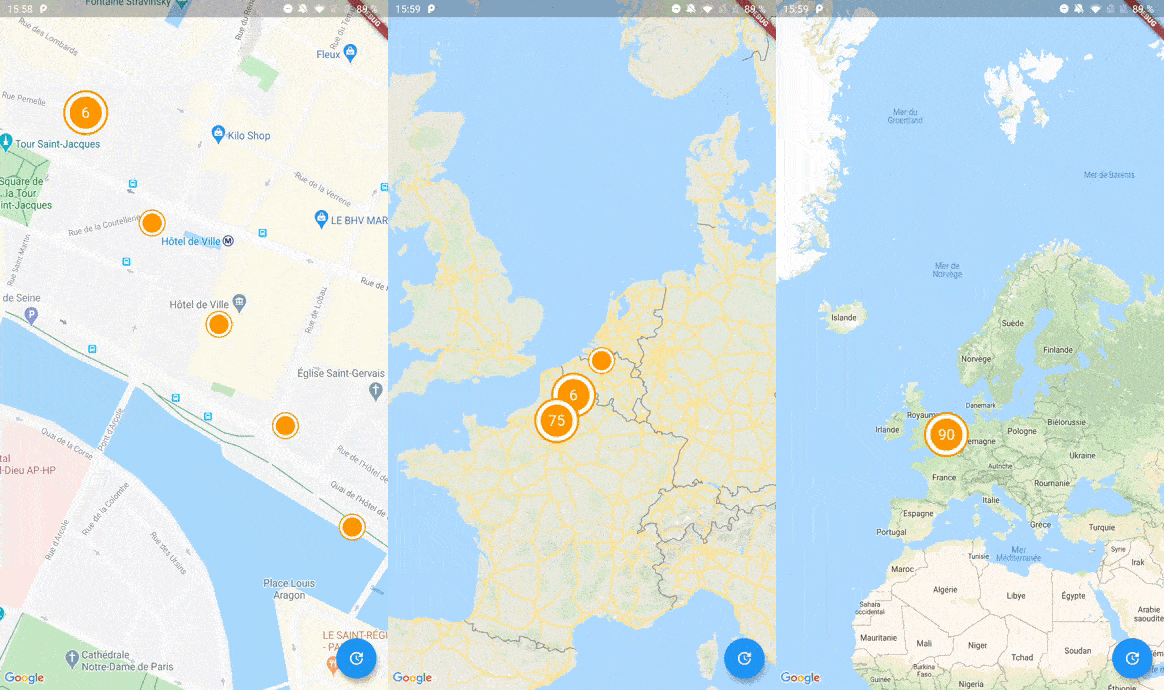
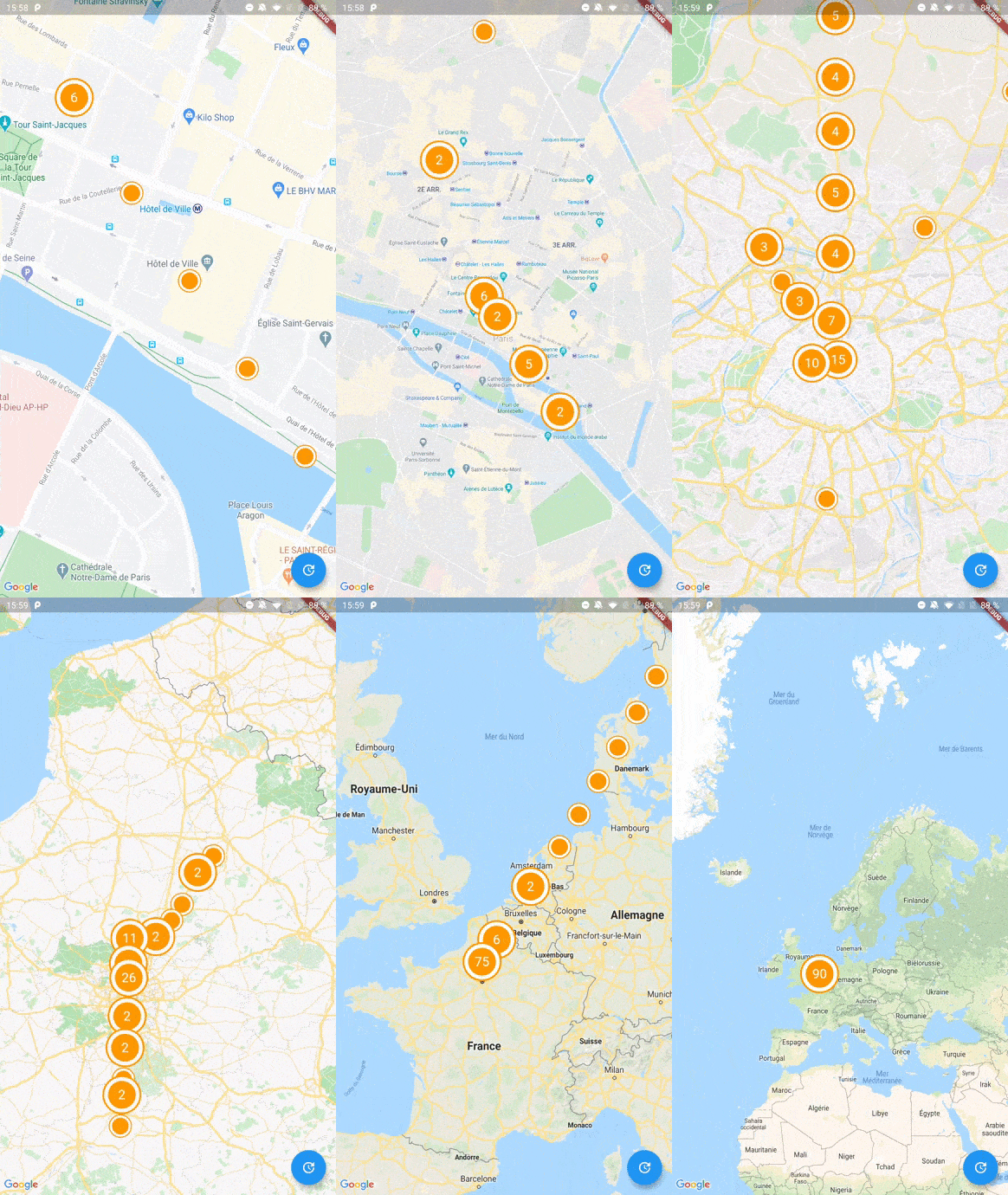
Google Maps के लिए एक सरल Flutter जुड़ाव पुस्तकालय जो Geohash का उपयोग करके निकटवर्ती मार्कर को प्रभावी ढंग से समूहित करता है। यह बहुत अधिक स्थानों को दिखाने पर प्रदर्शन और उपयोगकर्ता अनुभव को सुधारने के लिए बहुत से बिंदुओं को क्लस्टर में मिलाकर मानचित्र की भारी गड़बड़ी को कम करता है। पुस्तकालय Google Maps for Flutter के साथ बिना किसी दिक्कत के एकीकृत है, कस्टमाइज़ किए जा सकने वाले क्लस्टर आइकन और चिकनी एनीमेशन प्रदान करता है। घने मार्कर सेट के साथ दृश्य स्पष्टता की आवश्यकता वाले एप्लिकेशन के लिए आदर्श है।
उपयोग
मानचित्रों पर बड़े डेटासेट को प्रदर्शित करना
बहुत सारे मार्कर के साथ मानचित्र प्रदर्शन में सुधार
स्थान-आधारित ऐप में उपयोगकर्ता अनुभव को बढ़ाना
भूस्थितिजन्य डेटा समूहों का दृश्यीकरण
इंटरैक्टिव मानचित्र इंटरफेस बनाना
मुख्य विशेषताएँ
जियोहैश-आधारित क्लस्टरिंग
कस्टमाइज़ किए गए क्लस्टर आइकन
चिकनी एनिमेशन संक्रमण
Google Maps के साथ आसान एकीकरण
डायनामिक मार्कर अद्यतन समर्थित
इनके लिए उपयुक्त
उच्च घनत्व स्थान डेटा वाले ऐप्स
मैप-भारी एप्लिकेशन्स
हल्के बुलेट क्लस्टरिंग की तलाश में विकासकर्ता
Flutter के लिए Google Maps का उपयोग करने वाले प्रोजेक्ट
कुशल चिह्न प्रबंधन की आवश्यकता वाले उपयोगकर्ता
विचार योग्य बातें
Google Maps for Flutter सेटअप की आवश्यकता है
Google Maps प्लेटफॉर्म तक सीमित
विशिष्ट उपयोग केस के लिए क्लस्टरिंग तर्क को ट्यून करने की आवश्यकता हो सकती है
गैर-जियोहैश विधियों के लिए निर्मित समर्थन नहीं है
अपडेट्स के लिए बाहरी भंडारण पर निर्भर करता है
मूल README
संबंधित सोर्स रिपॉज़िटरी के मूल README का स्नैपशॉट। नवीनतम सामग्री के लिए रिपॉज़िटरी देखें।
To start with Cluster Manager, you have to initialize a ClusterManager instance.
ClusterManager<Place>(
_items, // Your items to be clustered on the map (of Place type for this example)
_updateMarkers, // Method to be called when markers are updated
markerBuilder: _markerBuilder, // Optional : Method to implement if you want to customize markers
levels: [1, 4.25, 6.75, 8.25, 11.5, 14.5, 16.0, 16.5, 20.0], // Optional : Configure this if you want to change zoom levels at which the clustering precision change
extraPercent: 0.2, // Optional : This number represents the percentage (0.2 for 20%) of latitude and longitude (in each direction) to be considered on top of the visible map bounds to render clusters. This way, clusters don't "pop out" when you cross the map.
stopClusteringZoom: 17.0// Optional : The zoom level to stop clustering, so it's only rendering single item "clusters"
);
When your GoogleMapController is created, you have to set the mapId with the setMapId method :
_manager.setMapId(controller.mapId);
You are able to add an new item to the map by calling addItem method on your ClusterManager instance. You can also completely change the items on your maps by calling setItems method.
You can customize the icon of a cluster by using Future<Marker> Function(Cluster<T extends ClusterItem>) markerBuilder parameter.
Every cluster (even one item clusters) is rendered by the library as a Cluster<T extends ClusterItem> object. You can differentiate single item clusters from multiple ones by using the isMultiple variable (or the count variable). This way, you can create different markers icon depending on the type of cluster.
You can create multiple managers for a single map, see the multiple.dart example.
Complete Basic Example
See the example directory for a complete sample app.