सार्वजनिक जानकारी से बना चयन मार्गदर्शन। केवल संदर्भ हेतु।
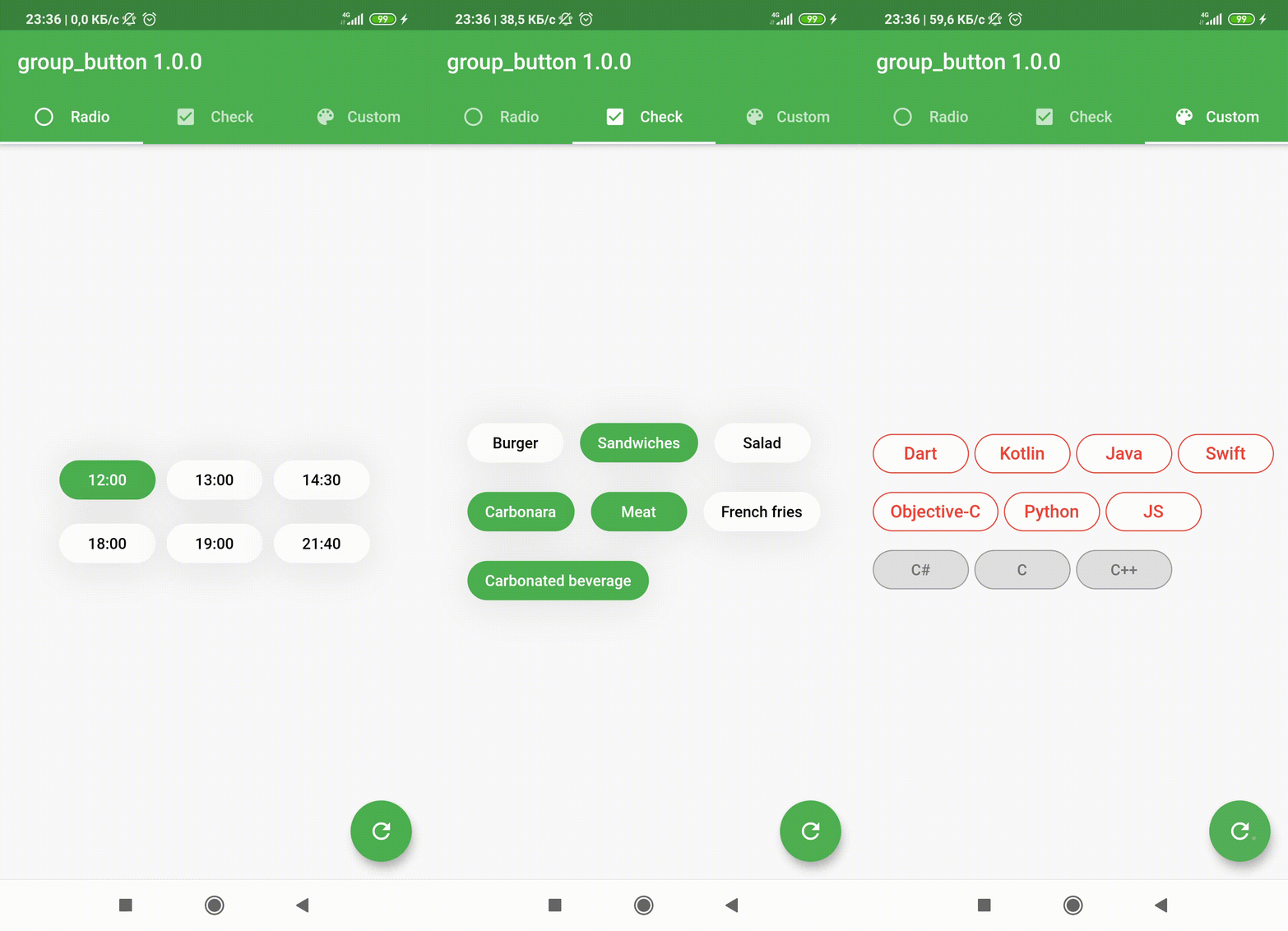
एक फ्लटर कस्टम विजेट जो समूहित बटन बनाने की अनुमति देता है, रेडियो और चेकबॉक्स शैली दोनों को सपोर्ट करता है। इससे एक साफ और पुन: उपयोगी फॉर्मेट में परस्पर अपवर्जक या बहु-चयन विकल्पों के कार्यान्वयन को सरल बनाया जाता है। फॉर्म, फ़िल्टर और सेटिंग इंटरफ़ेस के लिए आदर्श है जहाँ उपयोगकर्ता को एक सेट से एक या अधिक विकल्प चुनने की आवश्यकता होती है। यह पैकेज सभी प्रमुख प्लेटफॉर्मों के साथ संगत है और मौजूदा फ्लटर प्रोजेक्ट्स में बिना किसी दिक्कत के एकीकृत हो सकता है।
उपयोग
समूहित चयन के साथ फॉर्म इनपुट
UI में फ़िल्टर विकल्प
उपयोगकर्ता प्राथमिकता सेटिंग्स
बहु-चयन या एकल-चयन बटन समूह
डायनामिक फॉर्म बिल्डर्स
मुख्य विशेषताएँ
रेडियो और चेकबॉक्स बटन प्रकार का समर्थन करता है
Flutter के साथ आसान एकीकरण
क्रॉस-प्लेटफॉर्म संगतता
कस्टमाइज़ किए गए स्टाइल
समूह चयन के लिए निर्मित अवस्था प्रबंधन
सभी उपकरणों के लिए प्रतिक्रियाशील डिज़ाइन
इनके लिए उपयुक्त
इंटरैक्टिव फॉर्म बनाने वाले डेवलपर्स
समूहित बटन घटक की आवश्यकता वाले UI डिज़ाइनर
फ़िल्टर या प्राथमिकता चयन की आवश्यकता वाले ऐप
कई प्लेटफॉर्म के लिए लक्षित प्रोजेक्ट
विचार योग्य बातें
चयन कॉलबैक के हस्तक्षेप से प्रबंधित करने की आवश्यकता है
सीमित आंतरिक सत्यापन
स्टाइलिंग में अतिरिक्त कस्टमाइज़ेशन की आवश्यकता हो सकती है
जटिल गतिशील समूहों के लिए अनुपयुक्त बिना अतिरिक्त तर्क के
मूल README
संबंधित सोर्स रिपॉज़िटरी के मूल README का स्नैपशॉट। नवीनतम सामग्री के लिए रिपॉज़िटरी देखें।
Flutter widget to create a group of buttons fast 🚀
Included Radio and CheckBox buttons models with custom groping types 🤤
Show some ❤️ and star the repo to support the project!
GroupButtonController
GroupButtonBuilder
GroupButtonOptions
Getting Started
Follow these steps to use this package
Add dependency
dependencies:group_button:^5.4.0
Add import package
import'package:group_button/group_button.dart';
Easy to use
Simple example of use GroupButton
Put this code in your project at an screen and learn how it works 😊
In new 5.0.0 version you can set custom buttons value type
It can be int, DateTime, double or YourCustomClass
Button text will be result of .toString() model method in common button display case
In this package, there are four different possibilities for customizing your buttons through builders
1 buttonBuilder It will build a fully custom button based on the value parameter
2 buttonIndexedBuilder same as buttonBuilder. But based on button index.
3 buttonTextBuilder It will replace the text of your button, which is constructed based on the style parameters passed in GroupButtonOptions. The appearance of the button remains the same, but the text is changed. Based on button value.
4 buttonIndexedTextBuilder same as buttonTextBuilder. But based on button index.
Fully Customize
In order to customize your buttons inside GroupButton you can use GroupButtonOptions
You can check more examples of using this package here
Thanks to all contributors of this package
For help getting started with 😍 Flutter, view
online documentation, which offers tutorials,
samples, guidance on mobile development, and a full API reference.