श्रेणियाँ, पैकेज और रिपॉज़िटरी खोजें

image_painter कवर
पैकेज विवरणv0.7.1

image_painter

एक छवि के ऊपर ड्राइंग के लिए फ्लटर पैकेज। रंग, स्ट्रोक चौड़ाई, विभिन्न पेंट मोड और छवि निर्यात समर्थित है।

AndroidiOSmacOSWindowsLinux
30-दिन डाउनलोड
7.1 हज़ार
लाइक
214
Pub अंक
150

पैकेज इंस्टॉल करें

flutter pub add image_painter

पैकेज अवलोकन

सार्वजनिक जानकारी से बना चयन मार्गदर्शन। केवल संदर्भ हेतु।

एक फ्लटर पैकेज जो उपयोगकर्ताओं को कस्टमाइज़ किए गए रंग, स्ट्रोक चौड़ाई और पेंट मोड के साथ छवियों पर ड्रॉ करने की अनुमति देता है। यह छवियों के ऊपर बिना बाधा के ड्रॉ करने के लिए समर्थन करता है और परिणाम को निर्यात करने की अनुमति देता है। छवि अनोटेशन, स्केचिंग या क्रिएटिव एडिटिंग की आवश्यकता वाले ऐप्स के लिए आदर्श है। पैकेज क्रॉस-प्लेटफॉर्म है, जो एंड्रॉइड, आईओएस, मैकओएस, विंडोज और लिनक्स में बिना किसी दिक्कत के काम करता है।

उपयोग

  • छवि अनुमोदन
  • रचनात्मक चित्रण
  • डिजिटल हस्ताक्षर कैप्चर
  • फोटो संपादन उपकरण
  • इंटरैक्टिव ड्राइंग ऐप्स

मुख्य विशेषताएँ

  • कस्टमाइज़ की गई पेंट रंग
  • नियंत्रित लेखन चौड़ाई
  • कई पेंट मोड
  • चित्रित छवि निर्यात करें
  • प्लेटफॉर्म के अनुकूल समर्थन

इनके लिए उपयुक्त

  • ड्राइंग फीचर्स की आवश्यकता वाले ऐप विकासकर्ता
  • शैक्षिक या डिज़ाइन ऐप्स
  • उपयोगकर्ता-उत्पादित सामग्री प्लेटफॉर्म
  • मोबाइल और डेस्कटॉप मल्टीमीडिया ऐप्स

विचार योग्य बातें

  • चित्र लोडिंग और रेन्डरिंग का निपटान करने की आवश्यकता है
  • बड़े चित्रों के साथ प्रदर्शन में भिन्नता हो सकती है
  • मूलभूत चित्रकला संचालनों तक सीमित
  • कोई बिल्ट-इन अनडू/रीडू सुविधा नहीं है
  • बाहरी छवि स्रोत प्रबंधन पर निर्भर करता है

मूल README

संबंधित सोर्स रिपॉज़िटरी के मूल README का स्नैपशॉट। नवीनतम सामग्री के लिए रिपॉज़िटरी देखें।

image_painter

pub package style: effective dart Platform Badge License: MIT

A flutter implementation of painting over image.

Overview

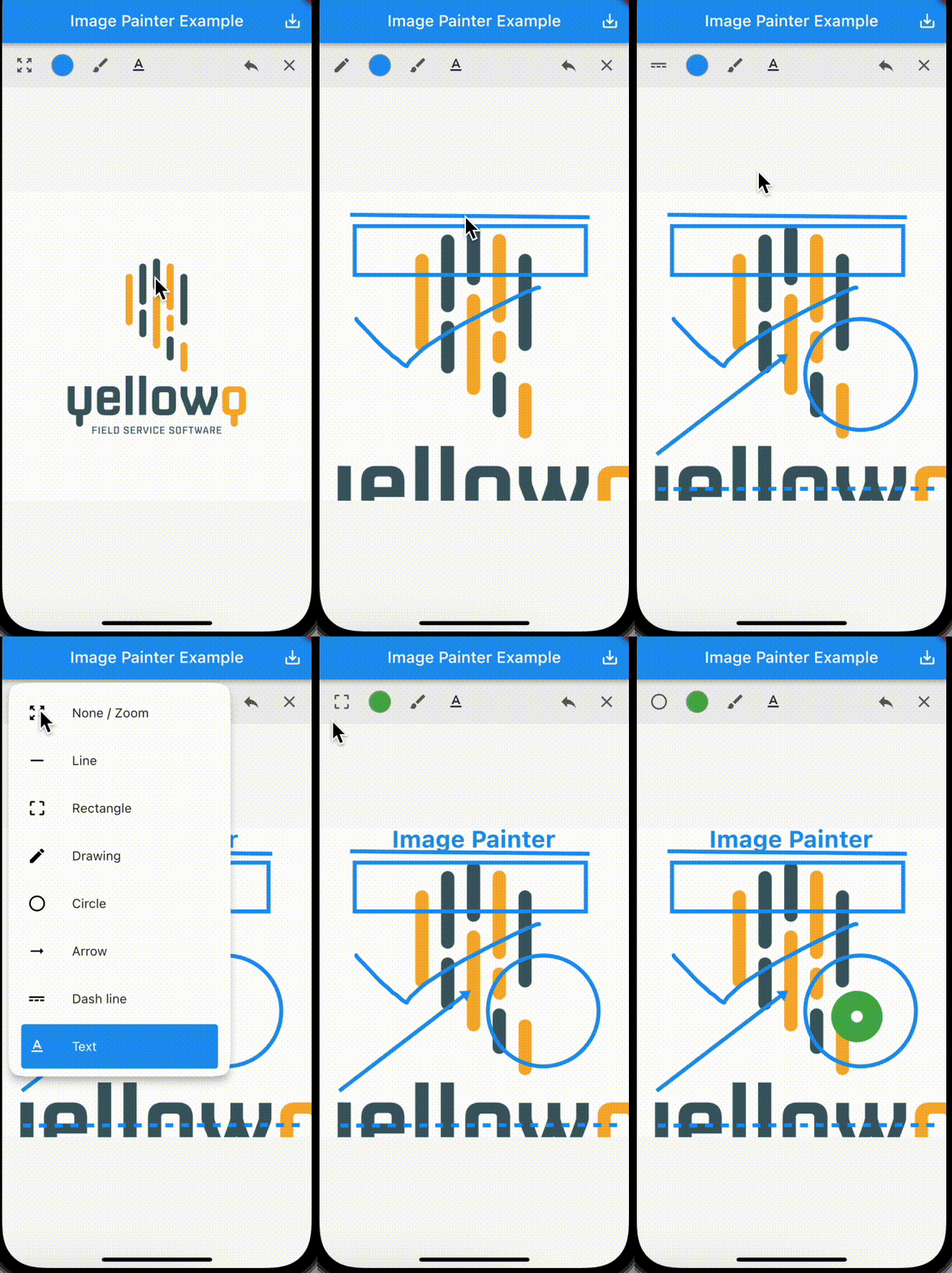
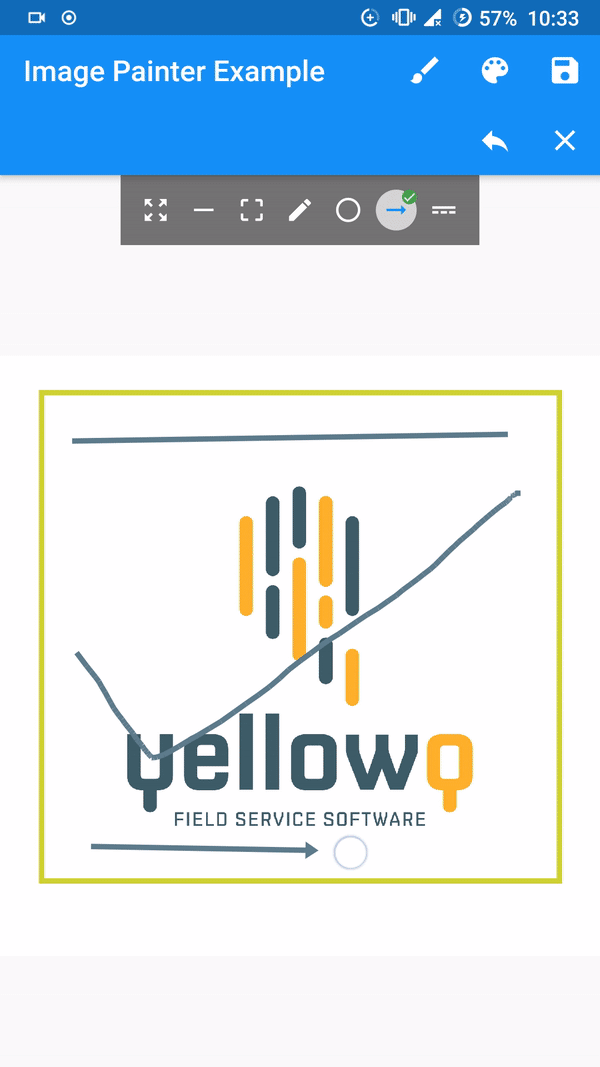
demo!

Features

  • Seven available paint modes. Line, Box/Rectangle, Circle, Freestyle/Signature, Dotted Line, Arrow and Text.
  • Four constructors for adding image from Network Url, Asset Image, Image from file and from memory.
  • Export image as memory bytes which can be converted to image. Implementation provided on example
  • Ability to undo and clear drawings.
  • Built in control bar.

[Note] Tested and working only on flutter stable channel. Please make sure you are on stable channel of flutter before using the package.

Getting started

In the pubspec.yaml of your flutter project, add the following dependency:

dependencies:
  ...
  image_painter: latest

In your library add the following import:

import 'package:image_painter/image_painter.dart';

For help getting started with Flutter, view the online documentation.

Using the library

Check out the example

Basic usage of the libary:

  • ImagePainter.network: Painting over image from network url.
/// Initialize `ImagePainterController`. 
final imagePainterController = ImagePainterController();

/// Provide controller to the painter.
ImagePainter.network("https://sample_image.png",
                  controller: imagePainterController,scalable: true),

///Export the image:
Uint8List byteArray = await imagePainterController.exportImage();

/// Create a file or create a File instance of existing file. 
File imgFile =  File('directoryPath/fileName.png');

/// Now you use `Uint8List` data and write it into the file.
imgFile.writeAsBytesSync(image);

For more thorough implementation guide, check the example.

Issues and Support.

For any issues or support please visit the Issues.

श्रेणियाँ

सोर्स रिपॉज़िटरी

इस पैकेज का उपयोग करने वाले प्रोजेक्ट

अभी कोई डेटा उपलब्ध नहीं है।