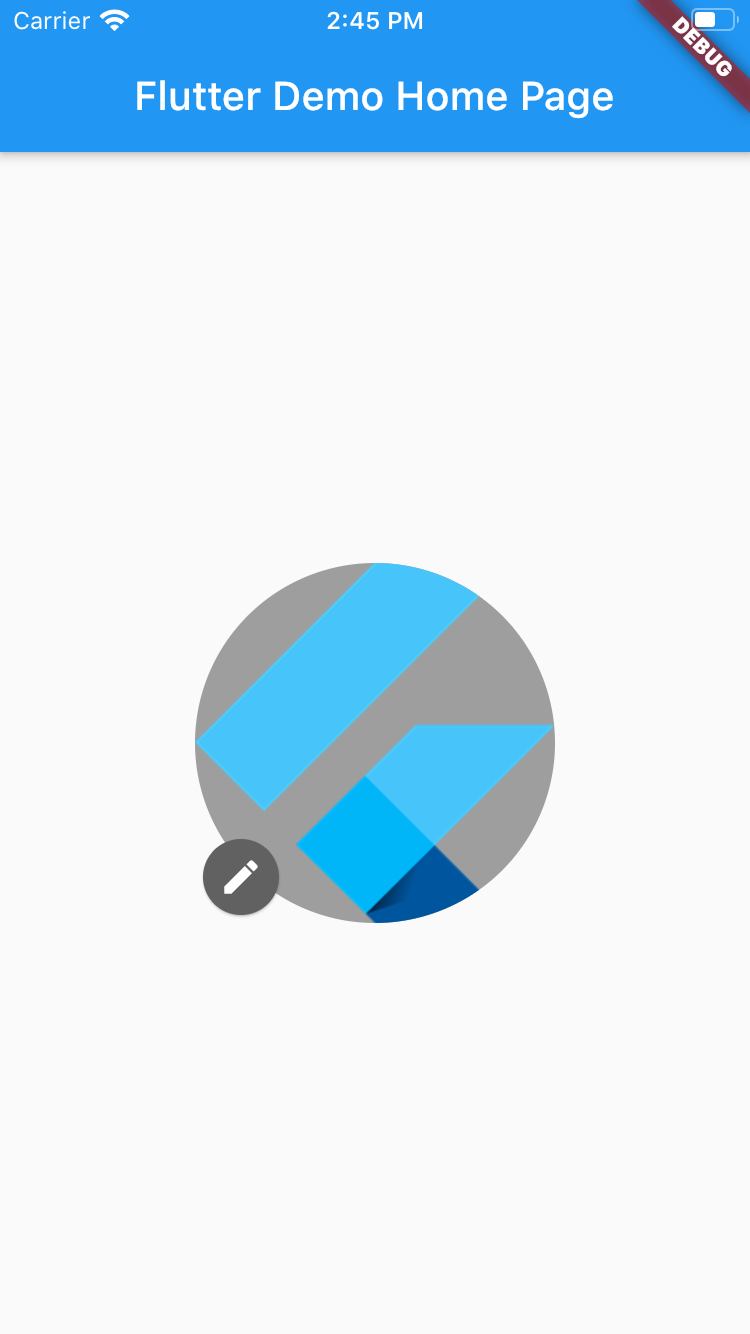
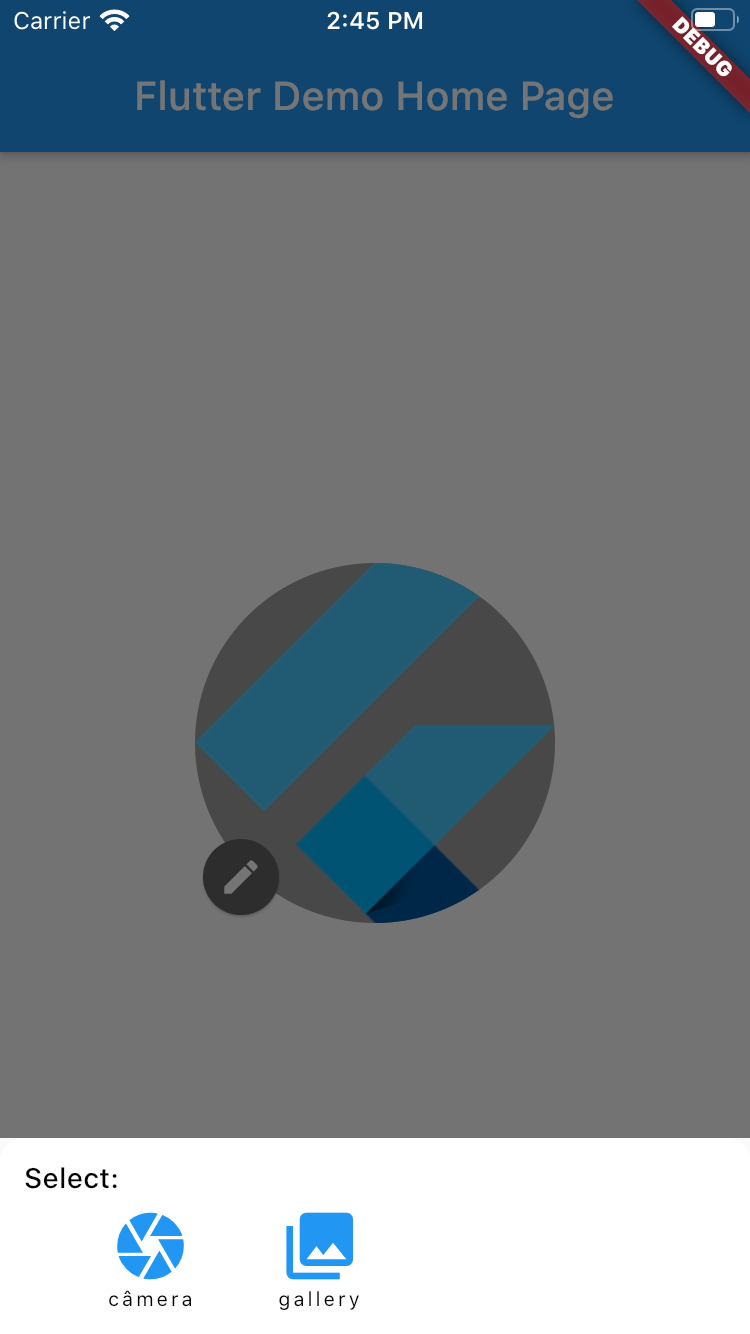
एक फ्लटर पैकेज जो image_picker को एक सरल फ्लटर विजेट के साथ एकीकृत करता है, जिससे आप डिज़ाइन कोड विकास में कोई समस्या के बिना छवि को संपादित कर सकते हैं।
सार्वजनिक जानकारी से बना चयन मार्गदर्शन। केवल संदर्भ हेतु।
एक फ्लटर पैकेज जो एक निर्दिष्ट विजेट का उपयोग करके फ्लटर ऐप में image_picker कार्यक्षमता को सरल बनाता है। यह छवि चयन और संपादन को आसान बनाता है, डिज़ाइन और विकास की जटिलता को कम करता है। पैकेज प्लेटफॉर्म-अनार्थोग्राफिक है, जो एंड्रॉइड और आईओएस दोनों का समर्थन करता है, और छवि इनपुट के लिए एक साफ, पुन: उपयोगी यूआई घटक प्रदान करता है। न्यूनतम बॉयलरप्लेट कोड के साथ आसान छवि अपलोड की आवश्यकता वाले ऐप्स के लिए आदर्श है।
उपयोग
फॉर्म में सरल छवि चयन
न्यूनतम सेटअप के साथ छवि अपलोड का एकीकरण
उपयोगकर्ता प्रोफ़ाइल छवि अपलोड इंटरफ़ेस बनाना
मौजूदा विजेट्स में छवि संपादन क्षमता जोड़ना
मीडिया-समृद्ध मोबाइल ऐप विशेषताएं बनाना
मुख्य विशेषताएँ
पूर्व-निर्मित छवि चयनकर्ता विजेट
image_picker के साथ निरंतर एकीकरण
न्यूनतम डिज़ाइन कोड आवश्यकता
Android और iOS का समर्थन करता है
साफ़, पुनर्उपयोगी UI घटक
इनके लिए उपयुक्त
त्वरित छवि इनपुट समाधान खोज रहे डेवलपर्स
हल्के छवि अपलोड फीचर की आवश्यकता वाले ऐप
UI परिस्थिति को कम करने वाली फ्रंटएंड-केंद्रित टीमें
प्रतिरूप आधारित कार्य प्रवाहों का निर्माण
तनावपूर्ण विकास समय सीमा वाले प्रोजेक्ट
विचार योग्य बातें
image_picker को निर्भरता के रूप में आवश्यक है
बुनियादी स्टाइलिंग के अलावा सीमित कस्टमाइजेशन
कोई निर्मित छवि प्रसंस्करण उपकरण नहीं है
मूल छवि_पिकर व्यवहार पर निर्भर
फ़ाइल प्रकार के लिए अतिरिक्त सत्यापन की आवश्यकता हो सकती है
मूल README
संबंधित सोर्स रिपॉज़िटरी के मूल README का स्नैपशॉट। नवीनतम सामग्री के लिए रिपॉज़िटरी देखें।
image_picker_widget
A new Flutter package to integrate image_picker with a simple Flutter widget, allowing you to edit an image without any problems with design code development
Preview
Modal image type picker
Getting Started
Add the dependency in pubspec.yaml:
dependencies:...# Designimage_picker_widget:'>=2.0.0 <3.0.0
# For pre null-safety, use version 1.0.3'
A Flutter plugin for iOS and Android for picking images from the image library,
and taking new pictures with the camera.
Installation
Since this package requires image_picker, and image_cropper you need to add this requirements bellow.
iOS
Add the following keys to your Info.plist file, located in <project root>/ios/Runner/Info.plist:
NSPhotoLibraryUsageDescription - describe why your app needs permission for the photo library. This is called Privacy - Photo Library Usage Description in the visual editor.
NSCameraUsageDescription - describe why your app needs access to the camera. This is called Privacy - Camera Usage Description in the visual editor.
NSMicrophoneUsageDescription - describe why your app needs access to the microphone, if you intend to record videos. This is called Privacy - Microphone Usage Description in the visual editor.
No configuration required - the plugin should work out of the box.
It is no longer required to add android:requestLegacyExternalStorage="true" as an attribute to the tag in AndroidManifest.xml, as image_picker has been updated to make use of scoped storage.
If specified, the image will be at most maxWidth wide and maxHeight tall. Otherwise the image will be returned at it's original width and height.
int
maxHeight
If specified, the image will be at most maxWidth wide and maxHeight tall. Otherwise the image will be returned at it's original width and height.
int
imageQuality
The imageQuality argument modifies the quality of the image, ranging from 0-100 where 100 is the original/max quality. If imageQuality is null, the image with the original quality will be returned. Compression is only supported for certain image types such as JPEG and on Android PNG and WebP, too. If compression is not supported for the image that is picked, a warning message will be logged.
int
preferredCameraDevice
Use preferredCameraDevice to specify the camera to use when the source is [ImageSource.camera]. The preferredCameraDevice is ignored when source is [ImageSource.gallery]. It is also ignored if the chosen camera is not supported on the device. Defaults to [CameraDevice.rear]. Note that Android has no documented parameter for an intent to specify if the front or rear camera should be opened, this function is not guaranteed to work on an Android device.
CameraDevice
Image Cropping Options
Property
Description
Type
maxWidth
maximum cropped image width.
int
maxHeight
maximum cropped image height.
int
aspectRatio
controls the aspect ratio of crop bounds. If this values is set, the cropper is locked and user can't change the aspect ratio of crop bounds.
CropAspectRatio
aspectRatioPresets
controls the list of aspect ratios in the crop menu view. In Android, you can set the initialized aspect ratio when starting the cropper by setting the value of AndroidUiSettings.initAspectRatio.
List
cropStyle
controls the style of crop bounds, it can be rectangle or circle style (default is CropStyle.rectangle).
CropStyle
compressFormat
the format of result image, png or jpg (default is ImageCompressFormat.jpg).
ImageCompressFormat
compressQuality
the value [0 - 100] to control the quality of image compression.