सार्वजनिक जानकारी से बना चयन मार्गदर्शन। केवल संदर्भ हेतु।
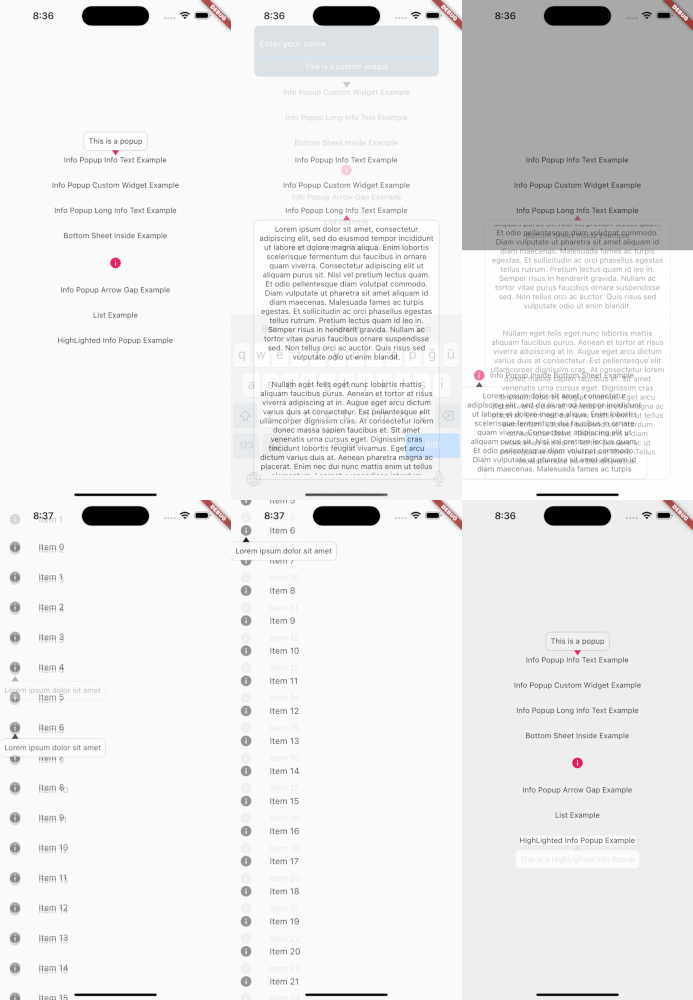
InfoPopup एक हल्का Flutter पैकेज है जो विकासकर्ताओं को किसी भी विजेट पर सूचनात्मक पॉपअप आसानी से प्रदर्शित करने में सक्षम बनाता है, न्यूनतम सेटअप के साथ। यह उपयोगकर्ताओं को संदर्भ सूचना प्रदर्शित करने का एक साफ और कस्टमाइज़ करने योग्य तरीका प्रदान करता है, जो UI तत्वों पर सीधे सुझाव या मार्गदर्शन प्रदान करके UX को बढ़ावा देता है। यह पैकेज Android, iOS, Web, macOS, Windows और Linux जैसे कई प्लेटफॉर्म का समर्थन करता है, जिससे उपकरणों के बीच संगत व्यवहार सुनिश्चित होता है। एक ही कमांड के माध्यम से सरल एकीकरण के साथ, यह हल्के लेकिन प्रभावी उपयोगकर्ता प्रतिक्रिया तंत्र जोड़ने के लिए आदर्श है।
उपयोग
बटन पर टूलटिप्स प्रदर्शित करें
संदर्भ-संवेदनशील सहायता प्रदान करना
फॉर्म फील्ड गाइडेंस में सुधार करना
ऑनबोर्डिंग अनुभवों में सुधार करना
इंटरैक्टिव सुझाव जोड़ें
स्थिति व्याख्याएँ दिखाएं
मुख्य विशेषताएँ
सरल एक पंक्ति एकीकरण
कस्टमाइज़ेबल पॉपअप कंटेंट
प्लेटफॉर्म के अनुकूलता
विभिन्न विजेट लक्ष्यों का समर्थन करता है
कॉन्फ़िगरेबल स्थिति
हल्का और तेज़
इनके लिए उपयुक्त
त्वरित प्रतिक्रिया उपकरणों की तलाश में UI/UX डिज़ाइनर
शैक्षिक ऐप बनाने वाले विकासकर्ता
प्राप्त करने पर ध्यान केंद्रित टीमें
सरल उपयोगकर्ता मार्गदर्शिका की आवश्यकता वाले ऐप्स
तंग विकास समयसीमा वाले प्रोजेक्ट
विचार योग्य बातें
बेसिक पॉपअप स्टाइलिंग तक सीमित
कोई बिल्ट-इन एनीमेशन कस्टमाइजेशन नहीं
छोटे पाठ सामग्री के लिए सबसे उपयुक्त
हस्तक्षेप से स्थिति समायोजन की आवश्यकता हो सकती है
जटिल मॉडल इंटरैक्शन के लिए आदर्श नहीं
मूल README
संबंधित सोर्स रिपॉज़िटरी के मूल README का स्नैपशॉट। नवीनतम सामग्री के लिए रिपॉज़िटरी देखें।
Introduction
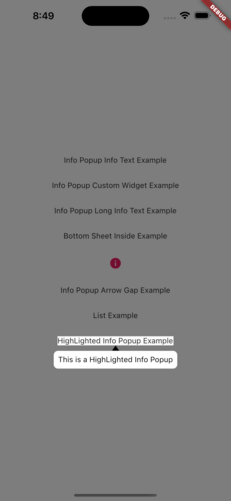
The info_popup package allows you to easily show a simple, customizable popup on your wrapped widget. The highlight feature, which can be activated at will, helps draw the user's attention to the desired location.
You can test it now on the Info Popup preview page.
Note that the website experience may be different.
Features
Display a customizable popup on your wrapped widget
Activate the highlight feature to draw the user's attention to the desired location
Fully customize the content of the popup
Add margins to the popup from any side
Getting Started
To use this package, add info_popup as a dependency in your pubspec.yaml file.
dependencies:info_popup:^3.0.0
Alternatively, you can add it to your project by running the following commands in your terminal:
with Dart:
$ dart pub add info_popup
with Flutter:
$ flutter pub add info_popup
Usage
To show a popup, wrap the widget that you want to display the popup on with the InfoPopupWidget widget. All you have to do is wrap it in the widget you want to show information with the InfoPopupWidget widget. With the InfoPopupController, you can customize it as you wish, and turn it on and off.
The info_popup package provides a simple and effective way to show a customizable popup on your wrapped widget. With the highlight feature, you can draw the user's attention to the desired location.
License
This project is licensed under the MIT License - see the LICENSE file for details.