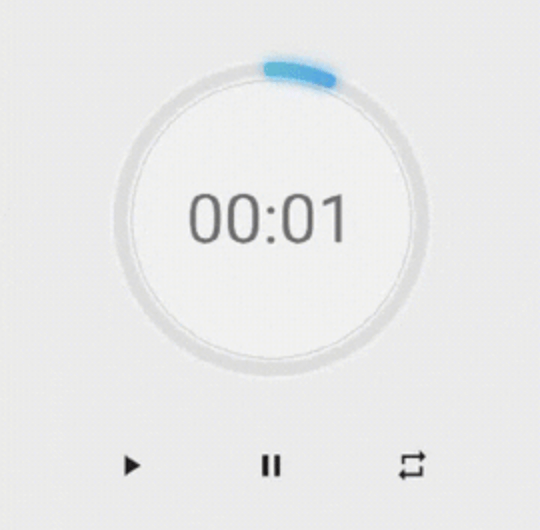
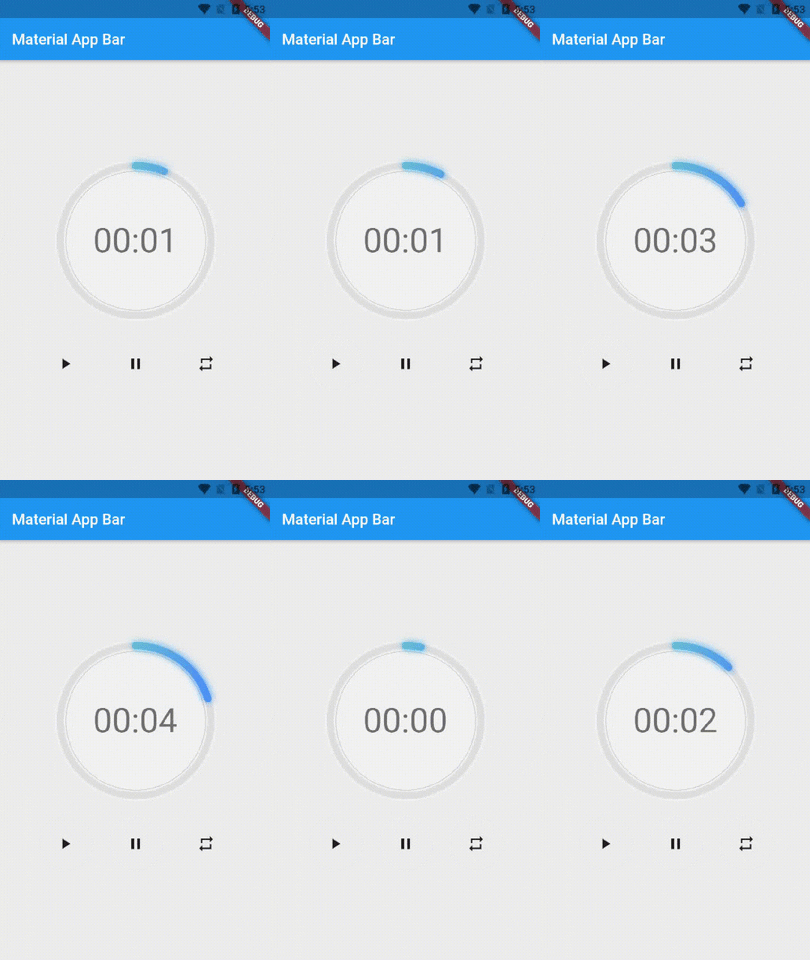
एक पैकेज जो आपकी मदद करता है एक सुंदर UI के साथ त्वरित घड़ी बनाने में, यह उच्च रूप से कस्टमाइज़ किया जा सकता है, आप घड़ी के रंग, मोटाई और घड़ी के टेक्स्ट स्टाइल को बदल सकते हैं।
सार्वजनिक जानकारी से बना चयन मार्गदर्शन। केवल संदर्भ हेतु।
NeonCircularTimer एक Flutter पैकेज है जिसका उपयोग न्यूनतम प्रयास के साथ दृश्य रूप से आकर्षक वृत्ताकार टाइमर बनाने के लिए किया जाता है। यह उपयोगकर्ता को रंग, रेखा मोटाई और टेक्स्ट स्टाइल को समायोजित करने की अनुमति देने वाले एक शानदार, कस्टमाइज़ेबल इंटरफ़ेस प्रदान करता है। डाउनकाउंट, फिटनेस ऐप्स या किसी भी ऐप के लिए जिसमें एक डायनामिक समय संकेतक की आवश्यकता होती है, यह उपयुक्त है, और यह Android, iOS, Web, macOS, Windows और Linux सहित सभी प्रमुख प्लेटफॉर्म का समर्थन करता है। इस पैकेज के माध्यम से चिकनी एनिमेशन और आधुनिक नियॉन-आधारित अस्तित्व के माध्यम से उपयोगकर्ता अनुभव को बढ़ाया जाता है।
उपयोग
फिटनेस ट्रैकिंग
अध्ययन सत्र टाइमर
गेम काउंटडाउन
घटना याद देना
इंटरैक्टिव ऐप इंटरफेस
मुख्य विशेषताएँ
उच्च रूप से कस्टमाइज़ किया गया दिखावट
चिकनी एनीमेटेड ट्रांजिशन
कई प्लेटफॉर्म का समर्थन करता है
नियंत्रित करने योग्य स्ट्रोक चौड़ाई और रंग
कस्टमाइज़ किए गए टेक्स्ट स्टाइलिंग
नियॉन-शैली विजुअल प्रभाव
इनके लिए उपयुक्त
काउंटडाउन फीचर्स बनाने वाले डेवलपर्स
डिज़ाइन-केंद्रित एप्लिकेशन
क्रॉस-प्लेटफॉर्म टाइमर कार्यान्वयन
आकर्षक UI तत्वों की आवश्यकता वाले ऐप्स
सौंदर्य पर बल देने वाले प्रोजेक्ट
विचार योग्य बातें
कम-स्तर के उपकरणों पर प्रदर्शन समायोजन की आवश्यकता हो सकती है
कस्टमाइजेशन विकल्प सुगठन में वृद्धि कर सकते हैं
वृत्ताकार टाइमर डिज़ाइन पर सीमित
गैर-लेटाउन घड़ी प्रदर्शन के लिए अनुपयुक्त
उन्नत प्रभावों के लिए बाहरी एनीमेशन लाइब्रेरी पर निर्भर है
मूल README
संबंधित सोर्स रिपॉज़िटरी के मूल README का स्नैपशॉट। नवीनतम सामग्री के लिए रिपॉज़िटरी देखें।
neon_circular_timer
Make a timer application with a fancy neon effect and beautiful UI
v0.0.3 and above now the timer has also a neumorphic border
Preview of example
Usage
Use neumorphicEffect to show or hide the neumorphic border
Use isTimerTextShown to show or hide the text
With neumorphicEffect is true and isTimerTextShown is false
Controls (i.e Start, Pause, Resume, Restart) the Countdown Timer.
width
double
required
Width of the rectangle that surrounds the circle ( Diameter of the Countdown Timer).
neonColor
Color
Colors.white54
neon Color for Countdown Widget.
neonGradient
Gradient
null
neon Gradient for Countdown Widget. Note that neonColor will not be effective if gradient is provided.
neumorphicEffect
bool
true
show neumorphic border
innerFillColor
Color
Colors.black12
Filling Color for Countdown Widget.
innerFillGradient
Gradient
null
Filling Gradient for Countdown Widget. Note that fillColor will not be effective if gradient is provided.
outerStrokeColor
Color
Colors.white
border Color for Countdown Widget.
backgroundColor
Color
Colors.white54
must be provided if you choose to use neumorphic effect .
outerStrokeGradient
Gradient
null
border Gradient for Countdown Widget. Note that backgroundColor will not be effective if gradient is provided.
strokeWidth
double
10.0
Border Thickness of the Countdown Ring.
strokeCap
StrokeCap
StrokeCap.round
Begin and end contours with a flat edge and no extension.
textStyle
TextStyle
Theme.of(context).textTheme.headline3
Text Style for Countdown Text.
textFormat
String
TextFormat.MM_SS
Format for the Countdown Text.
isReverse
bool
false
Handles Countdown Timer (true for Reverse Countdown (max to 0), false for Forward Countdown (0 to max)).
isReverseAnimation
bool
false
Handles Animation Direction (true for Reverse Animation, false for Forward Animation).
isTimerTextShown
bool
true
Handles visibility of the Countdown Text.
autoStart
bool
true
Handles the timer start.
onStart
VoidCallback
null
This Callback will execute when the Countdown Starts.
onComplete
VoidCallback
null
This Callback will execute when the Countdown Ends.
About the Controller
to get the time in seconds use :
controller.getCurrentTimeInSeconds();
to get the time formated into the selected TextFormat use:
controller.getTime();
to control the timer use :
controller.restart(); // to reset the timer
controller.start(); // to start the timer from 0
controller.pause(); // to pause the timer
controller.resume(); // to continue from the value where the timer stopped