सार्वजनिक जानकारी से बना चयन मार्गदर्शन। केवल संदर्भ हेतु।
Particular एक उच्च प्रदर्शन वाला Flutter विजेट है, जिसका उपयोग चिकने और कस्टमाइज़ किए गए कण प्रभाव बनाने के लिए किया जाता है। यह उन्नत रेंडरिंग तकनीकों का उपयोग करके मोबाइल, वेब और डेस्कटॉप सहित कई प्लेटफॉर्मों पर चिकने एनीमेशन प्रदान करता है। ऐप के पृष्ठभूमि को गतिशील दृश्य तत्वों से बढ़ावा देने के लिए आदर्श है, जो ध्रुवीकरण, शेडर्स और वास्तविक समय के इंटरैक्शन का समर्थन करता है। पैकेज प्रदर्शन के लिए अनुकूलित है, जिससे फ्रेम दर को कम नहीं किया जाता है। सरल API और व्यापक विकल्पों के साथ, विकासकर्ता अपने एप्लिकेशन में लंबे दृश्य प्रणाली को आसानी से एकीकृत कर सकते हैं।
उपयोग
एनिमेटेड ऐप बैकग्राउंड बनाना
गतिशील दृश्य प्रभावों के साथ उपयोगकर्ता इंटरफेस में सुधार करना
इंटरैक्टिव पार्टिकल एनीमेशन जोड़ें
एप्प ऑनबोर्डिंग अनुभव में सुधार करना
अमीर लैंडिंग पेज डिज़ाइन करना
परिवेश पृष्ठभूमि प्रभावों का कार्यान्वयन
मुख्य विशेषताएँ
उच्च प्रदर्शन रेंडरिंग
क्रॉस-प्लेटफ़ॉर्म समर्थन (Android, iOS, Web, macOS, Windows, Linux)
धुंधले और शेडर का समर्थन
रियल-टाइम कण इंटरैक्शन
कस्टमाइज़ किए गए कण व्यवहार
हल्का और कारगर
इनके लिए उपयुक्त
दृश्य आकर्षण की तलाश में UI डिज़ाइनर
आकर्षक ऑनबोर्डिंग स्क्रीन बनाने वाले विकासकर्ता
परिवेश पृष्ठभूमि एनीमेशन की आवश्यकता वाले ऐप्स
इंटरैक्टिव डिजिटल अनुभव
प्रदर्शन-केंद्रित परियोजनाएं
रचनात्मक ऐप इंटरफेस
विचार योग्य बातें
निम्न-स्तर के उपकरणों के लिए अनुकूलन की आवश्यकता हो सकती है
जटिल विन्यास बिल्ड समय को बढ़ा सकते हैं
मूल उदाहरणों के अलावा सीमित दस्तावेज़न
स्थिर या सरल पृष्ठभूमि के लिए आदर्श नहीं है
कण प्रणाली अवधारणाओं के समझ की आवश्यकता है
बड़े कण गिनती के साथ संभावित मेमोरी उपयोग
मूल README
संबंधित सोर्स रिपॉज़िटरी के मूल README का स्नैपशॉट। नवीनतम सामग्री के लिए रिपॉज़िटरी देखें।
Enhance your app or game visuals with this high-performance Flutter Particles System widget. Utilize JSON or programmatic configuration, seamlessly integrating with popular particles editors for effortless customization.
Customizable (live) Particle Effects.
Ready Presets (JSON Configs).
Seamless Integration with Editors.
Optimized Performance with 1~10k particle at frame
Whether you're a designer or developer, Particular empowers you to bring your creative visions with ease.
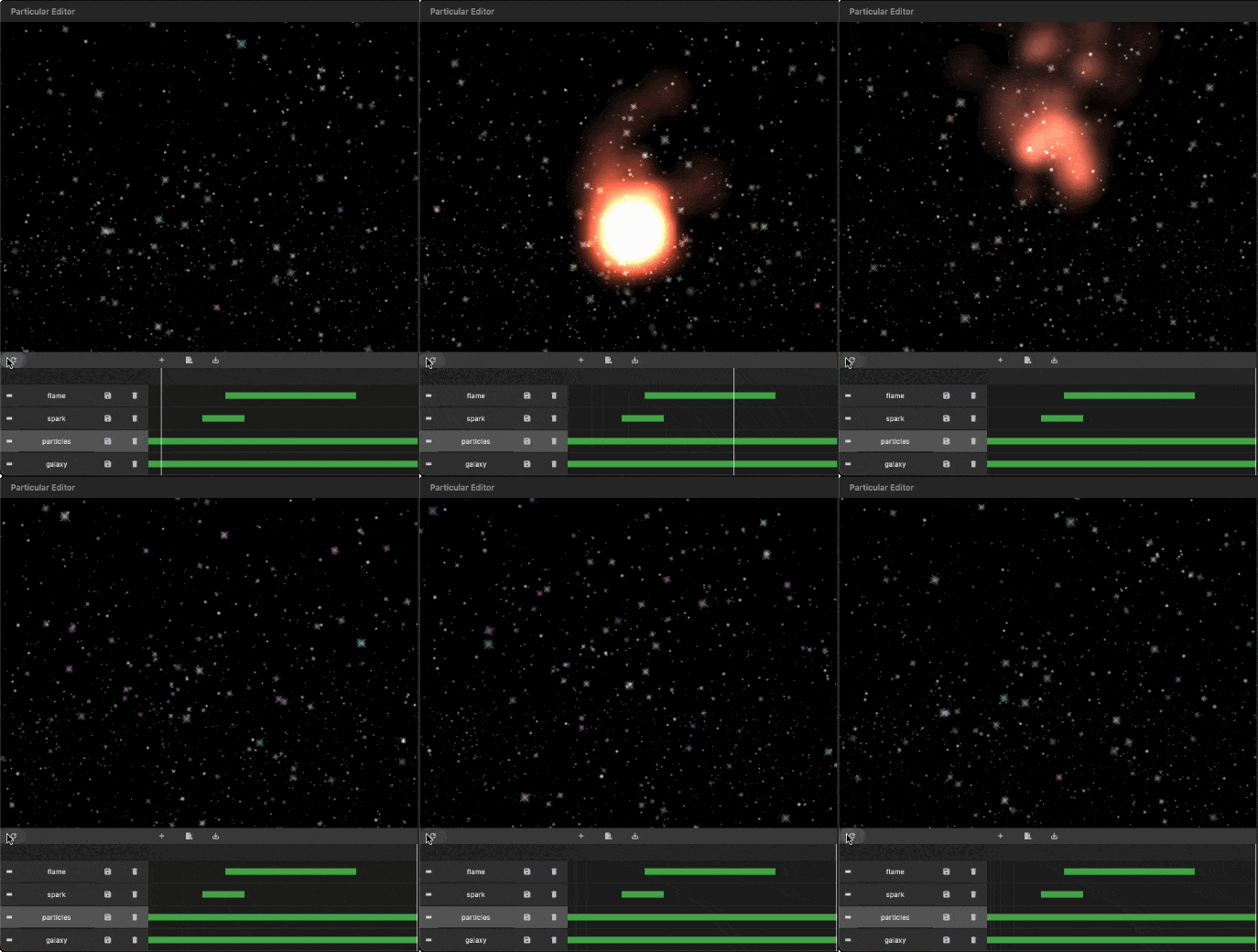
- Some Presets:
- Installation
Add particular to your pubspec.yaml file:
For detailed installation instructions, refer to the installation guide on pub.dev.
- Configurate your particles
You have two options for configuring your particles:
Programmatic Configuration:
Manually configure your particle controller in code. Refer to the following steps for more details.
- Getting Started with Coding
Follow these steps to integrate the particles system into your Flutter app:
I. Insert Particle Files into Your Project:
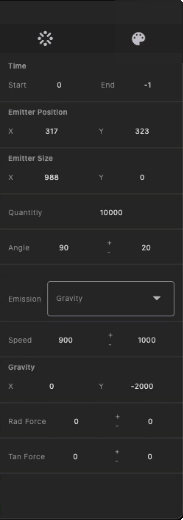
The Particular Editor exports one or multiple particle layers. For each particle layer, it generates a configuration file (configs.json) and a related image file (texture.png). In the configuration file, there is a node named textureFileName, which refers to the image file. Place the image and configs.json file in your project's assets folder, and add the necessary assets entry in your pubspec.yaml file.
This revised README provides clear installation instructions, options for configuring particles, and steps for integrating and customizing the particle system in your Flutter app. If you have any questions or need further assistance, don't hesitate to ask!