सार्वजनिक जानकारी से बना चयन मार्गदर्शन। केवल संदर्भ हेतु।
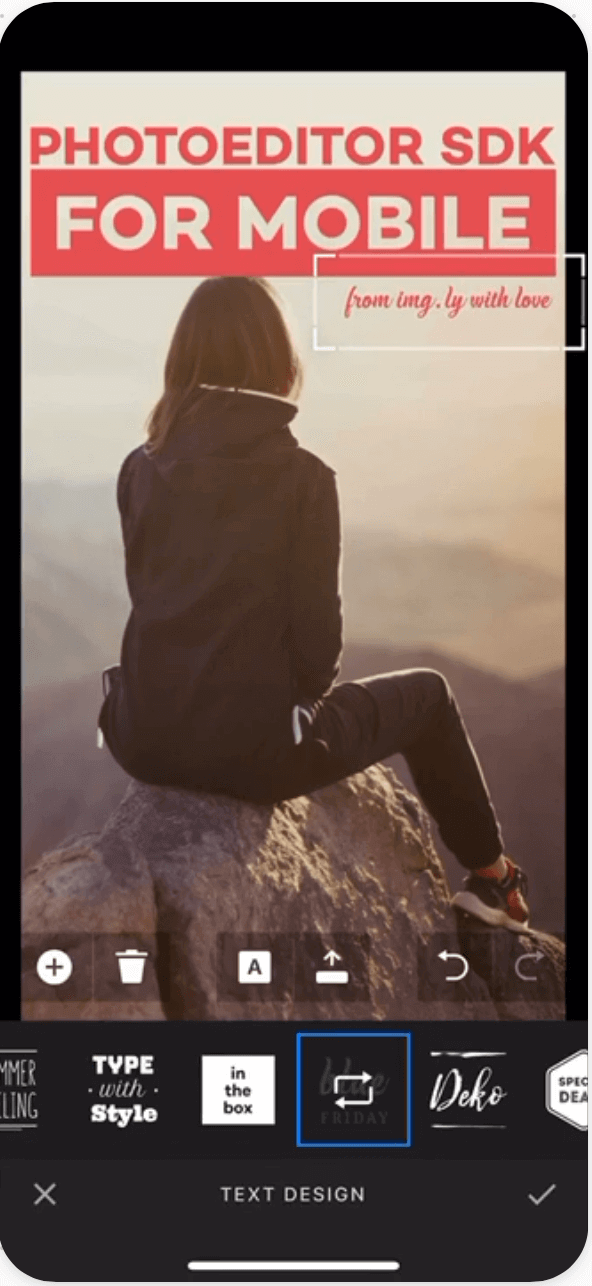
PhotoEditor SDK का आधिकारिक Flutter प्लगइन iOS और Android ऐप में एक शक्तिशाली छवि संपादन अनुभव को बिना किसी बाधा के एकीकृत करने में सक्षम बनाता है। कटौती, फ़िल्टर, टेक्स्ट ओवरले और अधिक के लिए उपयोगकर्ता-अनुकूल उपकरणों के साथ, विकासकर्ता मिनटों में प्रोफेशनल-ग्रेड छवि संपादन क्षमता जोड़ सकते हैं। प्लगइन को उपयोग में आसानी के लिए डिज़ाइन किया गया है, जो प्लेटफॉर्म के बीच एक समान इंटरफ़ेस प्रदान करता है जबकि उच्च प्रदर्शन और दृश्य गुणवत्ता बनाए रखता है।
उपयोग
सोशल मीडिया ऐप्स में उन्नत फोटो संपादन को एकीकृत करना
ई-कॉमर्स प्लेटफॉर्म में छवि कस्टमाइज़ेशन विशेषताओं को जोड़ना
रचनात्मक ऐप में उपयोगकर्ता-उत्पादित सामग्री निर्माण को सक्षम करना
संदेश ऐप में फोटो साझाकरण विशेषताओं को बढ़ाना
मुख्य विशेषताएँ
संपादित करने के लिए पूर्व-निर्मित UI घटक
फ़िल्टर, स्टिकर, पाठ और कैप उपकरणों के लिए समर्थन
क्रॉस-प्लेटफॉर्म सुविधा (iOS और Android)
न्यूनतम लेटेंसी के साथ उच्च प्रदर्शन रेंडरिंग
Flutter pub पैकेज मैनेजर के माध्यम से आसान सेटअप
इनके लिए उपयुक्त
त्वरित फोटो संपादन एकीकरण की तलाश में मोबाइल ऐप विकासकर्ता
समृद्ध बहुमाध्यम संपादन क्षमता वाले ऐप्स
iOS और Android पर स्थिर UX के लिए लक्ष्य निर्धारित करने वाली टीमें
विचार योग्य बातें
img.ly के लाइसेंस शर्तों का पालन करना आवश्यक है
बंडल्ड संसाधनों के कारण ऐप का आकार बढ़ सकता है
अतिरिक्त विकास प्रयास के बिना सीमित कस्टमाइज़ेशन
मूल README
संबंधित सोर्स रिपॉज़िटरी के मूल README का स्नैपशॉट। नवीनतम सामग्री के लिए रिपॉज़िटरी देखें।
Flutter plugin for PhotoEditor SDK
System requirements
Flutter: 1.20.0
Dart: 2.12.0
iOS: 13
Android: 5 (SDK 21)
Getting started
Add the plugin package to the pubspec.yaml file in your project:
dependencies:photo_editor_sdk:^3.3.0
Install the new dependency:
flutter pub get
Android
Add the IMG.LY repository and plugin by opening the android/build.gradle file (notandroid/app/build.gradle) and changing the following block:
In the android/app/build.gradle file (notandroid/build.gradle) you will need to modify the minSdkVersion to at least 21 depending on the version of Flutter that you are using. We also recommend to update the buildToolsVersion to 35.0.0 as well as the compileSdkVersion to 35:
Depending on your stable Flutter SDK version (<= 2.5.0), your android/app/build.gradle file might look a bit different. In this case, please modify it in the following way:
In the same file, configure PhotoEditor SDK for Android by adding the following lines under apply plugin: "com.android.application":
apply plugin: 'ly.img.android.sdk'
apply plugin: 'kotlin-android'

// Comment out the modules you don't need, to save size.
IMGLY.configure {
    modules {
        include 'ui:text'
        include 'ui:focus'
        include 'ui:frame'
        include 'ui:brush'
        include 'ui:filter'
        include 'ui:sticker'
        include 'ui:overlay'
        include 'ui:transform'
        include 'ui:adjustment'
        include 'ui:text-design'

        // This module is big, remove the serializer if you don't need that feature.
        include 'backend:serializer'

        // Remove the asset packs you don't need, these are also big in size.
        include 'assets:font-basic'
        include 'assets:frame-basic'
        include 'assets:filter-basic'
        include 'assets:overlay-basic'
        include 'assets:sticker-shapes'
        include 'assets:sticker-emoticons'

        include 'backend:sticker-smart'
        include 'backend:background-removal'
    }
}
Each platform requires a separate license file. Unlock PhotoEditor SDK with a single line of code for both platforms via platform-specific file extensions.
Rename your license files:
Android license: pesdk_license.android
iOS license: pesdk_license.ios
The licenses should be located on a project level. We recommend putting them into the {PROJECT_ROOT}/assets/ folder.
Pass the relative file path (based on the project root) without the extension to the unlockWithLicense function to unlock both iOS and Android:
Please see our example project which demonstrates how to use the Flutter plugin for PhotoEditor SDK.
License Terms
Make sure you have a commercial license for PhotoEditor SDK before releasing your app.
A commercial license is required for any app or service that has any form of monetization: This includes free apps with in-app purchases or ad supported applications. Please contact us if you want to purchase the commercial license.
Support and License
Use our service desk for bug reports or support requests. To request a commercial license, please use the license request form on our website.