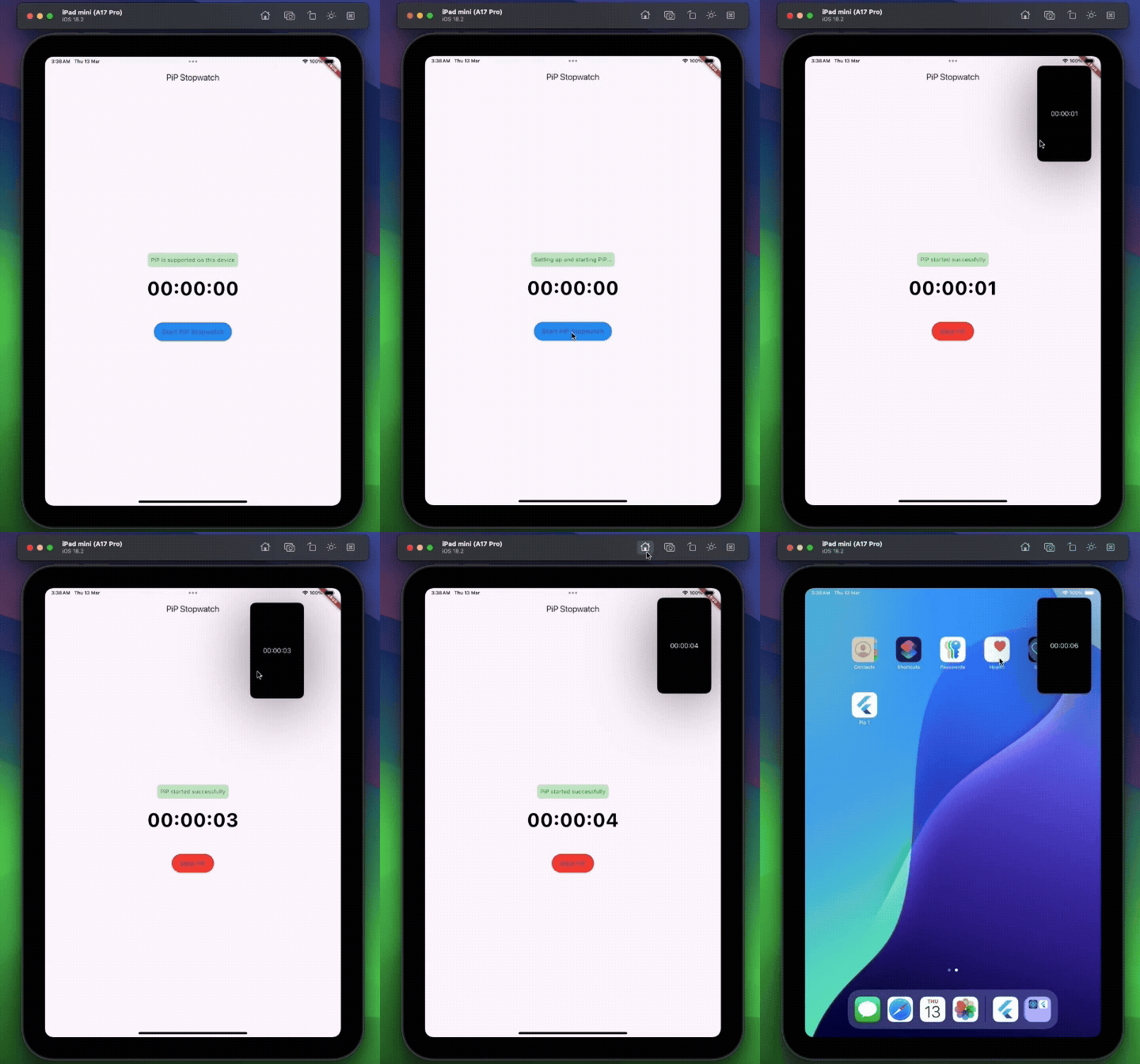
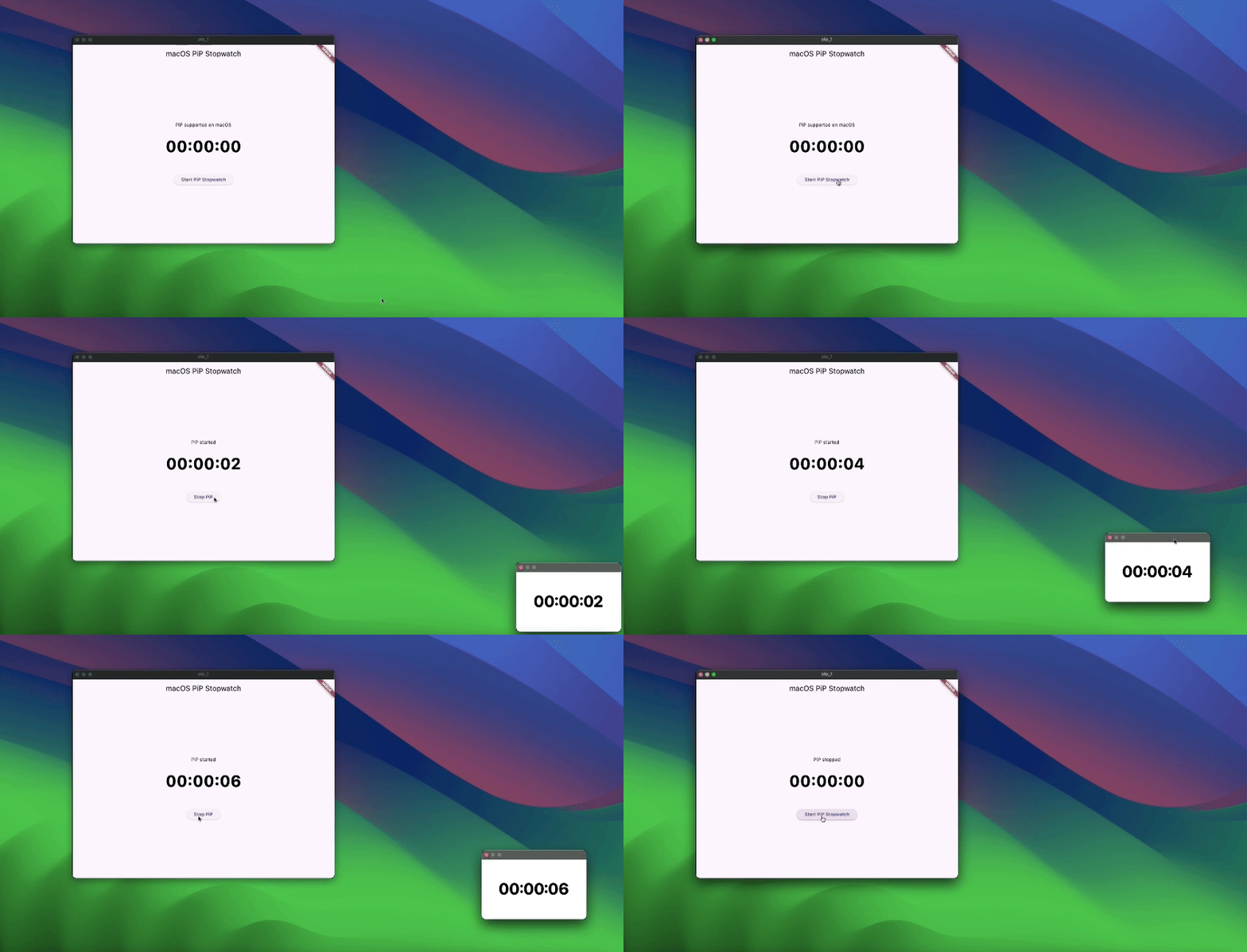
सार्वजनिक जानकारी से बना चयन मार्गदर्शन। केवल संदर्भ हेतु।
पाइप_प्लगइन एक फ्लटर पैकेज है जो डेवलपर्स को एंड्रॉयड, आईओएस, वेब, मैकओएस, विंडोज और लिनक्स पर पिक्चर-इन-पिक्चर (PiP) मोड में कस्टमाइज़ेबल टेक्स्ट ओवरले दिखाने की अनुमति देता है। यह एक स्थिर API प्रदान करता है जो PiP विंडो के ऊपर फ्लोटिंग टेक्स्ट लेयर दिखाने के लिए उपयोगी है, जैसे टिप्पणियाँ, टाइमर या स्थिति संकेतक। प्लगइन फ्लटर के प्लेटफॉर्म-अनआगे आर्किटेक्चर के साथ बिना किसी दिक्कत के एकीकृत है और डायनामिक कंटेंट अपडेट का समर्थन करता है। यह ऐप्स के लिए डिज़ाइन किया गया है जिन्हें वीडियो प्लेबैक या मल्टीटास्किंग स्थितियों के दौरान लगातार विजुअल फीडबैक की आवश्यकता होती है।
उपयोग
स्क्रीन लेबल के साथ लाइव वीडियो स्ट्रीमिंग
वास्तविक समय में टिप्पणियों वाले शैक्षिक ऐप्स
प्रतिभागी स्थिति ओवरले वीडियो कॉन्फ्रेंसिंग
लगातार UI सुझाव की आवश्यकता वाले बहुकार्य ऐप
मार्गदर्शन निर्देश के साथ इंटरैक्टिव ट्यूटोरियल
मुख्य विशेषताएँ
प्लेटफॉर्म के अनुसार पिप टेक्स्ट ओवरले
कस्टमाइज़ किए गए टेक्स्ट स्टाइलिंग और पोजीशनिंग
रीस्टार्ट किए बिना डायनामिक सामग्री अपडेट
सभी प्रमुख डेस्कटॉप और मोबाइल प्लेटफॉर्म का समर्थन करता है
Flutter pub के माध्यम से सरल एकीकरण
रियल-टाइम ओवरले रेंडरिंग
इनके लिए उपयुक्त
मीडिया-समृद्ध Flutter ऐप बनाने वाले डेवलपर्स
PiP में स्थायी स्क्रीन जानकारी की आवश्यकता वाले ऐप
शैक्षिक या प्रशिक्षण अनुप्रयोग
स्ट्रीमिंग या लाइव इवेंट प्लेटफॉर्म
बहु-विंडो या बहुकार्य इंटरफेस
विचार योग्य बातें
लक्षित प्लेटफॉर्म पर PiP मोड समर्थन की आवश्यकता है
विभिन्न स्क्रीन आकारों पर टेक्स्ट दृश्यता अलग-अलग हो सकती है
अक्सर अपडेट के साथ प्रदर्शन प्रभाव
केवल पाठ के ओवरले (चित्र या जटिल विजेट्स नहीं)
प्लेटफॉर्म-विशिष्ट पाइप व्यवहार लेआउट को प्रभावित कर सकता है
मूल README
संबंधित सोर्स रिपॉज़िटरी के मूल README का स्नैपशॉट। नवीनतम सामग्री के लिए रिपॉज़िटरी देखें।
pip_plugin
⚠️ Experimental
A Flutter plugin that enables a customizable Picture-in-Picture window displaying text.
pip_plugin is an experimental Flutter plugin that lets you display text overlays in Picture-in-Picture mode on Android, iOS, Web, and Desktop. It exposes a simple Dart API to configure the PiP window’s appearance and control its lifecycle.
Wrap your main activity with the provided helper—this is the simplest integration.
Kotlin
import cl.puntito.simple_pip_mode.PipCallbackHelperActivityWrapper

class MainActivity: PipCallbackHelperActivityWrapper() {
    // No additional code needed
}
Java
import cl.puntito.simple_pip_mode.PipCallbackHelperActivityWrapper;

public class MainActivity extends PipCallbackHelperActivityWrapper {
    // No additional code needed
}
Once inherited, PiP callbacks and the PiP widget become available automatically.
2. Callback Helper
If you prefer not to subclass your activity, you can manually wire up the callbacks:
Kotlin
import cl.puntito.simple_pip_mode.PipCallbackHelper
import io.flutter.embedding.engine.FlutterEngine
import io.flutter.embedding.android.FlutterActivity
import android.content.res.Configuration

class MainActivity: FlutterActivity() {
  private val pipHelper = PipCallbackHelper()

  override fun configureFlutterEngine(flutterEngine: FlutterEngine) {
    super.configureFlutterEngine(flutterEngine)
    pipHelper.configureFlutterEngine(flutterEngine)
  }

  override fun onPictureInPictureModeChanged(
    isInPipMode: Boolean,
    newConfig: Configuration?
  ) {
    super.onPictureInPictureModeChanged(isInPipMode, newConfig)
    pipHelper.onPictureInPictureModeChanged(isInPipMode)
  }
}
Java
import cl.puntito.simple_pip_mode.PipCallbackHelper;
import io.flutter.embedding.engine.FlutterEngine;
import io.flutter.embedding.android.FlutterActivity;
import android.content.res.Configuration;

public class MainActivity extends FlutterActivity {
    private final PipCallbackHelper pipHelper = new PipCallbackHelper();

    @Override
    public void configureFlutterEngine(@NonNull FlutterEngine flutterEngine) {
        super.configureFlutterEngine(flutterEngine);
        pipHelper.configureFlutterEngine(flutterEngine);
    }

    @Override
    public void onPictureInPictureModeChanged(
      boolean isInPipMode,
      Configuration newConfig
    ) {
        super.onPictureInPictureModeChanged(isInPipMode, newConfig);
        pipHelper.onPictureInPictureModeChanged(isInPipMode);
    }
}
iOS
In your Info.plist, add PiP to the background modes:
Import the main plugin class and manage PiP mode:
⚠️ Initialize first: call setupPip(...) before using other PiP methods.
/// Prepares PiP with an optional title and configuration.Future<bool> setupPip({
/// On desktop platforms, you can optionally set a `windowTitle`.String? windowTitle,
PipConfiguration? configuration,
});
/// Enters Picture-in-Picture mode.Future<bool> startPip();
/// Exits Picture-in-Picture mode./// (On Android this is a no-op, as PiP closes automatically.)Future<bool> stopPip();
/// Returns whether PiP is supported on the current platform.Future<bool> isPipSupported();
/// Dynamically updates the PiP window’s appearance:/// - backgroundColor, textColor, textSize, textAlign, ratioFuture<bool> update({
Color? backgroundColor,
Color? textColor,
double? textSize,
/// Only `left`, `right`, and `center` are supported.TextAlign? textAlign,
/// ignored on Web platforms.
(int, int)? ratio,
});
/// Changes the displayed text in PiP.Future<bool> updateText(String text);
/// Emits `true`/`false` whenever PiP becomes active/inactive.Stream<bool> get pipActiveStream;
/// Whether the plugin has been initialized.boolget isInitialized;
/// Releases any resources held by the plugin.voiddispose();
Showing Text in PiP
Android: Wrap your UI with the built-in TextPipWidget to render the PiP text overlay, then drive it with the plugin API.
All other platforms: No widget required—just invoke the PipPlugin methods directly.